
Feature Purpose:
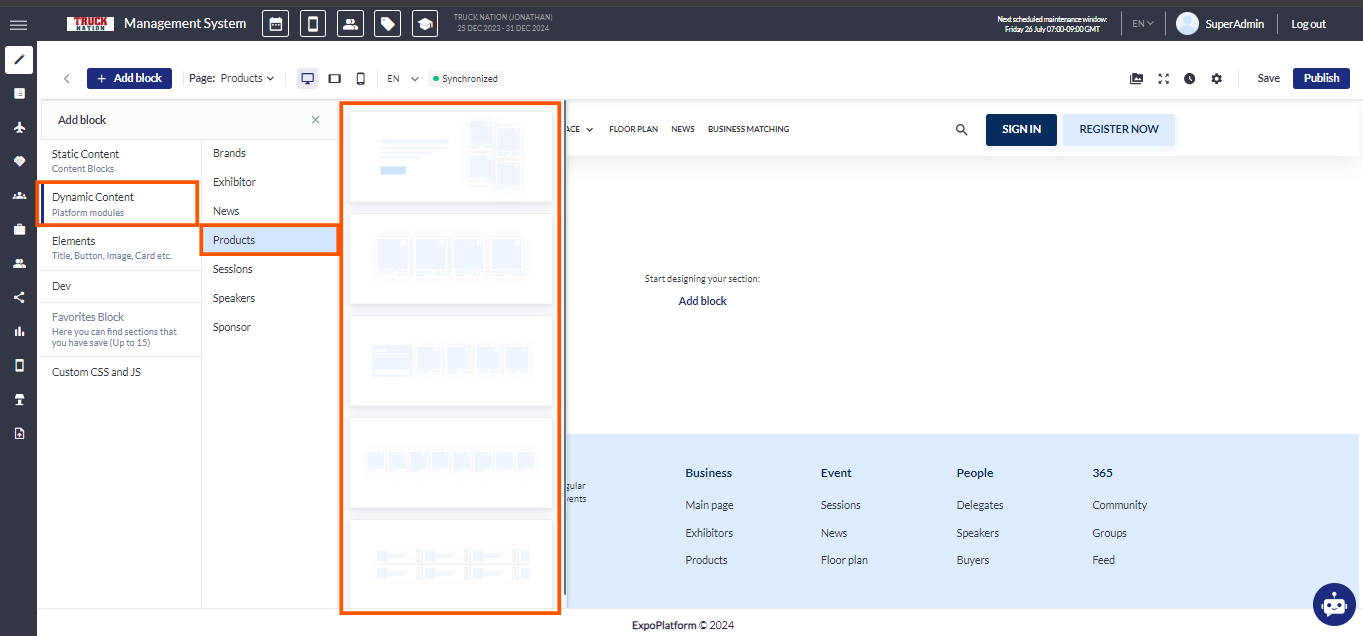
The Products Block in our website builder is a versatile solution for showcasing products dynamically and visually. It offers five unique templates, each designed to meet diverse needs for flexibility, customization, and performance.
Working with this Feature:
Display Variations:
-
Adaptive Display: Choose between a slider or static block for dynamic or fixed product showcases.
-
Card Configuration: Control the number of cards per row and the maximum number of displayed products. Sort products alphabetically, inversely, or randomly.
-
Thematic Presentation: Select specific product categories and control what information (e.g., product name, exhibitor name) is displayed on the cards.
Block Settings:
Style Settings:
-
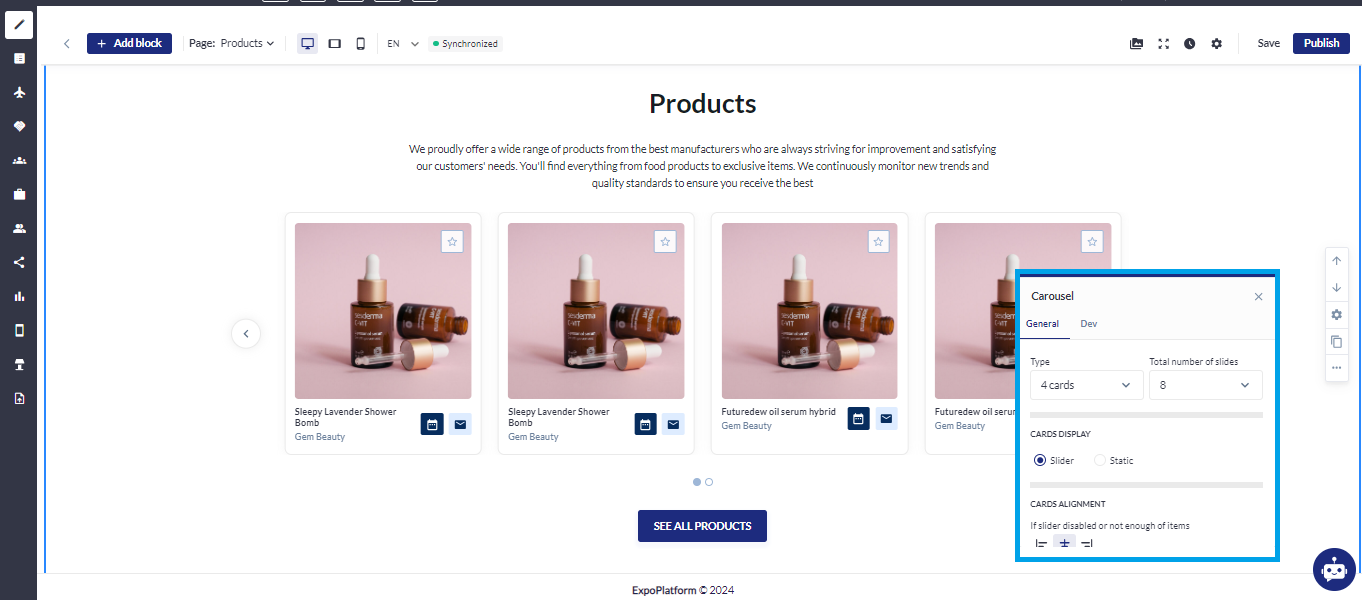
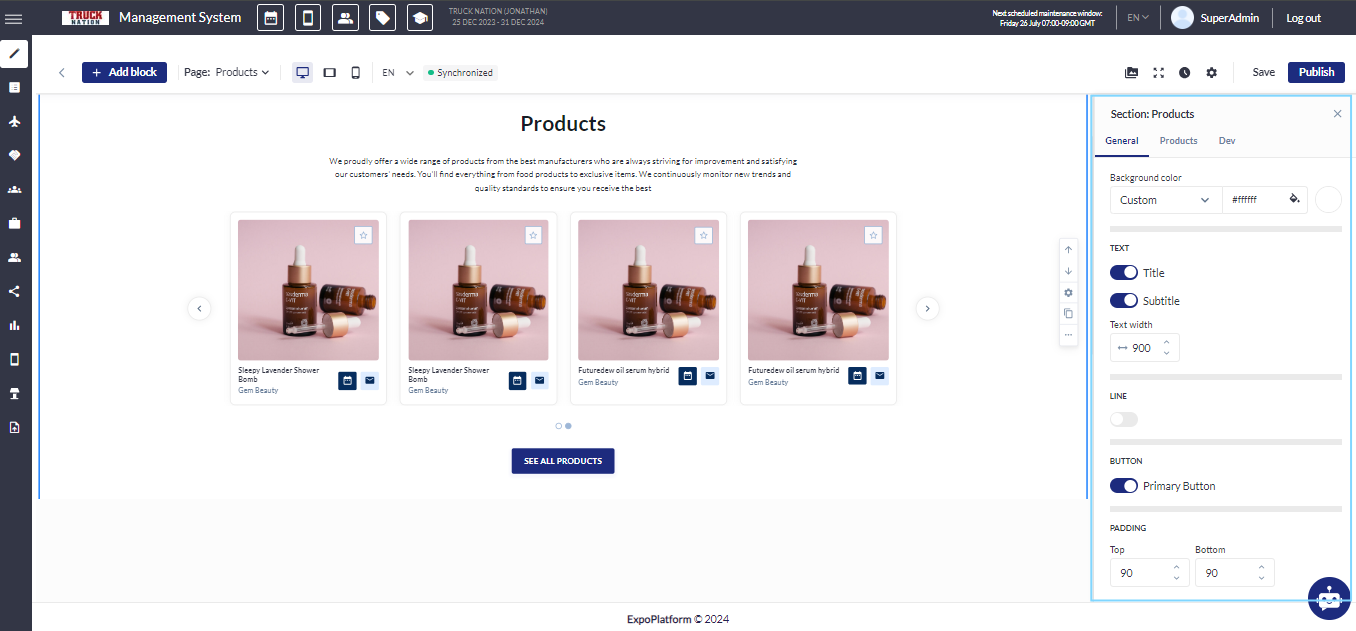
Background: Choose a background color or upload a custom image
-
Title & Description Toggles: Control the visibility of the section title and description
-
Text Width: Adjust text width for desktop viewing
Divider Toggle:
-
Add or remove dividers
Customization:
-
Adjust color, thickness, dash cap style, and padding
Carousel Settings:
-
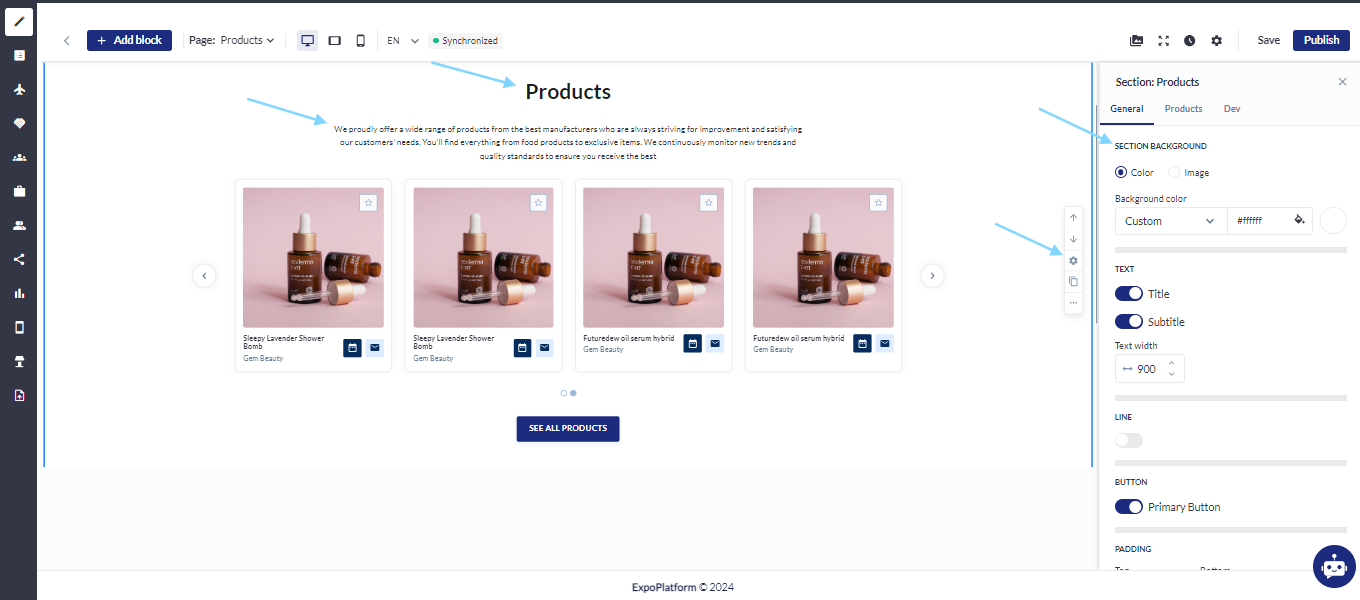
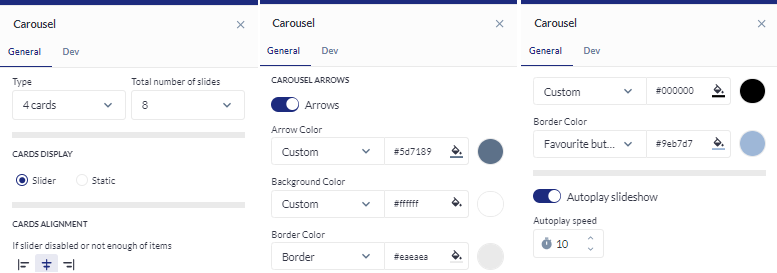
Total Cards: Define the number of cards in the carousel
-
Arrows: Toggle arrow visibility and customize their color, background, and border
-
Autoplay: Enable or disable autoplay for the slideshow
-
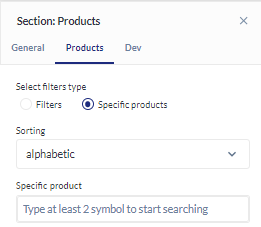
Sorting: Choose sorting options (A-Z, Z-A, random)
Product Settings:
Category & Exhibitor Selection: Focus on specific product categories and exhibitors.
Card Settings:
-
Background & Border: Customize color, thickness, and corner radius
-
Padding: Adjust padding for visual balance
-
Shadow: Choose shadow style, color, and size for added depth
Troubleshooting:
-
Changes are not visible:
-
Sometimes, changes might not reflect immediately due to caching. Clear your browser cache and refresh the page.
-
-
Products may not be displayed on the site for one of two reasons:
-
No results were found for the applied filters. (Ensure that the selected category is assigned to products.)
-
The user does not have the necessary permissions to view the elements. (Check the permission matrix.)
-