
Feature Purpose:
The Block Item Filtering feature in our website builder allows you to customize how content is displayed based on specific criteria, improving user interaction and making content more relevant. This feature supports dynamic content filtering, enabling personalized user experiences.
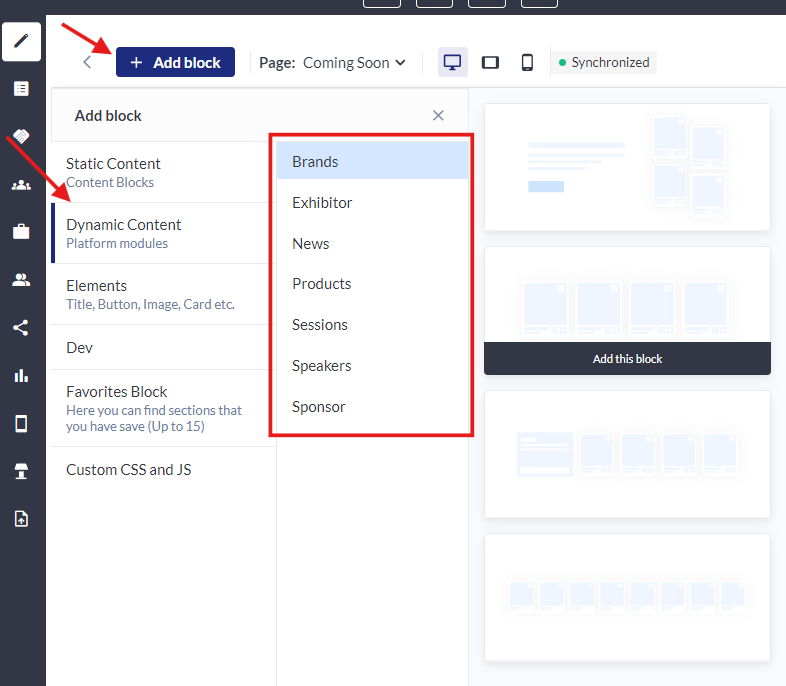
Available Dynamic Content Types
-
Brands
-
Exhibitor
-
News
-
Products
-
Sessions
-
Speakers
-
Sponsor
Custom Filters
You can create filters using various attributes such as:
-
Tags
-
Categories
-
Dates
-
And more depending on the Dynamic block added (Brands, Exhibitors, Products, etc…)
Dynamic Content Display: Dynamic content can be shown based on different criteria, allowing organizers to easily customize and control what information is shared. This ensures that the most relevant content is always presented.
Working with this Feature:
-
Add Dynamic Content: Start by adding the desired dynamic content block to your page (e.g., Exhibitors, Products).
-
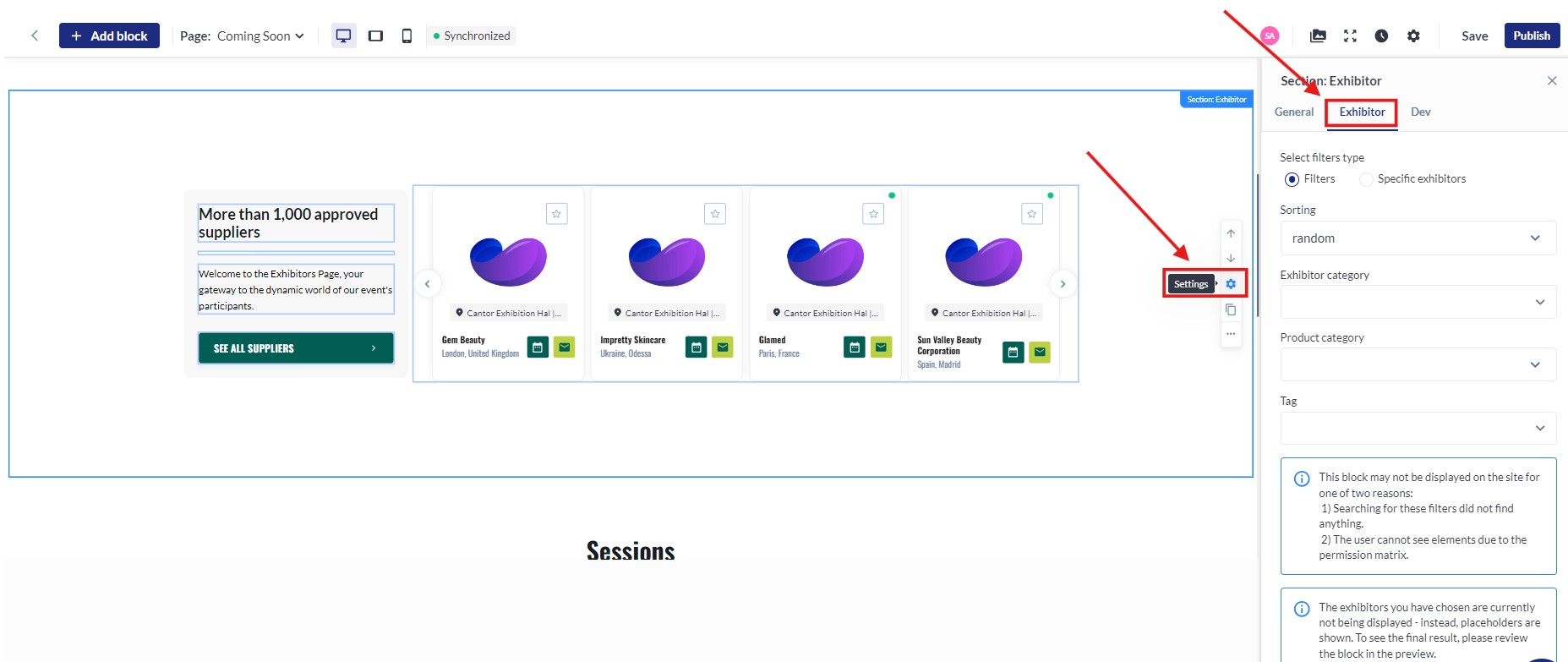
Access Settings: Click on the content block, then select "Settings." Navigate to the "Filtering" option.
-
Set Filters: Choose how you'd like to filter the content. For example, in the Exhibitors block, you can filter exhibitors by "Exhibitor Category," "Product Category," or "Tag."
-
Display Filtered Content: The dynamic content will update to display only the items that match your selected filters.
This feature enables you to tailor content based on specific parameters, enhancing the overall user experience on your website.
Troubleshooting:
Issue: Dynamic content might not update as expected after applying filters.
Solutions:
-
Refresh the Page: Sometimes a simple page refresh will resolve the issue.
-
Check Filter Settings: Double-check that all filter settings are correctly applied.
-
Clear Cache: If content is still not updating, try clearing your browser cache or using a different browser to see if the issue persists.
Issue: The block is not being displayed on the site
Possible reasons:
1) Searching for these filters did not find any matching content
2) The user cannot see elements due to the permission matrix
Double-check both of these to see if one of these is the cause