
Invite Participants: Statistics
We have introduced the Invite Visitor Statistics tab/report for both Exhibitor Profile and the Admin Panel.
Admin Panel Settings:
Under Registration Settings → Registration Statistics a new tab is added named Invite Visitor Statistics which captures the details of the invite email sent to visitors by the exhibitor from their profile on frontend.
This tab consists of following info
-
Invite Statistics: Shows the counts of Sent, In Progress, Done, Active, Checked-In, and Error.
-
Most Effective Exhibitors: displaying the top 5 exhibitors with counts of Sent, In Progress, Done, Active, Checked-In, and Average activity per exhibitor.
-
Filter: Helps in filtering the data based on Exhibitor, Status of the Invite email sent and Date
-
Search - It helps in searching the user with the help of their registered email
A button to export these details in an xls format is also present
The same data structure exists for exhibitor profiles on the frontend to show the stats of visitor invite emails sent by the exhibitor. The setting exists under the Visitor Invite tab. Each data on the line graph corresponds to a specific date when the invitation was sent.
Benefit
-
Stats for invite emails sent by exhibitors are available on both the Admin panel and the exhibitor profile.
Include Exhibitor Events in Session
A new setting/checkbox added to the Session Config tab (/admin/events/config) from where the organiser can check to include Exhibitor Events as part of the main session list on frontend.
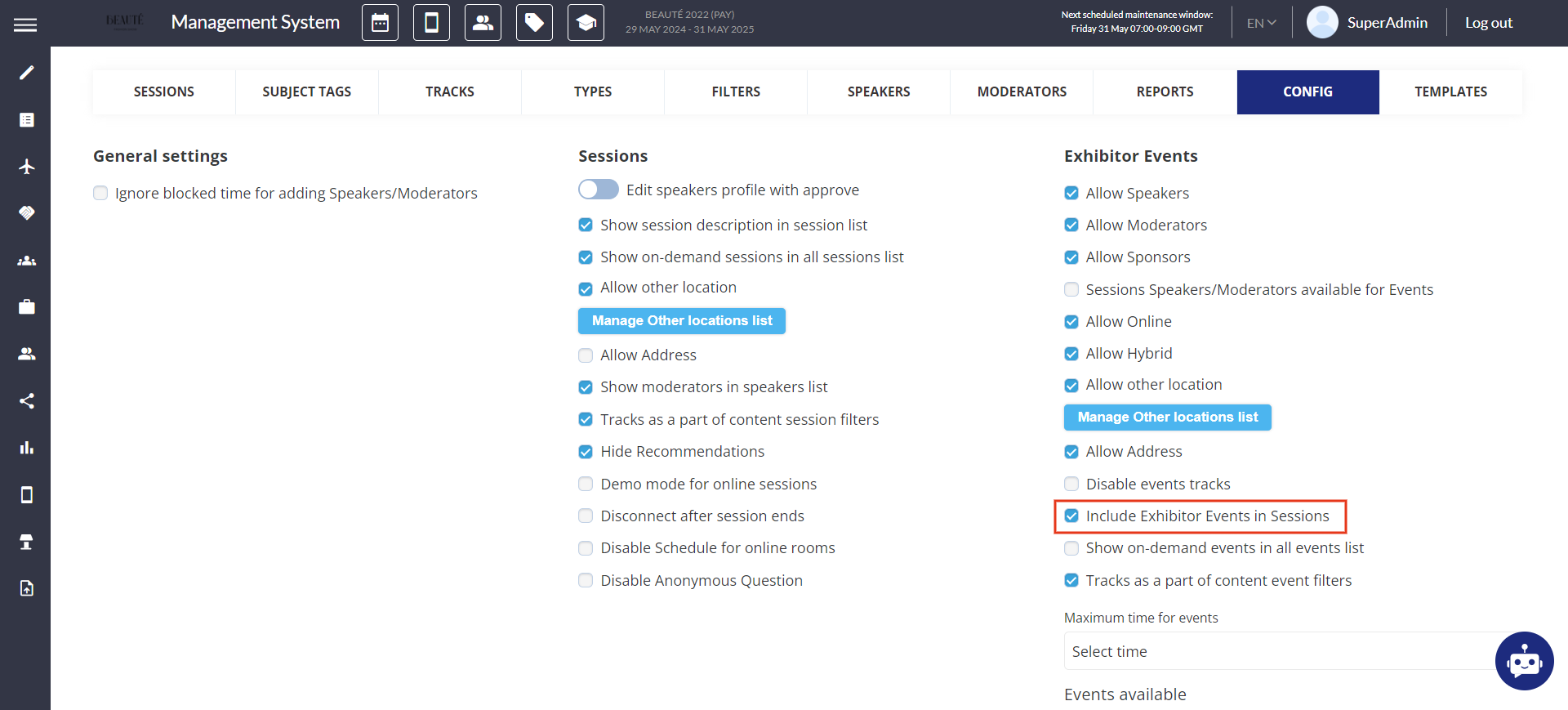
Default State: OFF:
In addition to this, a new filter component is added on the Session page frontend, enabling users to filter between "All", "Exhibitor Events Only", or "Sessions Only".
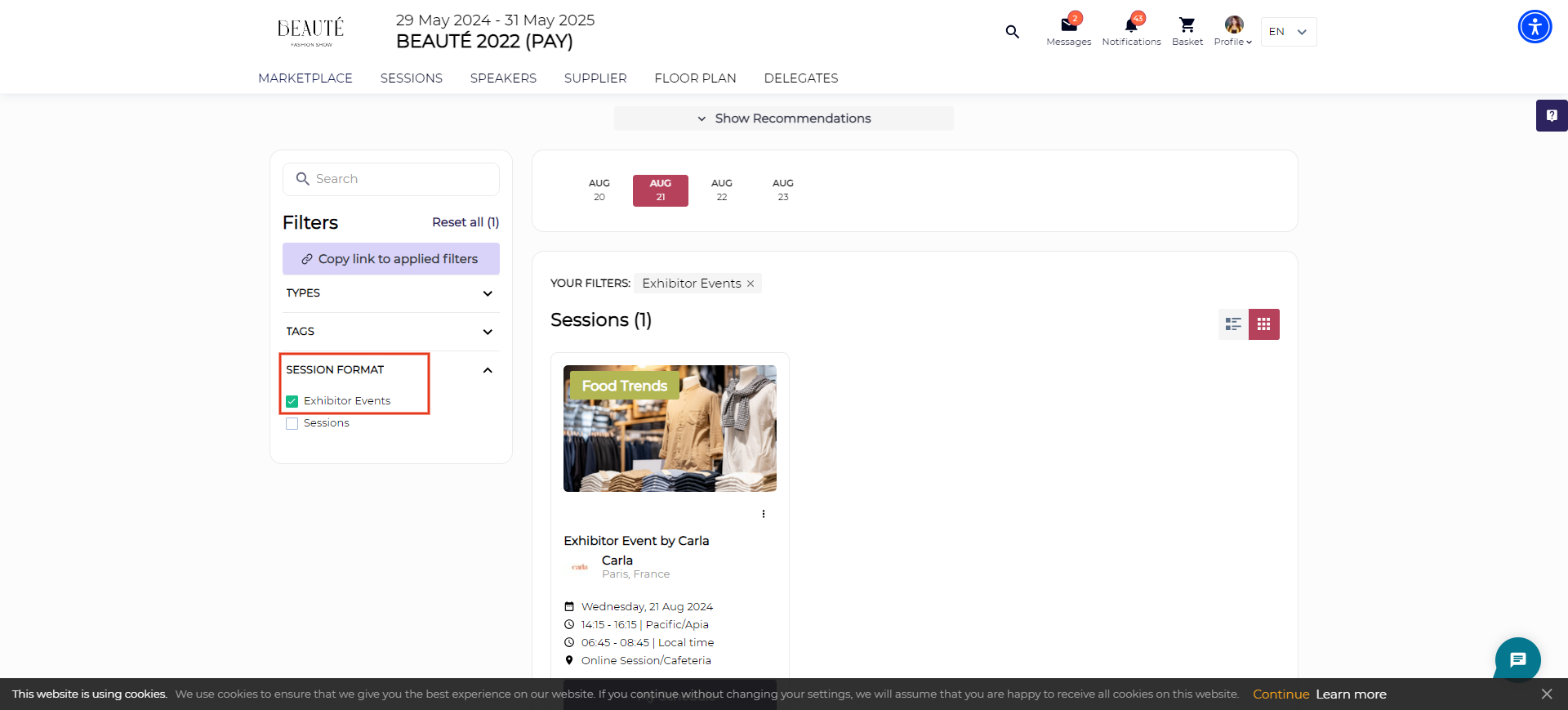
By default, the filter is set at All, which shows Sessions and Exhibitor Events as combined
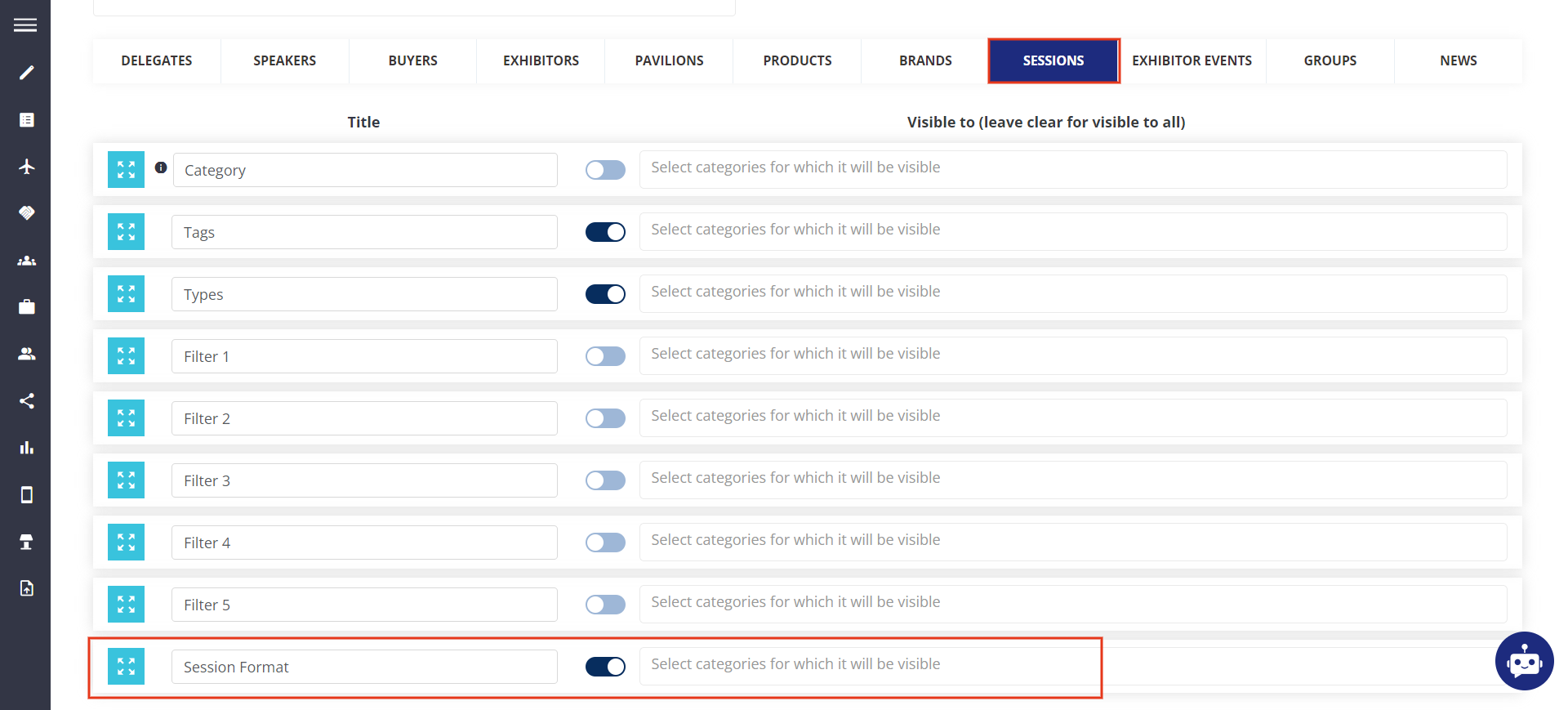
This filter has been added as part of the existing Session Filters under Display filters (/admin/management/session/displayFilters)
Benefit
-
Ability to include exhibitor events in the session list on the frontend, with an option to filter between Exhibitor Events and Sessions.