
Alt Text for Images
Website Builder
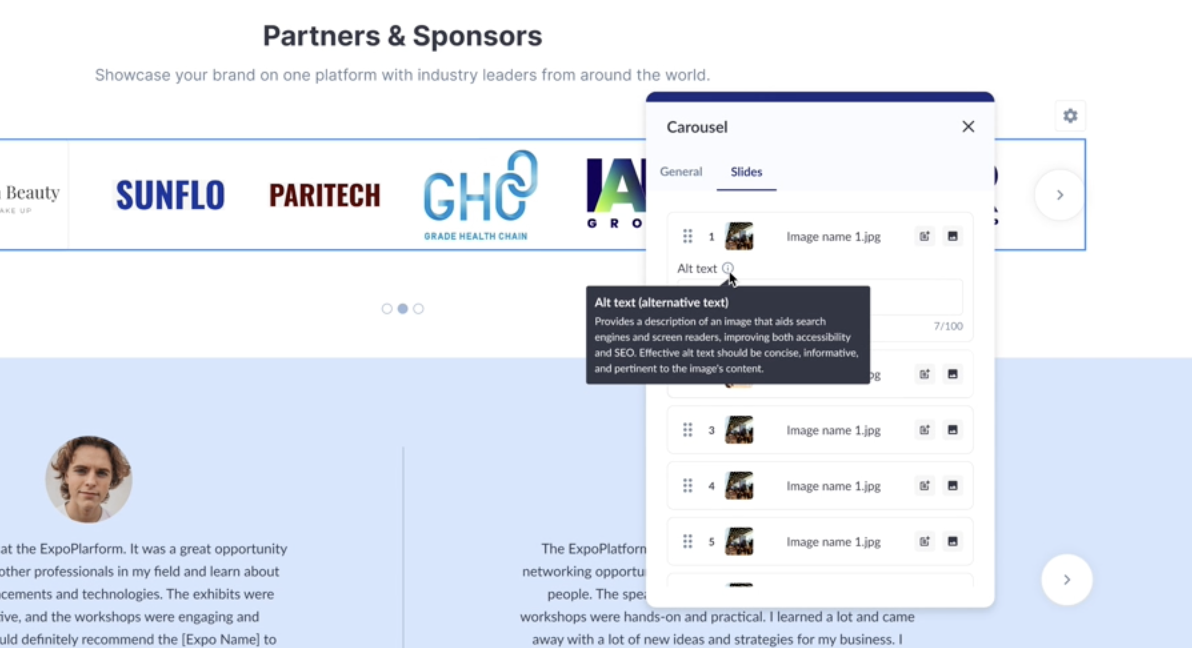
Adding alt text to images is crucial for SEO and accessibility. Alt text allows search engines to understand and index images effectively, we are working on adding the same to our web builder.
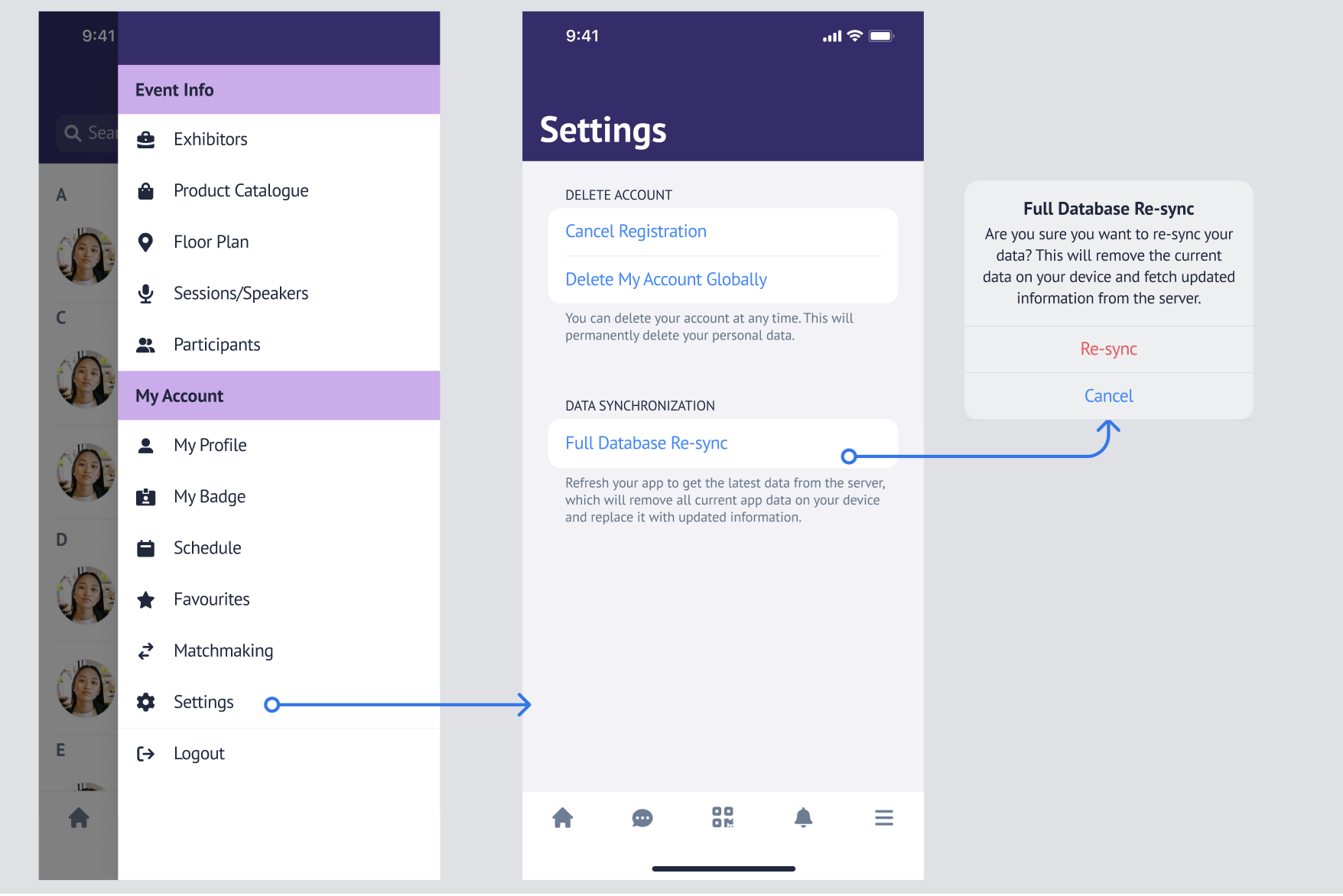
"Re-sync" button for end users
App
Ability to manually fetch the most up-to-date data from the server without needing to re-login, force close, or uninstall the app.
Send Agenda Improvement
Admin
Gives Admins greater clarity and control when sending agendas by explaining the action, allowing recipient selection (including team-member Admins), and confirming success or failure—ensuring precise and transparent communication.
Extension to Page Opened on Login Functionality
Admin
Allows clients to define a custom internal page users land on after login, maximizing engagement by guiding them directly to high-value content like the Meeting Program, while preserving onboarding and required flows.
Klipso Native Integration - Exhibitor Product Categories Enhancement
Admin
Enhancement to the existing Klipso Integration, which now allows to maintain the product categories for the exhibitor profile while cloning the event and exhibitor data.
Toggle for IPS / GPS Config - ExpoFP
Admin
This feature enhancement in ExpoFP helps organisers to self-configure the Indoor and Global Positioning System in the floor plan based on venue capabilities and event requirements
How to configure the settings in ExpoFP: If you are an admin in ExpoFP, go to Settings >> Enable IPS/GPS.
Admin can choose one of 3 options - IPS only, GPS only or IPS+GPS option independently.
In the admin Panel EP, the settings can be enabled from /admin/general/settings
Note: It is part of the Crowdconnected Integration
Personal Assistant Improvement
Admin
This feature enables visitors( participants, buyers, and TMs) to add an additional email address (personal assistant) that will receive a copy of all emails sent to their profile.
Admin Panel Setup:
A new system field (Personal Assistant Email) has been added to the visitor registration form. When this field is included to the registration pipeline, participants gets an option to enter an email address to be CC’d for all communications/emails sent from the platform.
If the field is left blank or is not included in the registration pipeline, no email will be copied for the platform communication
Check-In App: Logout Button
App
The logout button is now prominently placed and triggers a confirmation pop-up when logging out of the app, making it easier for users to locate the option and preventing accidental logouts.
