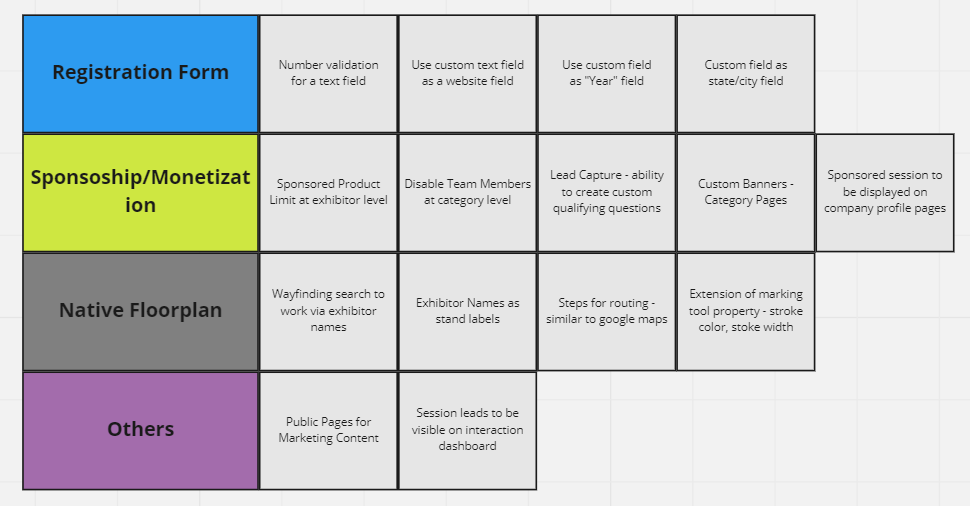
November Releases
Additional Meeting Settings:
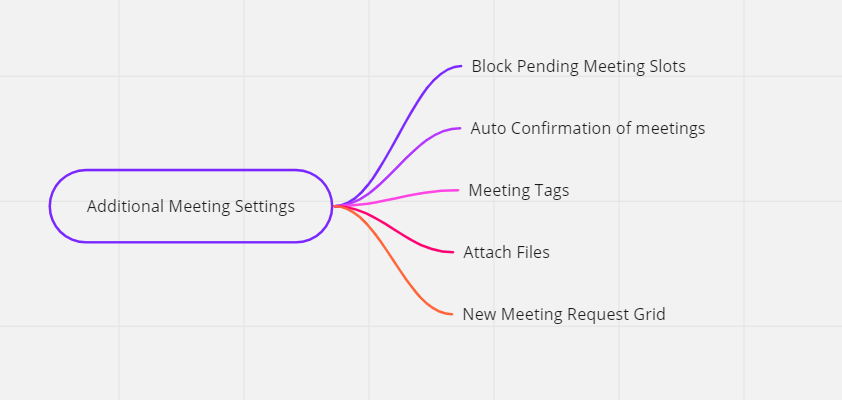
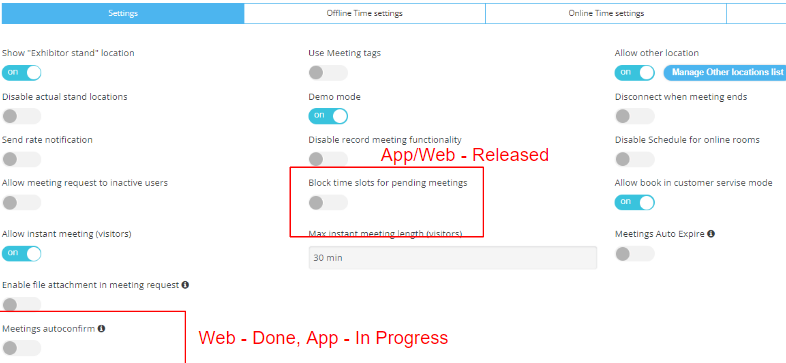
Block Pending Slots & Auto-confirm:
Ability to block pending meeting slots & auto-confirm meetings, by default the toggle is OFF. Setting can be found in Networking & Matchmaking - /admin/appointments
Benefits:
-
More control over what should happen when a user requests meetings
-
Higher meeting conversion rates
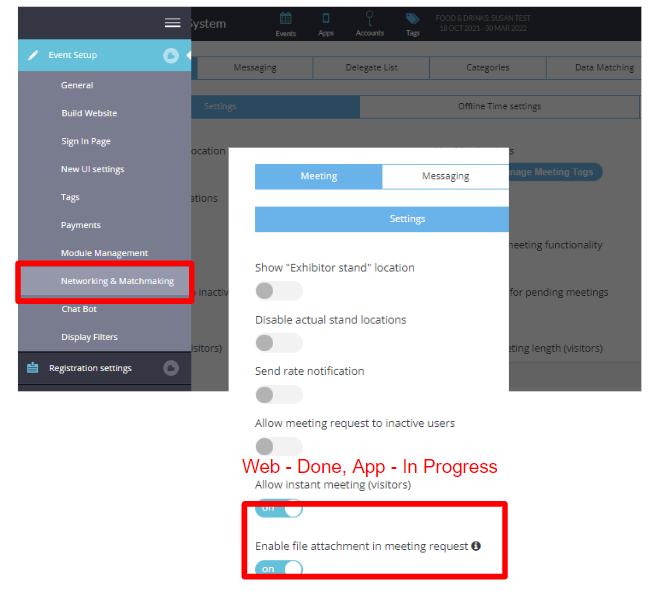
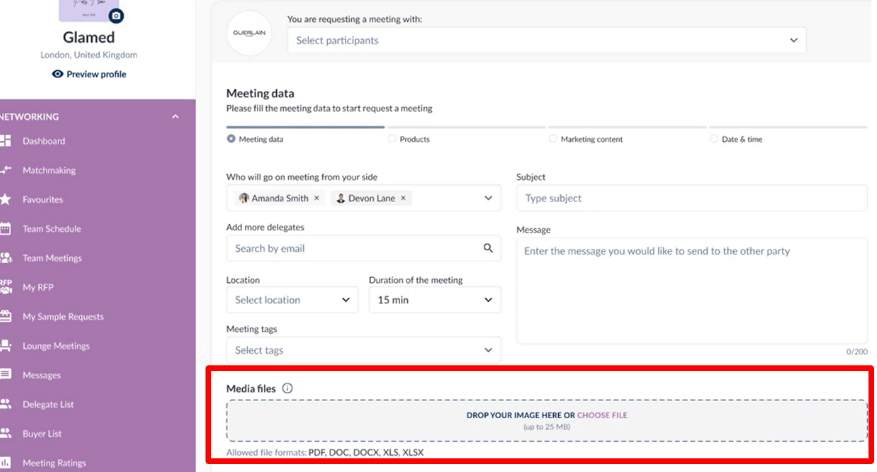
Attach a File while requesting a meeting:
Ability for the meeting requester to attach a file to their meeting request. Setting can be found in Networking & Matchmaking - /admin/appointments
Benefits:
-
Ability for visitors to include any relevant documents, such as requirements or information about their own company, as part of their meeting request
-
Eliminates the need to share documents via email in advance of a meeting
Tag Field in Meeting Request Flow:
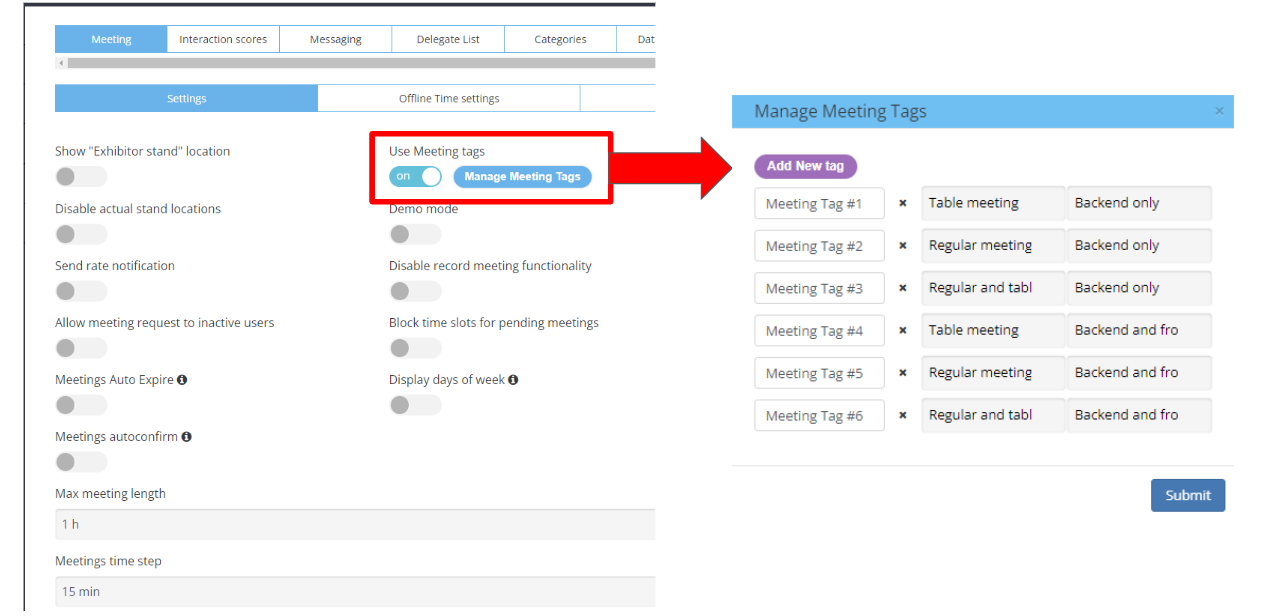
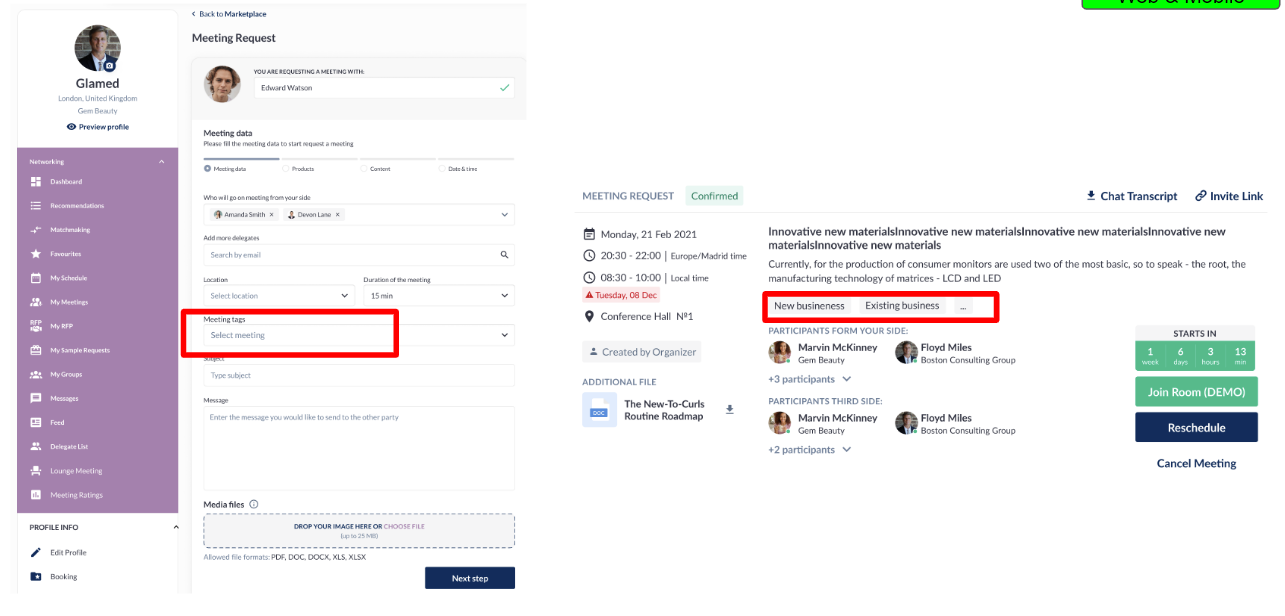
Ability for the organizer to create tags that can then be used in meeting requests.
-
Tags can appear on the backend only, frontend only or both
-
Tags can be used for table meetings only, regular meetings only or both
Benefits:
-
Additional information for exhibitors receiving meetings requests (ex. New Business, Existing Business, etc.)
-
Additional insight for organizers into the types of meetings that are taking place
New Meeting Request Grid:
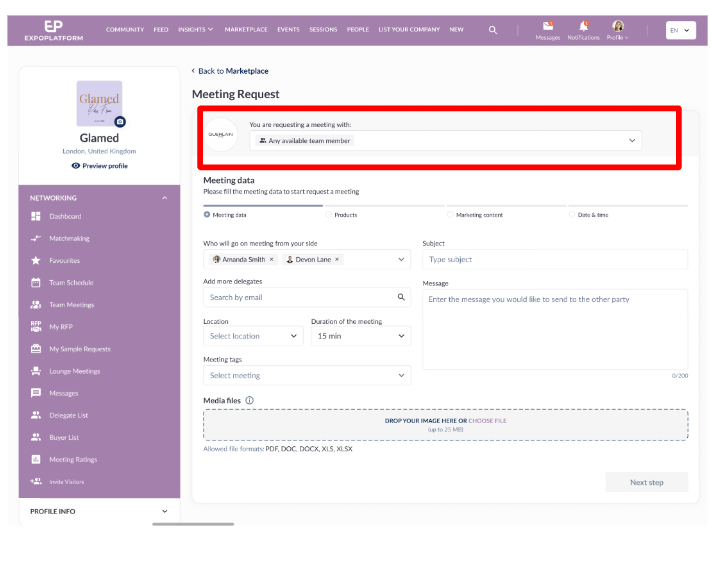
When requesting a meeting with an Exhibitor, the default option on the meeting request form “You Are Requesting a Meeting With” field will now be “Any Available Team Member”.
Benefits:
-
Better experience for Meeting Requestors
-
Greater number of meeting requests, and actual meetings, for Exhibitors
-
Increased engagement for Organizers
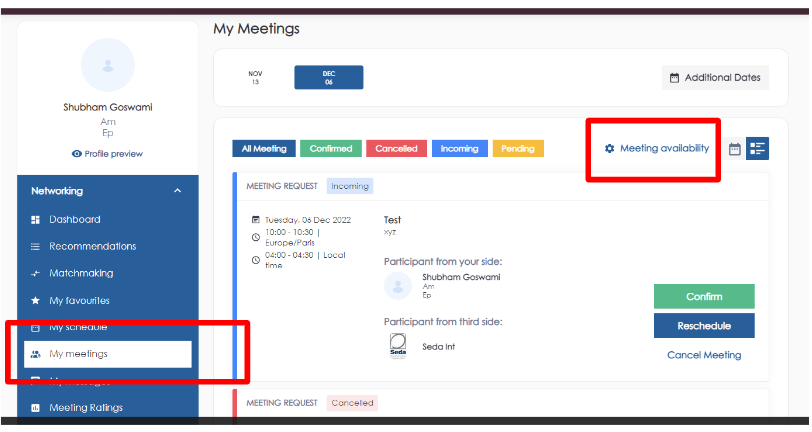
New Placement of Meeting Availability Settings:
The page where the user sets their availability for meetings has moved from Profile > Settings to Networking > My Meetings. Several UI enhancements have also been made that make it easier for the user to set their availability
Benefits:
-
Easier for users to find the page where they can block out times that they’re unavailable for meetings
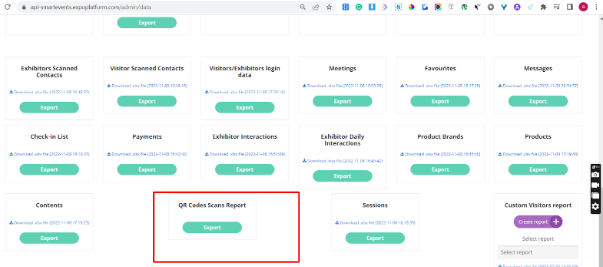
QR Scans Report:
Detailed report of QR codes scanned for a specific event:
-
Exhibitors
-
Products
-
Content
-
Visitors
Benefits:
-
Measure which QR code was scanned onsite
-
Distinguish the lead retrieval route
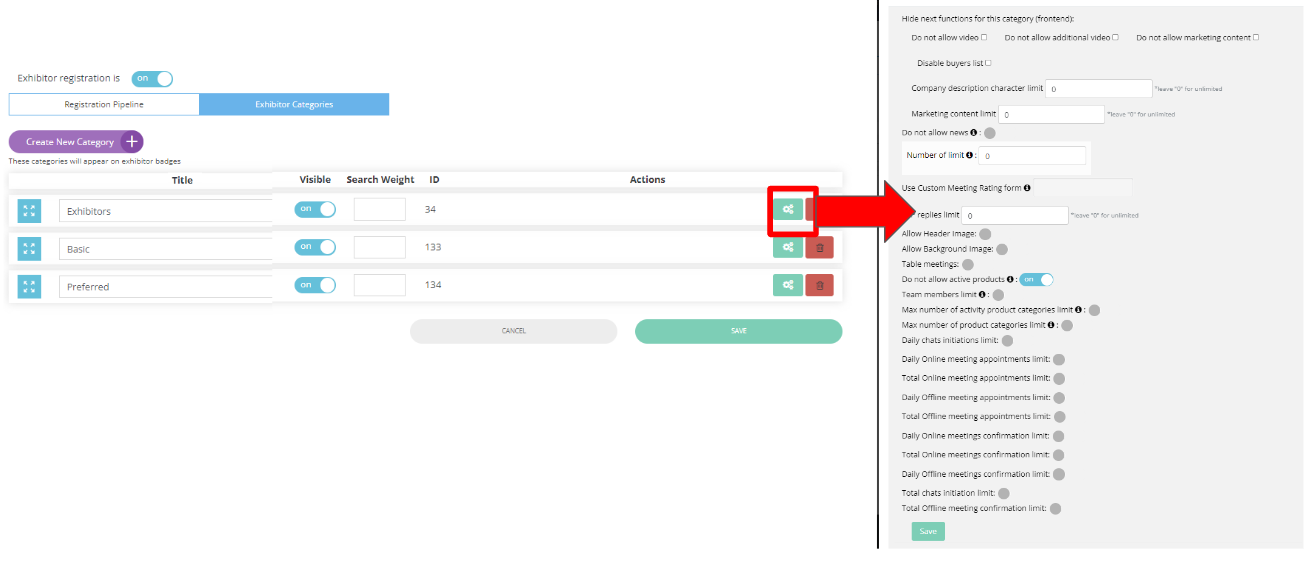
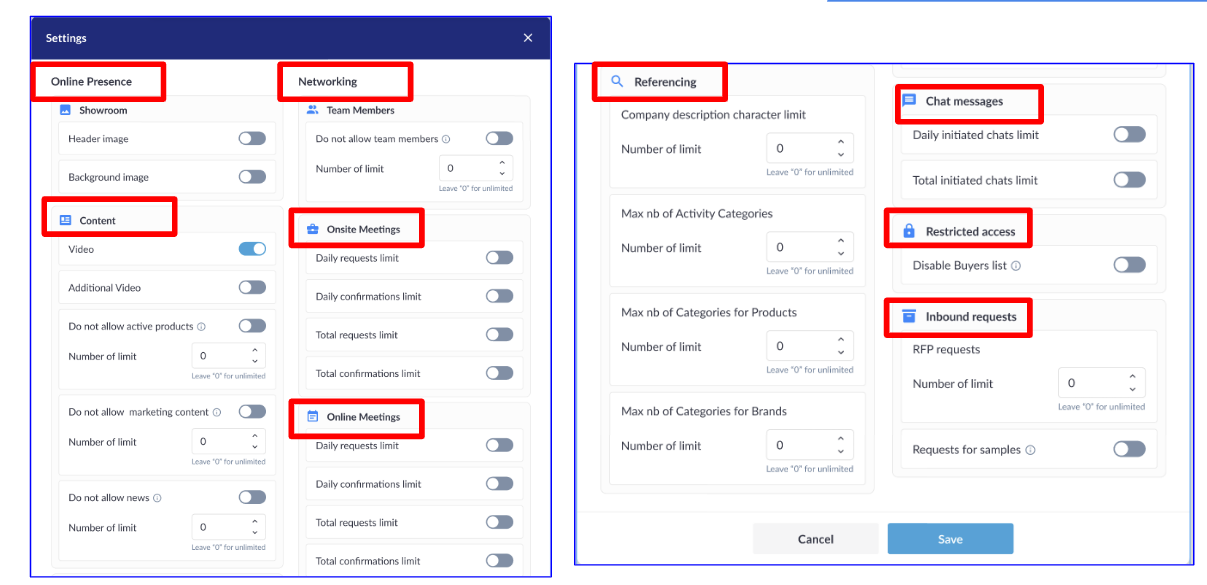
Exhibitor Category Settings, v2:
With this new update, exhibitor category settings are now grouped logically by topic on the Registration Settings > Exhibitor > Exhibitor Categories > Settings page
Benefits:
-
Easier for the organizer to see all of the different settings related to a particular topic in one place, making it easier to design different monetization packages
-
Organizer can configure all of the settings for a particular topic in one place making the process more efficient and less error-prone
Floorplan v2 (Admin Panel):
Updates to the admin portal that make it easier to work with floor plans. These include:
-
Option to choose multiple halls or just one hall
-
File drag and drop to upload
-
Notifications about size limits and supported file formats
-
Ability to zoom in/out
-
Easier replacement of image
-
More help text throughout
-
Easier management of hall open times
-
More intuitive management of lounges
-
Automatic updates to meeting requests when an exhibitor’s stand number is changed
Benefits:
-
Floor plan admin is now easier to work with, making using EP’s floor plan more attractive to Organizers
-
Using the additional map options that are now available makes the floor plan more useful for visitors
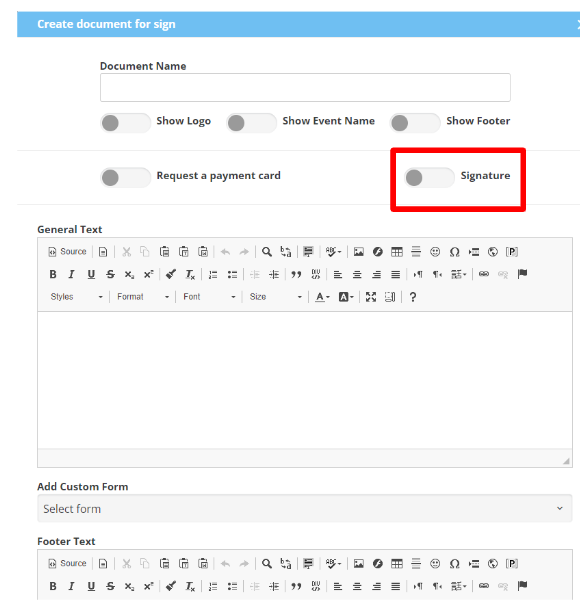
Toggle to turn ON/OFF - Signature | Document to sign
A new toggle that when turned off gives the organizer the ability to collect digital forms in the Hosted Buyer Module that don’t require the Buyer to sign the form.
Benefits:
-
Increased flexibility for Organizer
-
More streamlined process for Buyer
Expected Releases - December: