
December Releases
Featured Product Limit & Choice Per Sponsor:
Organizers can now place a limit on the number of featured products each exhibitor can show, with the exhibitor having control over which products show as featured.
In the admin, Management > Sponsors will have a new column called “Sponsored Products Limit” along with a new “Sponsored Product Limit” field which will be empty by default (empty = unlimited featured products) Under Management > Exhibitors in the sponsorship section of the exhibitor edit page, there will a new “Sponsored Product Limit” field, also empty by default.
Released only for the web. App in progress.
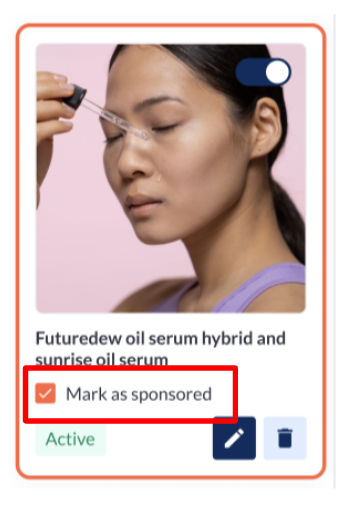
Exhibitors can now choose which of their active products should be shown as featured products.
Benefits:
-
Prevents showing lots of featured products from one exhibitor at the top of the Products page
-
better exposure for all exhibitors purchasing this sponsorship
-
The ability for the organizer to include different levels of sponsorship.
Disable Team Members:
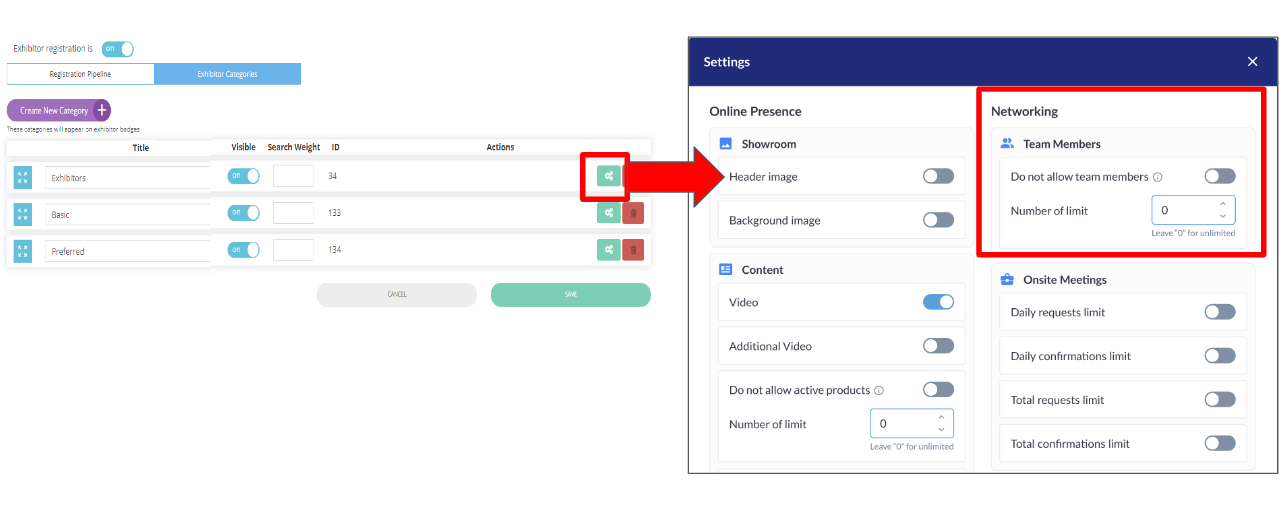
On the exhibitor category settings page, in addition to being able to limit the number of team members for a category, organizers have a new choice to not allow any team members at all for a category.
Benefits:
-
Facilitates the monetization of team members by the organizer
Additional fields - existing badge scan report:
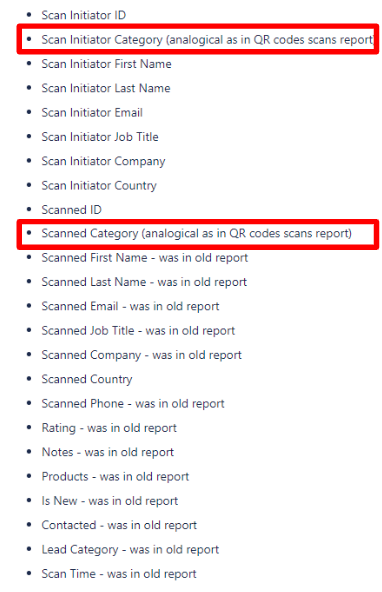
In the Exhibitor Scanned Contact and Visitor Scanned Contact data exports there are now new fields that show the both the scan initiator’s registration category and the scanned badge person’s registration category.
Benefits:
-
Additional information about each lead for the exhibitor
-
An overview of who is scanning who for the organizer
-
The scanner report is aligned with the QR code report thereby simplifying the organizer's analysis
Public pages for Marketing Content:
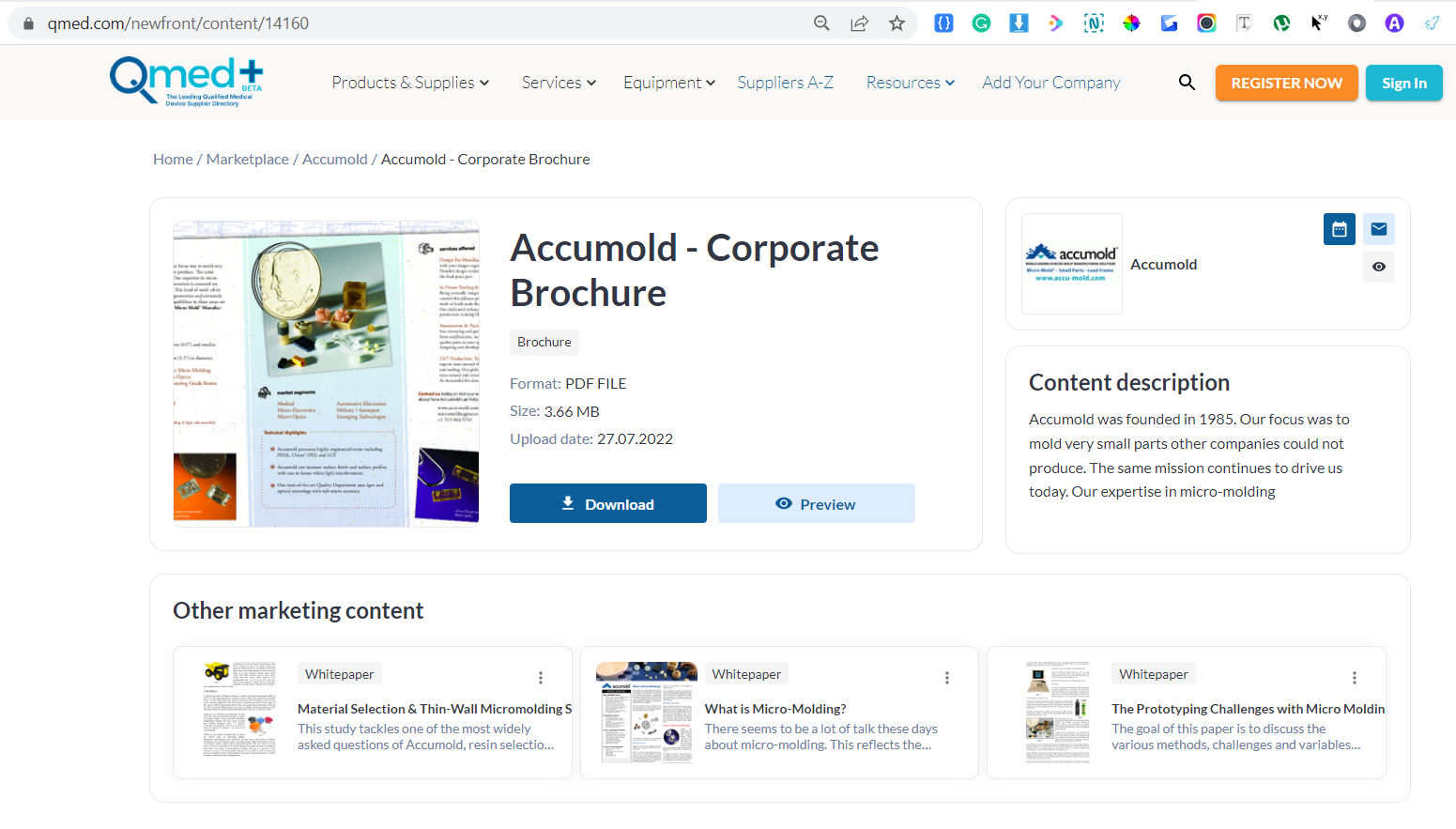
Previously, there was no way for an exhibitor to share marketing content individually with a user, as they were just part of the basic building blocks of the exhibitor profile page. Now, each marketing content can have it’s own unique link & can be shared.
To enable go to: Admin panel-Registration settings->Exhibitor->Additional settings-> “Content public page”.
By default. it’s off.
Benefits:
-
Marketing links can be shared individually.
-
It is possible to use links as part of the sitemap.
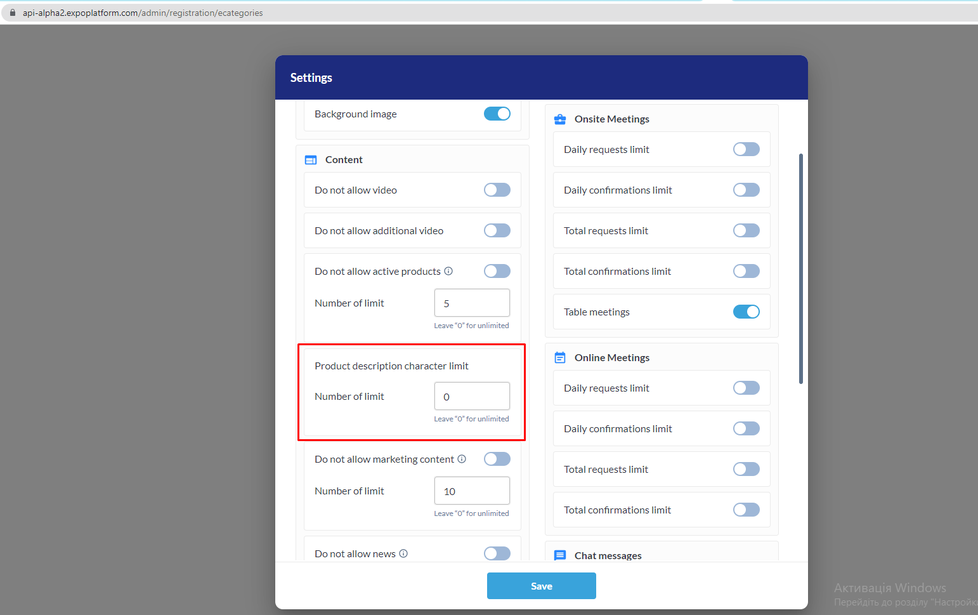
Ability to set up Product Description Limit:
A new setting is added in the exhibitor category settings pop-up. This setting will allow organizer to control the character limit for product description.
Benefits:
-
Facilitates the monetization of product descriptions.
-
This prevents exhibitors from entering product descriptions that are too long.
Floorplan Updates:
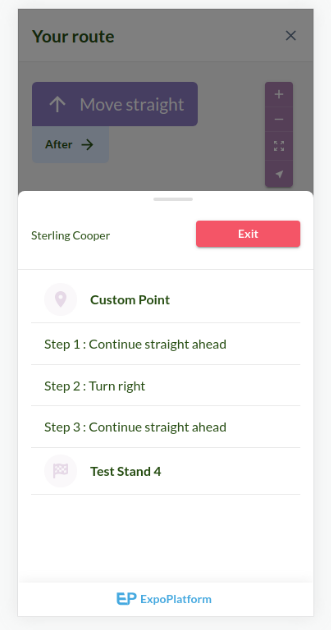
Routing added to the floorplan
Guilded stepwise display for the user to navigate the event floorplan. |
|
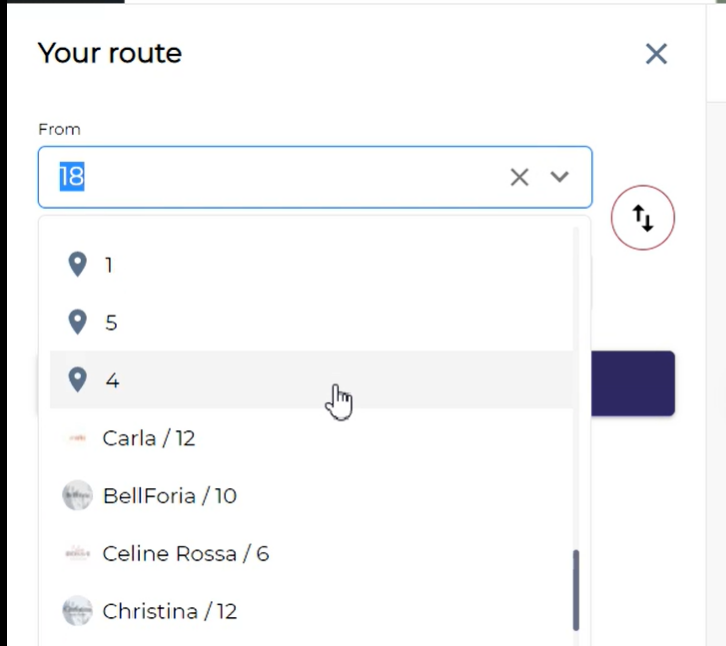
Get Directions search
It is possible to search either by exhibitor name (or) stand name |
|