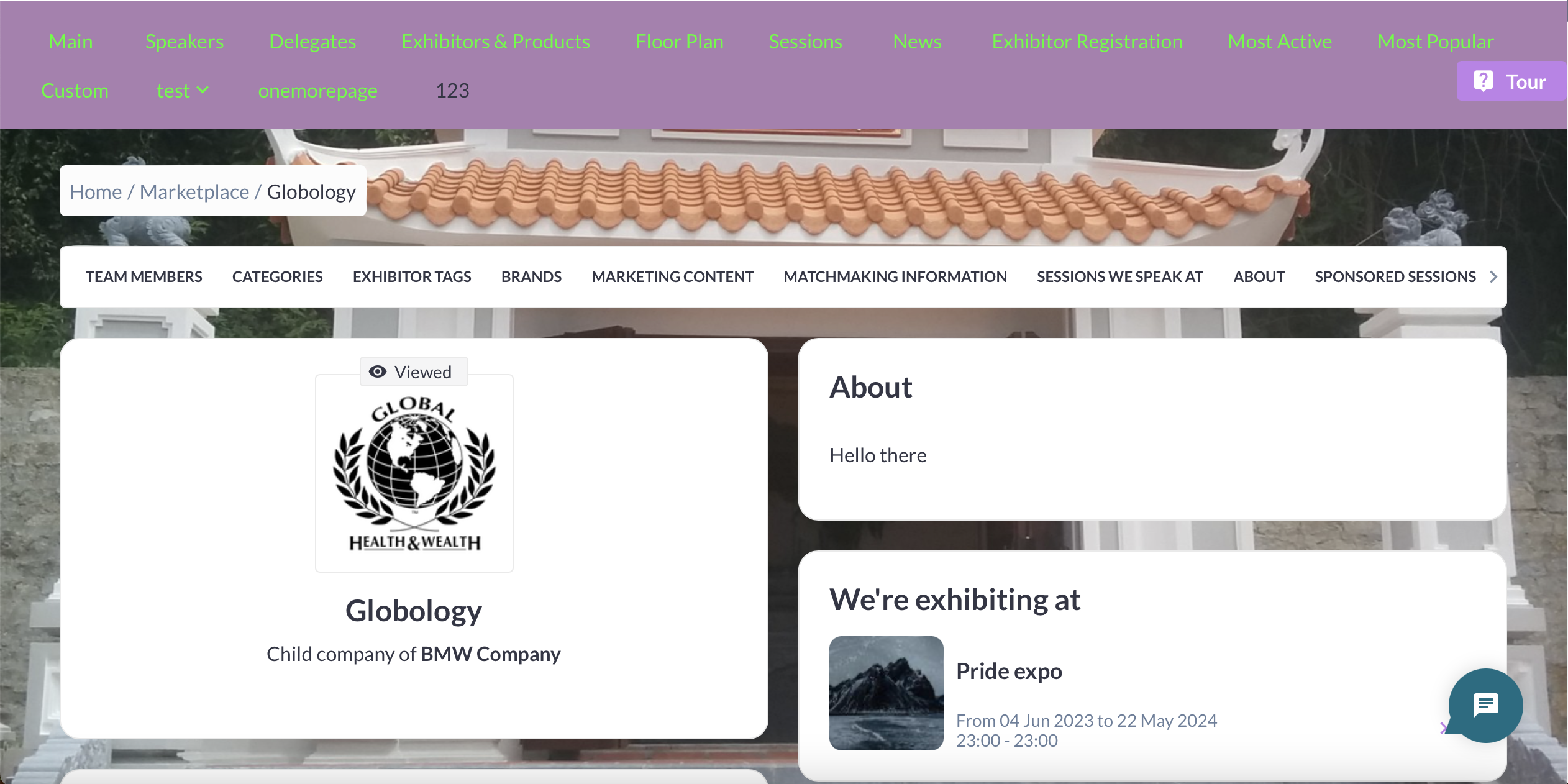
Header and background images can be allowed at either the category level or the individual exhibitor level.
Category level
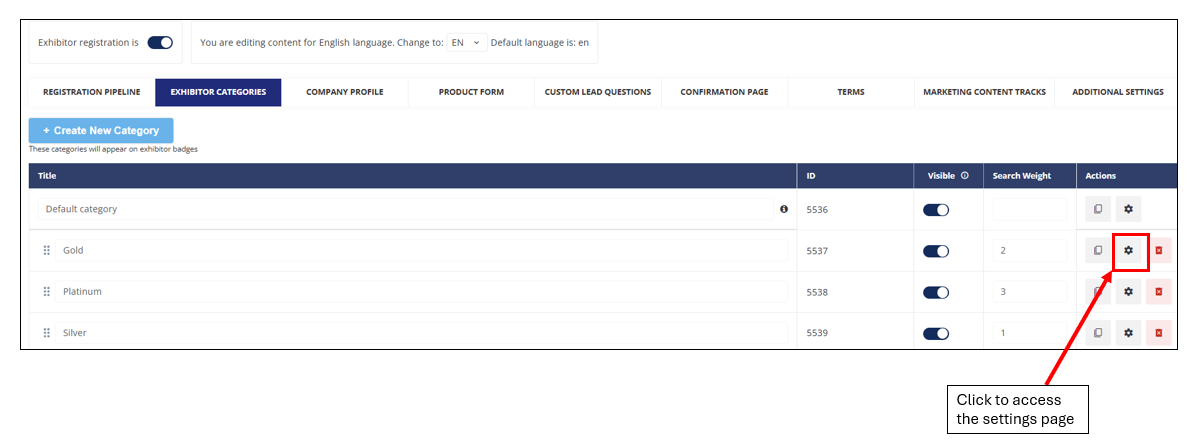
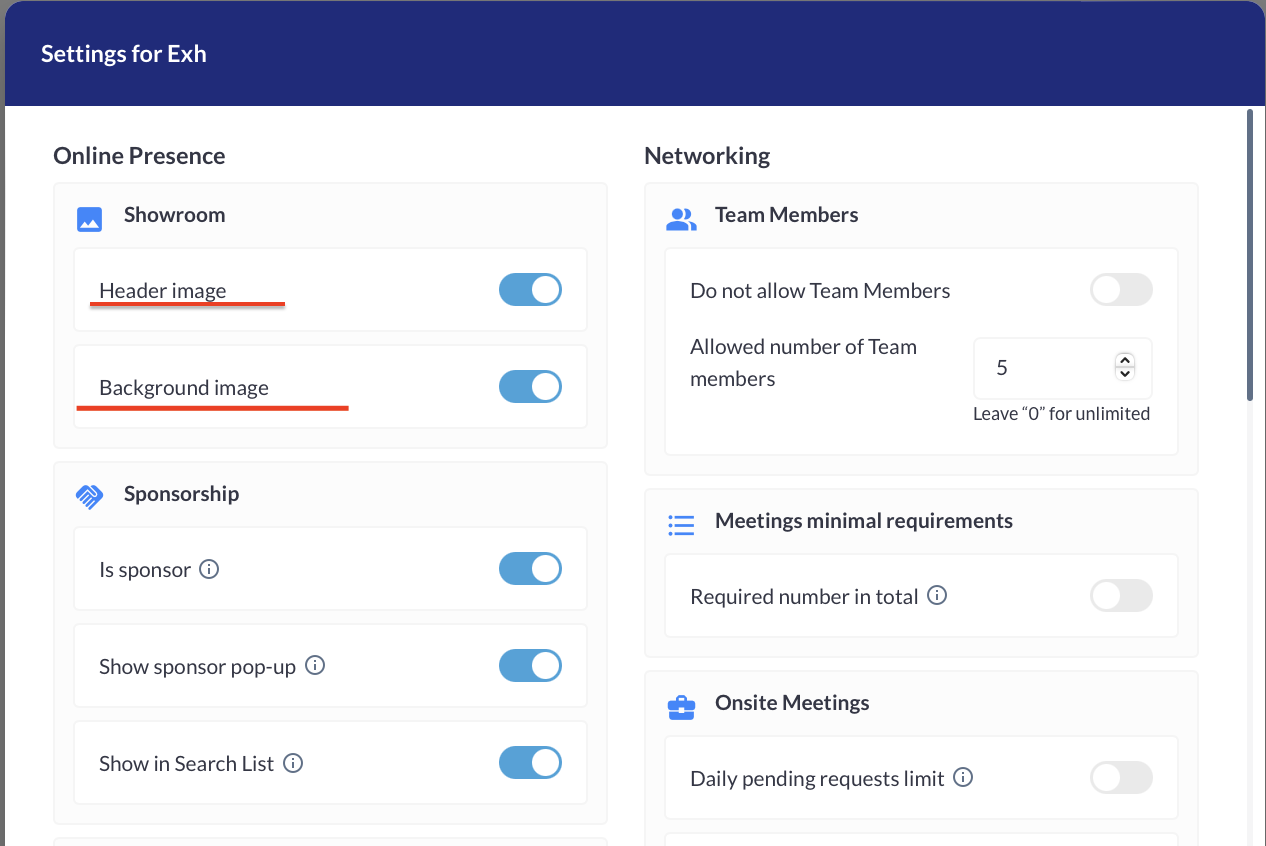
Header and background images can be allowed for a particular exhibitor category by clicking on the gear icon next to the relevant exhibitor category and then enabling the relevant toggle. This can be done under Registration settings > Exhibitor > Exhibitor categories
Individual Level
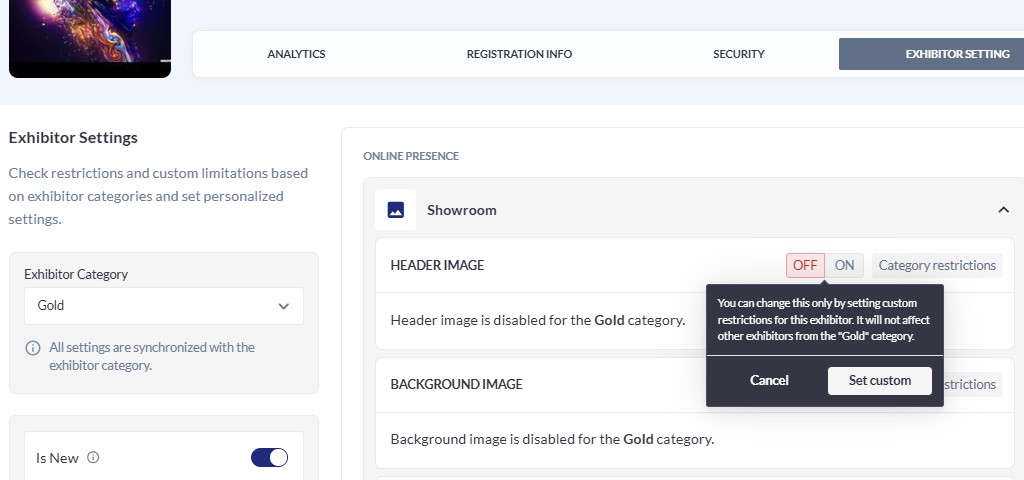
Header and background images can also be set up at the individual exhibitor level under Management > Exhibitors > Exhibitor settings
Exhibitor management of header and background images
If an exhibitor has sponsorship status and that exhibitor is permitted to add a header and/or background image (through either the relevant category or individual exhibitor level setting), that exhibitor can then set up a header and/or background image through their frontend exhibitor profile.
On the frontend, the exhibitor will have a tab called “Public page branding” on the Sponsorship page where they can upload or change header and background images.
Supported formats are PNG/JPG, up to 2MB. Aspect ratio for Header is 7.2:1 and for Background is 1.7:1.
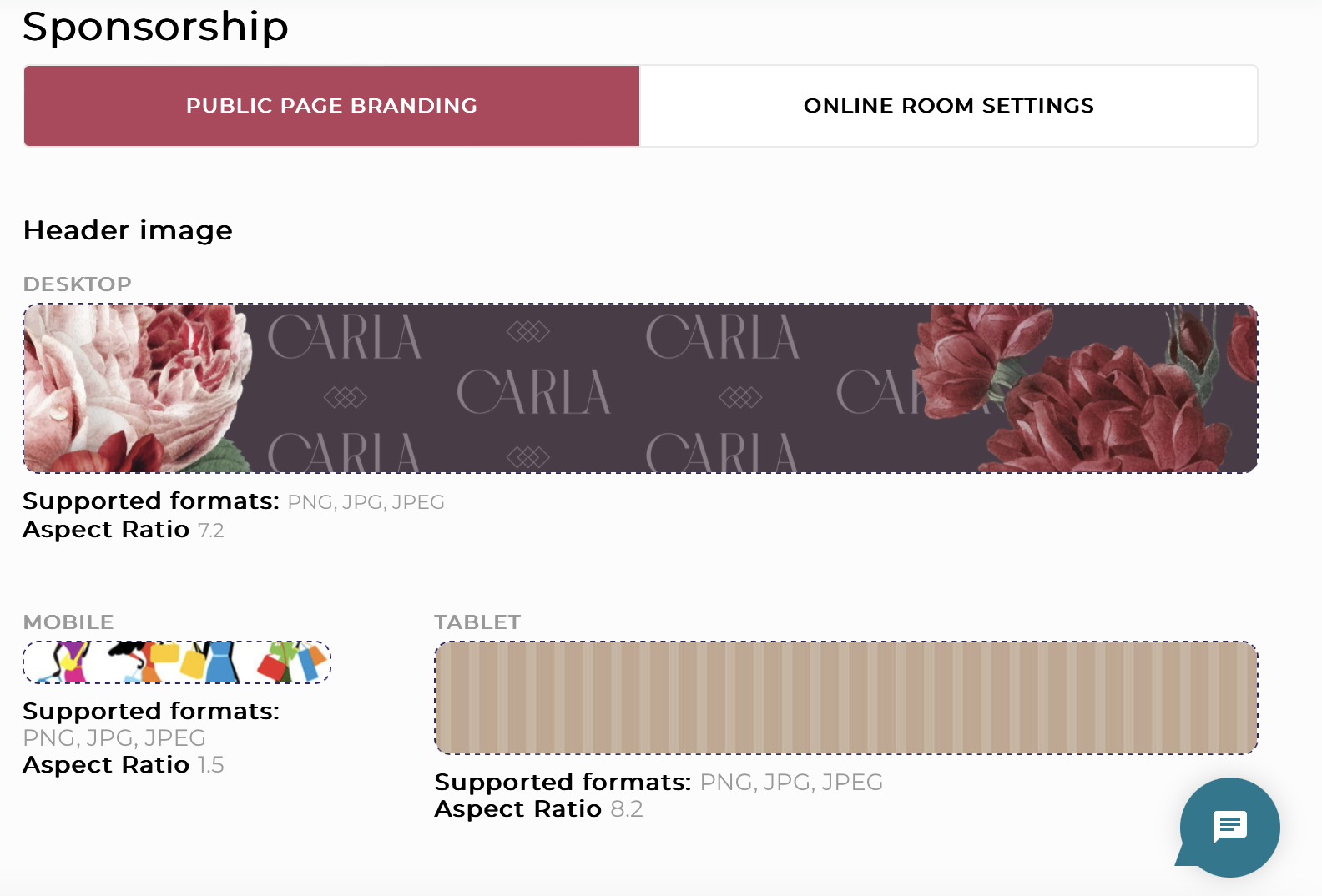
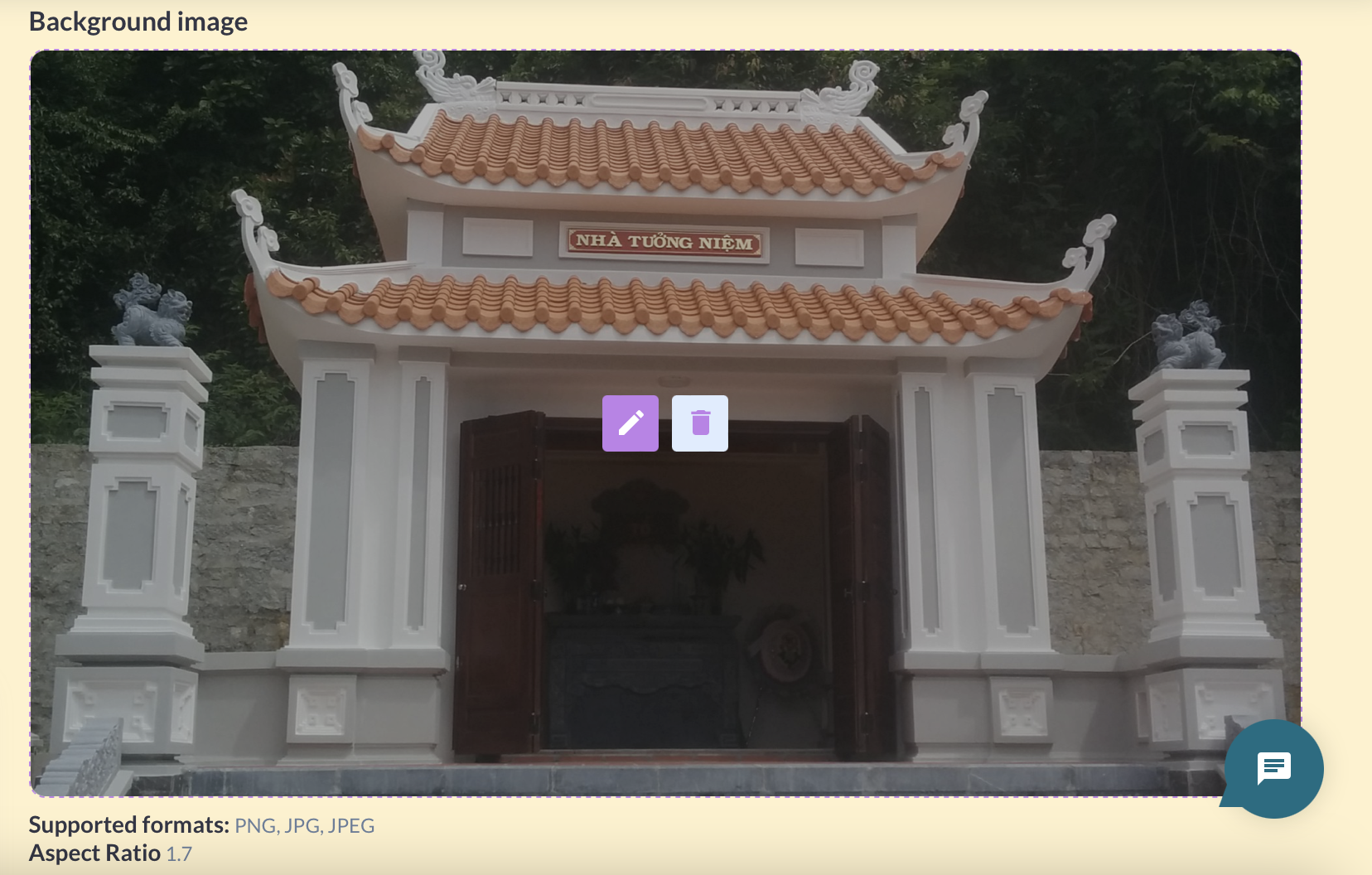
In the Admin Panel, the organiser can also upload images on behalf of the exhibitor, on the Exhibitor Setting page mentioned in the Individual Level section above.
There is a synchronization between images uploaded in the admin panel and images uploaded on the frontend and so uploading/deleting images in one place will be reflected in the other place
Image Display on Exhibitor’s Frontend Profile
Here is what a header image looks like on the frontend of the website to website users
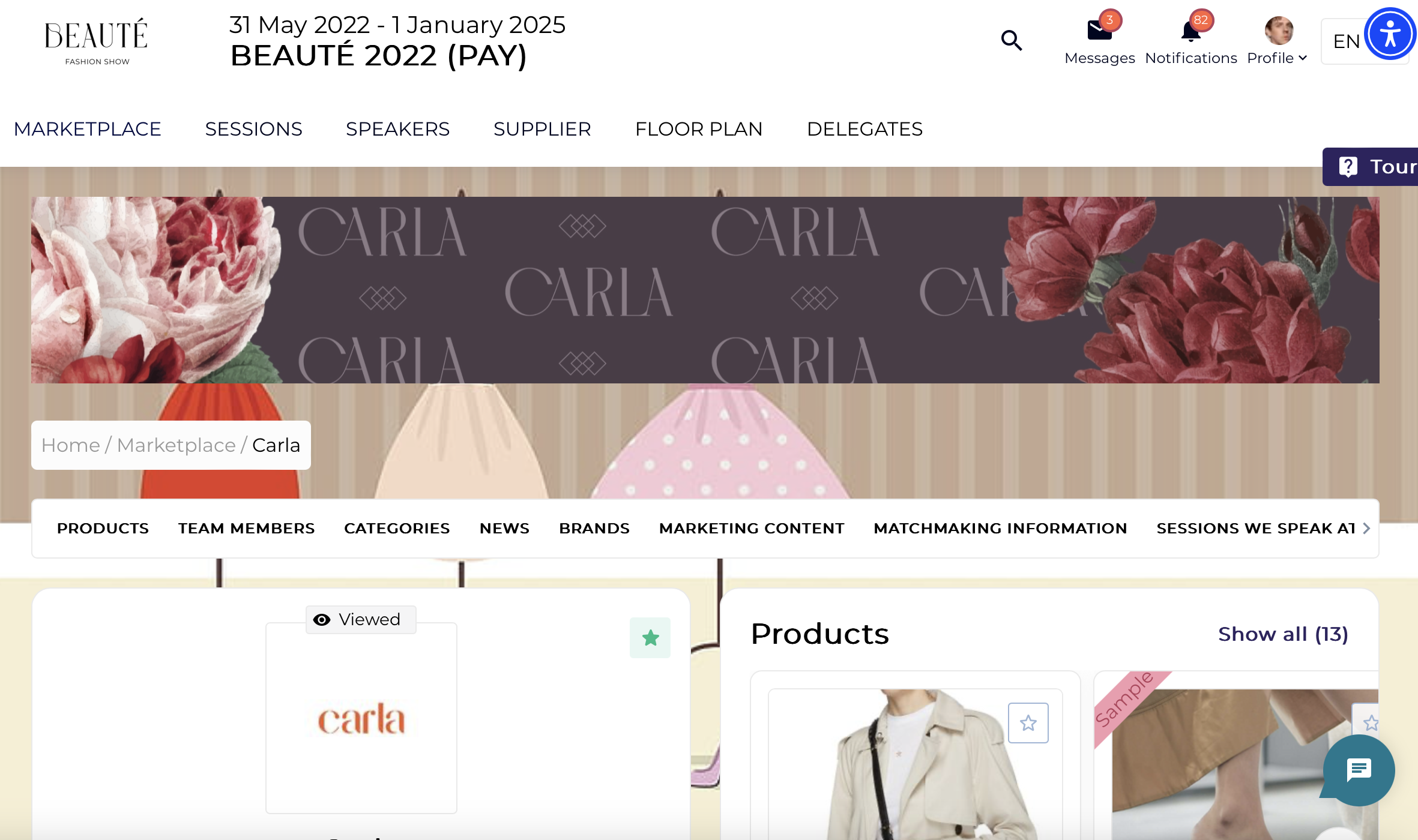
Here is what a background image looks like on the frontend of the website to website users