
Feature Purpose:
Allows the organizer to create tags that can then be attached to sessions to allow end users to filter on each tag.
Working with this Feature:
In the Admin panel under Management > Sessions > Subject tags, the organizer has the ability to create, edit or delete a Subject Tag.
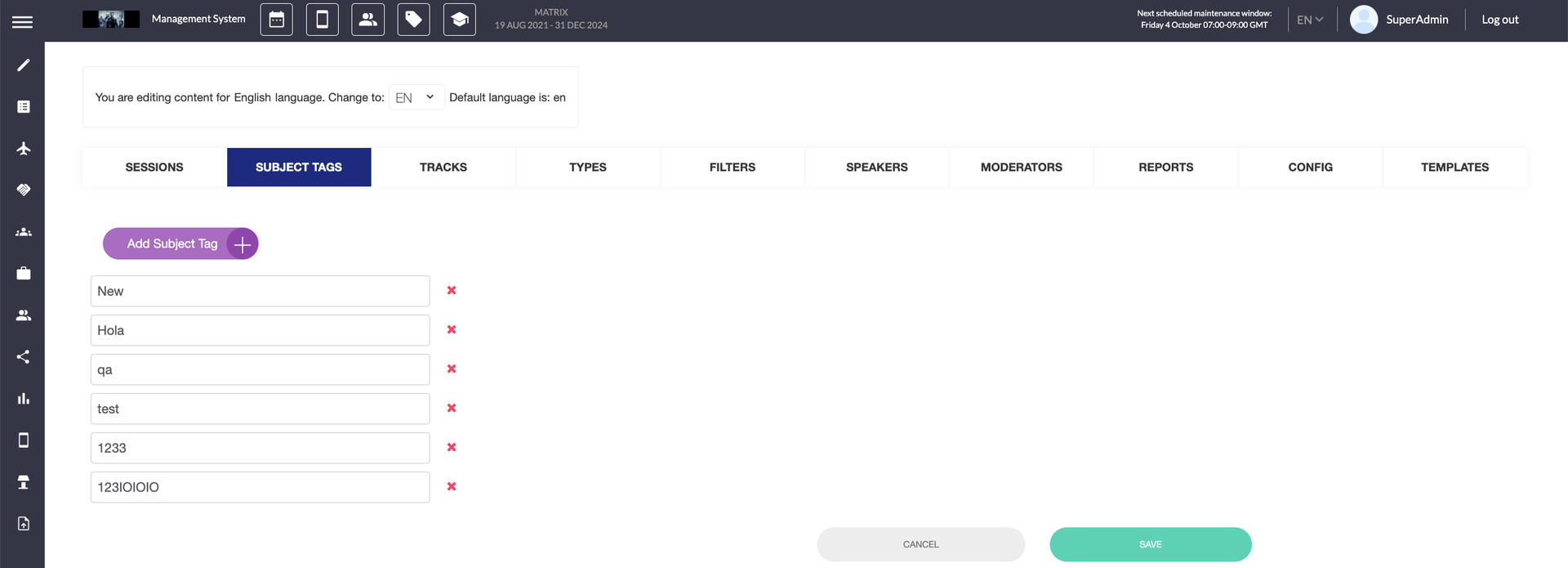
After saving the list of tags, on the session edit page, one or several tags can be selected and attached to the session. Previously selected tags can also be deleted here.
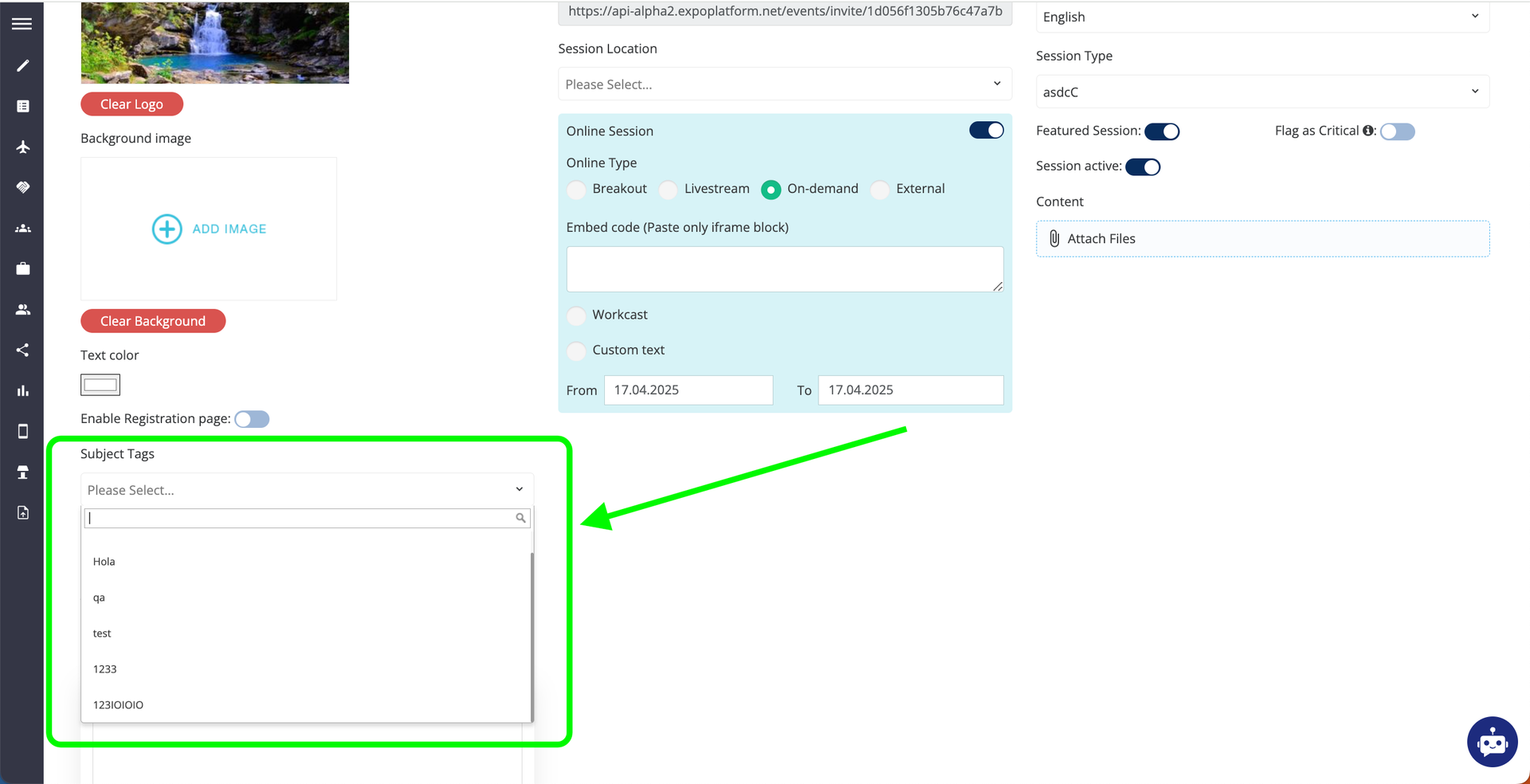
Tags help organizers categorize sessions by topic, industry, theme, format, etc. making it easy for attendees to then find relevant content. Attendees can filter sessions by the tags that are visible on sessions and speaker profiles.
Tags have descriptive names and can be color-coded.
Tags should be planned carefully for consistency.
They can be modified anytime to improve search and filtering for attendees.