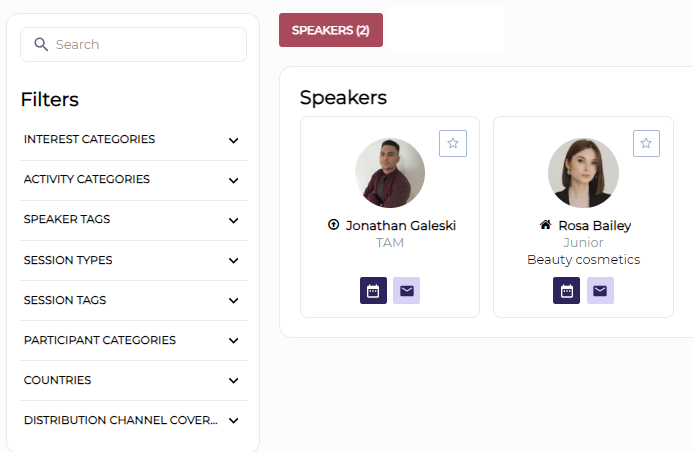
Feature Purpose:
Allows organizers to add speakers to the event and have those speakers display to end-users on the Speaker page
Working with this Feature:
In the Admin panel, under Management > Sessions, the admin can access the Speakers tab.
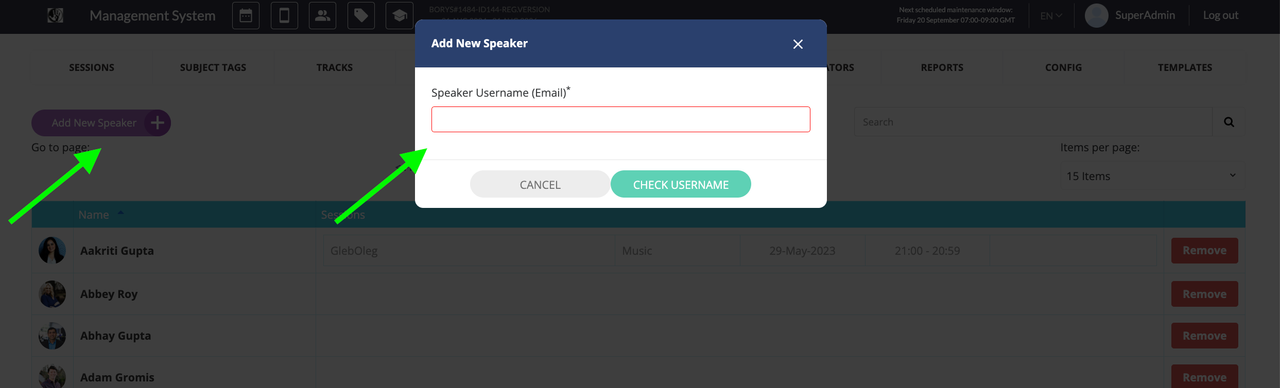
By clicking the "Add new Speaker" button, the admin can add a speaker using their email address
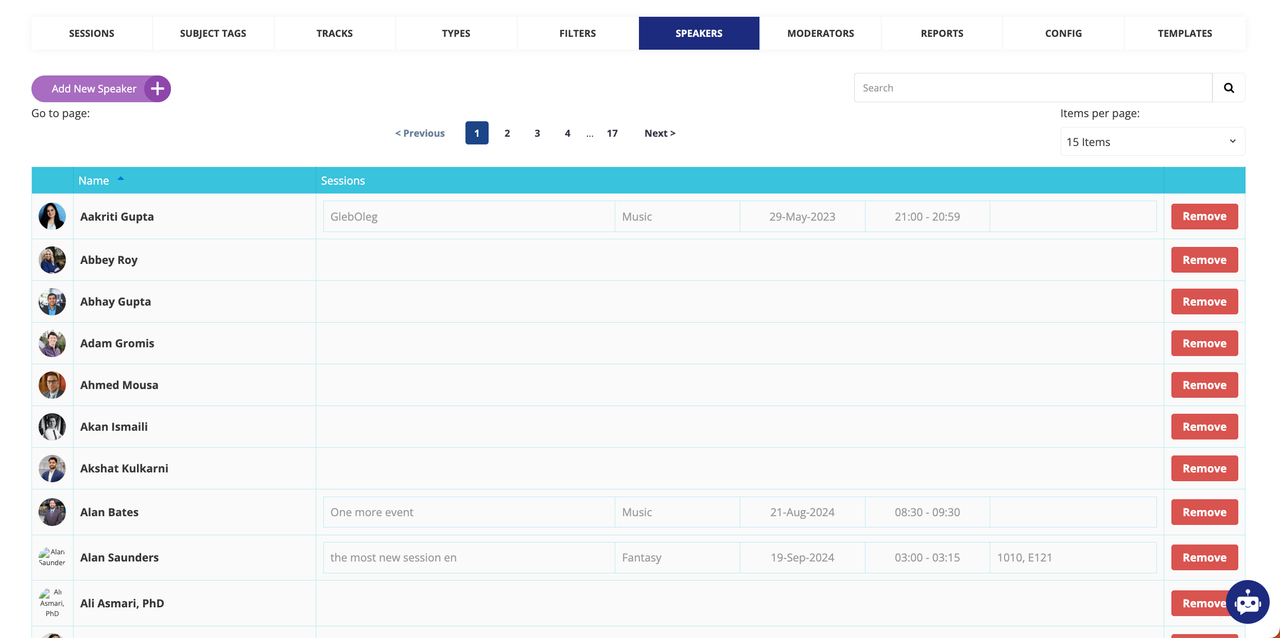
On the main Speakers page shown above, the admin can:
-
use pagination
-
search for speakers
-
select the number of items per page
-
edit individual speaker details
-
view the sessions, times, and locations where each speaker will present
-
remove a speaker if necessary
On the frontend, users can view all speakers, search for a speaker and filter speakers using the filters the organizer has set up. They can also use the meet and message buttons to interact with a speaker and save speakers as Favorites.