
New Schedule Overview in App
We've introduced the new Schedule page on the mobile application. It is similar to what we already have on the web. The updated schedule container page will consist of the below features
-
Filters: This includes both Diary and optional activities
-
Three-dots(top right): Allow the user to download his schedule or sync with an external calendar
-
Date picker: It will show all the event dates set in the Admin panel at /admin/general/edit + the dates outside the event schedule where the current user has events scheduled. A date that has an event schedule will be indicated with the dot
-
Activities type selection: All the schedule items would be grouped into single columns with the ability to filter by All, Diary or Optional items for each date
-
No diary events will overlap with each other
-
The height of the event card will depend on the duration of the event
-
-
Schedule calendar view: The user can switch between list and calendar view by clicking on (=) symbol on the top right
List View, Team Schedule are features that will be introduced later next year.
Benefits
-
Advanced view for My Schedule page
-
Better Ui/UX
Multi Space Matchmaking
Multi-space matchmaking provides customizations to the matchmaking calculation logic and uses additional input data that represent spaces and category filters to produce more accurate results
To enable Multi Space Matchmaking: Go to Admin Panel → Networking → Matchmaking → Enable Toggle Multi-Space Matchmaking
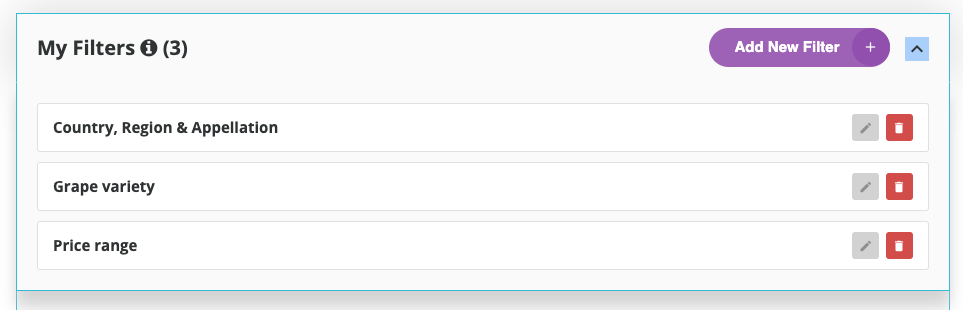
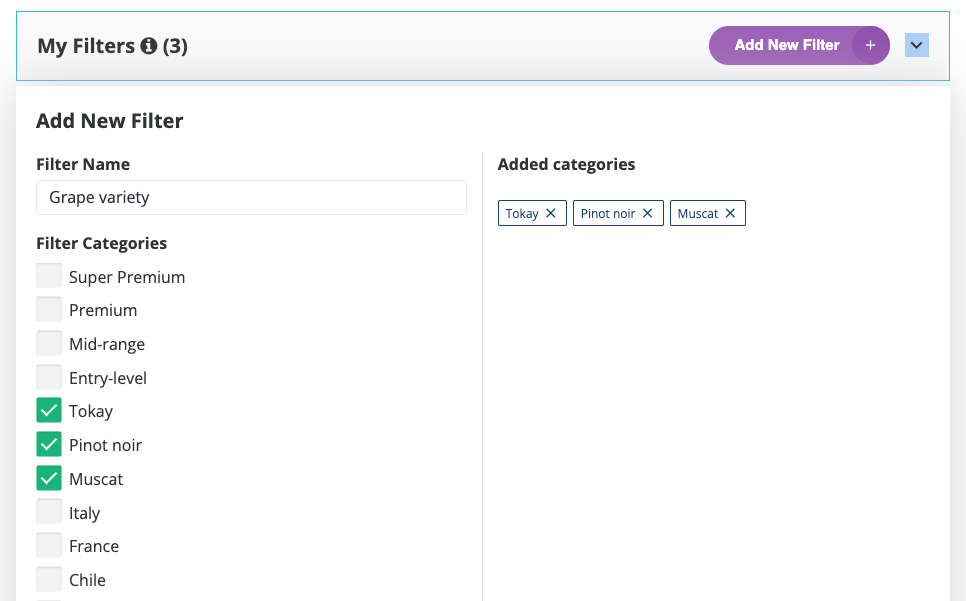
Multi Space MM includes spaces/category filters for our matchmaking algorithm. Space is a group of categories that you can set as a category filter.
For example, Grape Variety, Price Range and Country, Region & Appellation are space (category filters) whereas Tokay, Muscat and Pinot Noir are the categories under Grape Variety space.
Benefits
More accurate results for matchmade profiles based on custom category filters
Meeting Rating Setting
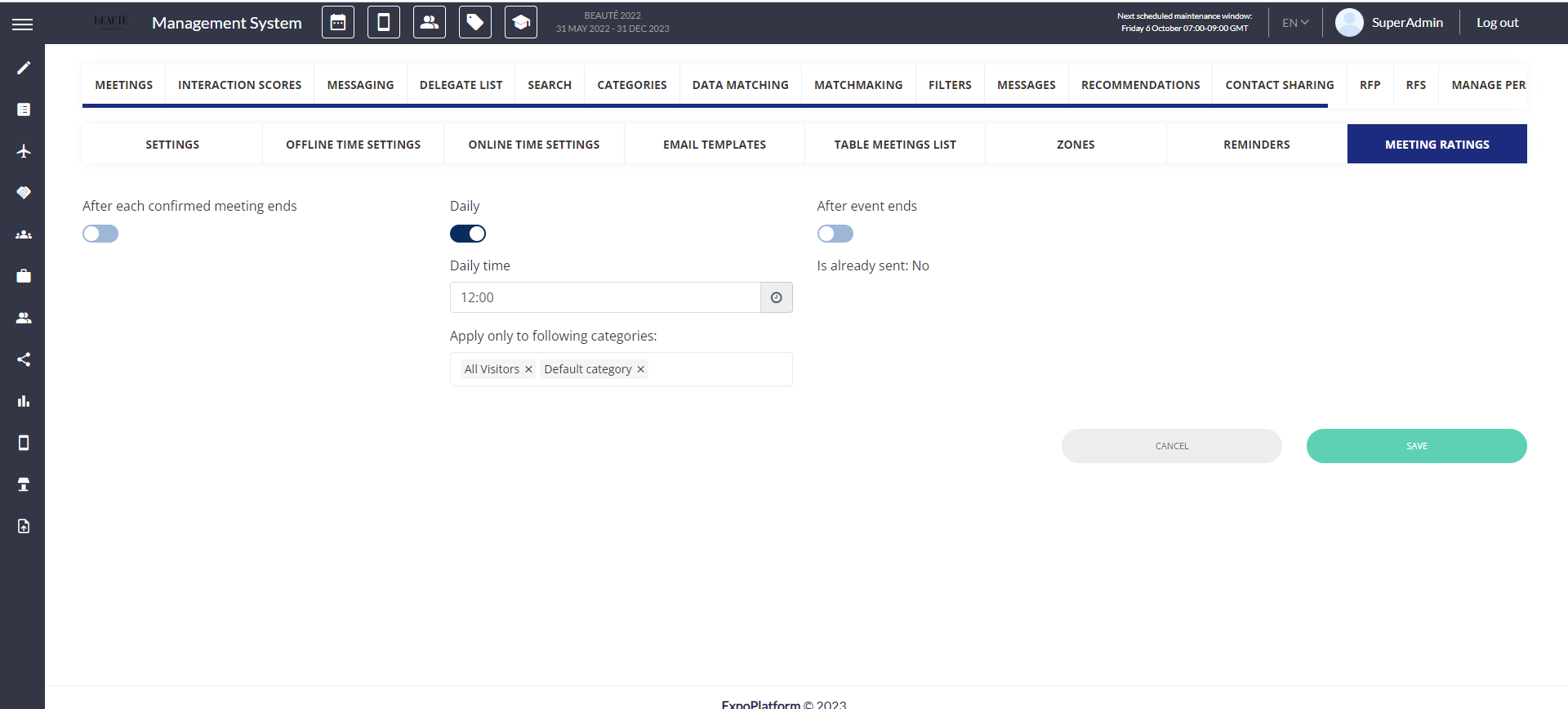
The organizer can send the consolidated meeting rating emails to the participants of the meeting on a daily basis or when the entire event is concluded They also have the flexibility to select the user category to which these emails should be sent.
It also provides options for alternative communication channels such as WhatsApp and SMS and allows handling the user's landing experience based on Universal deep links.
Admin Panel Settings: Networking & Matchmaking → Meetings → Meeting Rating.
For the daily report it included confirmed meetings of the day + the previous date, in a single email.
For example; Day 1: Day 1 confirmed meetings that are not rated
Day 2 : Day 1 + Day 2 confirmed meetings that are not rated
Day 3: Day 1 + Day 2 + Day 3 confirmed meetings that are not rated and so on
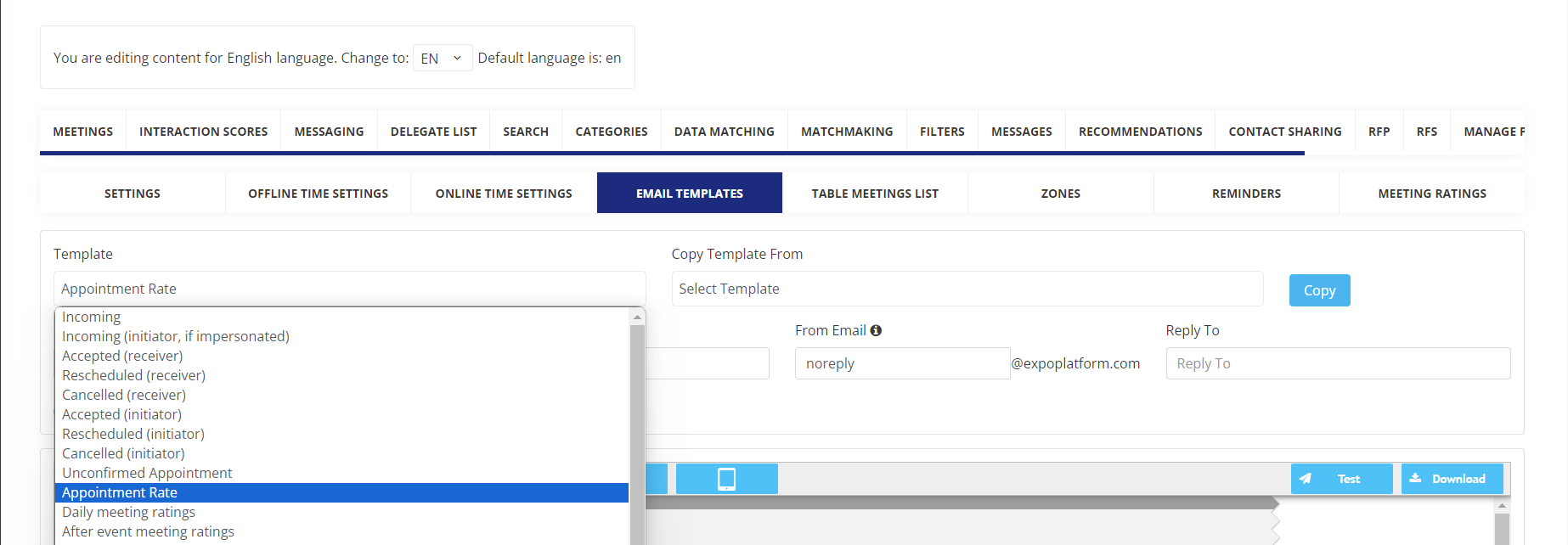
The email templates for each can be drafted separately from Networking & Matchmaking → Meetings → Email Templates
Benefits
-
Ability to send consolidate email for rate the meeting
-
Avoid spamming users from receiving multiple emails