
Enhancement to the Campaign Module
We have made a few basic enhancements to the Campaign Module in the admin panel to make it user-friendly
-
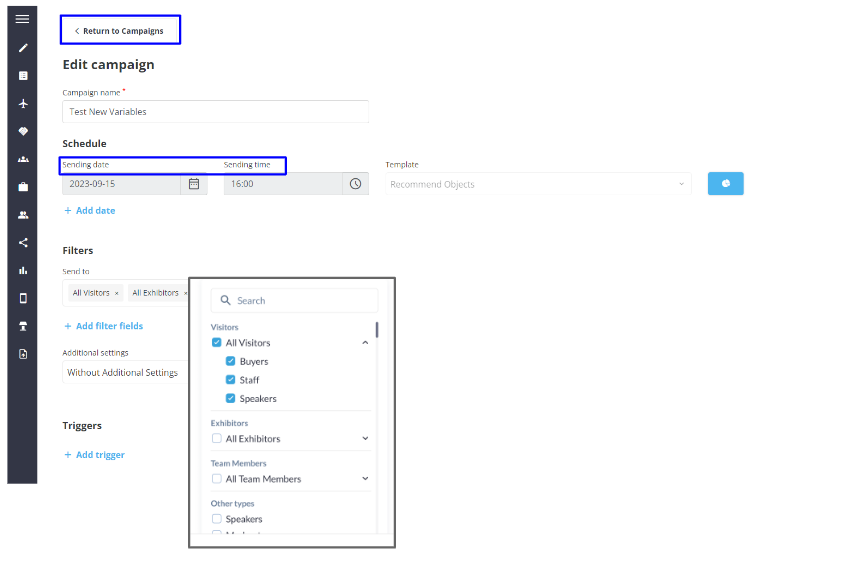
Redesigned filters on the Add Campaign Page
-
Added new button Return to Campaign
-
Renamed Settings Date and Time to Sending Date & Sending Time
-
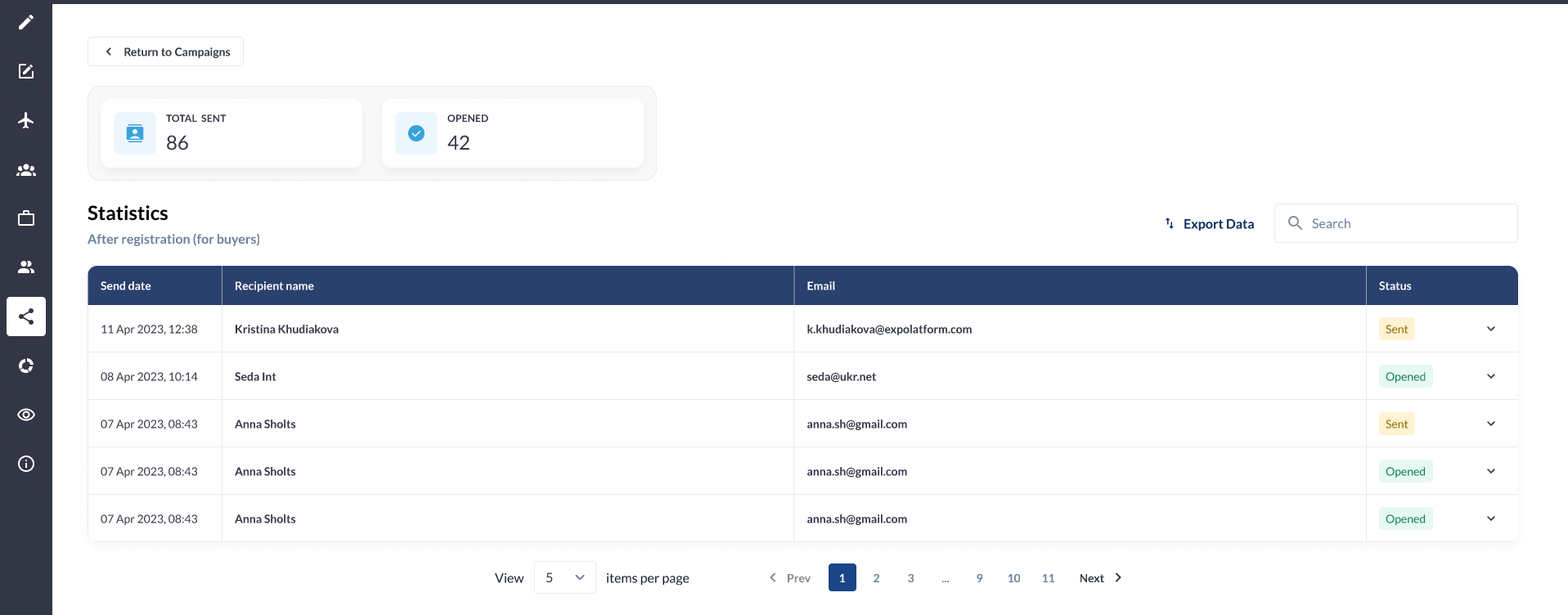
Added a Stats tab on the Edit Campaign List Page to view for that set of email send
-
Removed the “Reset” button if no filter is applied
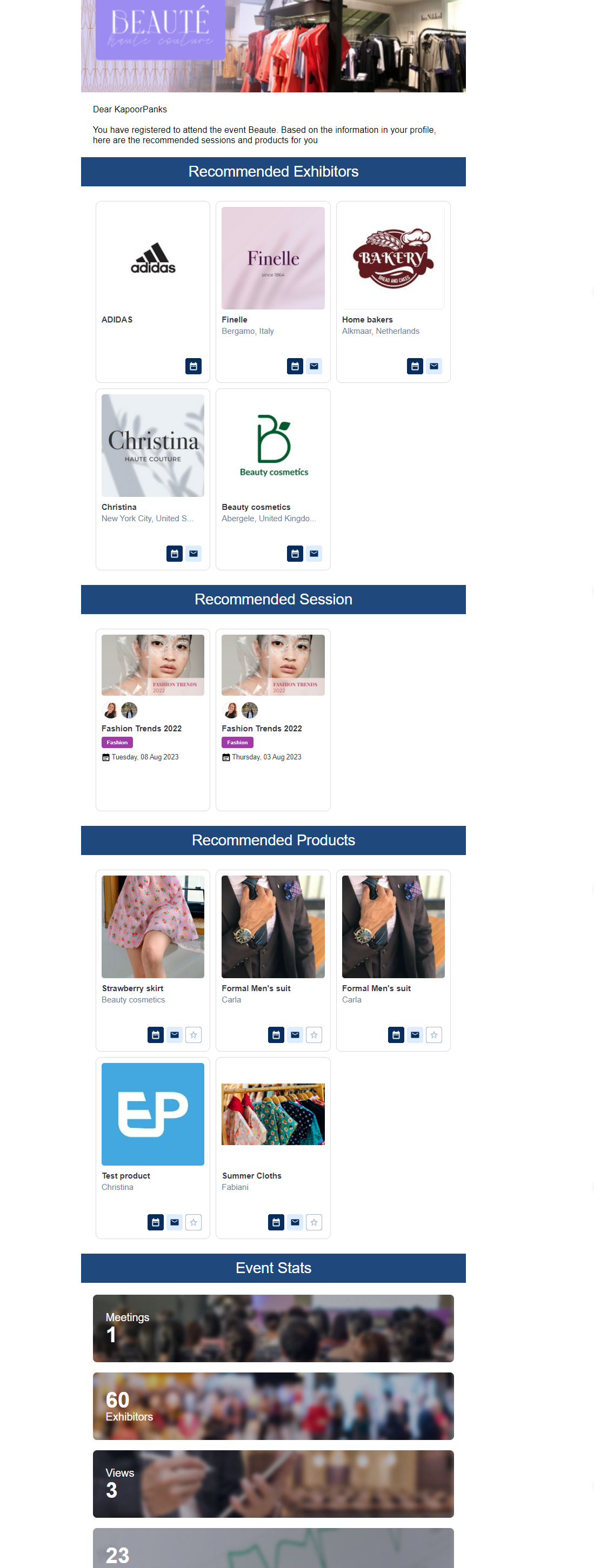
Apart from a few design and UI changes we have added new variables to the campaign email template
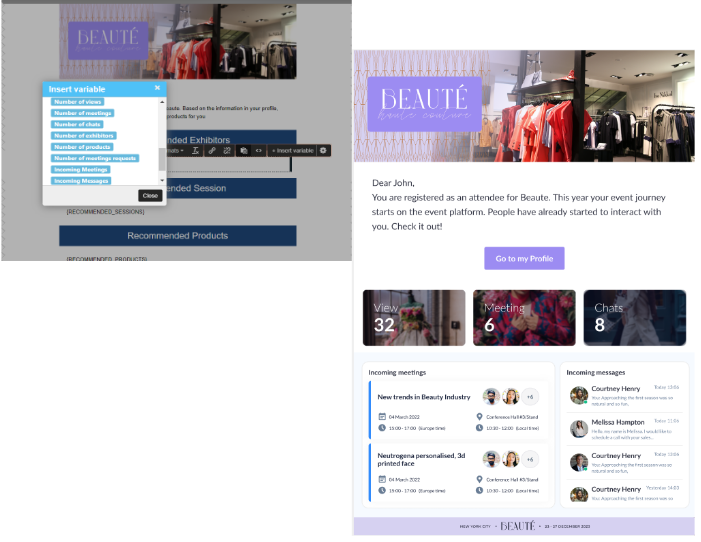
Incoming Meeting: This variable displays the count of incoming meetings for that very user, In case there are no incoming meetings it shows No Incoming Meeting for that user. When a user clicks on incoming meetings he is redirected to My Meetings >> Incoming meeting tab on frontend
Incoming Message: This variable displays the count of messages received but not replied, by default it shows 4 incoming messages, when the user clicks on any of the incoming messages he is directed to the Message tab on frontend
-
Number of Products: This variable displays only active products
-
Number of Exhibitors: This variable displays only active exhibitors and not those exhibitors who are pending activation
-
Number of Meetings: This variable displays the count of confirmed meetings for the specific user
-
Number of meeting requests: This variable displays the count of all meetings(pending, confirmed and cancelled) for the entire show
-
Number of chats: This variable displays the count of chats specific to that user
-
Number of Views: This variable displays the count of the user's profile view
Benefits
-
Improve ease-of-function and visibility
-
Improved UI/UX
2 Check-in reports - with the unique check-in per event and per day
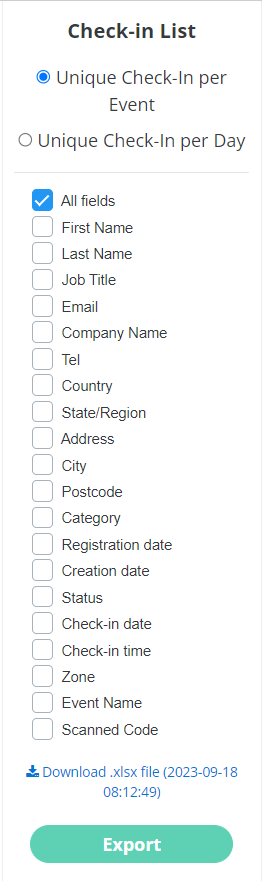
Check-In Report can be exported either as a Unique Check-In for the Event or a Unique Check-In per date
-
Unique Check-In per Event: This report displays the badge scan information of users exclusively for the specified event dates. These event dates are those listed in the page's admin/general/edit
-
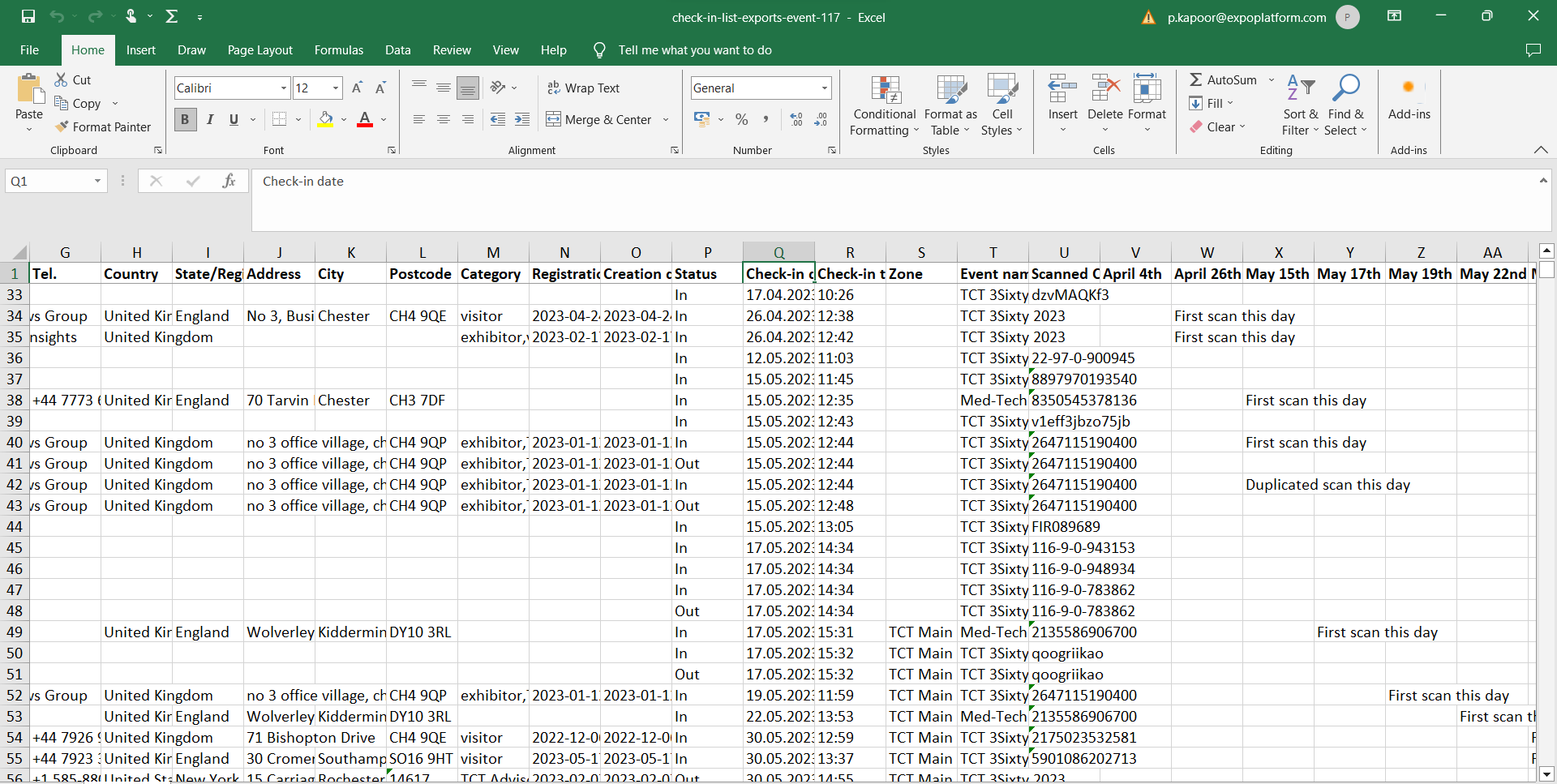
Unique Check-In per Date: This report records the details of scans for all dates of the event (including pre and post-event dates ). This report lacks a "Unique scan" column. Instead, it documents the initial check-in of a given date, while any subsequent check-ins by the same user on that date are noted as "Duplicate Check-in."
Benefits
-
More comprehensive report
Enhancement to Push Notification
We have extended the option of adding advanced conditions and filters to whom the push notifications can be sent.
-
Event admin can use Advanced filter and profile attributes to send out the notification
-
Administrators are able to select sessions or exhibitor events from a pre-existing list of events available in the system.
-
Administrators can send notifications to users based on specific session types, tracks, or tags associated with their schedules. This functionality enables targeted notifications for users who have added sessions or exhibitor events with specific attributes to their schedules.
Benefits
-
More advance and customized filter option available to send notification
-
Option to include specific session and exhibitor events in the notification