
Integration with ExpoFP Floor Plan
ExpoPlatform now has a native integration with ExpoFP Floor Plan solution.
Admin Panel Settings
To enable the integration go to Event Setup → Settings → Enable toggle for ExpoFP integration → AddEvent Id and Event Name.
Event Id and Event Name will be taken from ExpoFP login, your TAM can help you in filling this details for you.
Requirements:
The organizer needs to provide the floor plan data in the below format for the ExpoFP team to create the sync between ExpoPlatform and ExpoFP floor plan
-
Events with more than 250 booths: floor plan file format should be AutoCAD/DWG
-
Events with less than 250 booths: we can accept PDF / PNG / DXF / SVG file formats
The lead time for floor plan creation is 2 weeks
Once the floor plan is created on ExpoFP it will be auto-synced/updated on the ExpoPlatform Floor Plan page (/newfront/floorplan)
Points to be noted
-
Exhibitor profiles are linked to stand numbers, and exhibitors can be searched by stand number and name, both on the App and Web
-
Once clicked on the exhibitor name/stand number on the floorplan, the name & logo of the exhibitor are visible along with the interaction buttons on the Web whereas on the App, only the exhibitor’s name and logo are visible, user can click on exhibitor name and he will be directed to the exhibitor profile page.
-
Keywords entered on the search bar, display the list of exhibitors tied to that keyword on both App and Web
-
If the user clicks on get directions between 2 stands, it shows the travel time, distance between the 2 stands and the estimated arrival time, which works similarly on both the App and Web
-
Users can search for custom locations on the web view of the floor plan using the search box but not on App
-
On the floor plan, sessions cannot be searched by session name; instead, you can search for the area/location where the sessions are taking place, that location will list all the sessions mapped to that stand/location
Session doesn’t include exhibitor events and their location
-
If a user clicks on the session's location on the session card on the session page, the user is redirected to that location on the floor plan. This applies to both App and Web
Benefits
-
Direct integration with the tool ExpoFP
-
Interactive and User Friendly UI/UX
Custom Listing of Exhibitor/Visitors on respective page on frontend
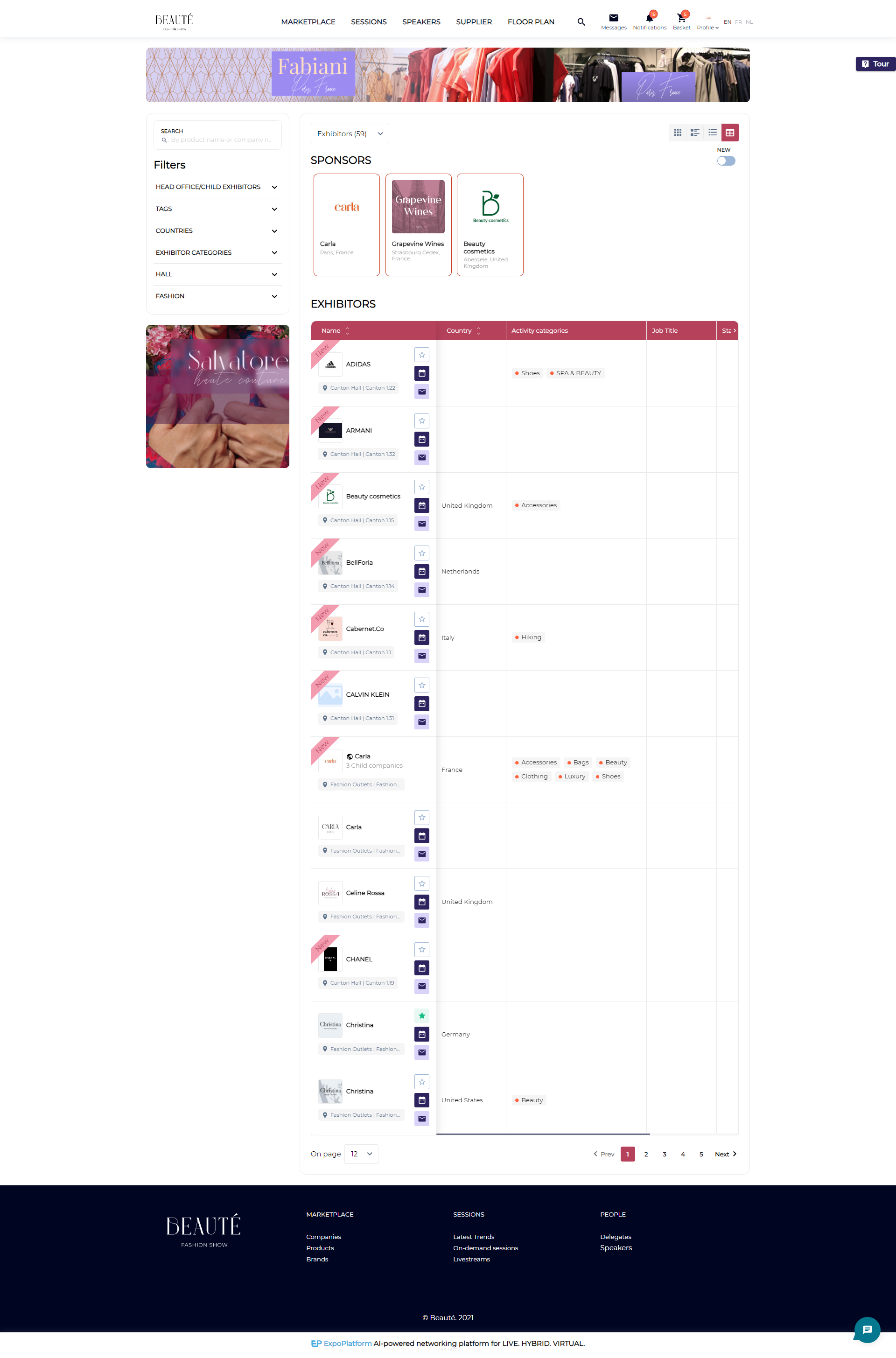
A new functionality wherein the organizer can choose to display the exhibitor and visitor data in tabular format on the front end on the marketplace page and delegate page respectively.
Admin Panel Setting:
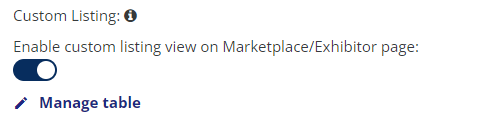
Enable toggle Custom listing for exhibitor and visitors from Additional Settings page for Exhibitor and Visitor respectively.
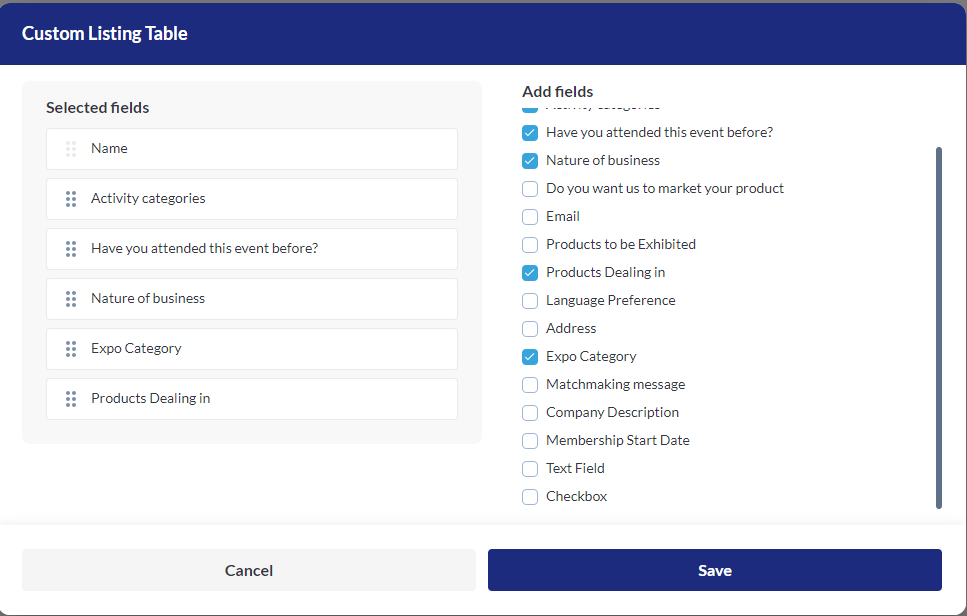
The table includes all the fields from the registration pipeline, the organizer can select and rearrange the fields that they wish to include in the tabular view by clicking the check box from the Add Field column.
Name field is fixed at the top and can’t be moved
Default State: Off.
Default fields for exhibitors that can’t be removed: Logo, Company Name and Interaction buttons.
Default field for visitors that can’t be removed: Name, Photo and Interaction buttons
If this settings is enabled, the tabular view is selected as the default view for Marketplace/Delegate page
Benefits
-
Customised view for Exhibitor and Visitor Data on frontend
-
Option to select & display the required information on the exhibitor/visitor Listing page