
Enhancement in Visitor Category listing on Registration Page(Ticketing)
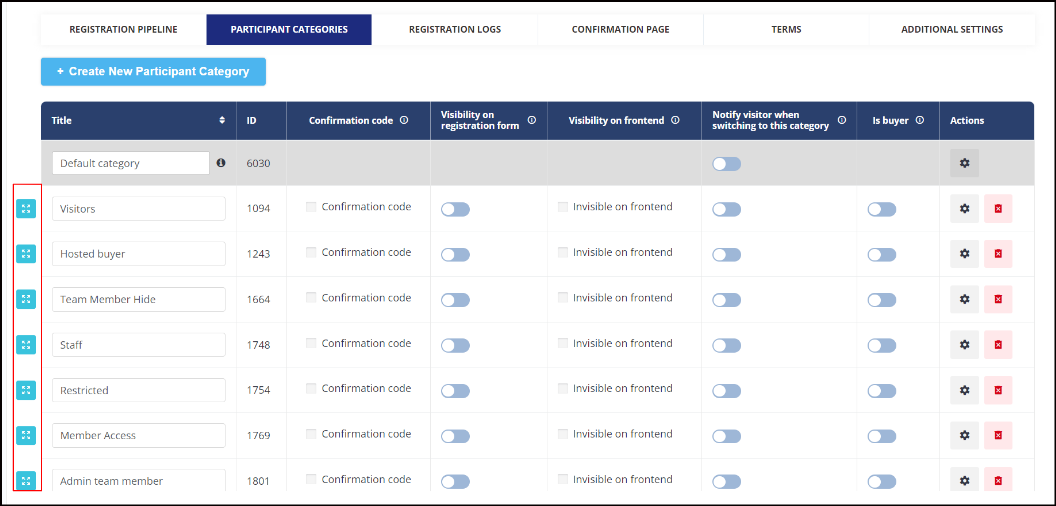
The sequence of the visitor categories on the Registration ticketing page on frontend will be the same as it is defined in the Admin Panel →Registration Settings→ Visitor →Participants Category.
The visitor category sequence set on (/admin/registration/pricing) will now be independent of the sequence set on Participant Category Page
Organisers can also set or rearrange the visitor categories in the order they wish them to appear on the frontend.
Benefits
-
Better control to organizers to display the visitor category in required order/sequence
Allow Exhibitors to manage connections(meet and message requests) for Team Members(Web)
Exhibitors can now select whether or not their team members will be able to get and receive meeting/messages.
In Admin Panel under Registration → Exhibitor → Additional Settings we have a new option which enables the exhibitor to control the connection settings for their team members and child exhibitor team members as well
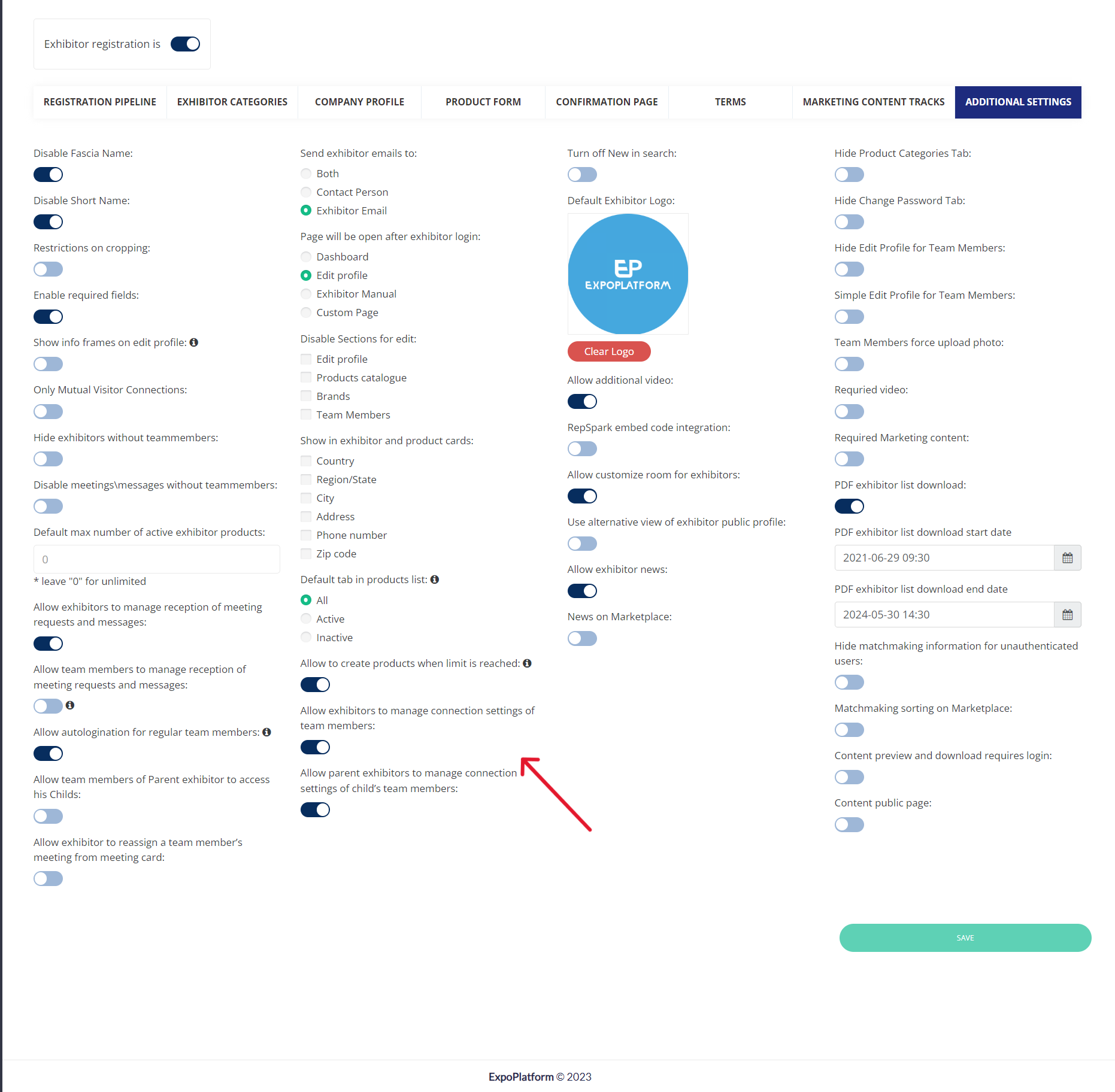
Default State: OFF
By default allow meet and message is enabled for all the team members of the company on frontend
Key Points
-
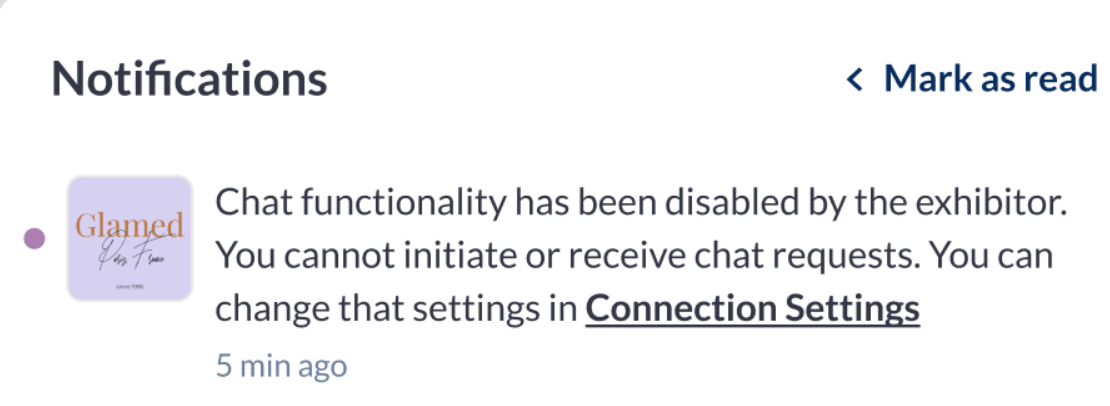
When the exhibitor disables his team members' ability to hold meetings and/or chats, the team members are notified and the same connection settings will get updated on the team member profile under Profile Info → Settings
-
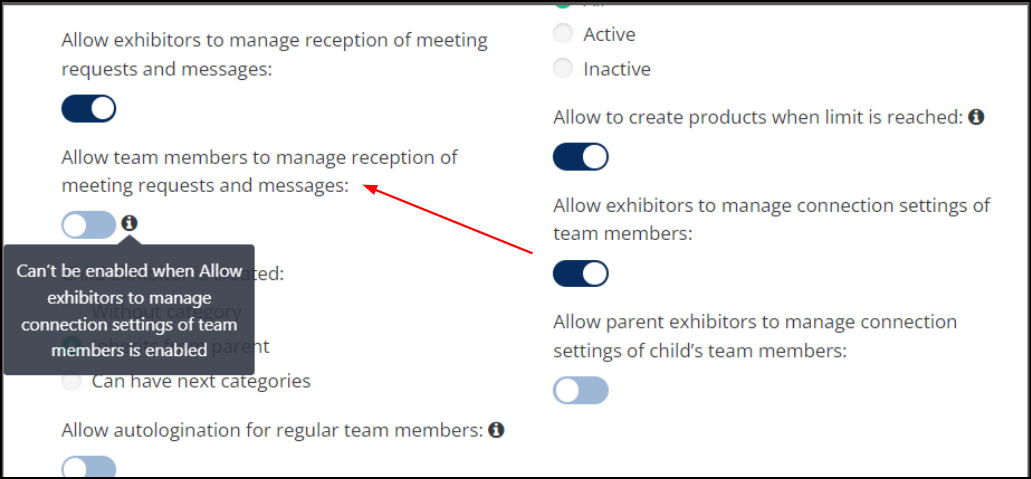
On Admin Panel if “Allow exhibitors to manage connection settings of team members“ is enabled, then “Allow team members to manage the reception of meeting requests and messages” gets disabled automatically with the tooltip. Can’t be enabled when “Allow exhibitors to manage connection settings of team members” is enabled
-
Switching off connections for team members will not cancel already existing confirmed meetings and already existing chats
-
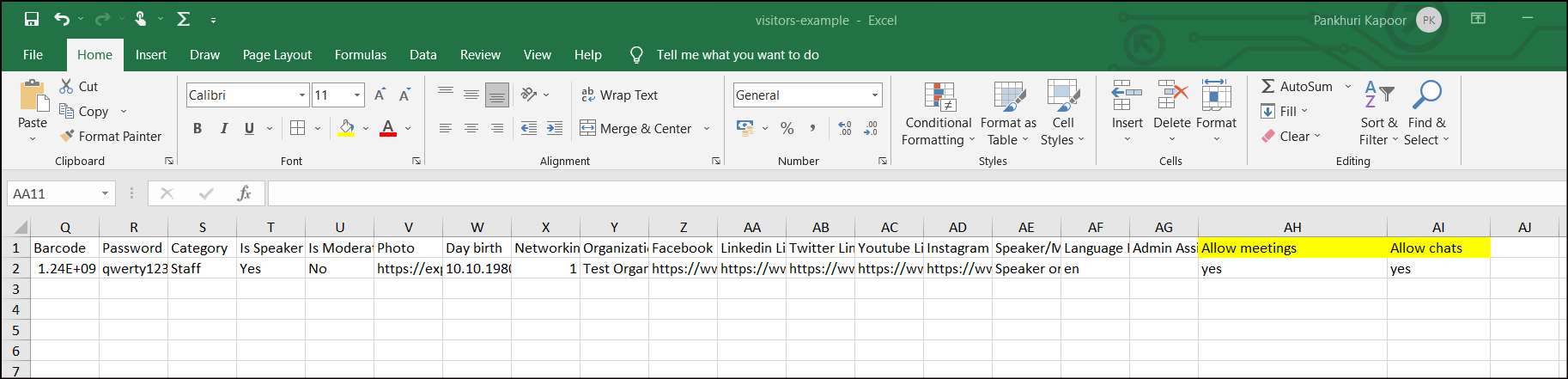
Organizers can import allow connection settings (allow meetings and messages) for team members via a participant import file under Data Import/Export Import and the same field can also be pushed by API
-
If a team member's connection settings are changed to "no meetings," and this user hovers over the "Confirm or Reschedule" button on an incoming meeting request, he sees a tooltip message "You can't confirm this meeting due to your connection settings." and a "restricted" icon on the button.
Benefits
-
More control to exhibitor on Team Member ability to connect and interact at the event
Enhancement to the Messenger box on Mobile View (Web)
A few enhancements were done to the messenger/private chat tab for mobile view web. Below are the changes made
-
Top navigation (with a photo, “networking,” and “profile menu”) is removed and a new button “Back to chat list” is added that leads to the chat list page
-
Top Navigation on the chat page will show the User name and actions like to delete chat and add a user to this chat
-
The text input field is pinned to the bottom of the page and the footer is removed from this page
On mobile web view send messages only using a send button. The return button moves the cursor to a new line (mobile only).
Benefits
-
User Friendly UI/UX