
All Meetings Tracking
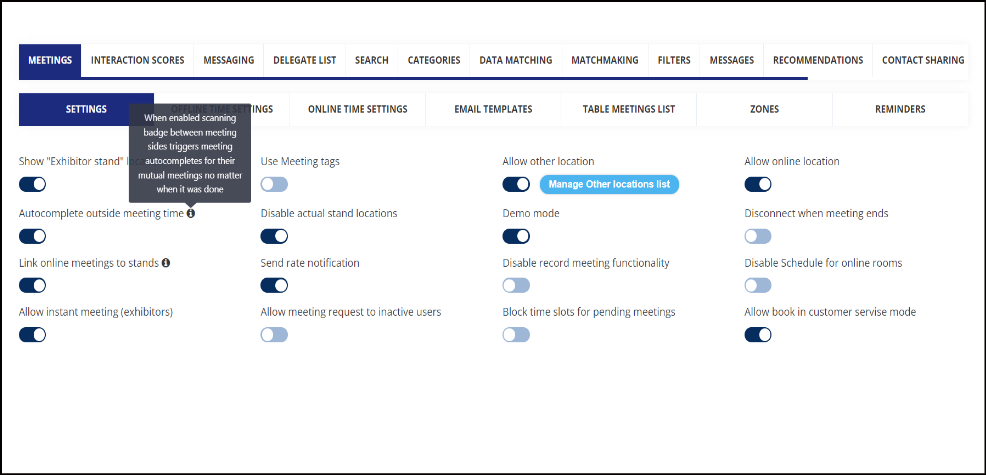
Now all confirmed meetings will be marked as autocompleted when meeting participants scans badges onsite.
Admin panel setting: Enable toggle Autocomplete outside meeting time under Networking & Matchmaking → Meetings
Only confirmed meeting between the user will be marked as autocompleted.
Meeting export report will have additional column that will record the details of completed meetings as Yes/No
Default State: Off
Benefits
-
Ability for the organizer to get and analyze the data of completed meetings
Improvement in Manage Meeting Wizard on Admin Panel
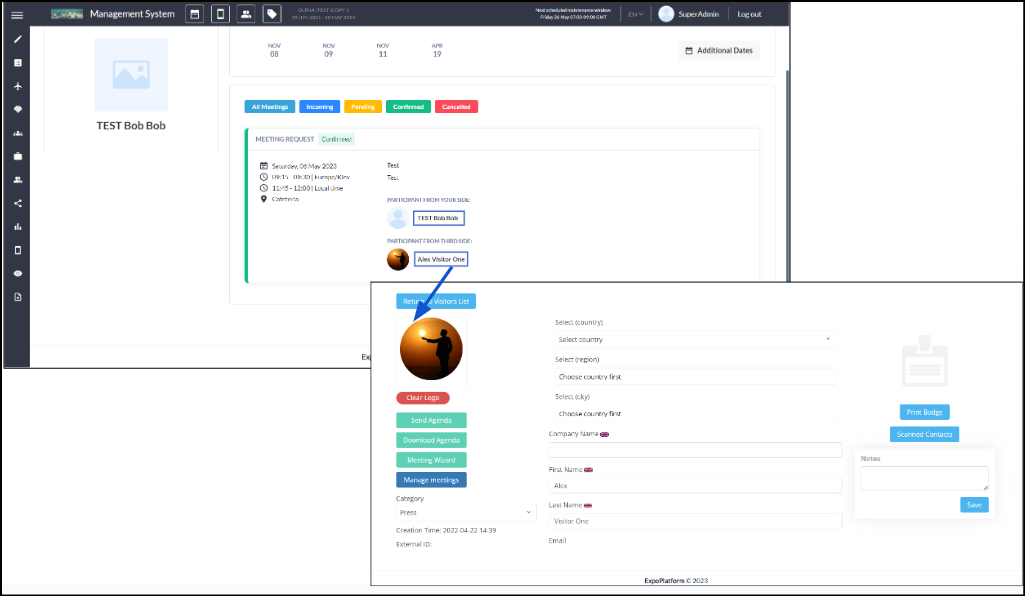
Participant name and picture on Meeting wizard page on Admin panel (/admin/visitors/meetingManage/XXXXX) is now clickable and will redirect to participant edit page on Admin Panel.
Benefits
-
Easy redirection for the organizers to participants edit profile page on admin panel
Improvement in Module Management
Now Module Management includes all left panel Tabs and Sub Tabs to be toggled ON and OFF as per the event requirements
Benefits
-
This help in avoiding the display of features that are neither relevant nor useful to that organizers.
Ability to use conditional logic in the Kiosk Builder Registration pipeline
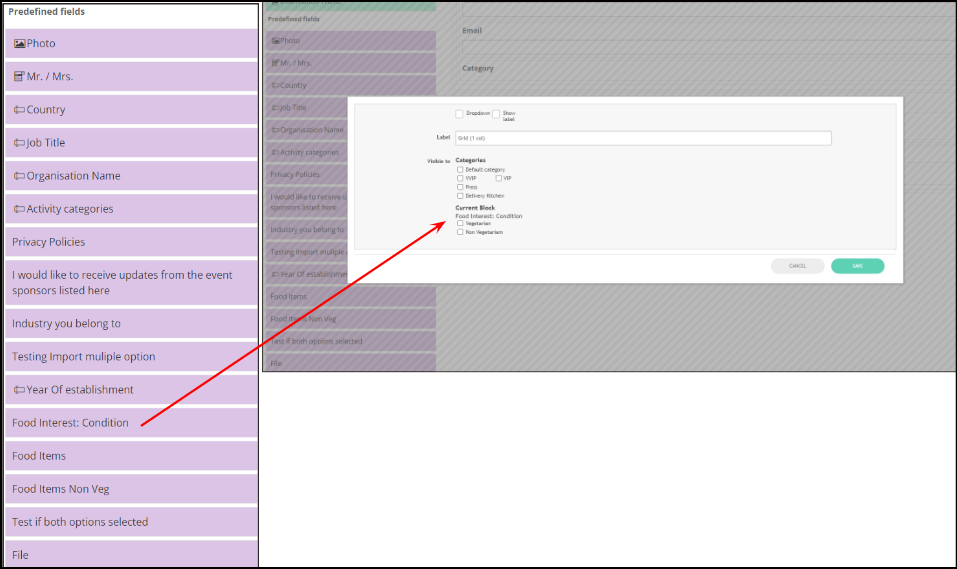
The same conditional logic will be inherited to the kiosk registration form as it is set for the Visitor registration pipeline under the Registration Setting.
When you drag the question set as conditional on the visitor registration pipeline on the Kiosk registration pipeline, the conditional logic is automatically inherited for that question
Benefits
-
User Friendly for Onsite Registration in case of multi event
-
Prevent making the Onsite form lengthy as specific question can be listed for specific category of user
Kiosk to read External Bar/QR Code
The kiosk check-in page now recognize external Bar/QR code from badges that are assigned to the user in the event
Admin Panel Setting: Enable external bar/QR code from Registration Settings → Badges →Category/Role of Participants
User should be assigned with external bar/QR code on ExpoPlatform if data is being pushed via API
Benefits
-
Kiosk Check in page can be used Onsite even if external Bar/QR codes are used in the event