
Minor Improvements on Meeting Rescheduling
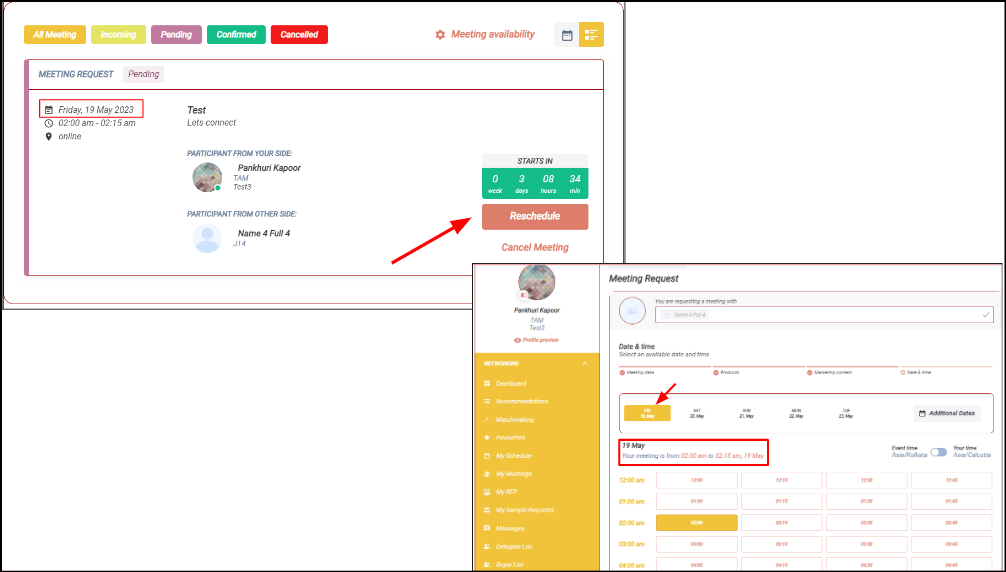
There are 2 minor improvements in rescheduling a meeting
-
On “Date & time“ step the current meeting date will be opened and the current meeting time will be preselected by default
-
A new text line is added “Your meeting is from X time to Y time, date
Benefits
-
Better visibility of meeting’s current date and time while rescheduling the meeting
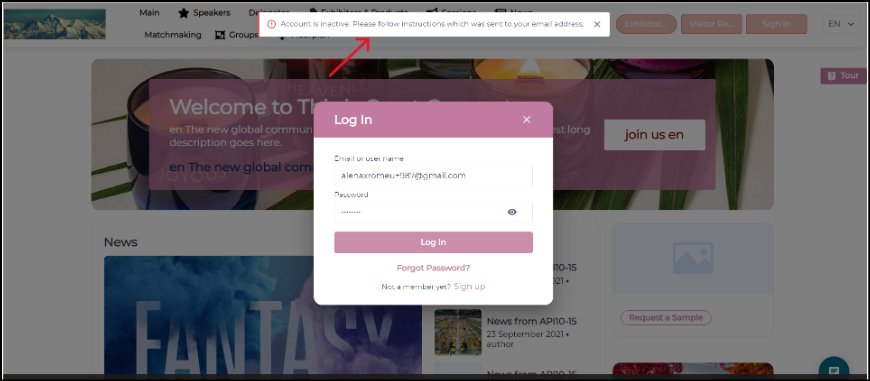
Text change to the Error message when inactive user logs in to the event - Web
When inactive users attempt to log in to the event, the system will show an error message as “Your account is inactive, please check your email and proceed with activation”. This gives a clear reason to the user for not being able to log in to the event.
Benefits
-
Clarity to users with reason why they are unable to login to the even
Improvement on Participant Card on Matchmaking Tab
Company Name field added for the participant card below participant name on Matchmaking Tab. This value will get displayed only if the participant has filled this field(company name) in his profile
It is applied to all participant types: visitors, team members, buyers, speakers, etc.
Benefits
-
User will get company details of the matchmade user directly from the matchmaking tab