
Category level permission for sponsor pop-up:
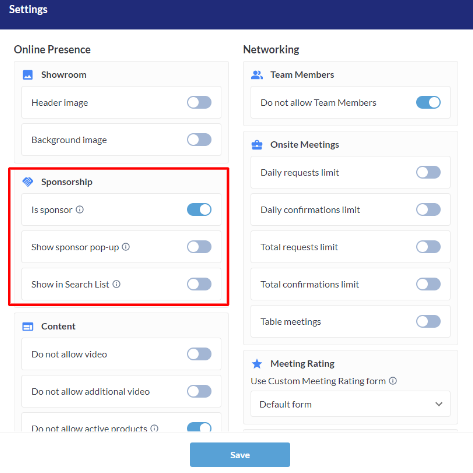
In the Admin Panel - Registration settings - for Exhibitor > Exhibitor Categories there is a new Sponsorship section. When toggled on, all exhibitors in this category will become sponsors and there are then options to allow all exhibitors in this category to have a sponsor pop-up and/or allow all exhibitors in this category to appear as sponsors in the search list.
Default State: OFF
Benefits:
-
Additional category level permission around which organizers can build exhibitor packages
-
Less manual work for the organizer.
Warning that an account is using a fake email address:
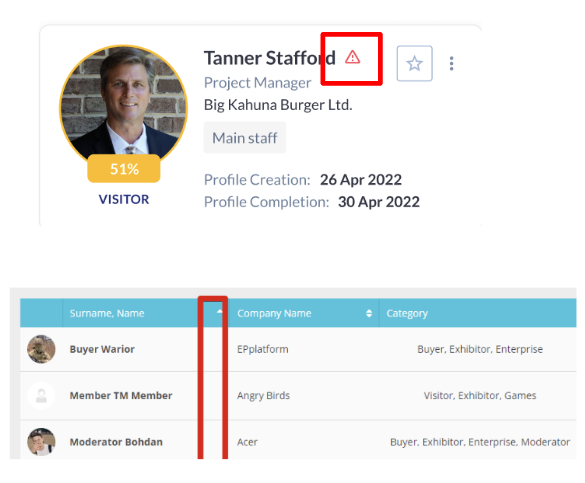
In the Admin Panel , in both Management > Participants and Meeting Wizard, there is a new warning icon with a message that appears when hovered over that a fake email address is being used by this account. This will help ensure that the account with the fake email is not used to set up meetings.
This is related to Fake Email Generation setting under General Settings. This setting automatically generates a fake email address for any accounts where same real email is being used for multiple accounts. (So there would be one account using the real address and then all other accounts sharing that same email address would have fake emails).
Benefits:
Better participant management & less manual work
Show all products attached to one brand:
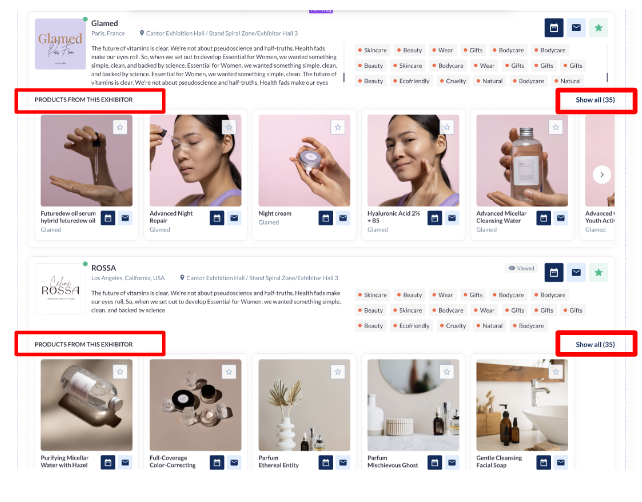
On the Brands page, when an exhibitor has additional products that can’t be displayed because there are too many, there is now a new Show All button that also shows the total number of products the exhibitor has attached to that brand.
Benefits:
-
UI consistency
-
Better exposure of products to the end users
Hovering on Show All now shows the hand cursor symbol:
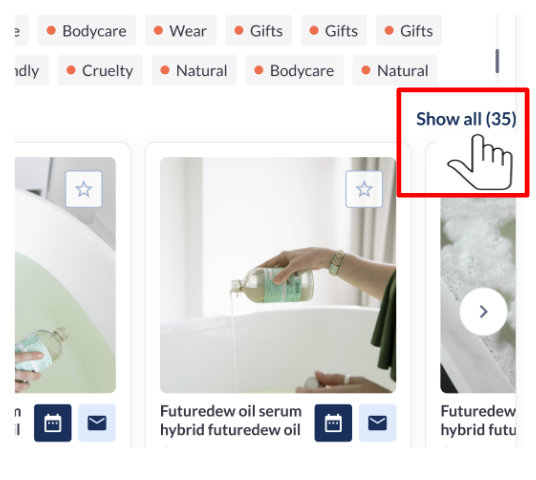
Throughout the platform, anywhere a user hovers over “Show All”, they will now see a hand cursor symbol making it clearer that the Show All is something that they should click on.
Benefits:
-
Cleaner UI
-
Easier discovery of objects