
Language Preference Field - Registration Form:
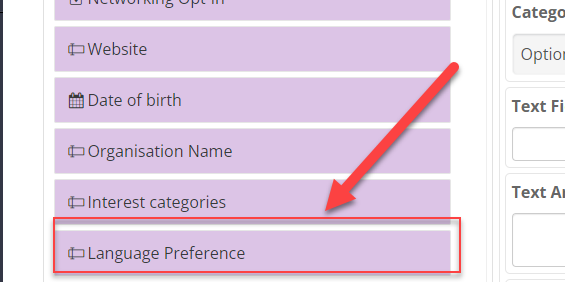
In the Admin Panel - Registration settings - for both Exhibitors and Visitors - Registration Pipeline a new field Language Preference is added.
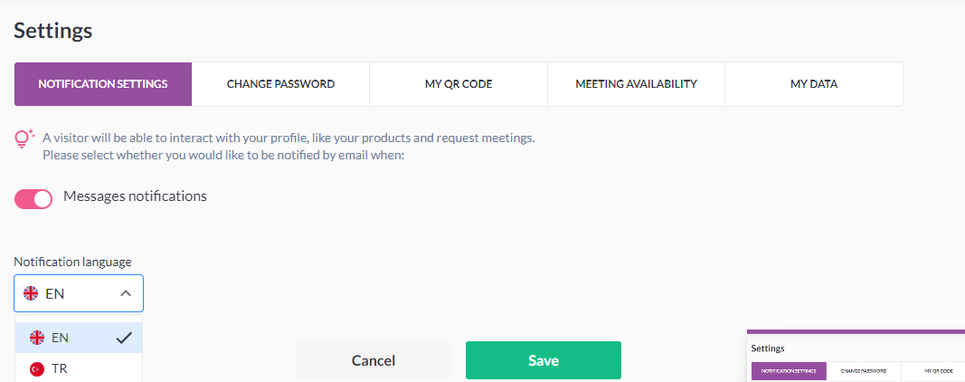
This new option (new field while registration passing) will work as we have on the front end in the Edit profile – Setting – Notification Setting, where users can select their notification language for the emails and system notifications.
Default State: Event Langauge
Benefit(s):
-
Tailored communication to users in their preferred language from the start
Search Functions - Edit Profile:
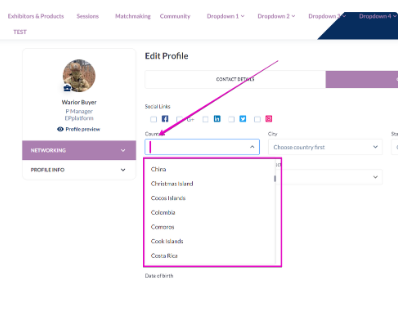
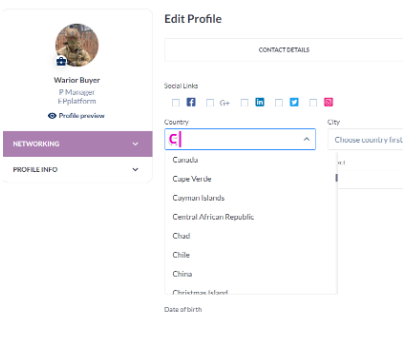
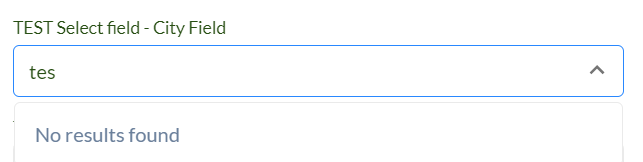
Search function is added to all select-type form fields, both system and custom. These fields are:
-
Country
-
City
-
State/Region
-
Nationality
-
Select
|
Action |
Interface response |
|---|---|
|
User presses the field to fill it in
|
|
|
User inputs first letters of the option he is looking for
|
|
|
No matches with user’s search request
|
|
Benefit(s):
-
Better User Experience
-
Easier to scan for keywords that fit your preferences instead of going via a long list.
Switching to a category which does not allow meetings - triggers cancellation:
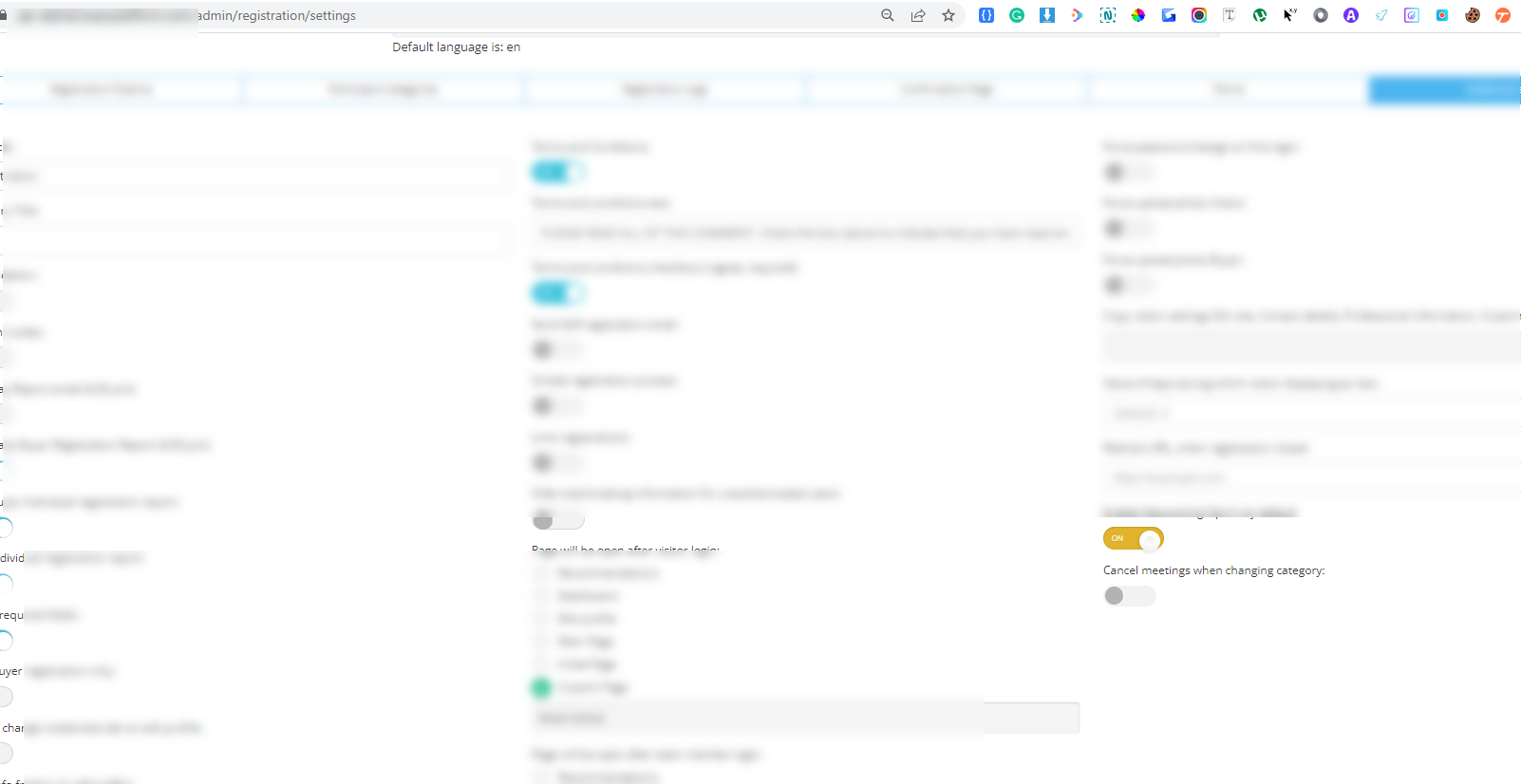
A new setting is added in the admin panel at /admin/registration/settings (Registration settings — Visitor — Additional settings) called “Cancel meetings when changing category. “
Default State: OFF
If the toggle is turned ON, it will cancel meetings that were initiated by the user if his category was changed to one that is not allowed to have meetings.
In cancellation reason it will be specified “Meeting was cancelled automatically because of changing of user category to the one that is not allowed to perform meetings.“
Benefit(s):
-
Users who do not have access to meetings won’t be able to join meetings.
-
Other parties won’t anticipate that person attedance, who initally triggered the meeting invite
Able to add team members to group chat
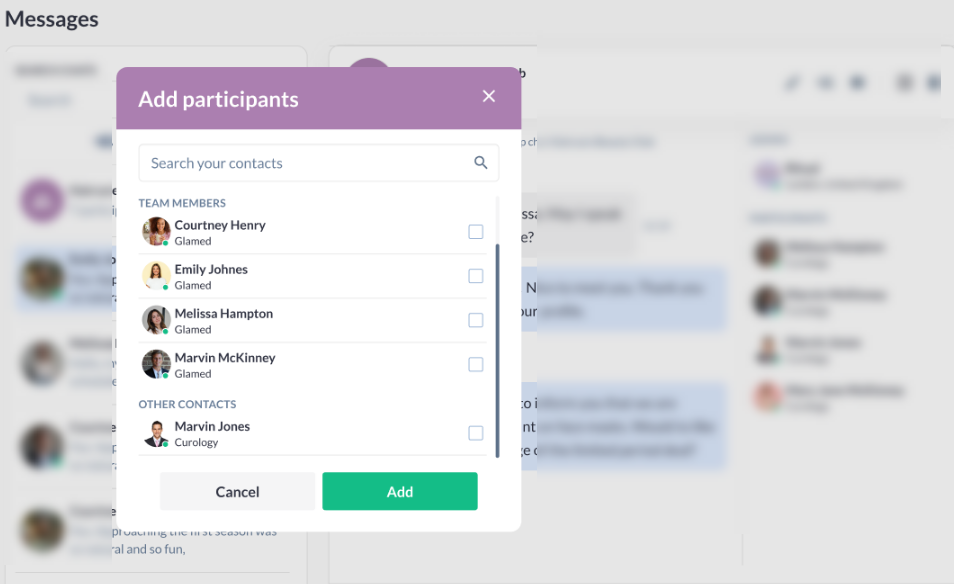
When an exhibitor company creates a group chat, the list of possible participants and exhibitor team members must be displayed alphabetically at the top of the list.
The same behavior applies when the exhibitor adds participants to an existing group chat.
Benefit(s):
-
This increases the likelihood of a meeting between the two parties, as multiple team members can be attached to the same chat to drive the conversation.
-
Better User Experience
Zip Code Field - Exhibitor & Product Card:
A new option, “Zip code, “ to the “Show in exhibitor and product cards“ setting at /admin/registration/esettings is added.
|
Line |
Data |
|
|---|---|---|
|
First line |
Address |
|
|
Second line |
City, State, Zip code |
|
|
Third line |
Country |
|
|
Fourth line |
Tel number |
Benefit(s):
-
Ability to customize the location fields outputted on the public pages.
-
Higher visibility of address fields on exhibitor listing & pages.