
Exhibitor Events Enhancement - Version 3
-
Ability to add sponsors to exhibitor events and these events will be displayed in the sponsors' public profiles.
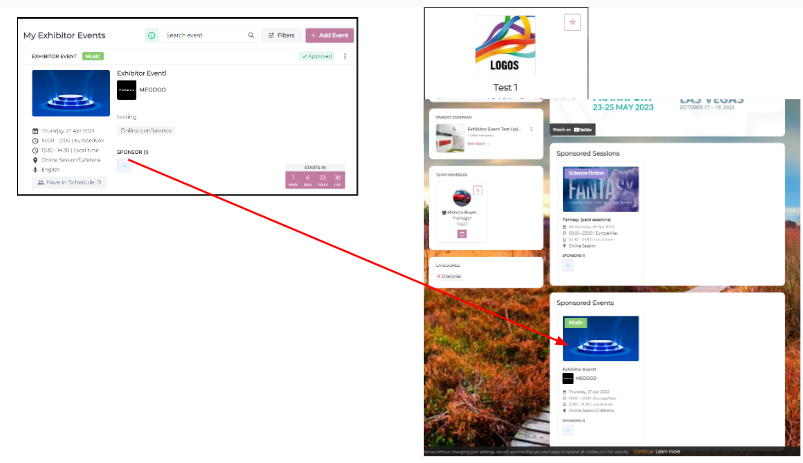
2. Upload Exhibitor Events using: Session Import
Organizer can now upload Exhibitor Events from Admin Panel >> Data >> Import/Export on behalf of the exhibitor.
-
While uploading the exhibitor event, the organizer can map the exhibitor team member as the Contact Person by adding their participant id which can be collected from Visitor Export file from Admin Panel→ Data →Import/export
-
If any exhibitor has a child exhibitor added then this detail could also be import by using the child exhibitor id column and this data can be collected from Exhibitor Export file from Admin Panel → Data →Import/export
-
Other columns can be polluted like any other session on the event
-
Exhibitor Id is mandatory to map it as exhibitor event

Exhibitor Event added by bulk import will be in Approved state always
3. Time range which is applied to every day. Dates are configured /admin/general/edit screen (event setup)
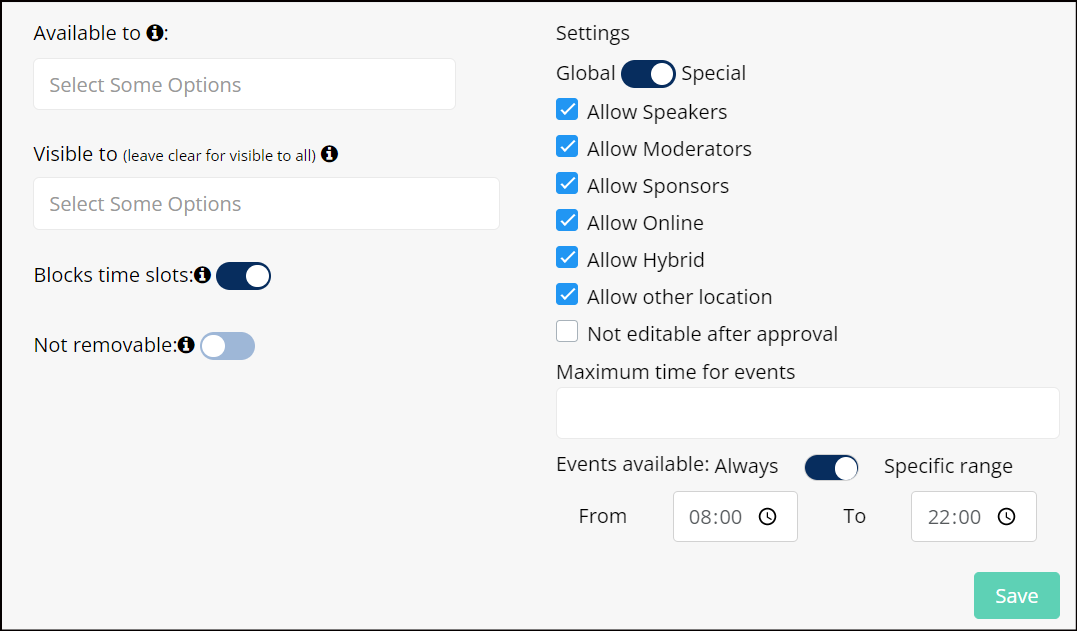
4. System to show info message This location available from … to … hours” if the event added for exhibitor stand location doesn’t fall as per specified time
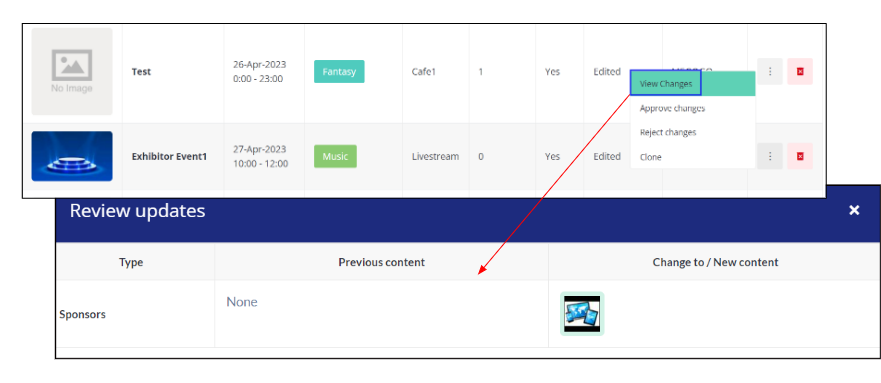
5. Changes to the already approved event: Organizer can now preview the changes before approving or rejecting the changes
Benefits
-
User Friendly
-
More control to the organizer on exhibitor event
-
More features available for exhibitors to add to their event
Text Editor
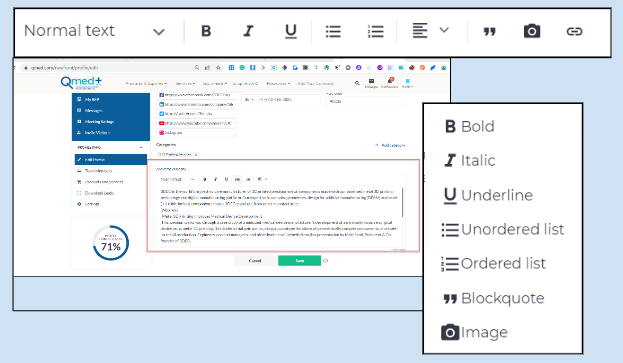
The ability for the end users to add image, link and use other advance text editor option on frontend while building their profile.
Applicable only for exhibitor company profiles
Benefits
Avoid manual task for event admins
Participants Default Category
In Admin Panel we will now have a Default Category which will be auto-created and assigned to Participant without any Category
Default Category will have following
-
Not Visible Registration Form under Category Field
-
Can’t be selected as Buyer
-
Can’t be deleted from Participant Category List
-
Not visible on Frontend Filter
-
Confirmation Code & Category Passcode not applicable
-
“Settings“ pop-up can be configured like other categories
While switching Participant category from Default to Custom or vice versa, Individual level settings will always take precedence over category settings
Benefits
Ease for event admins to control the accessibility for user without a category