
Enhancement in the flow of Add Product - Frontend:
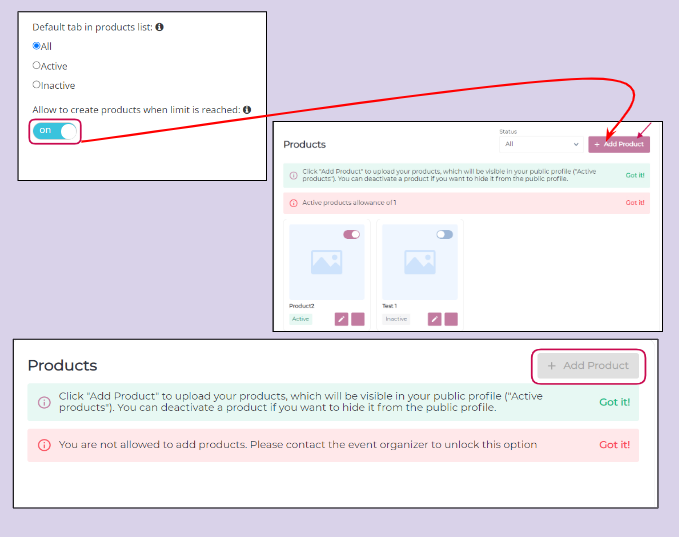
Add Product button on the frontend will now be greyed out/disabled for exhibitors who are not allowed to have active products for their profile.
Now organizer can allow/disallow adding of products if the limit is reached for active product allowance.
Default Setting: On
To enable settings: Admin Panel → Registration Setting → Exhibitors → Additional Setting →Allow to create products when the limit is reached
Benefits:
-
Visually it gives better clarity to exhibitors whether they are allowed to add product or not
-
Organzier can control to allow/disallow product addition even if limit is reached
Retain Filter and Pagination on the meeting initiation page:
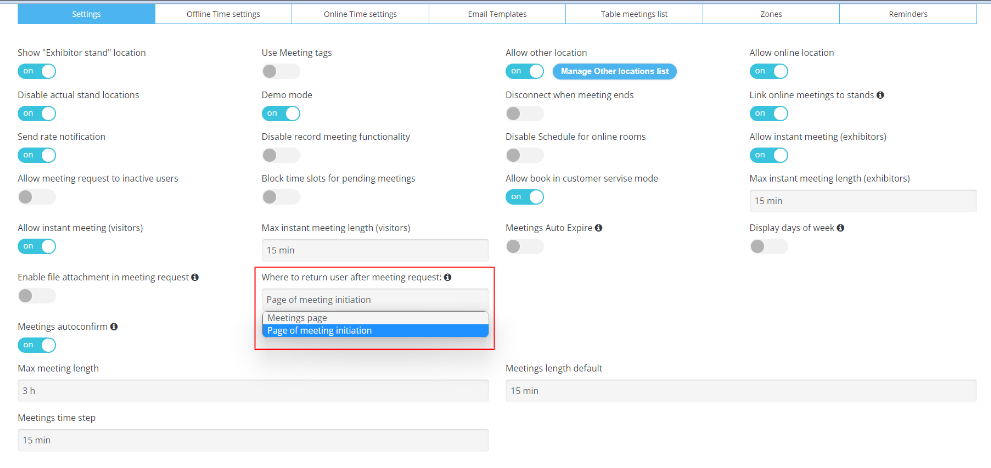
Organizers can now choose to select which page the user lands on after the meeting request is sent successfully.
Backend settings Admin Panel → Event Setup → Networking&Matchmaking →Meetings → Settings→ Where to return user after a meeting request
Currently applicable on Marketplace and Delegate Page
Benefits:
-
Better user experience
-
Avoids adding filter again as it takes user back to the meeting initiation page with all retained filters
Redirection ExpoFP Floorplan:
Organizers can now hyperlink exhibitor stands on the marketplace to the ExpoFp Floor plan used for the event.
In Admin Panel(/admin/general/settings) enable the toggle External Floorplan.
We have 3 settings here
-
Dynamic Linking(ExpoFp): user will be redirected to exhibitor stands on the ExpoFP floorplan
-
External Url: Place the static link on the stand name
-
Turn Off Linking: Linking is turned off for the stand name
Default Settings: OFF
|
|
|
|---|
Exhibitor Manual: Separated based on each section link.
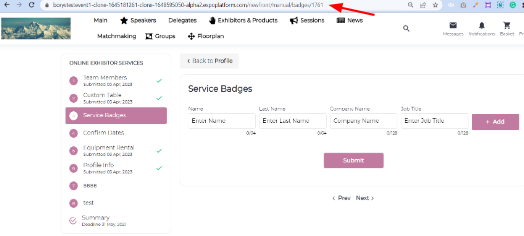
Each section in the exhibitor manual now has a link that could be shared with exhibitors separately which would lead them to a specific section on the exhibitor manual.
Enhanced User flow change:
-
If an exhibitor has any submitted page then he would land on the first unsubmitted page
-
If a user hasn’t submitted any section then he will land on 1st page on the manual
-
If clicked on the specific section link shared will land on that specific section
Benifits
-
Organizer can now share link for specifics section of exhibitor manual.
-
Better user experience