
Feature Purpose
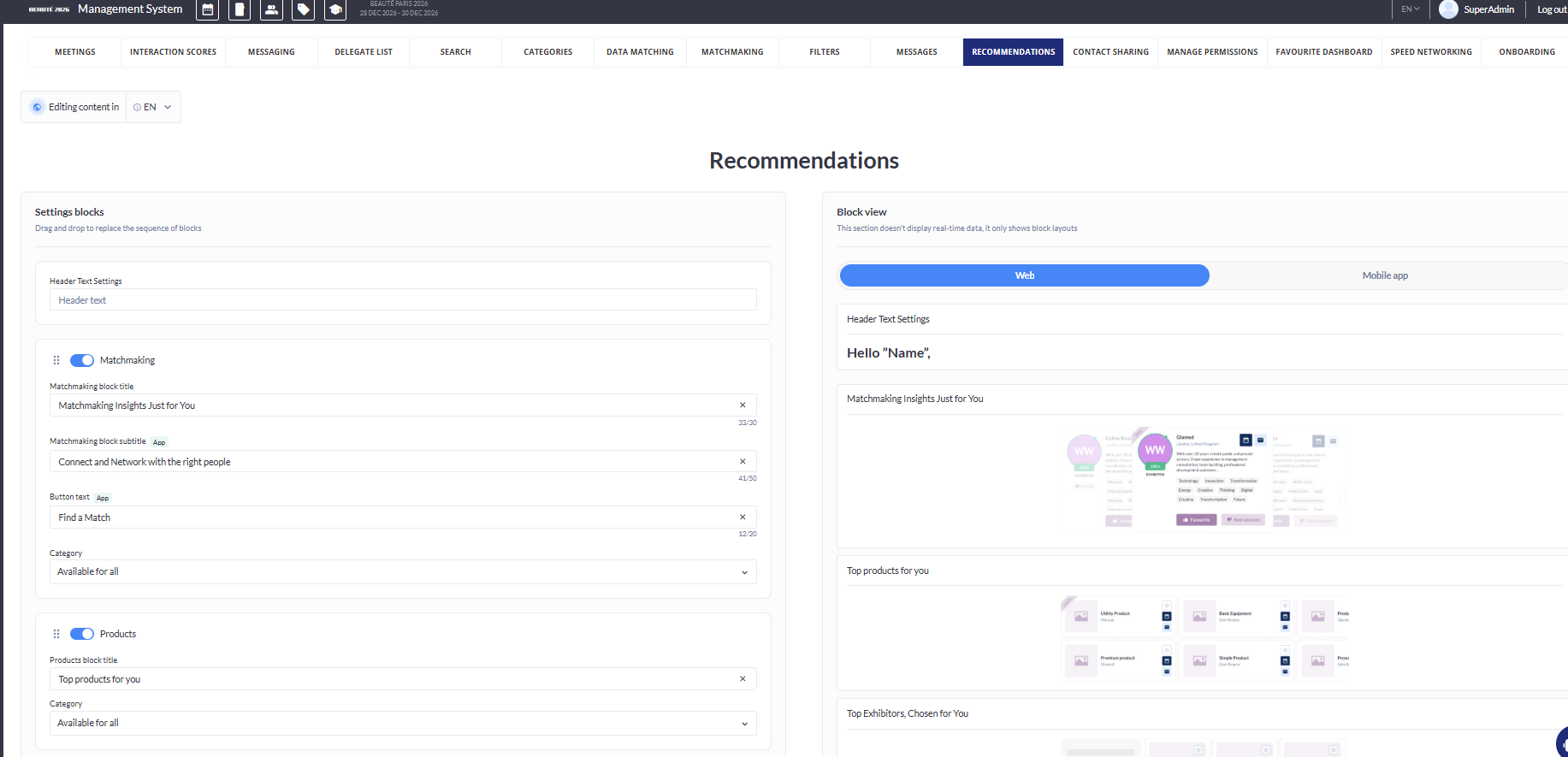
Under Networking and Matchmaking > Recommendations, there are several options for controlling how your unified recommendations page will look.
Working with this Feature
-
At the top of the page, the header text can be customized
-
The “Header Text Settings” block is not draggable and always appears above recommendation blocks.
-
-
The blocks that can be customized on this page, and their default block titles are:
-
Matchmaking → AI Matchmaking
-
Products → Top products for you
-
Exhibitors → Top Exhibitors for you
-
Visitors → Suggested Visitors
-
Session, Round Table → Most interesting
-
Groups → Groups
-
News → Insights for you
-
Events → Exhibitor Events to See
-
Speakers → Suggested Speakers
-
-
For each block you can:
-
Toggle each block on or off. When off, that block will not display
-
If all blocks are toggled off this message will appear: “All users will see an empty page as no recommendation blocks are enabled. Please enable at least one block to ensure content is displayed.” This helps avoid unintentionally showing users a blank recommendations page.
-
-
Replace the default block title with your preferred text
-
Restrict block visibility to only certain roles or categories
-
Change its display position using drag and drop
-
Additionally for the Matchmaking block, for the mobile app only, you can customize:
-
Subtitle (max 50 characters)
-
Button text (max 20 characters)
-
-
-
Web and Mobile App previews can also be viewed
-
The switch on the right side of the page allows organisers to preview the Recommendations page as it will appear on both web and mobile app
-
The logic and content are consistent between web and app previews
-
Please note- Groups and News are only available for web and not for the mobile app