
Please note that this functionality is currently not working.
Feature Purpose:
Currently, it is used for selecting the tax name in the Equipment and Lead capture sections of the exhibitor manual. Those names are not displayed on the frontend since we have a separate setting Tax name in Taxes for this.
Working with This Feature:
-
The feature is used in the Exhibitor Manual to assign tax names within the Equipment and Lead Capture sections.
-
When setting up these sections, users can select the appropriate tax name, which helps with internal organization and consistency in tax management.
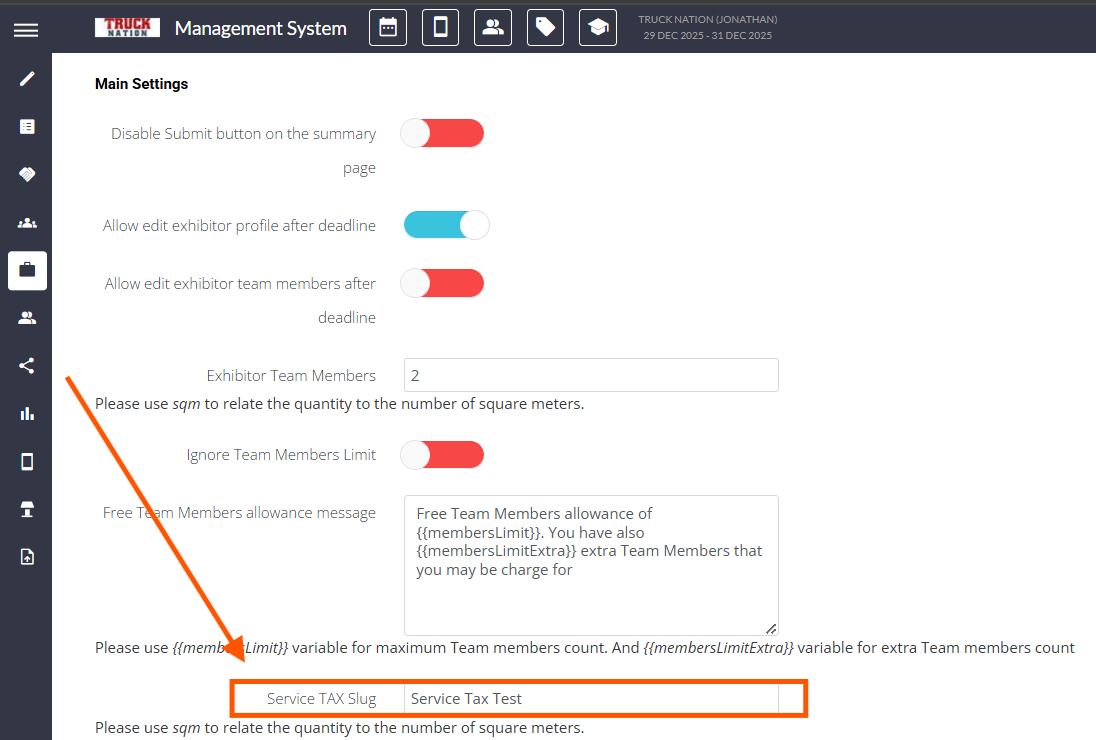
It can be found under Exhibitor Manual >> Global Settings >> Service Tag Slug
Troubleshooting:
-
Issue: The tax name does not appear on the exhibitor interface.
Solution: This is expected behavior. If a tax name needs to be displayed, configure it in the Taxes section instead. -
Issue: Unable to select a tax name in the Equipment or Lead Capture sections.
Solution: Verify that the tax options are properly set up in the Exhibitor Manual settings. Ensure the feature is enabled for these sections.