
Feature Purpose:
Functionality that is used to direct exhibitors from the exhibitor manual to the Firebird database.
Working with this Feature:
Has the following elements:
-
Enable Firebird SSO - to activate the Firebird SSO on the frontend in the Exhibitor manual.
-
Firebird SSO ID - this is typically the identifier for your application within the SSO system. You can usually find it in the settings or configuration section of your SSO provider.
-
Firebird SSO Client Secret Key - This is a confidential key used to authenticate your application with the SSO provider. It should be kept secure and not exposed in client-side code. You can find it in the security or API section of your SSO provider's dashboard.
-
Firebird SSO Url - This is the URL endpoint where your application will send authentication requests. It's often referred to as the "SSO URL" or "Login URL" in the SSO provider's settings.
-
Firebird Return URL - This is the URL to which the user will be redirected after successful authentication. It's also known as the "Callback URL" or "Return URL" in the SSO provider's configuration.
-
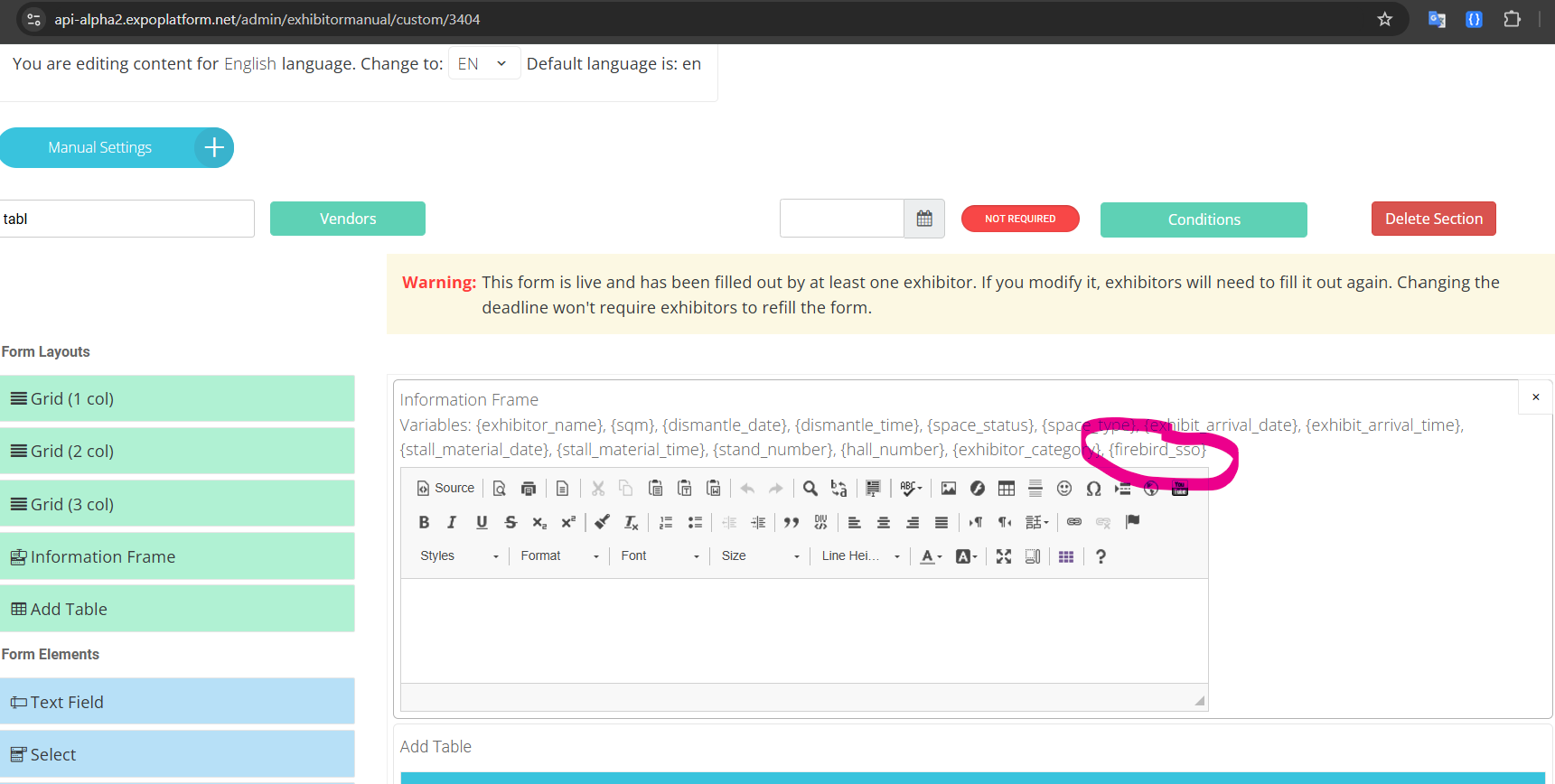
Button - When activated the button appears instead of this variable that can be used in the Information frame block. Clicking on this button directs exhibitor to Firebird database.
Button Text - the name of the button that will appear on the front.
Debug Open - to check Firebird SSO in test mode.