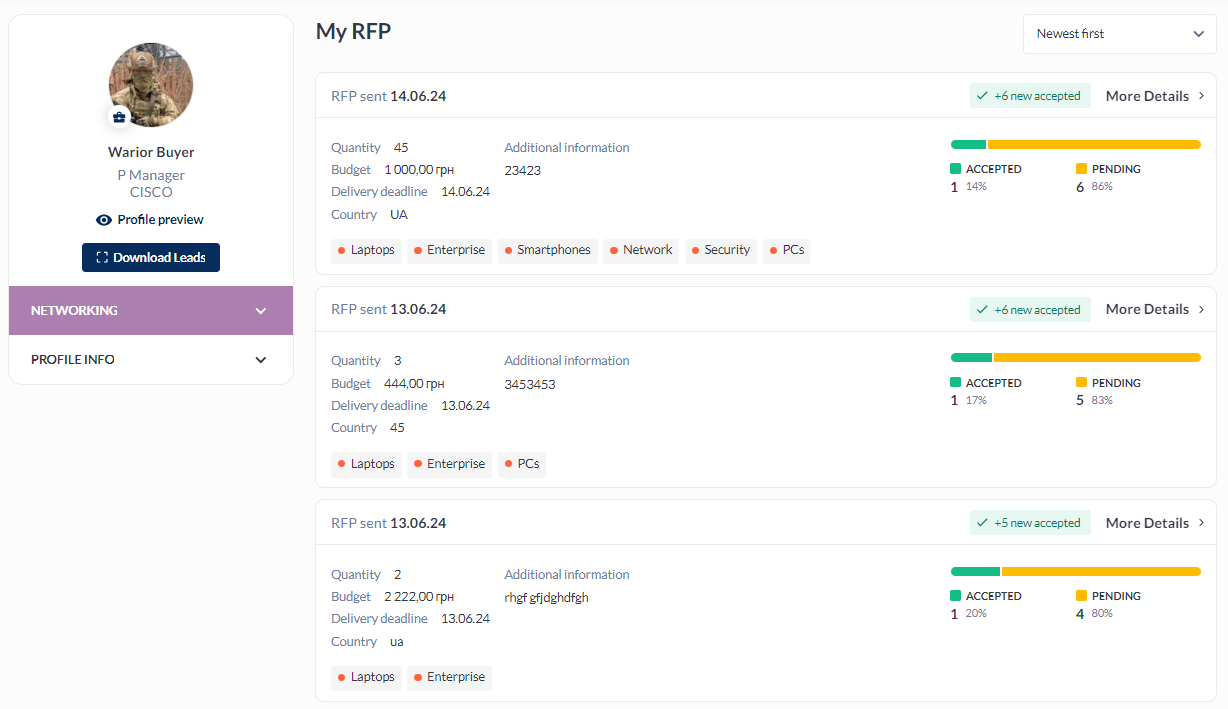
Feature Purpose:
Shows RFP dashboard in the respective profiles (visitor and exhibitor)
Working with this Feature:
Exhibitor RFP dashboard
When logged in, an exhibitor can check the status of their RFPs under the Networking tab
Accessing the Exhibitor RFP Dashboard:
-
Navigate to
/newfront/profile/rfpin the exhibitor profile.
Key Features:
-
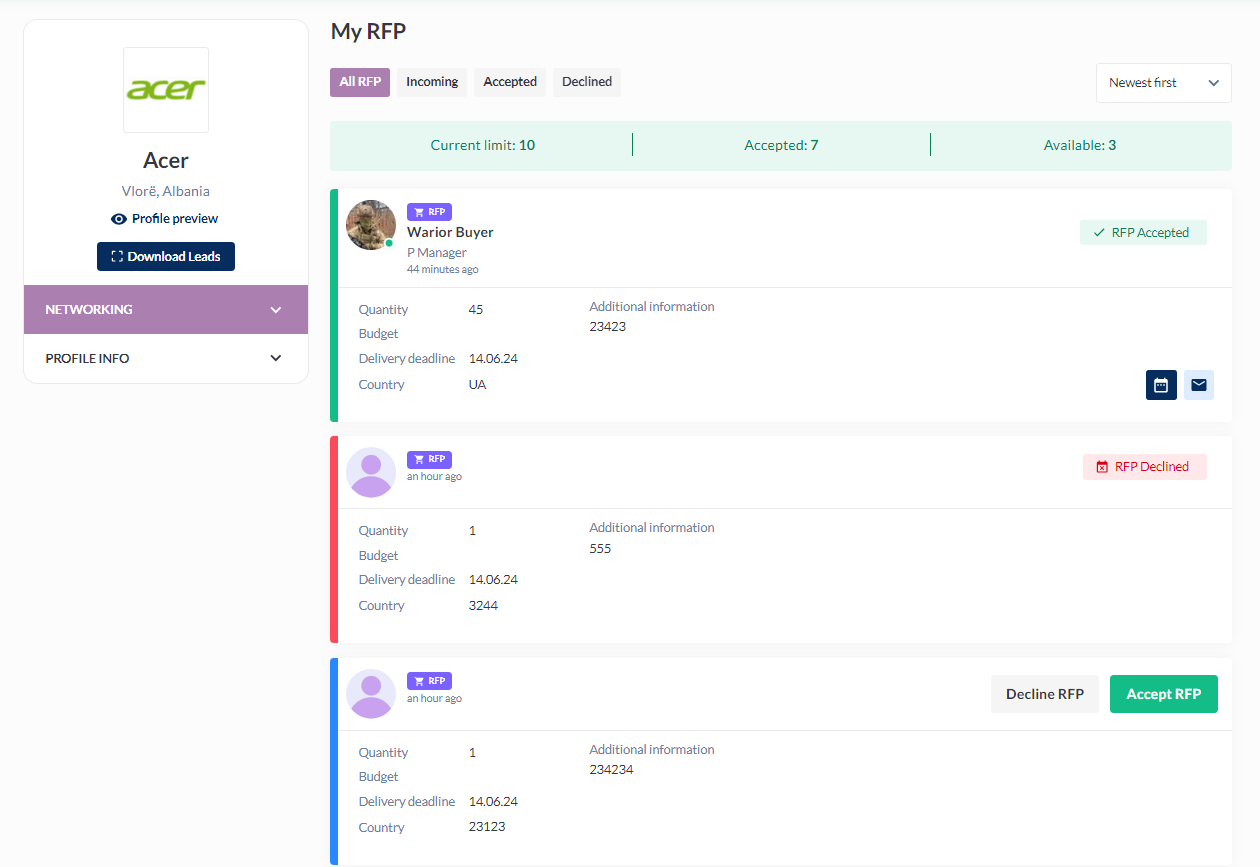
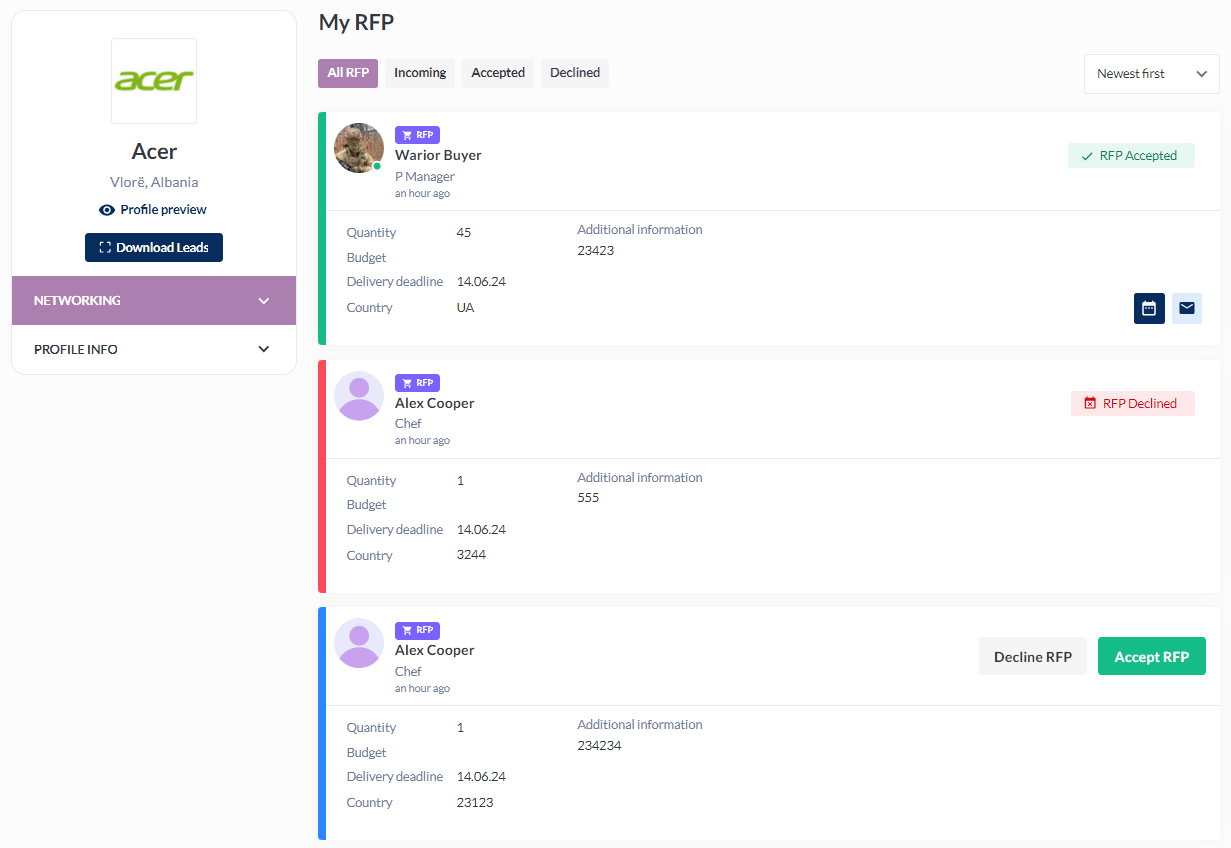
RFP Limit ON/OFF: Exhibitors have the option to toggle the RFP limit.
-
When RFP limit is ON:
-
The requester's information is hidden until the request is accepted.
-
Detailed RFP limit information is provided.
-
The "Accept RFP" button is disabled once the limit is reached.
-
-
|
RFP limit ON |
RFP limit OFF |
|---|---|
|
|
Visitor RFP dashboard
Visitors can access their RFP Dashboard by logging into their accounts and navigating to the Networking tab. Under this tab, the RFP button will direct them to their RFP Dashboard, where they can view the status of their proposals.
Accessing the Visitor RFP Dashboard:
-
Navigate to
/newfront/profile/rfpin the visitor profile.