
Meeting auto-confirm should work with the Category settings of meetings
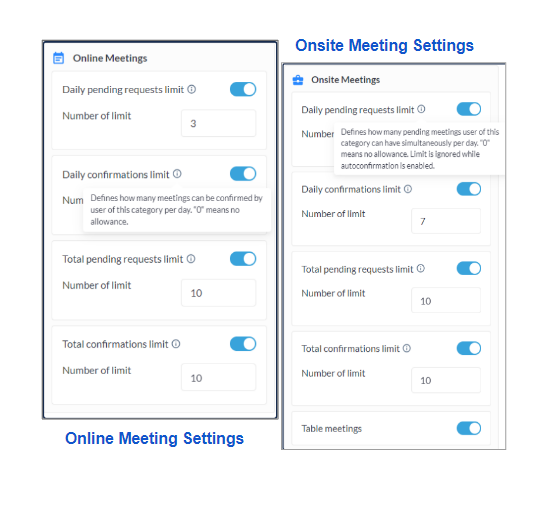
Improved the logic of Auto confirm meetings, initially it was bypassing the meeting limit set under user category settings. Now when the auto-confirm meeting toggle is Enabled from Meetings → Settings
Points to be noted
-
When no limit is set for the user category, then the user can have any number of confirmed meetings
-
When the limit is set, the number of confirmed meetings can only be as per the defined limit
-
If the set limit is reached and a user attempts to book a meeting or is added as a participant in a meeting, the system will display an error message: "Some users you are requesting a meeting with exceeded the online confirmation limit." Additionally, the meeting request button ("Next step" button) is disabled.
-
Confirmation limits are counted for the meeting receiver.
-
When rescheduling a pending meeting, category limits is not enforced.
-
When rescheduling a confirmed meeting, category limits is not enforced.
Applies for all types of meeting (Onsite/Online/Table Meetings)
Benefit
Empowering organizers to define limitations on the auto-confirmed meeting flow.
Custom Content Block
We have incorporated the Custom Content block into the New Website Builder to offer organisers a tool that enables the creation of highly customized and visually appealing web pages.
Admin Panel Settings
Navigate to Event Setup → Build Website → Edit Website → Add Block → Dev → Custom HTML → Add Block
This section empowers organizers to generate a customized block using HTML coding, offering complete control to craft visually engaging blocks according to their preferences.
Benefit
-
It provides organizers with the option to create a fully customizable and visually appealing web block.
Improve Text Editor in the New Website Builder
We have integrated the WYSIWYG Text Editor in our new website builder, providing organizers with a consistent and improved text editing experience. Organizers can now customize any text, word, or letter based on their event needs.
The editor includes various text editing options such as Bold, Italics, Underline, Strikethrough, hyperlinking, and more.
** Text editor is not available in for the blocks:
Cards with counters, All Cards Testimonials, Cards with icon, 2, 3, 4, Cards Row, Carousel blocks with slides (title and subtitle should be editable).
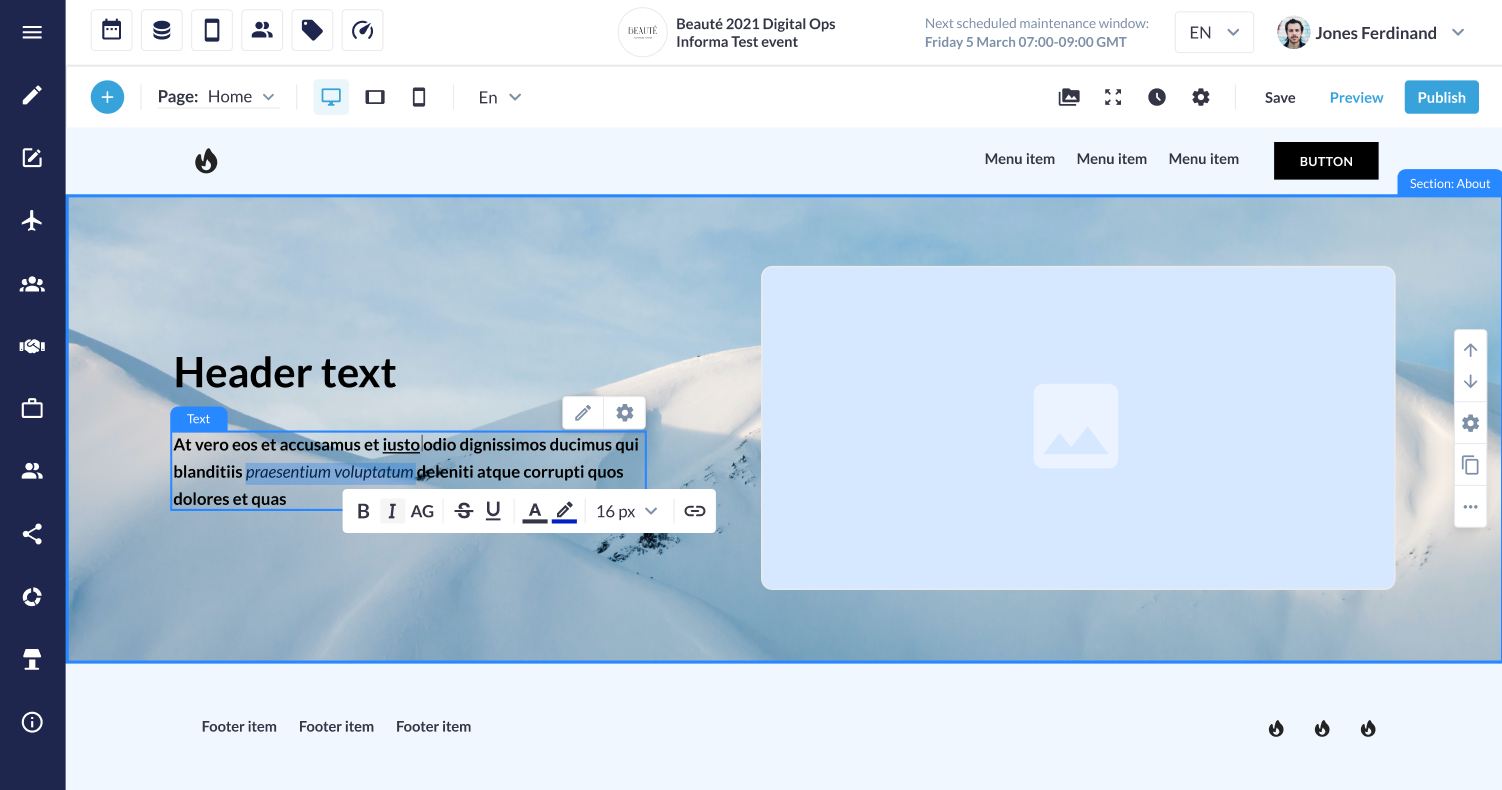
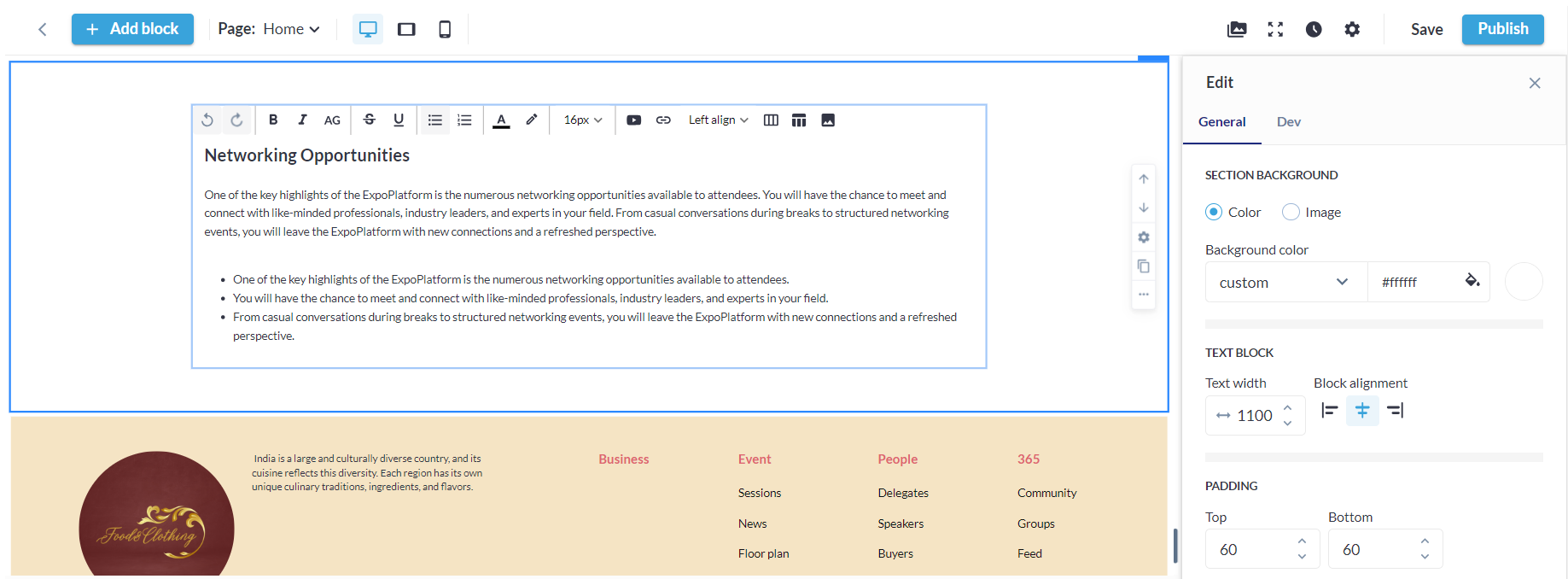
We've implemented a text editor block within the Website Builder section, accessible via Edit Website → Add Block → Dev → Text Editor → Add Block. This feature enables organizers to craft text blocks with customizable content, giving them full control over the text displayed.
Benefits
-
Provides convenience and an enhanced editing experience for text in any block added to the new website builder.
Admin Panel Chat Bot
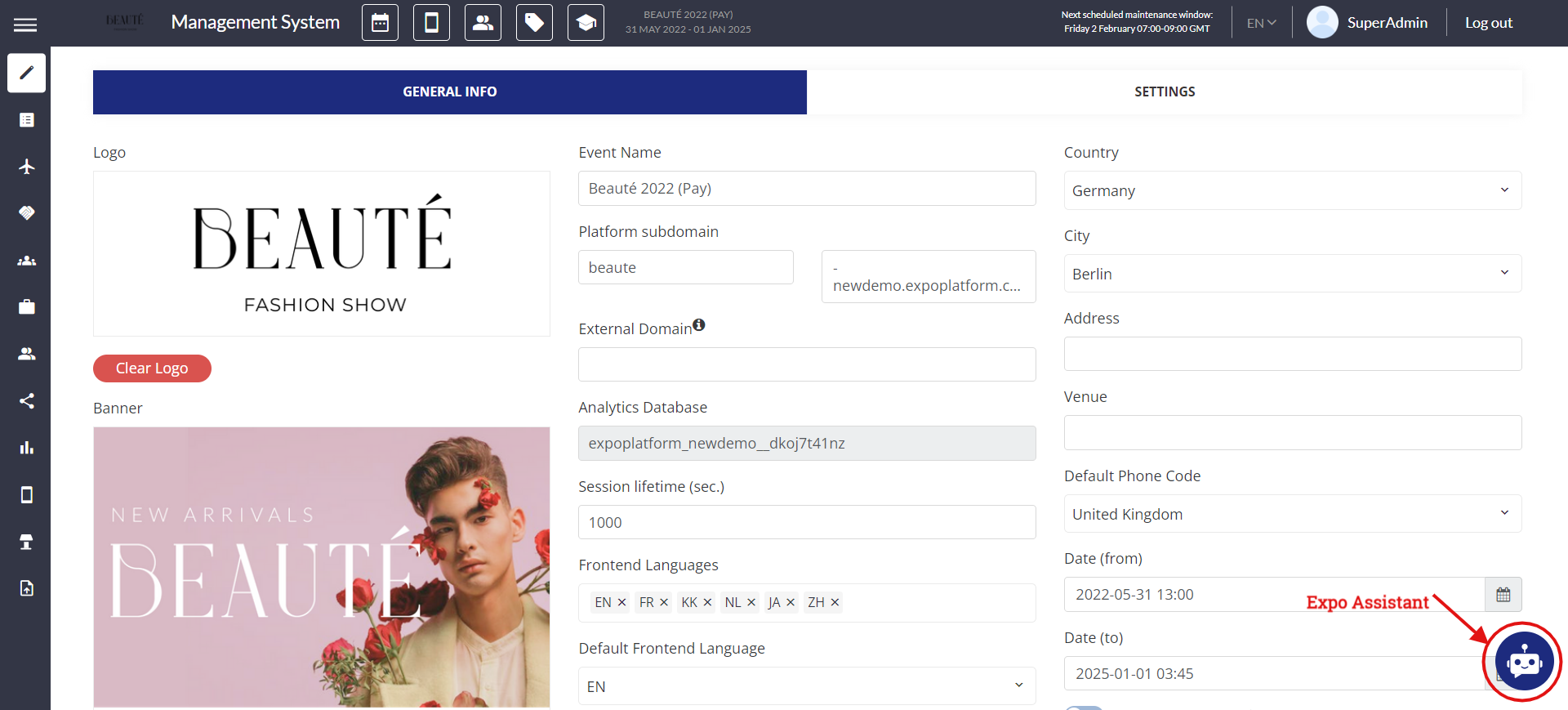
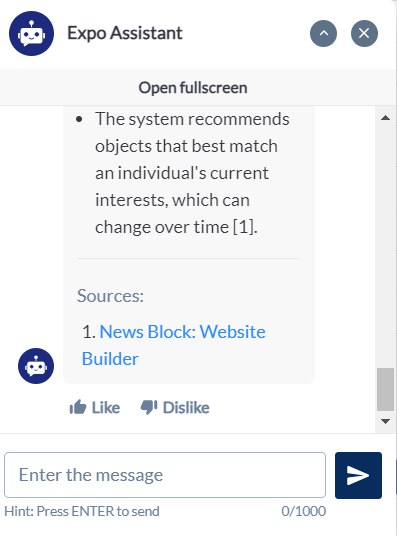
We've incorporated the "Expo Assistant" chatbot into the Admin Panel, which enabled the organiser to ask questions related to the platform setup and the chatbot will respond based on the information included in our help article
Admin Panel Setting
To enable "Expo Assistant" chatbot navigate to Admin Panel → Global Module Management → Backend → Expo Assistant chatbot. This toggle controls the chatbot's availability for the evens added under that environment.
Expo Assitant is featured on all pages within the Admin Panel for easy access and quick engagement. The Chatbot interface will exclusively support the English language for both questions and answers.
Organisers can review past interactions by scrolling up in the chat history and can also rate chat responses positively or negatively (like/dislike)
Default State = ON
Benefits
-
Simplified access for organizers to obtain platform-related information through the chatbot.