
Activation Link Variable added to Email Sender template.
The activation link variable has been integrated into the Email Sender Template, enabling organizers to send activation links to users through email sender functionality.
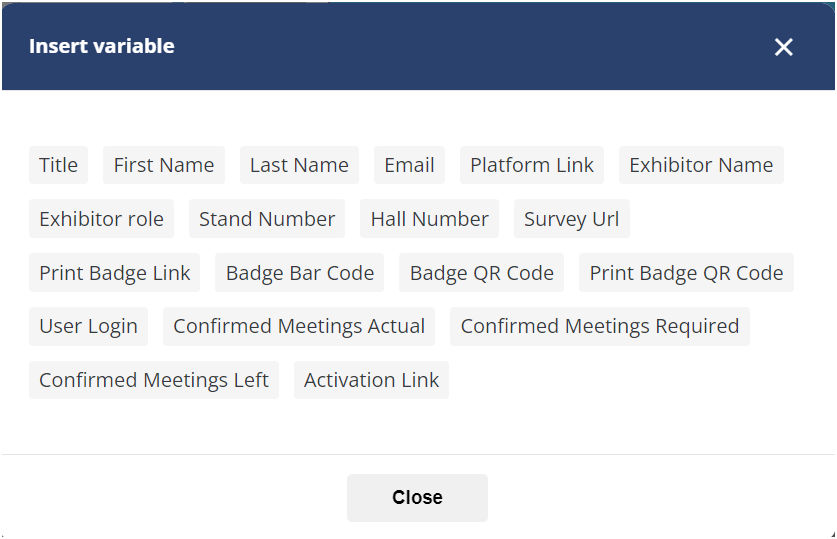
The activation link variable will be sent to users whose accounts exist on EP. For custom list users that don't exist, the variables won't be pulled.
Benefit
Effortlessly send activation links to users through the Email Sender Module,
Changes made to the deadline date of any section of the Exhibitor Manual will not delete already collected data
Enhancements have been implemented in the deadline date section of the exhibitor manual. With these updates, data previously entered will remain preserved even if the organizer adjusts the deadline date for any section. However, if modifications are made to any form, exhibitors will be required to refill their details, even if they have already submitted them.
The modification to the date does not necessitate saving; the deadline date automatically updates upon selection from the calendar.
A warning message is displayed by the system to alert the organizer about the need for exhibitors to refill their details when changes are made to the form.
This form is live and has been filled out by at least one exhibitor. If you modify it, exhibitors will need to fill it out again. Changing the deadline won't require exhibitors to refill the form.
Benefit
-
Enabled the retention of previously gathered data even when modifying the deadline date for any section.
Multi-Language: Website Builder
Improvements have been made to the multi-language feature in the new website builder, allowing organizers to customize the design and layout of various blocks differently for different language versions of the website.
Organisers can choose to desync the website for different language versions of the website from Global Settings → Mutli-Language → Unsync.
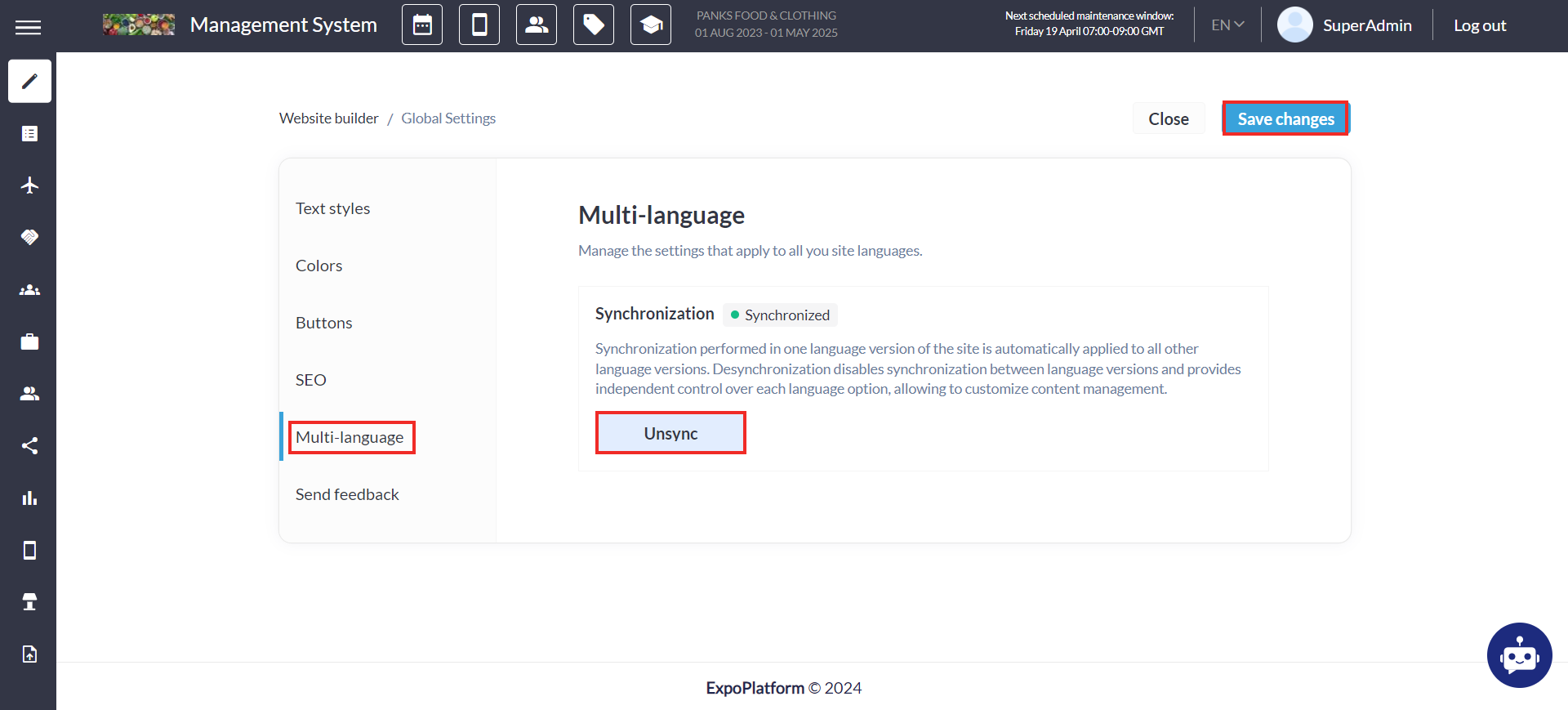
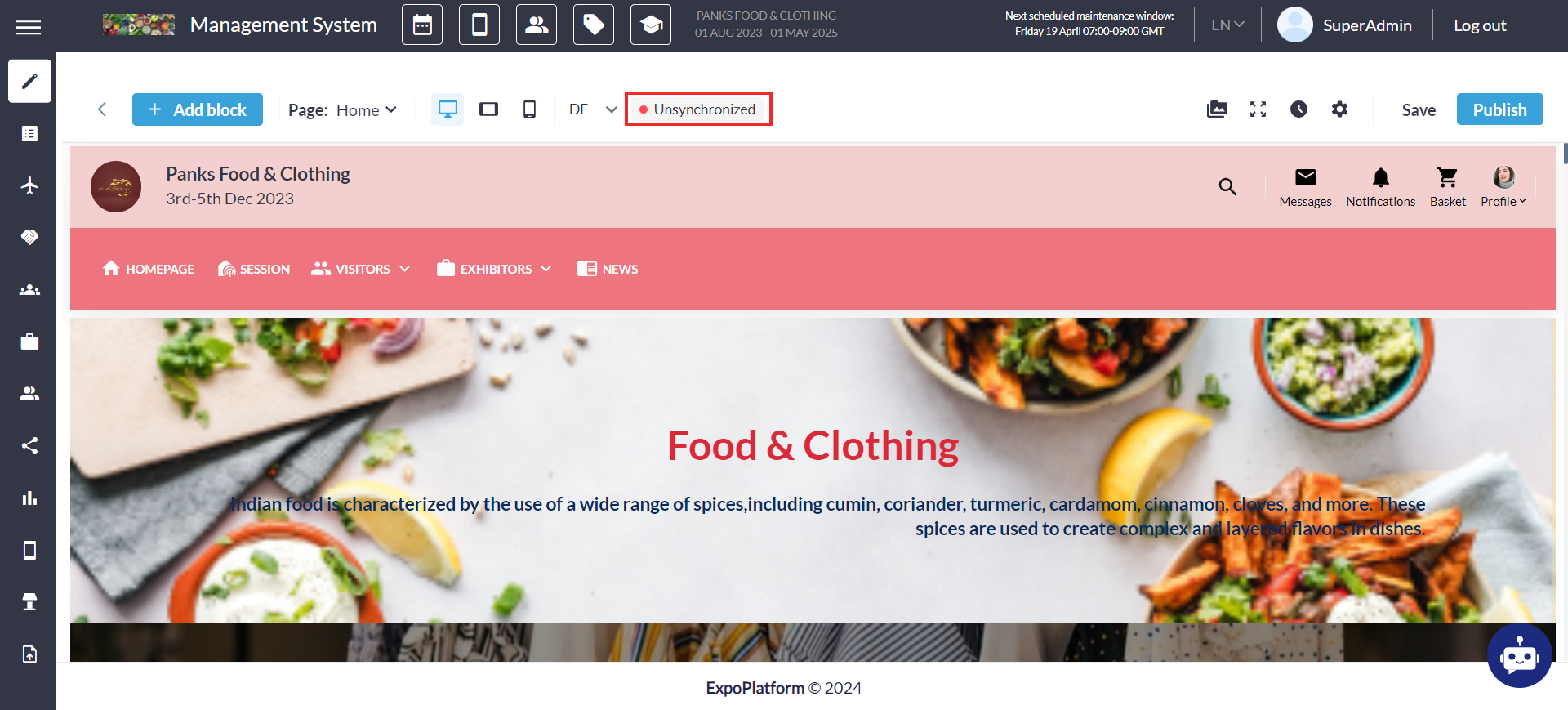
Desynchronization option includes
-
The Organizer can choose to desynchronize language versions from the Global Settings.
-
Before desynchronization occurs, the system automatically saves the latest version
-
Blocks on pages across different languages become independent.
-
Additions, removals, and edits to blocks in one language version do not affect others.
-
Organizer can choose to return to synchronization
-
Restore the previous version: revert to the version before desynchronization.
-
Reset auxiliary pages: resets auxiliary pages to the state of the main page.
-
The Reset or Resync will remove all other language versions and synchronise them with the main language (English)
Benefit
To cater diversified linguistic preferences of an international audience with the flexibility of having unique layout for each version
Favourite Block
Apart from desync, the organiser can also mark any block Favourite
-
This action saves the block in its current state under the "Favourite Blocks" section in the left-side menu.
-
It retains the exact state when added to the Favourites section retaining all content, styling, and configurations, ensuring consistency when reused.
-
Favourite blocks are accessible across all language versions of the website.
-
It can be freely used on any page or language version and subsequently can be edited.
-
Any edits do not alter the original Favourite block, preserving the saved state.
-
The organiser can add any edited block to favourites and then reuse it on any page or another site within the builder.
-
Users have the option to rename a block from their favourites.
Organisers can add up to 15 blocks as the Favourite Blocks
Benefit
-
Convenience in marking any block as a favourite, enabling its reuse across multiple locations without the need to recreate the entire block.
Rename Sponsor Block on the App and Web
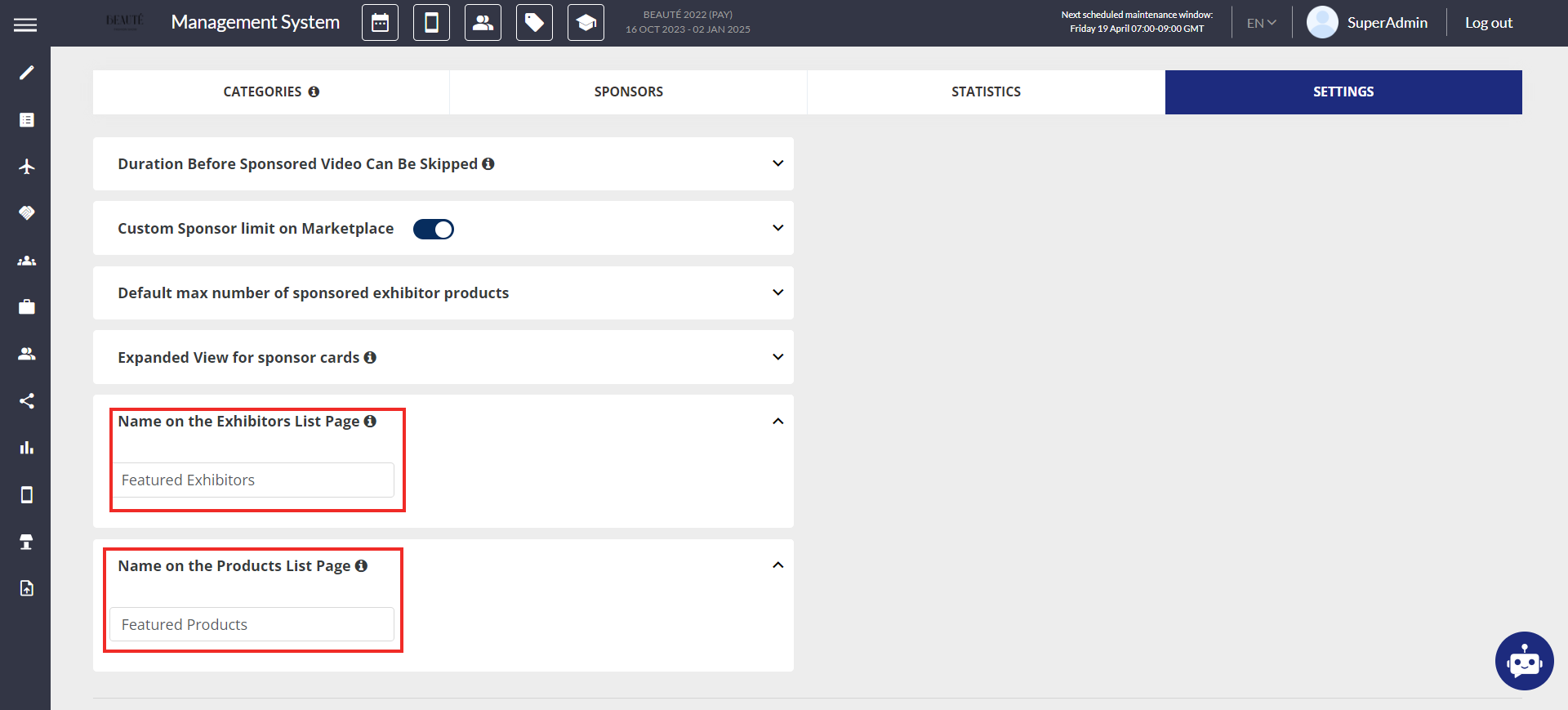
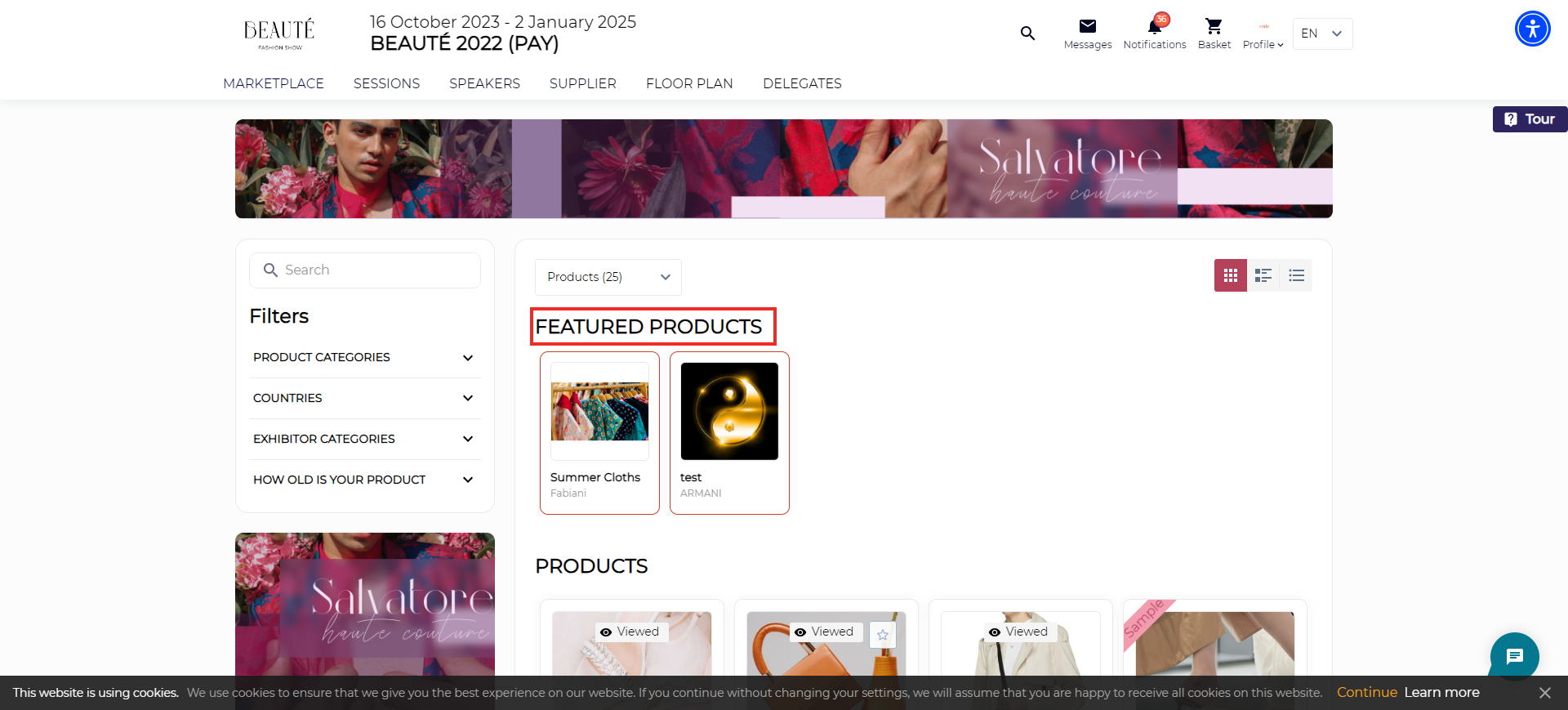
A new setting called "Name on the Exhibitors List Page" and "Name on the Products List Page" has been introduced on the Sponsor Settings page (/sponsors/settings). This feature enables organizers to customize the name displayed for sponsored exhibitors and sponsored products on both the app and web platforms, on the exhibitor list page.
The sponsor block name can contain a maximum of 60 characters.
Benefit
Flexibility for the organiser to rename the sponsor block as per the event requirement