
Export Meeting Tags in Export & API
Enhancements have been made to the meeting export report under Data → Import/Export → Export.
Now, the Meeting Export file will include a "Meeting Tag" column, displaying the details of the meeting tags selected while creating the meeting.
If the meeting is created by using API /api/v2/meetings/export endpoint the “Meeting tags associated with the meeting will also be included in the Meeting Export File
If multiple tags are attached to the meeting, they all are visible in the same column separated by comma and space.
Benefit
-
More detailed meeting report which includes Meeting tag data associated with that meeting
Include Product Category in the Supply and Demand Graph
A minor enhancement has been made to the Supply and Demand graph under Analytics → General → Marketplace. It will now display the name of the product category associated with the Participants, Supplies, and Products, making the graph intuitive and easy to read.
Benefit
-
Enhance the graph to be more intuitive and user-friendly.
Export File for Speed Networking
We have added the new export report for Speed Networking under Data → Export (/admin/data). This report will include the following fields for each session
-
User ID
-
First Name
-
Last Name
-
Email Address
-
Company
-
Job Title
-
Participant Category
-
Session ID
-
Session Name
-
Rating (1-5 stars)
-
Enjoyed the session (Yes/No)
-
Matchmaking worked well (Yes/No)
-
Date of feedback submission
-
Time of feedback submission
Benefit
-
Intuitive and detailed report on speed networking session
Campaign Redesign Iteration 2
A few enhancements have been made to the design of the campaign module to make it more aesthetically aligned with the platform
-
Redesigned the visibility of the variable added to the template
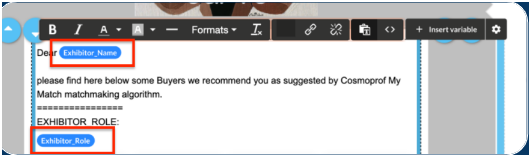
-
Recommended Variable count added next to the Insert Variable button as a Gear Button
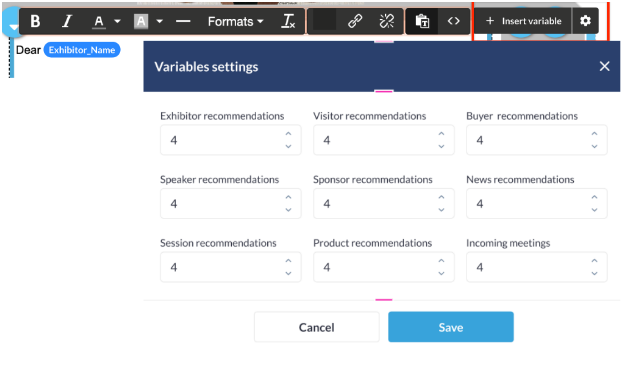
-
Enhanced Sender Details visibility on Draft Template Page
-
The organiser is redirected to the campaign list page after saving the campaign
-
Removed the Show More Info button for future send-out campaigns
-
The option for the expanded menu for each row under Campaign Stats will only be available for the row which has triggers attached
-
Few font and padding-related changes were made for defined aesthetic alignment
Benefit
-
Helps to make the campaign module more aesthetically aligned with the platform.
Exhibitor Account on Admin Panel
The team has revamped the Exhibitor account page on the Admin Panel under the Management tab, making it more intuitive for the organizer to view and add the exhibitor information in a more aligned and clearer way.
Added a top navigation on the exhibitor edit page that further navigates to below tab from where the organiser can manage and add the exhibitor details
-
Analytics: This tab gives a details analytics of the exhibitor and its Team member activity on the event
-
Registration Information: It helps the organiser in maganing and editing all the fields added to the exhibitor registration pipeline.
-
Security: Under this tab the organiser can manage and update the exhibitor username and password and can also view the login details of that exhibitor
-
Exhibitor Settings: This tab allows the organiser to manage all exhibitor-level setting, like enabling Header and Background banners, managing exhibitor category and category level settings and limitation
-
Sponsorship: From this tab organiser can enable and manage the sponsorship functionalities for that exhibitor
-
Team Member: This tab allows organiser to manage and add the details of the team members for the comapany along with managing the details of the contact person added for billing and invoicing purpose
-
Floor Plan: The organizer can enable and add stand details for the exhibitor from this tab. This page is empty if Floor Plan is not enabled under Management Floor Plan.
Leader Dashboard
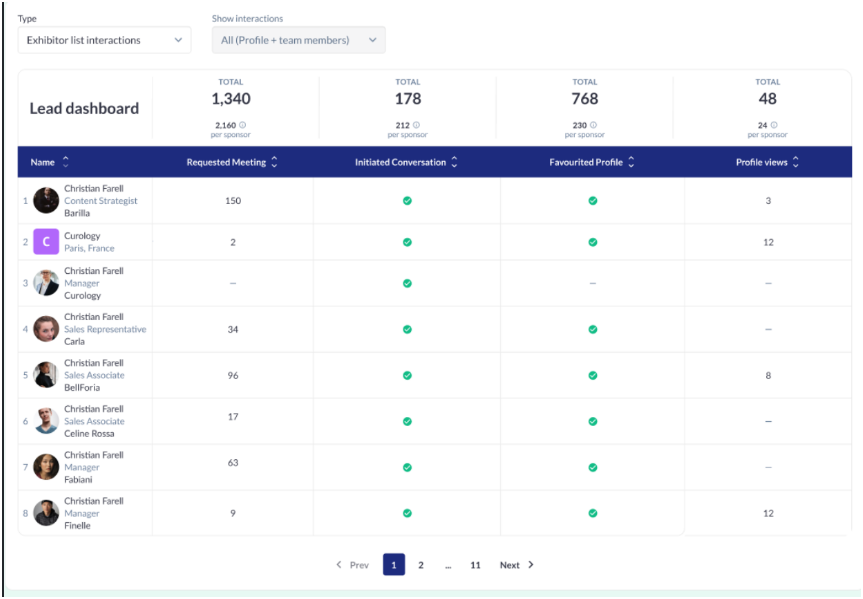
We have revamped the Leader Dashboard on the admin Panel to improve the readability of leads and data for our organisers.
The key difference is we show checkmarks for one-time actions and numbers for repeated actions. It also shows average values per Exhibitor at this event. Added a drop-down to show Types and Interaction data.
The dashboard related to sponsor stats (such as Sponsors pop-up interactions, Banner statistics etc), is displayed if the exhibitor is also a sponsor otherwise this is hidden for exhibitor.
Exhibitor has the option to select a company or a member separately for the table in the "Interactions" tab.
For each column, the total number of user interactions is accumulated, and the total is displayed in the "Total" fields above the board.
Tooltips appear every time the user hovers over the number of actions or checkmarks.
For featured product interaction, often, team members are associated with the sponsor’s products. If a user interacts with those products, any actions involving the team member should be counted as interaction stats for the sponsor.
Benefit
-
Enhance the readability of leads and data for the organisers.
Implement Save Changes Pop-Up for all Email Template
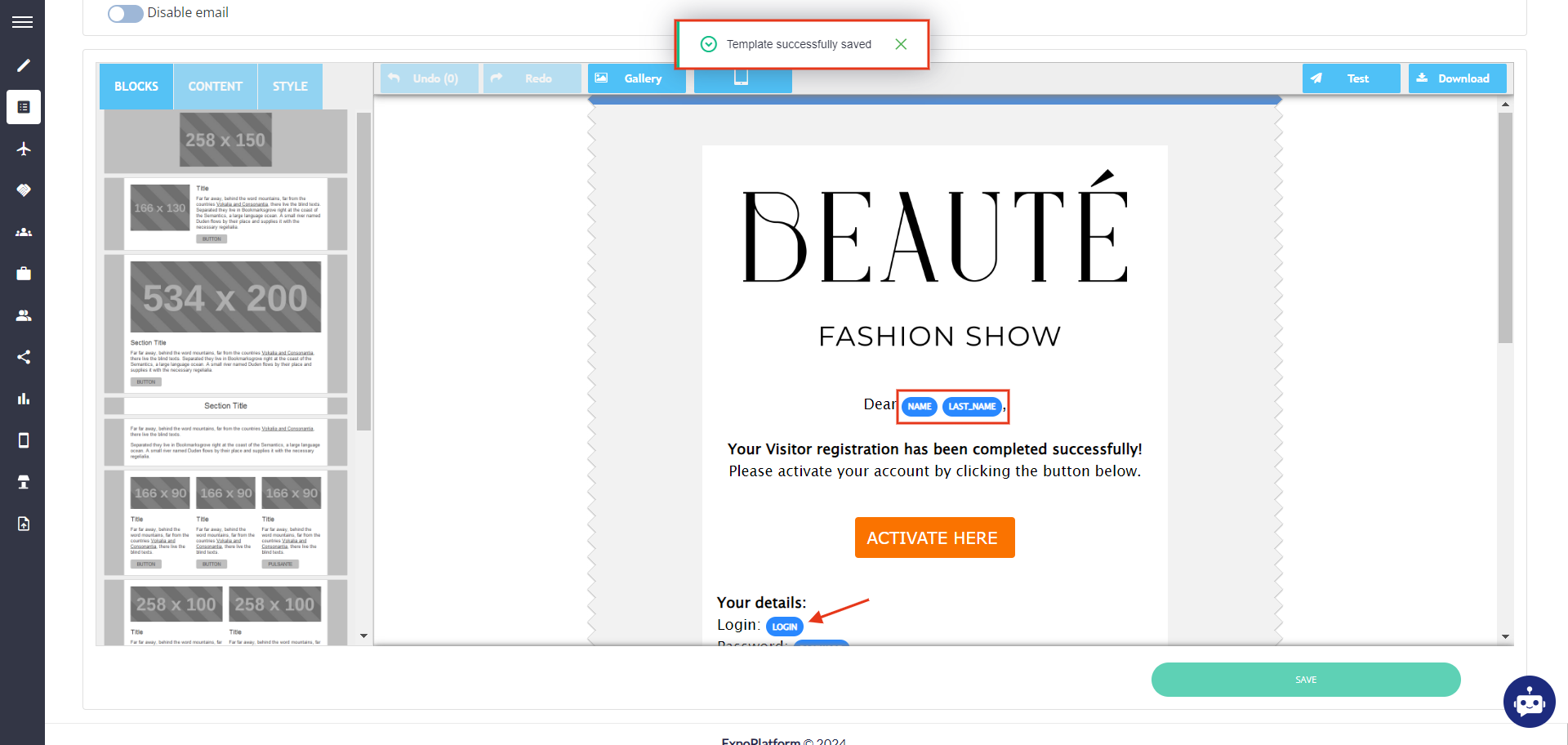
The system now displays a warning message about unsaved changes if the organizer attempts to leave the email template page after making any changes to the email template
Additionally, the system now displays a success notification once changes are successfully saved after clicking the Save button on the email draft.
The above changes have been applied to the below email templates
-
admin/appointments/emails
-
admin/events/templates
-
admin/email/templates
-
admin/emails
-
admin/exhibitormanual/templates
-
admin/hostedbuyers/emails
Benefit
-
Improves visibility for the organizer regarding the successful saving of changes made to the email templates, helping to ensure no changes are missed.
Download leads feature on Exhibitor Category level and Individual exhibitor level
Download Lead feature is now added at the Exhibitor Category and Individual Level, making it possible to enable this setting at the exhibitor category or individual level.
Admin Panel Setting: Navigate to Registration Setting → Exhibitor → Exhibitor Category → Click on Settings gear → Enable toggle for Download Leads
This setting is transitioned to Team Members as well
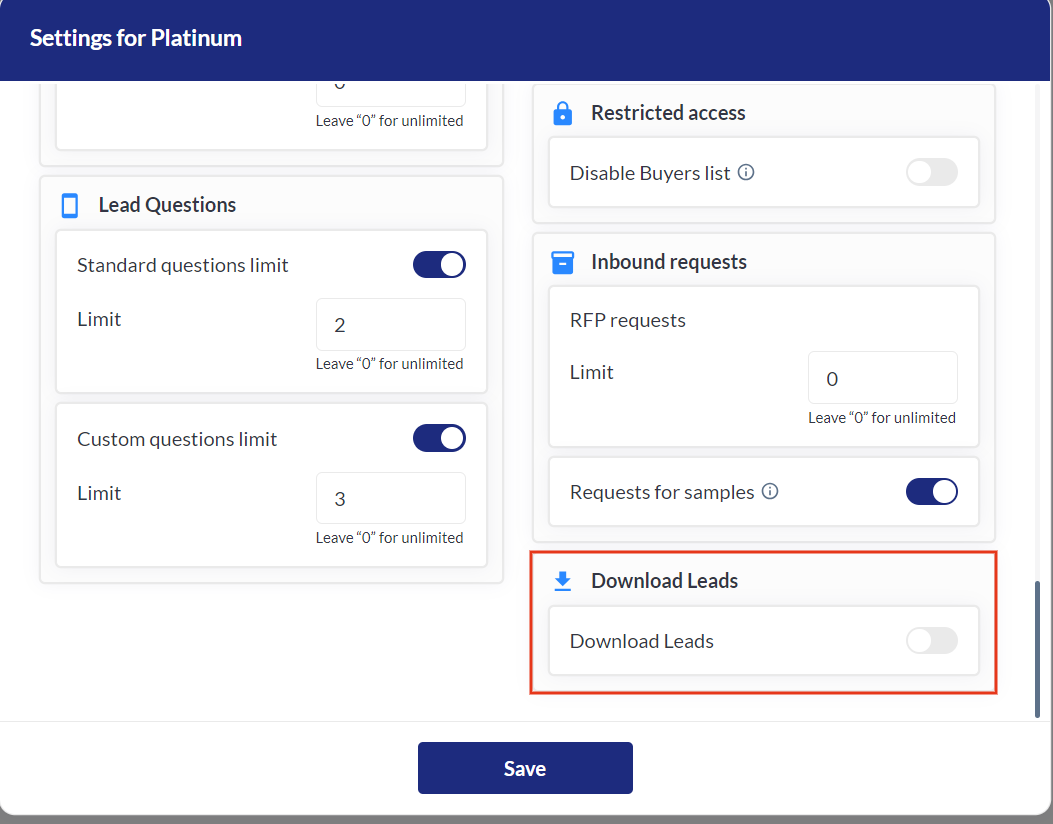
For example: Download lead is disabled for the gold category then it is disabled for both the company & its team members tied to that gold exhibitor category.
Benefit
-
Enable Lead Download functionality at both the exhibitor category and individual levels.