
Meeting Rating Settings
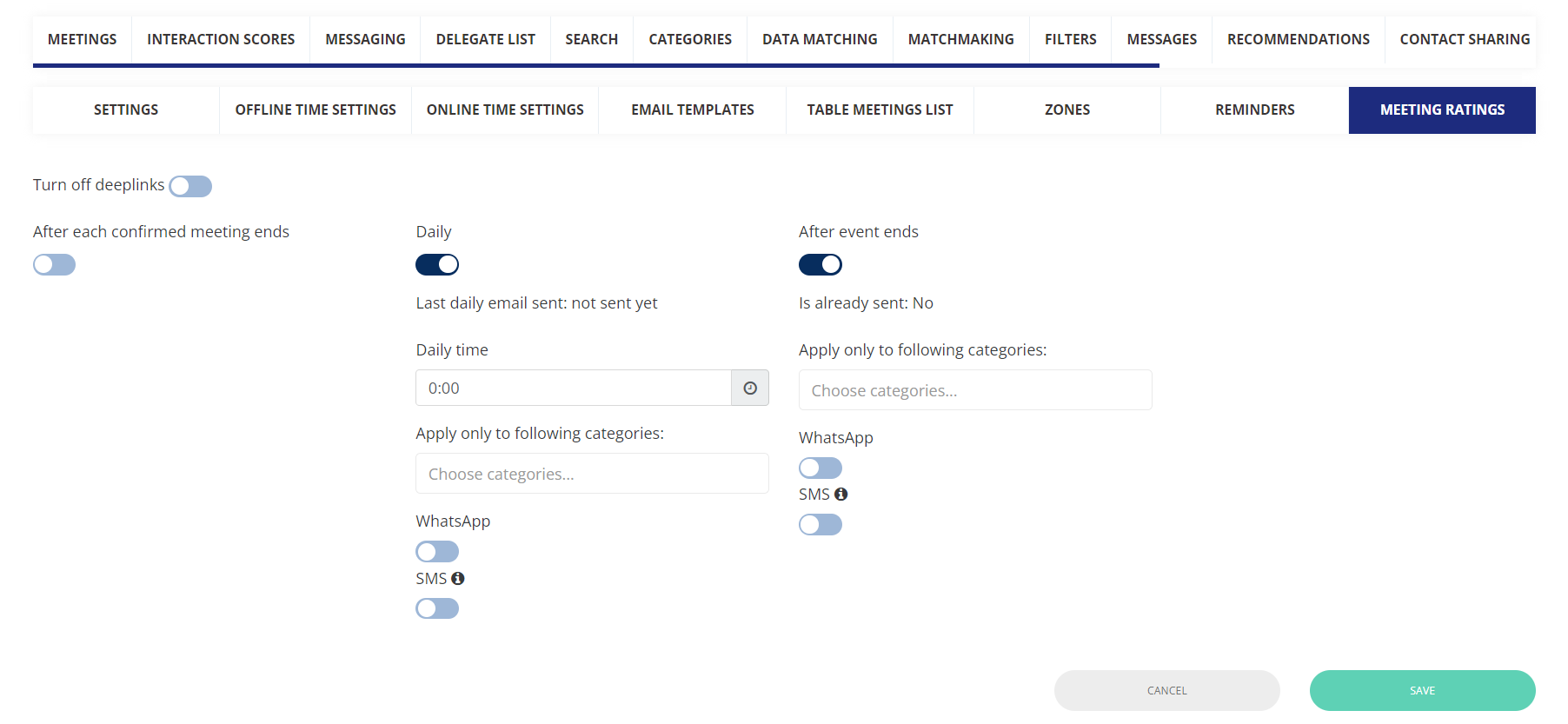
The organizer can send the consolidated meeting rating emails to the participants of the meeting on a daily basis or when the entire event is concluded. They also have the flexibility to select the user category to which these emails should be sent.
It also provides options for alternative communication channels such as WhatsApp and SMS and allows handling the user's landing experience based on Universal deep links.
Admin Panel Settings: Networking & Matchmaking → Meetings → Meeting Rating.
-
After each confined meeting end: Controls whether rating emails are sent immediately after each confirmed meeting.
-
Daily: Send the Rate meeting email on the specific time of day for all his Confirmed meetings of the day + the previous date, in a single email.
For example; Day 1: Day 1 confirmed meetings that are not rated
Day 2 : Day 1 + Day 2 confirmed meetings that are not rated
Day 3: Day 1 + Day 2 + Day 3 confirmed meetings that are not rated and so on
-
After the Event Ends: Send meeting rating emails after the entire event concludes for all his Confirmed meetings that took place during an event, in a single email
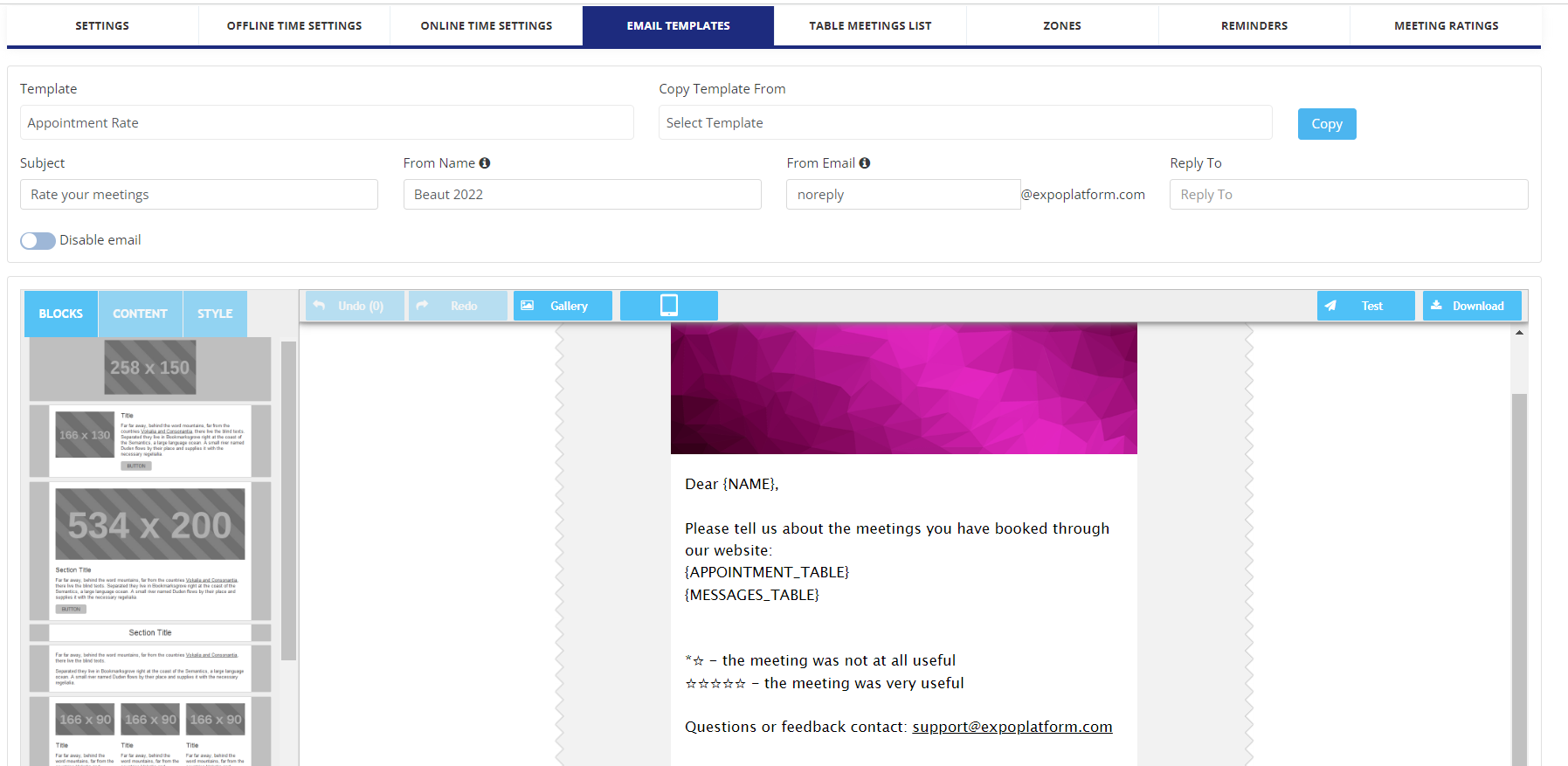
The email templates for each can be drafted separately from Networking & Matchmaking → Meetings → Email Templates
Benefits
-
Ability to send consolidate email torate the meeting
-
Avoid spamming users from receiving multiple emails
Pinning the heading for the interaction table on the dashboard page
The heading or title of the interaction table on the dashboard page has been securely affixed, ensuring that even if the user opts to display more than 5 records in the table, the heading remains visible and does not vanish when scrolling through the page.
Benefits
Ease in viewing and comprehending the details of the user
Download Schedule included personal blocked time
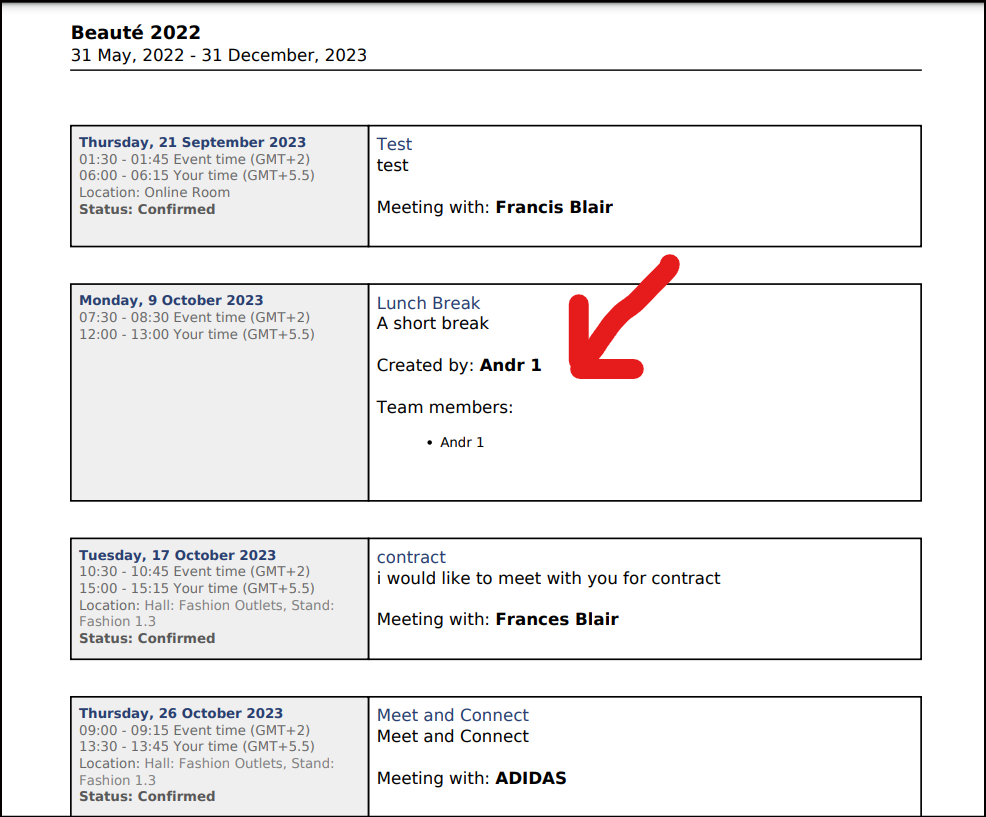
The file obtained through the Download Schedule feature on the frontend now encompasses the user's personal blocked time details. In the instance of the Team schedule, it will download the personal blocked time details for all team members.
Benefits
Ease of accessing the information of the blocked timing for the user itself and Team members in case of Exhibitor/Company