
Reassigning team members to the meeting
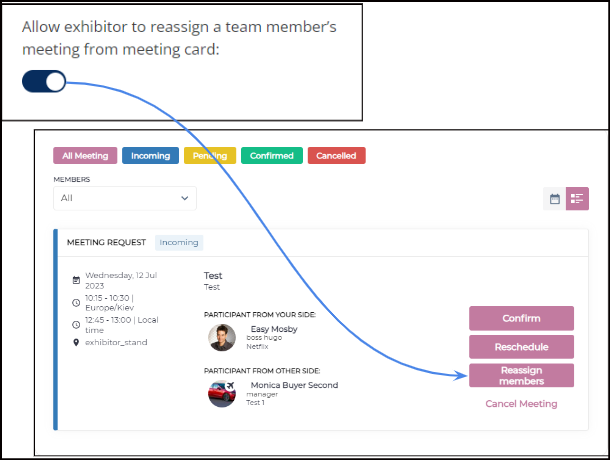
Exhibitor profile who has more than one team member has the ability to reassign another team member(choose only members from one exhibitor in case of child exhibitors are added) to the incoming, pending and confirmed meeting from the Team Meeting tab.
Admin Panel Setting: Enable toggle under Registration Setting →Exhibitor → Additional Setting
Default State: Off
The new email template "Reassign member" is added to the list on admin panel /admin/appointments/emails. This email will be sent to all meeting participants, including (assigned, unassigned, unaltered users, and all meeting sides/parties).
Benefits
More control to exhibitor profile while managing team meetings and team schedule
Choose how to display Sponsors on Frontend
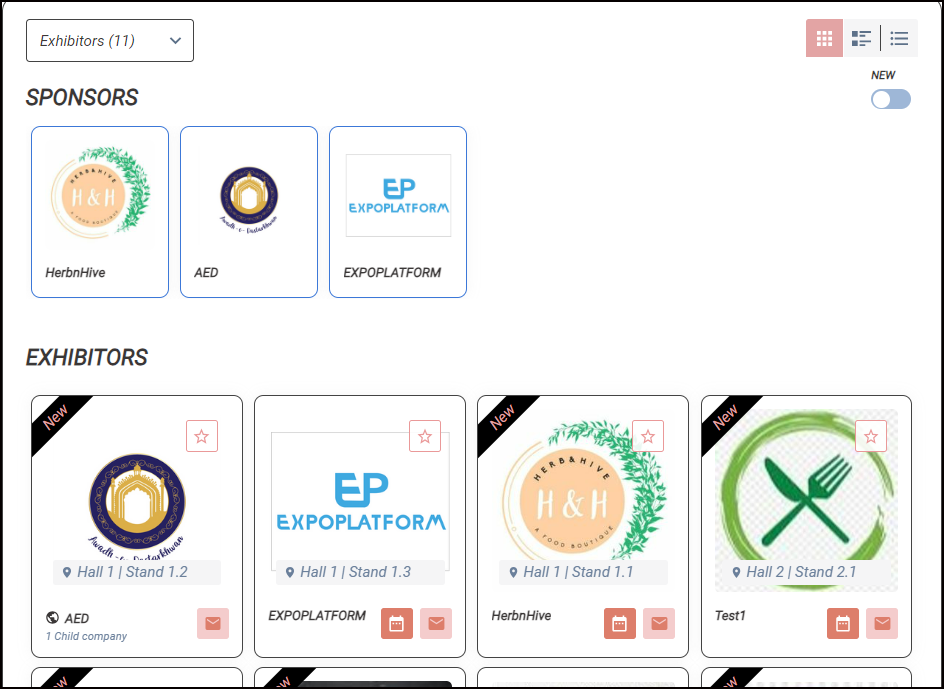
Admins can choose to display exhibitors marked as sponsors either in a separate section or together under the exhibitor list with a unique differentiating border on Exhibitor Pahe
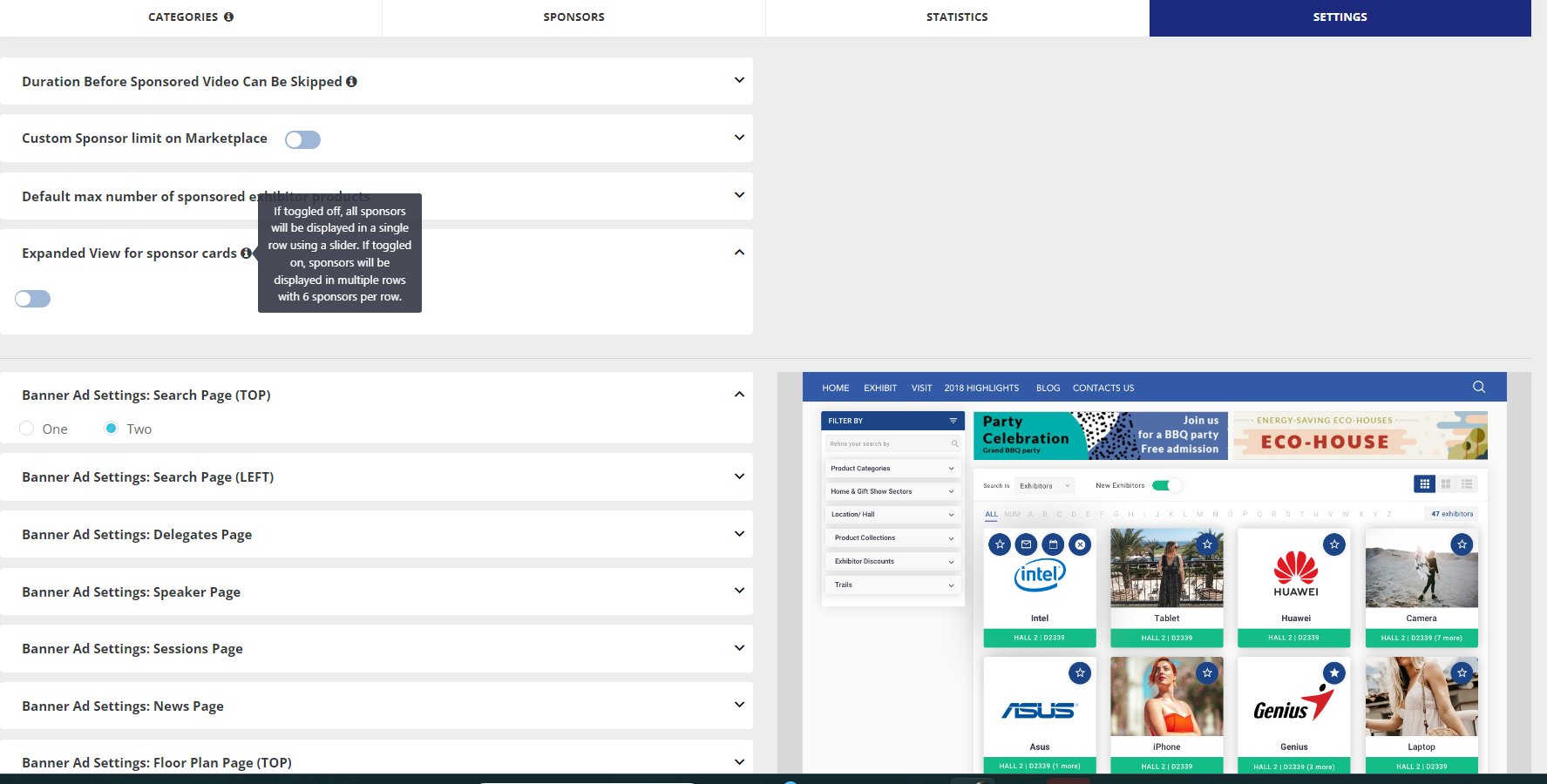
Admin Setting: Enable toggle Expanded View for sponsor cards under Sponsor → Setting page(/admin/sponsors/settings) to display the exhibitors set as sponsors in different rows with 6 sponsors in each row under the exhibitor list on the frontend.
Benefit
More control to the organizer on how that want to display sponsors on frontend
Enhancement to the Check-In Report
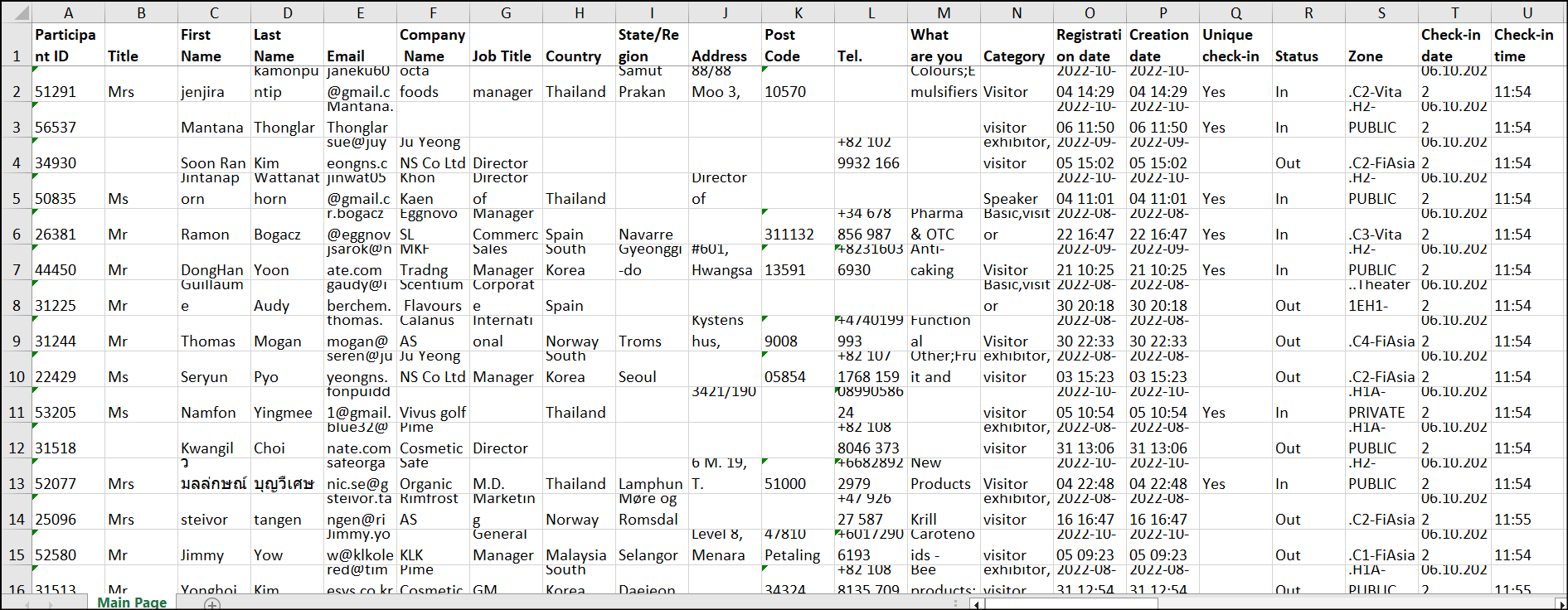
We have an advance report for the users whose badges have been scanned using the ExpoPlatform check in App. The new report contains below details:
-
Profile information of the user, all system fields of the registration pipeline are included by default. Excluding: Networking Opt-in, Social links, File (for uploading the files), Photo, About Me, Website.
-
Custom questions for which it is enabled to show in the check-in report
-
New column: Unique Scan added, it will show whether the check-in is unique or not.
-
For example, if participant A made check-in for the event on Nov 1st at 1 pm and it’s his first check-in on the event, the column Unique check-in will show Yes for the check-in. For all subsequent check-ins, it will be No since they are not unique.
-
-
Organizer will now have a selector option like other reports to select which field they want in the report at the time of export
-
Fields that are included in the conditional logic will be in the report.
-
Status (in or out) and Zone columns from our current Check-in list report
Benefit
-
Check In report has more relevant and detailed user data
Bar/QR code variable included in the Accepted Buyer Email Template.
A bar/QR code variable can now be included in the Accepted Buyer Email Template. Making it flexible for the organizers to share the user badge bar/QR code through the buyer accepted email.
Benefits
-
Option for organizer to include the user badge in the buyer accepted email.
-
Ease for buyer to get their badges directly in the email