
This report included the details of all users whose badges have been scanned using the ExpoPlatform Check-In app.
This report can be exported either as a Unique Check-In for the Event or a Unique Check-In per date
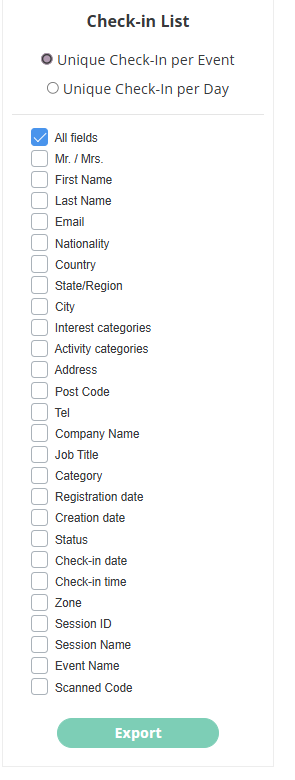
Unique Check-In per Event: This report contains the scanned badge details of the user for the event dates only, which means if in admin/general/edit we have the start and end dates for the event as 01.09.2023 at 1 pm - 06.09.2023 at 6 pm it will record check-ins only for these days taking into account the time of the event as well.
Unique Check-In per Date: This report records the details of all the scans for all dates of the event (including pre and post-event dates ). This report does not contain a Unique scan column; instead, it records the first check-in of that date and the subsequent check-ins for that user on that date are recorded as Duplicate Check in.
For Example: if user A’s data is scanned on the first day, his first check-in will be marked as Initial check-in and all subsequent check-in will be marked as Duplicates. If user A comes on the second day - the first check-in is Initial and all subsequent will be recorded as Duplicate check-in. If user A didn’t come on day 1 the report will have a blank cell in the column for that day.
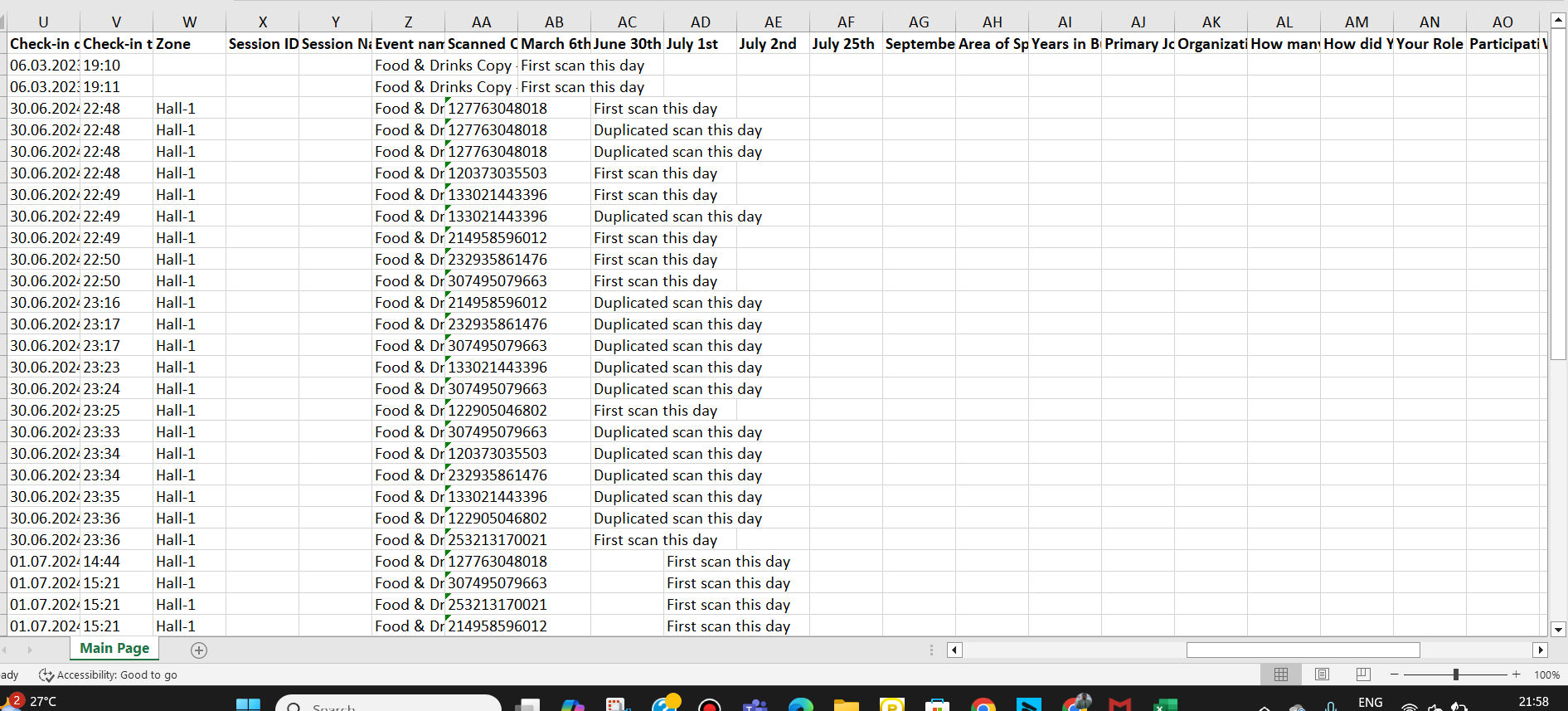
The report includes the below details/columns
-
Participant ID
-
All System field questions in the registration pipeline: by default. Excluding fields: Networking Opt-in, Social links, File (for uploading the files), Photo, About Me, Website.
-
Custom questions for which it is checked to show in the check-in report.
-
Unique Scan is added as a new column in Unique Check-In per Event report only which records whether the check-in is unique or not.
-
For example, if participant A made check-in for the event on Nov 1st at 1 pm and it’s his first check-in on the event, the column Unique check-in will show Yes for the check-in. For all subsequent check-ins, it will be No since they are not unique.
-
-
Organizer will now have a selector option like other reports to select which field they want to include in the report at the time of export
-
If Session ID and/or Session name are selected, the corresponding session information will be included in the report, allowing organisers to easily identify the sessions a participant has attended without manual work.
If the user didn’t fill in the fields during the registration, we will have empty cells for those fields.
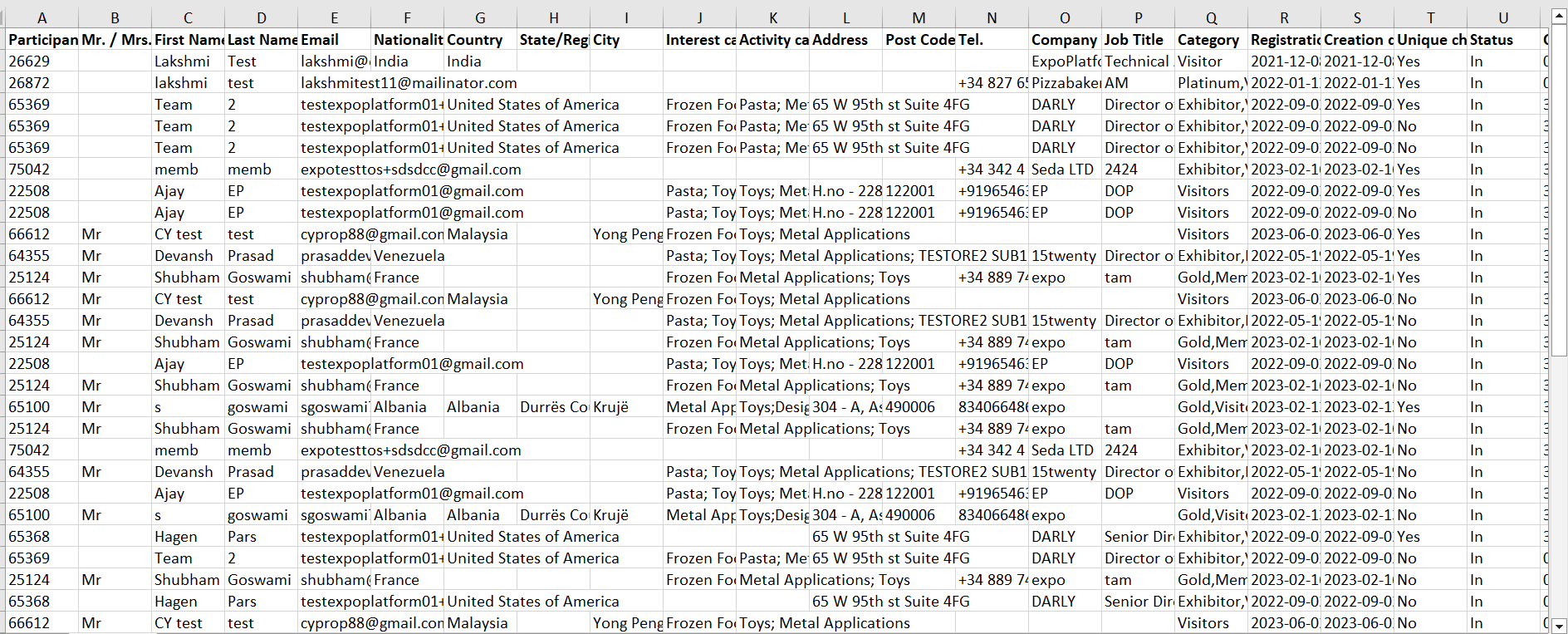
Option to scan the QR or Bar codes of any or colocated shows using the Check-In App.
Organisers can now scan the QR or Bar codes of any colocated shows using the Check-In App provided that the setting to scan users from any or colocated show is enabled on Admin Panel → Networking & Matchmaking → Contact Sharing

Organisers have the capability to scan all codes. however, we do not collect all data. If an event uses a vendor or badge system that is unrelated to ExpoPlatform and not integrated with our platform, we will only collect the timestamp and the code of the badge. For us to collect additional data, the vendor/badge must be integrated with our system.
The Check-In Report will have the additional column scanned code & event name added that will show the value of the code and event name respectively.
Codes that have no relation to the platform, only the scanned code will be shown along with the timestamp and no other details will be recorded, however, for codes that are recognized by ExpoPlatform each data point will be recorded and shown in the Check-In Report