
To add Webhooks in the event go to Data → WebHooks
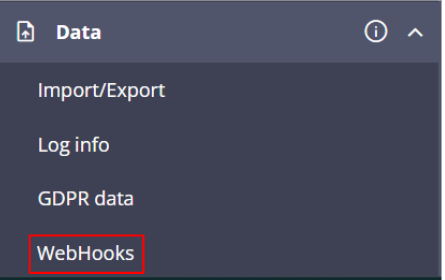
To add a new WebHook click on Add New WebHook Button and Add the following details
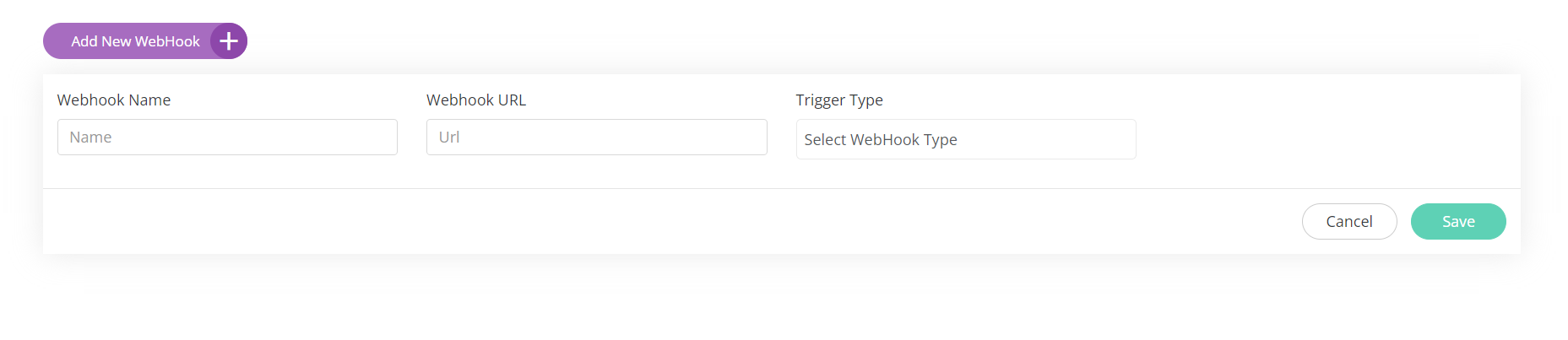
WebHook Name:-Name of the Webhook
WebHook URL:-The URL where you want to get the code snippet
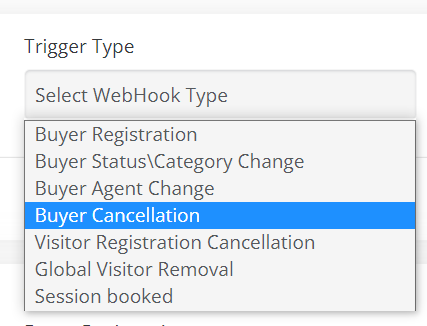
Trigger Type: The type of action which should be triggered on the URL from EP.
-
Buyer Registration: This action is triggered when Buyer registration is completed.
-
Buyer Status/Category change:This action is triggered when the Buyer status or category changes
-
Buyer Agent Change: This action is triggered when the buyer agent is changed.
-
Visitor Registration cancellation: This action is triggered in case of any cancellation of a visitor registration
-
Global Visitor Removal: This is triggered in case of any participant is deleted from the global database.

-
Session Booked: Triggered when a participant books a paid session and it is added to their schedule.
How to test
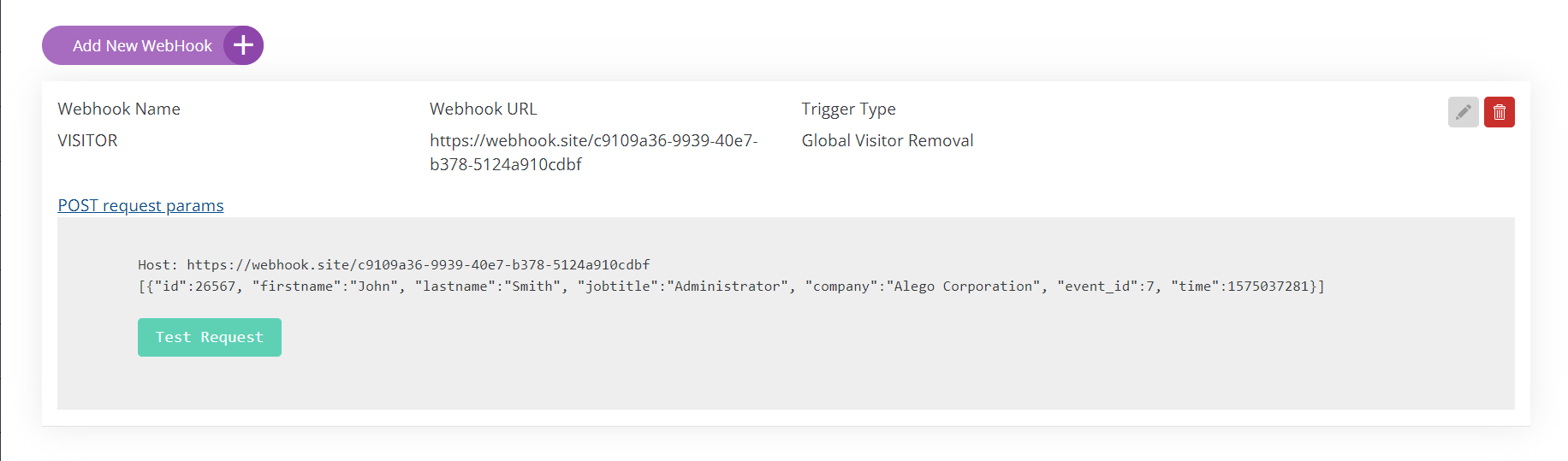
Click on Test Request
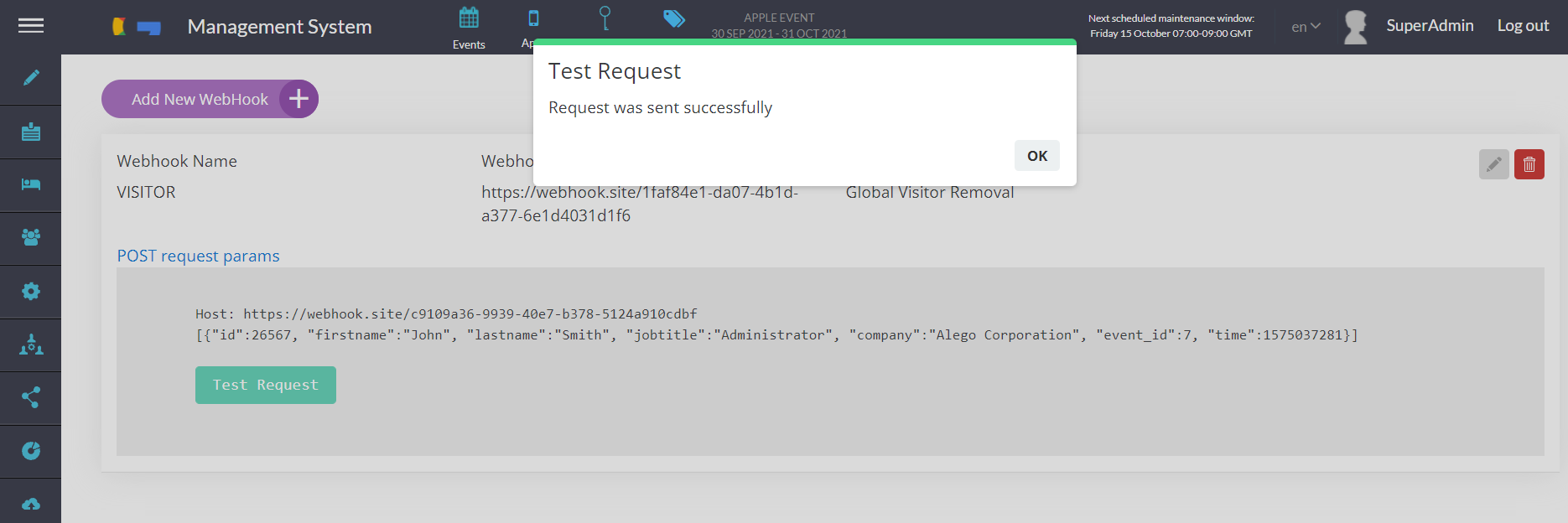
Check the dummy webhook link. To check the response one can use the dummy webhook site below:-
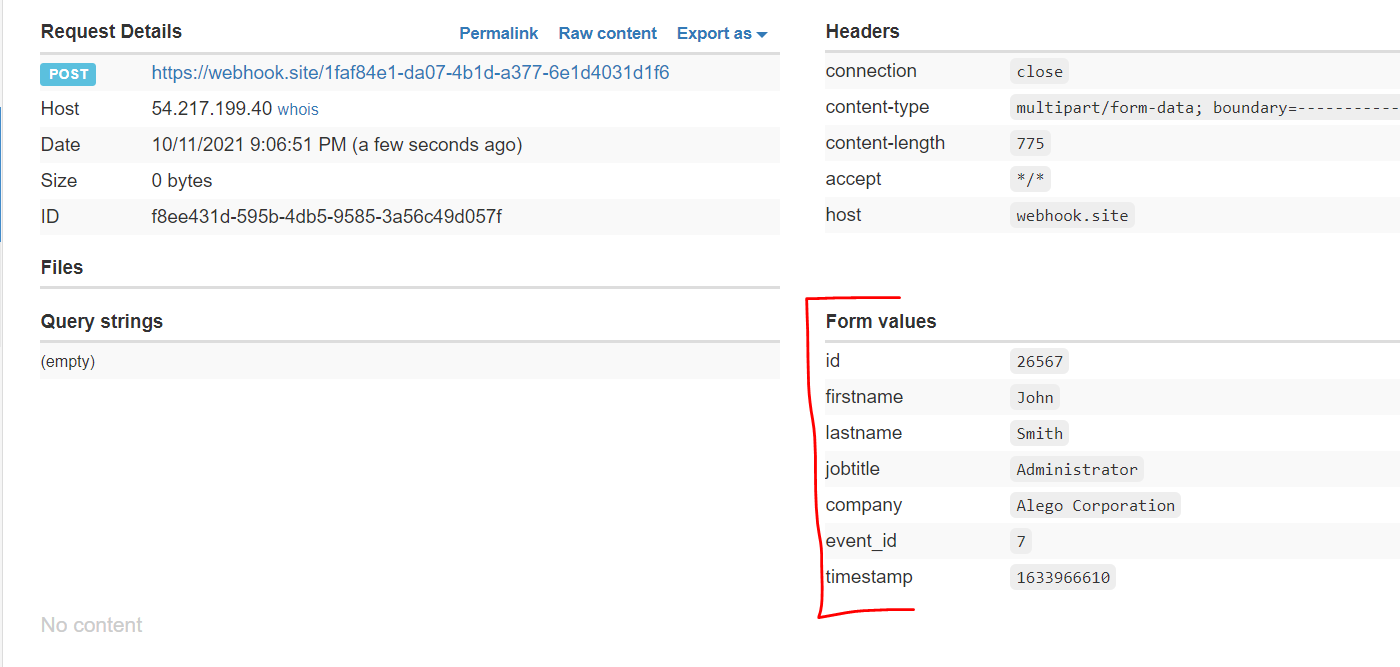
Step-by-step: Testing the Session Booked Webhook
-
Get a unique webhook URL
Go to https://webhook.site/ — it will automatically generate a unique URL for you (something like
https://webhook.site/#!/view/abc123-def456-...). Copy the URL shown at the top of the page (the one labeled "Your unique URL"). -
Update the webhook configuration in ExpoPlatform
Click the pencil/edit icon on the webhook config and replace the current URL with your webhook.site URL. Save the change.
-
Trigger the test
Click the green Test Request button. The platform will send a POST request with the following sample payload:
JSON[{"id":26567, "firstname":"John", "lastname":"Smith", "jobtitle":"Administrator", "company":"Alego Corporation", "sessions":[23, 25, 35], "event_id":7, "time":1575037281}] -
Inspect the request on webhook.site
The request will appear in the left panel of webhook.site in real time. You'll be able to see:
-
Headers (Content-Type, User-Agent, etc.)
-
HTTP method (POST)
-
Raw body and parsed JSON
-
Timestamp and source IP
-