Feature Purpose:
Provides organizer with flexibility in how group membership is managed
Working with this Feature:
Groups can be public, public with approval or invitation-only, but regardless of group type a user must be in “Active” status before they can join a group.
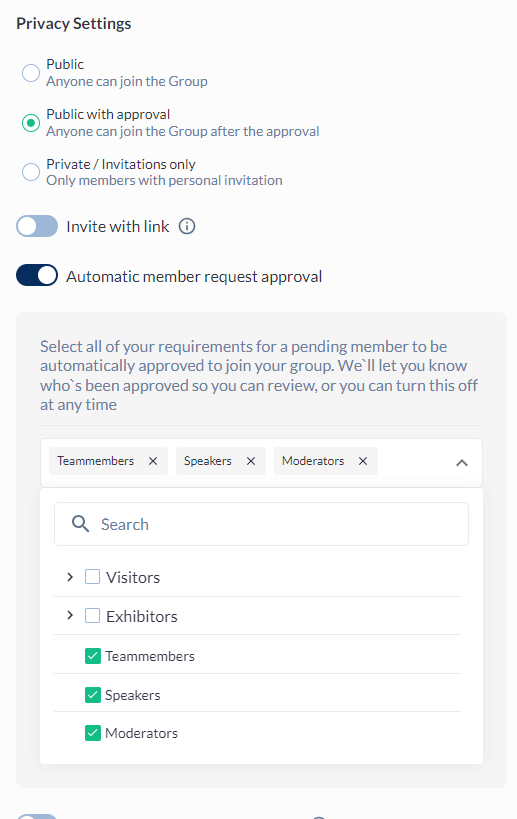
The type of group can be set under the group’s Privacy Settings:
Joining a Public group
-
Anyone can join the group
-
No limitations
-
No approvals
-
After joining the group the Join button on the group card changes to “Visit group”
Joining a Public with approval group
-
Enable approval by selecting the “Public with approval“ option in the privacy settings
-
Automatic approval can be enabled
-
User categories and roles can be selected for automatic approval
-
If no categories or roles are selected, then no one will be approved automatically
-
-
After request to join is sent, the button on the group card changes to “Cancel request“.
-
If clicked request will be cancelled
-
After request has been cancelled, the user can request to join again
-
-
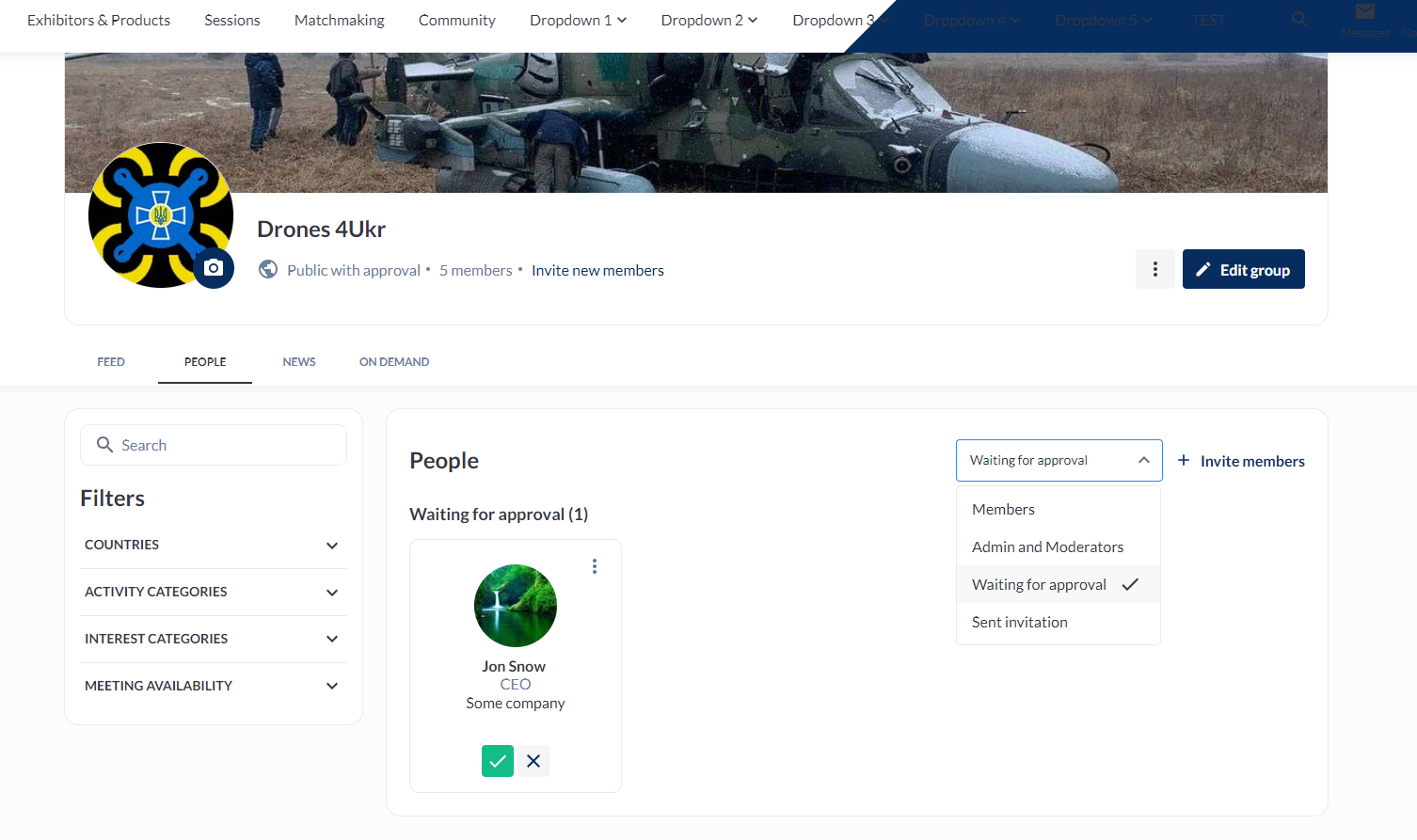
People waiting for approval are in the waiting list, where admin can then approve or reject their request:
Joining a Private / Invitation only group
-
Only someone with a personal invitation can join the group
-
There are no buttons on the group card for those who are not invited.
-
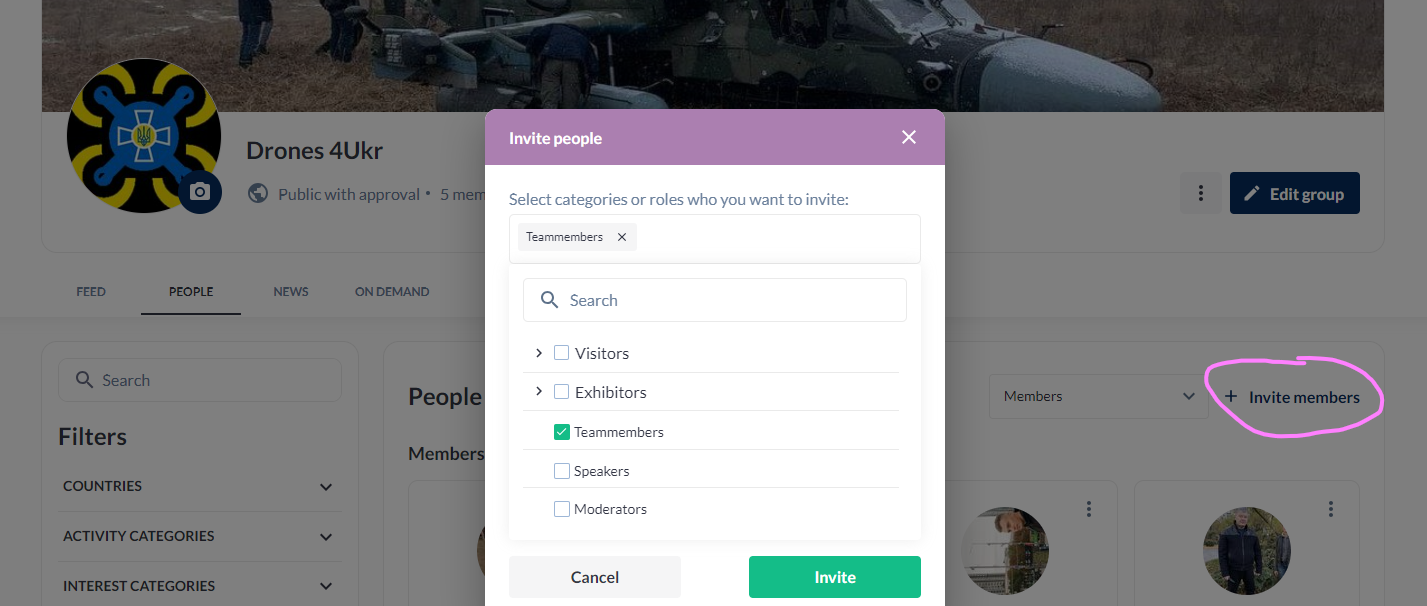
Invitations can be sent by the admin for roles and categories:

-
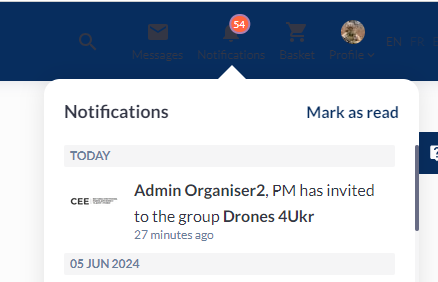
Once invited, the invited user receives a notification:
-
Group invitations
-
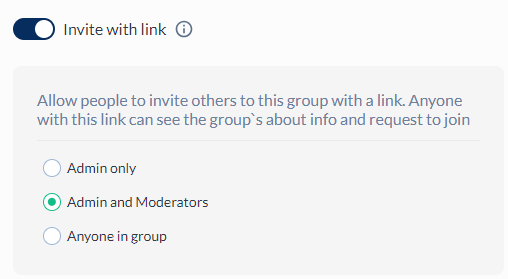
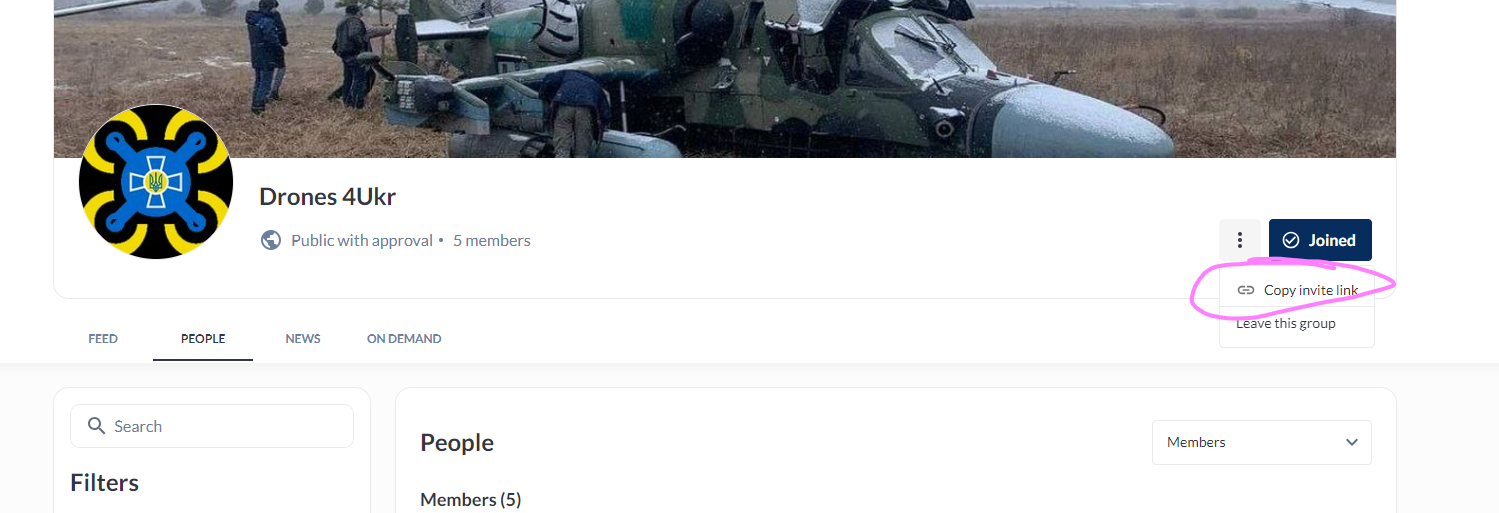
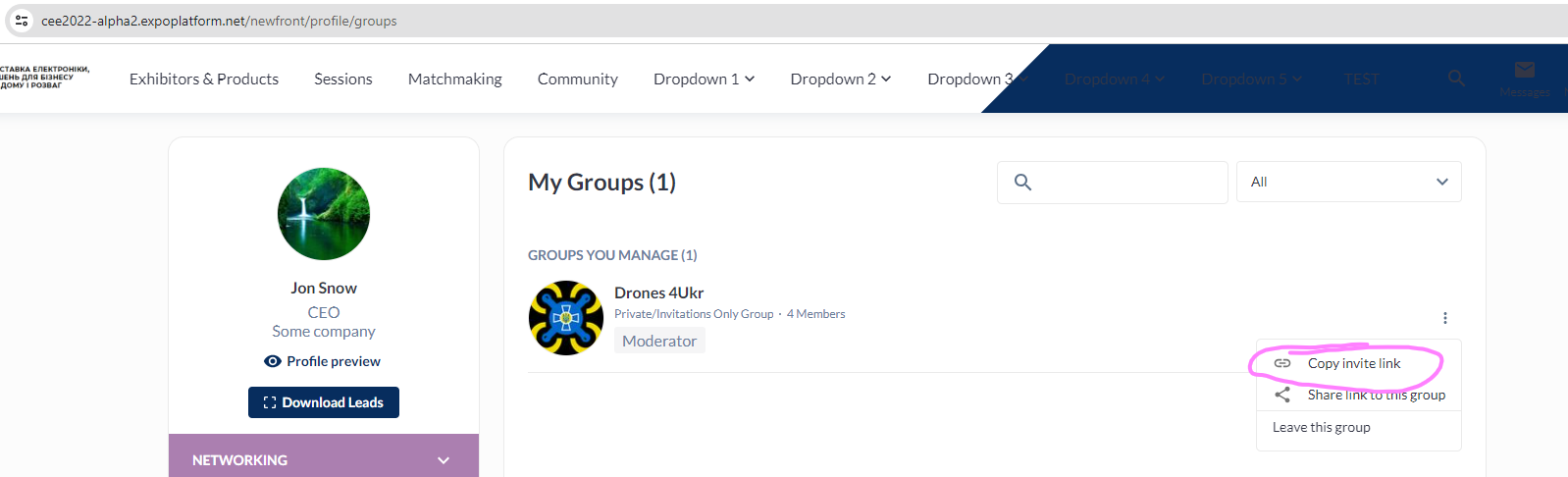
Apart from the bulk invitation by admin to the Private group, users can also be invited by invitation link. In the group settings, you can set which type of users can generate an invitation link:
-