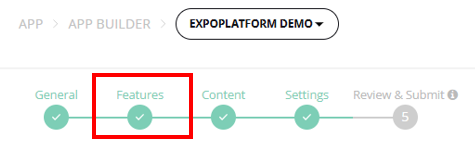
The menu for the mobile app is managed in the app builder under the “Features” section
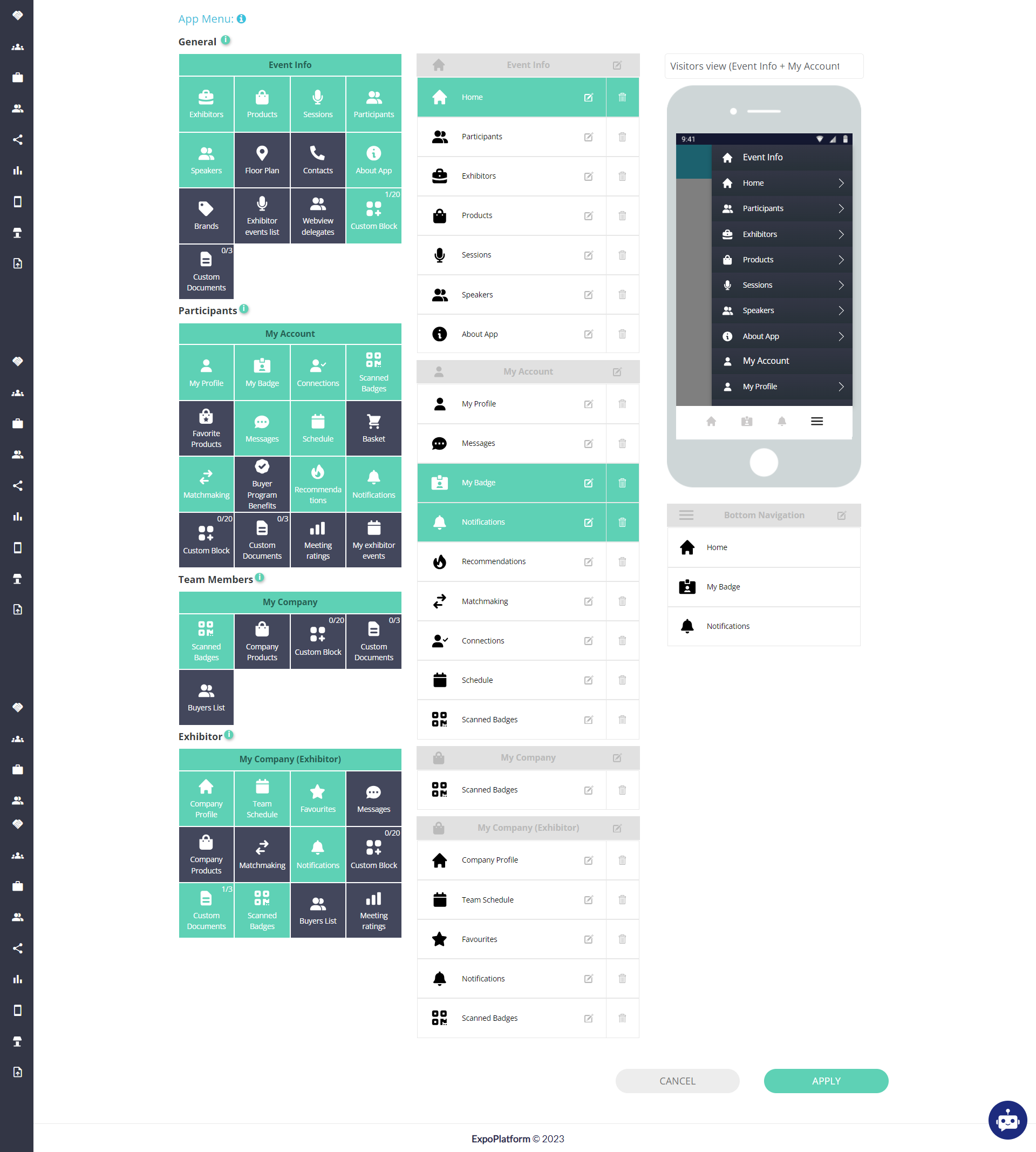
The menu is composed of 4 separate sections:
-
General
-
Participants
-
Team members
-
Exhibitor
Each account type has a different menu view:
-
Unlogged users → “General info” section only
-
Visitor view → General info + Participants (My account) section
-
Team member view → General info + Participants (My account) section + Team members (My Company Team Member)
-
Exhibitor view General info + Exhibitor (My Company Exhibitor)
Each section can be managed individually:
-
Each section is managed using drag&drop from the relevant section in the app builder
-
Each menu tab has view permissions as described separately in the App Category Level Restrictions article
-
Titles in each section can be managed using the settings tab for the relevant section title
-
Each menu tab can also have custom naming and icon using the settings tab on the relevant section title)
-
Navigation bar can be managed as outlined in the App Bottom Navigation Settings article
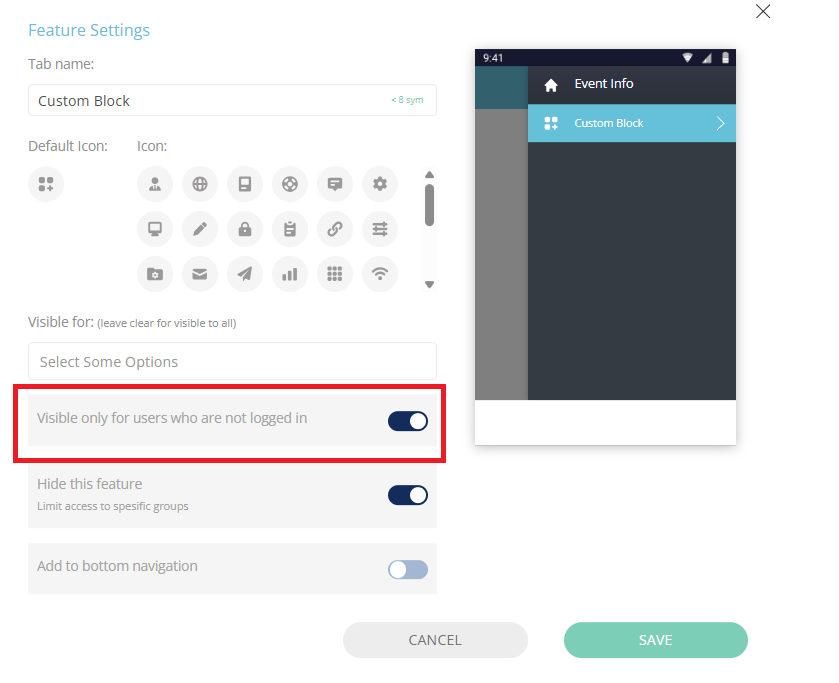
When adding a Custom Block, you have the additional option of making it visible only to users who are not logged in.