
Feature Purpose
The AI Meeting Note Taker let users easily record meetings and receive accurate, searchable summaries via email, reducing the need for manual note-taking.
Working with this Feature
Activation & Admin Controls
-
This feature can be enabled/disabled feature via the admin panel at
/admin/appbuilder/feature/2(AI Meeting Notes toggle).-
By default it is Off.
-
-
Email templates for transcript delivery are managed at
/admin/appointments/emailsand support English (EN) and German (DE).-
The
{AI notes}variable must be included in templates to insert the AI-generated summary.
-
User Journey
-
Update app: The user should first check that they have the latest version of the app and, if not, update to the latest version.
-
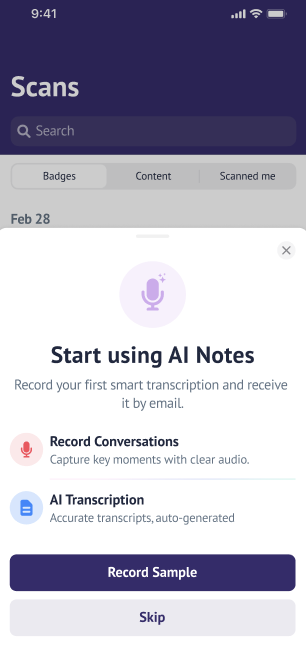
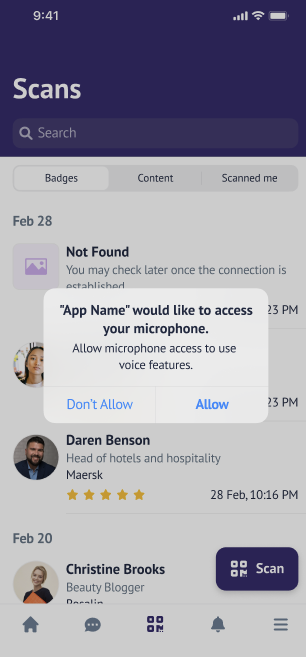
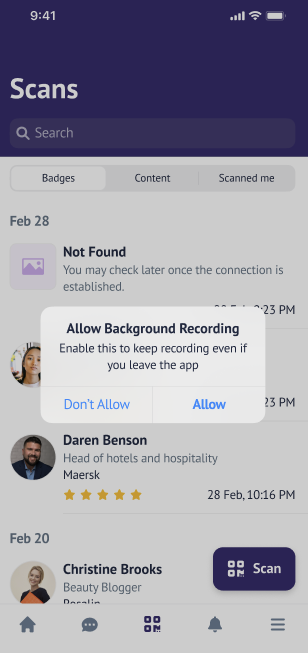
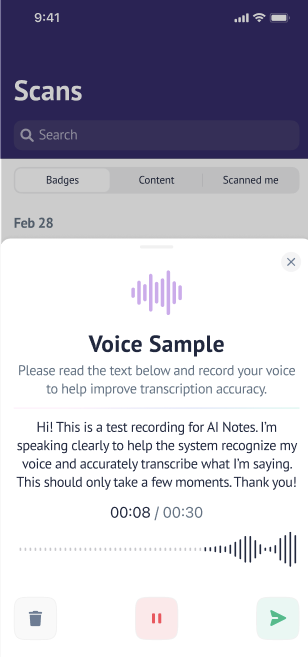
Onboarding: On first launch of the updated mobile app, users see an onboarding screen introducing AI Notes. They are then prompted to record a voice sample (with option to skip) and guided through microphone/background permission requests.
-
Recording: After onboarding, users can record meetings by tapping "Record Conversations" on the lead capture or profile page. Controls include pause, resume, stop, delete, and send.
-
If the user has lead capture page, a "Record Conversations" button is accessible on the lead capture page after the scan.
-
If the user does not have a lead capture page, a "Record Conversations" button is accessible on the profile page after the scan.
-
-
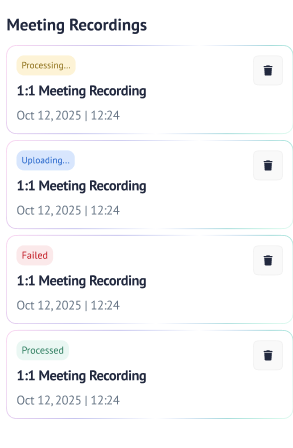
Status Tracking: Each recording is tracked with statuses (Processing, Uploading, Processed, Failed), visually indicated by color codes.
-
Transcript Delivery: Once processed, both meeting participants automatically receive the AI-generated transcript via email.
-
Multilanguage Support: All user-facing text, labels, and emails are localized in EN and DE, based on device language.
-
Recording Management: Users can delete any meeting recording (regardless of status) directly from the "Meeting Recordings" list, ensuring GDPR and app store compliance. Deletion is permanent and applies to both frontend and backend storage.
Important Points to Know
-
Offline recordings are saved and uploaded when connectivity is restored.
-
Upload errors trigger user notifications and retry logic.
-
System notifications inform users when background recording is active.
-
If a call is received during recording, the app pauses and resumes recording as appropriate.
-
If permissions are revoked, the app prompts the user to re-enable them.