
Data blocks at the top of the page
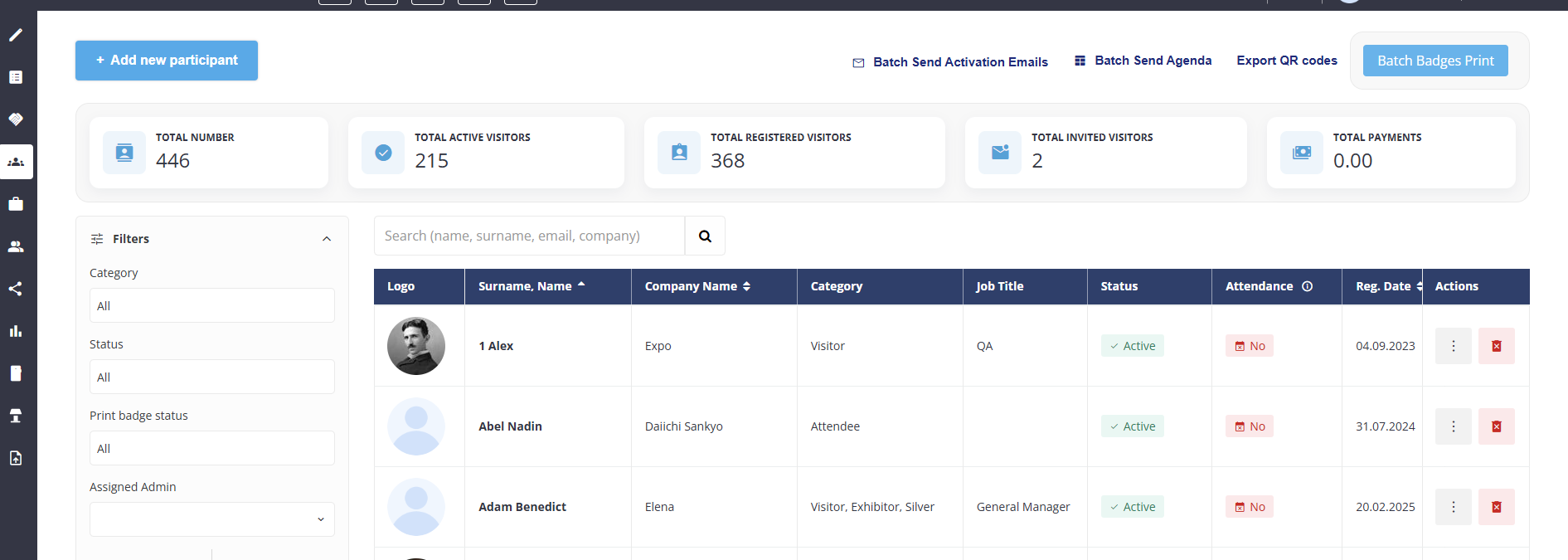
Across the top of the page are several data blocks. Here it’s important to note that some numbers include team member accounts while others do not:
-
Total Number = Visitors + Team Members
-
Total Active Visitors = Visitors only
-
Total Registered Visitors = Visitors only
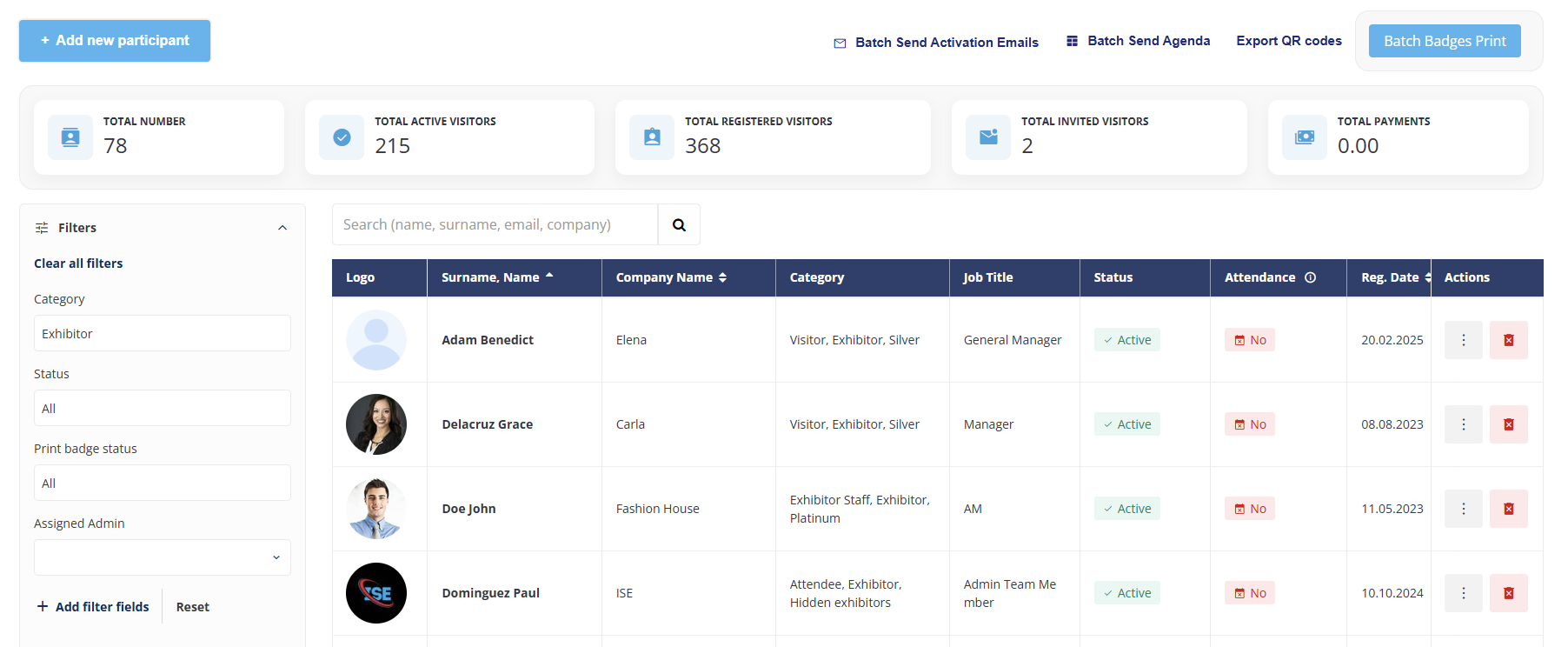
To determine the number of Team Members the filter on the left must be used to filter on Exhibitor.
In the example below you can see that 368 visitors + 78 team members = 446 (Total Number)
Key Features of the Participants List
-
Detailed Participant Profiles
Each entry in the Participants List begins with a Profile Avatar, making it easy to visually identify participants at a glance. Following the avatar, essential fields are displayed, including Name, Company Name, and Session. The Session field allows admins to link participants to specific events by selecting from a dropdown list of current sessions, making it simple to associate each participant with the relevant events.
-
Quick Action Tabs for Participant Management
Admins can manage participants efficiently with dedicated action tabs:-
Delete Globally: Permanently removes a participant’s information from the system.
-
Deactivate: Temporarily restricts a participant’s access without deleting their profile.
-
Export Profile Information: Quickly exports individual participant details, facilitating data sharing and analysis.
-
-
Search
The integrated search function allows admins to find specific participants with ease, using keywords such as Name, Surname, or Email. This helps in quickly pinpointing individual participants within extensive lists, enhancing the speed and ease of data retrieval.
-
Adding New Participants
The Participants List also includes a feature for creating new participant entries, allowing admins to add individuals as needed. This ensures that new participant information can be easily updated and managed within the database.
-
Profile Completion indicator
The Participants List now displays a profile completion indicator for each participant, showing a score or state that reflects how complete their profile is. The completion criteria and weighting have been updated to reflect current fields, including photo, job title, interests, company, and consent. The indicator allows organisers to quickly identify participants with incomplete profiles to target reminders, improve data quality, and improve matching outcomes.
-
Pagination
The Admin Panel now remembers pagination and sorting state per user, per list. Previously, navigating away from a list (e.g. opening a participant profile and returning, or refreshing the browser) reset the list to page 1 with the default sort order, forcing organizers to re-sort and re-paginate from scratch. As of 3 June 2026, the Admin Panel preserves each user's last page number, page size (items per page), and sort column/direction for all lists in scope.
Refreshing the browser also preserves state — the user remains on the same page with the same sort and page size applied.
Per-user isolation: State is stored per user. Two admin users working on the same list each see their own remembered state independently.
Per-list isolation: Each list stores its own state. Changing pagination on Management → Participants does not affect Management → Exhibitors.
Edge cases:
If the stored page no longer exists (e.g. records were deleted and the list now has fewer pages), the system returns to the last available page with no error.
If the stored sort column is no longer available (e.g. removed in a release), the list falls back to its default sorting with no error.