This article explains how an organiser can add and manage sponsors.
Navigation Update: Sponsorship is now a Top-Level Menu Item
As of 10 June 2026, the Sponsorship module has been promoted to a top-level menu item in the Admin Panel. It is no longer nested under Management.
Updated navigation path: Sponsorship (previously: Management → Sponsors)
How to add Sponsors in the Admin Panel
Navigate to Sponsorship → Click on Add New Sponsors
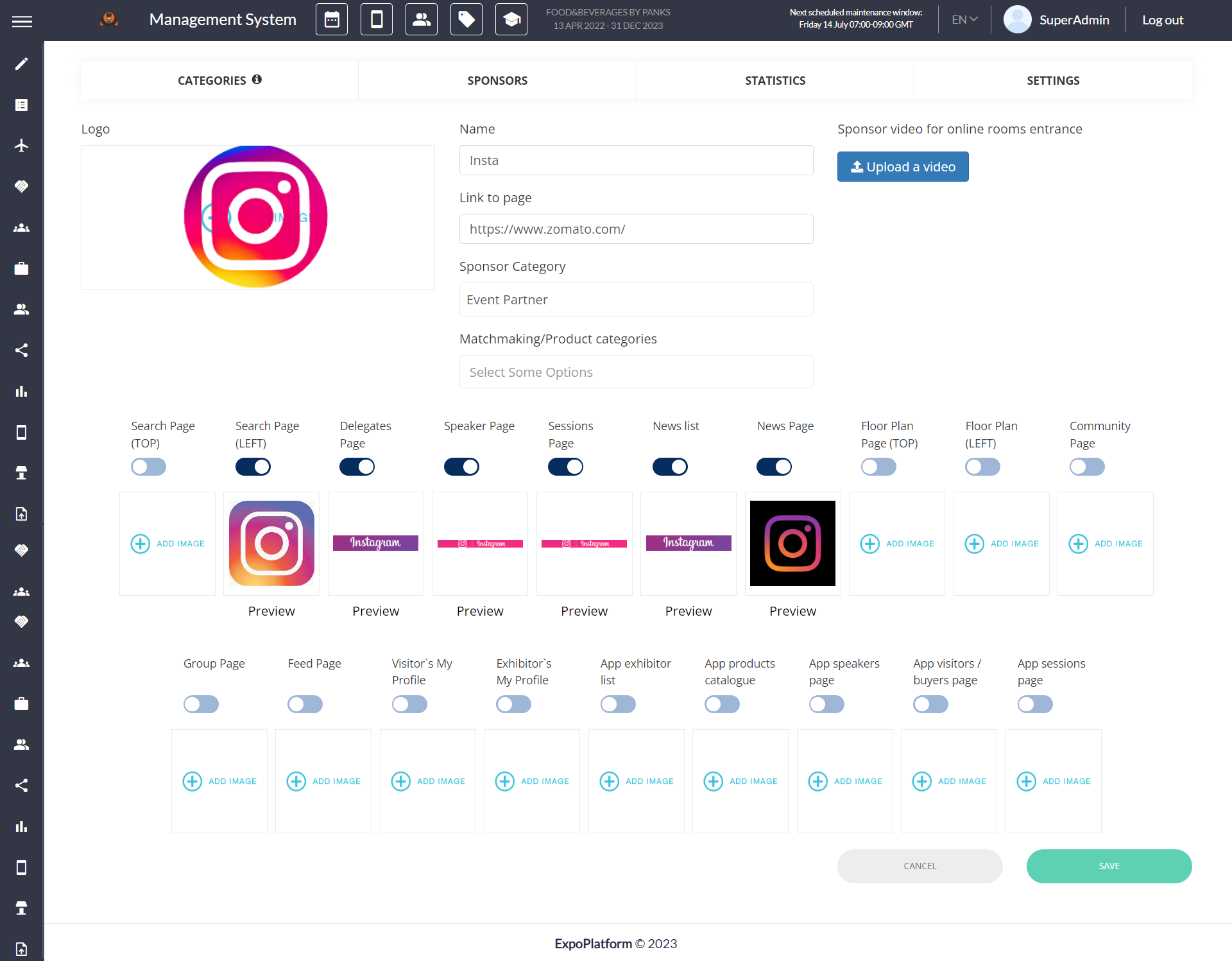
While adding a new sponsor, you can add the logo of the company, add the link to their website, add company details and add the type of sponsorship. You can also allocate the logo to specific pages on the website. The same can be done when clicking on an existing sponsor.
If a new sponsor is created in Management > Sponsors without any connection to an exhibitor profile, that sponsor won’t be displayed in the Exhibitor Marketplace but can be displayed via separate sponsor block that can be set up in Website builder.
Filters: After applying any filter, whether standard or custom, it persists even when the page is refreshed, navigated to another page, or closed. The only action that clears the filters is clicking the "Clear Filters" button.
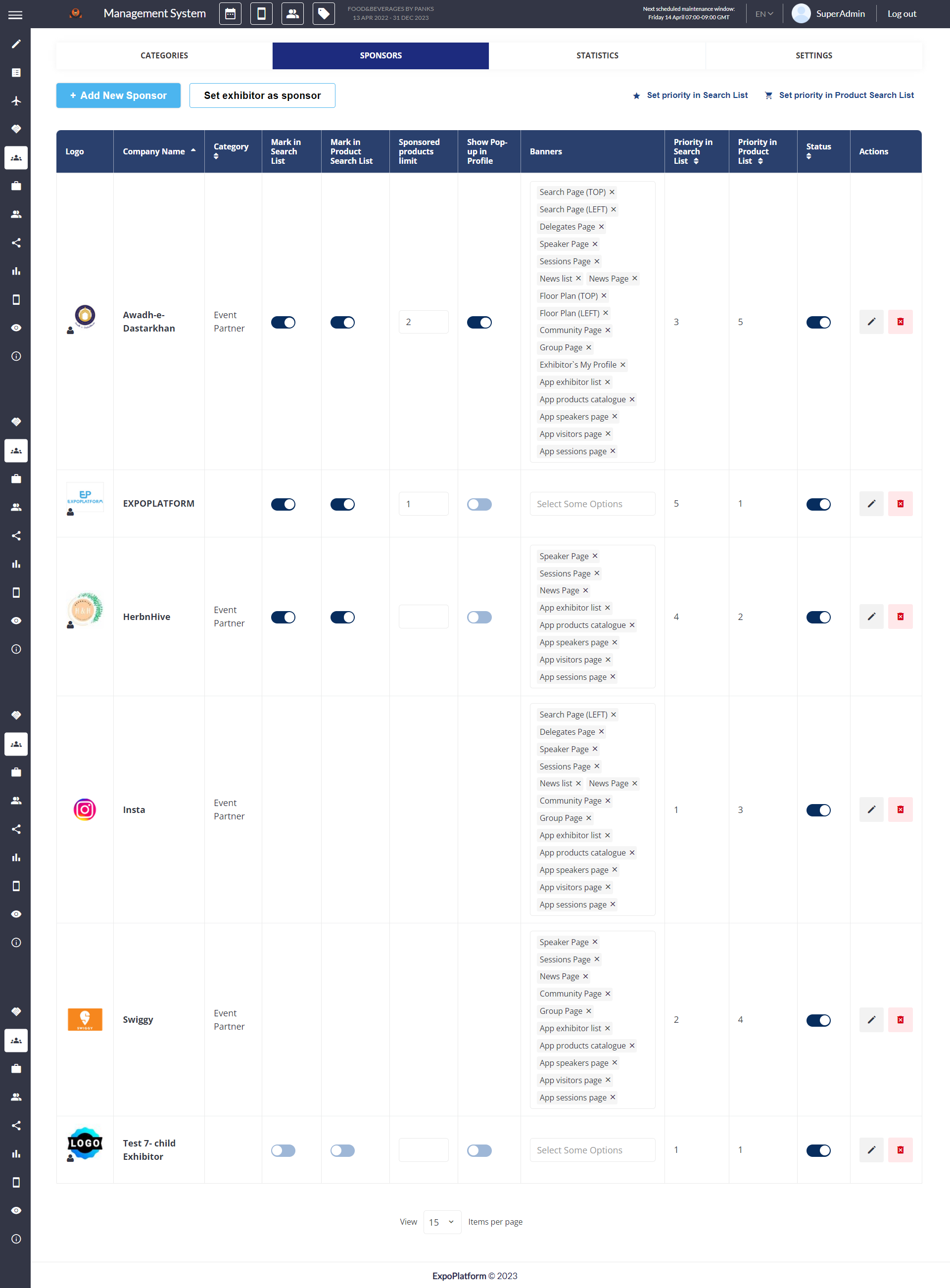
In addition, you can assign a sponsor role to an existing exhibitor. Click on Set Exhibitor as Sponsor, select that Exhibitor from the drop-down list and click on the Set Exhibitor as Sponsor button
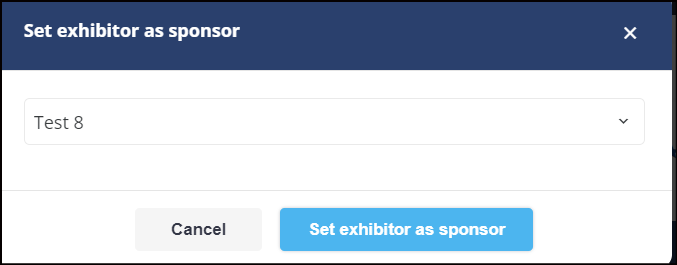
Once an Exhibitor has been added as a Sponsor, the sponsor account becomes a separate account, meaning that any changes made in the exhibitor account will not be populated in its Sponsor account.
To specify the order of the sponsors/featured exhibitors in the sponsor’s list click on the Set priority button, then drag and drop sponsors in the order you want to display them on the front end. Click on the Save button to save your changes.
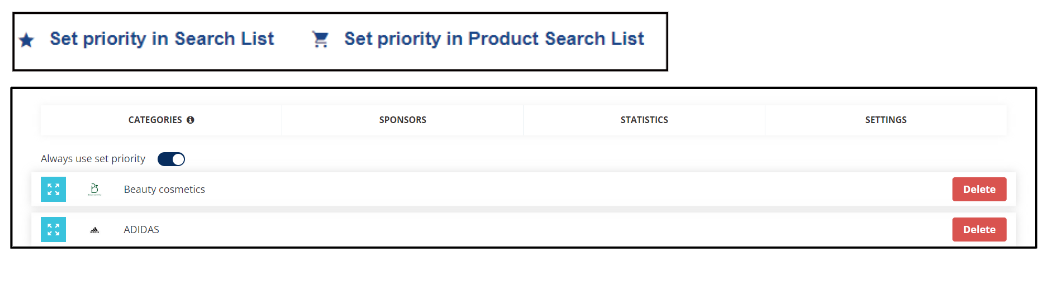
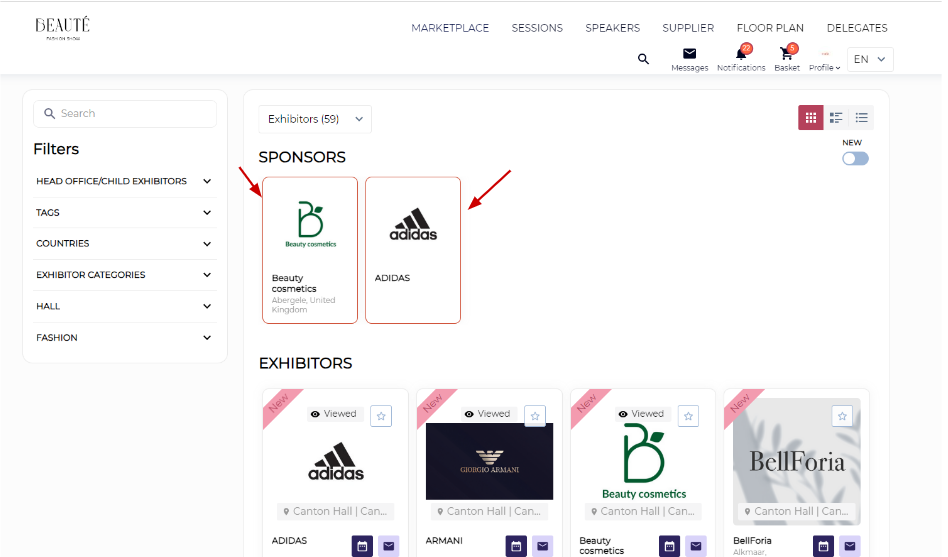
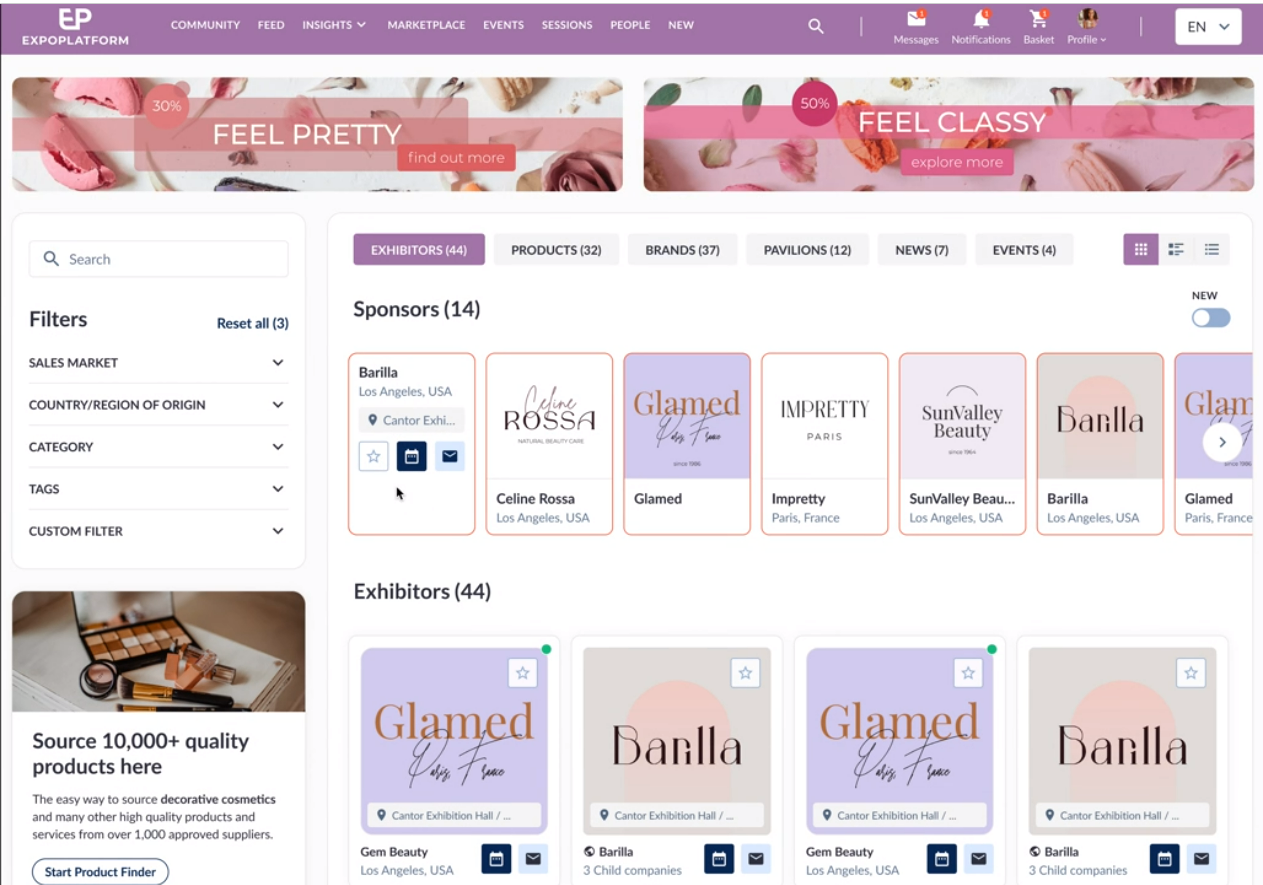
By default, only 4 exhibitors can be marked as sponsors on the Search/Marketplace page with a unique differentiating border.
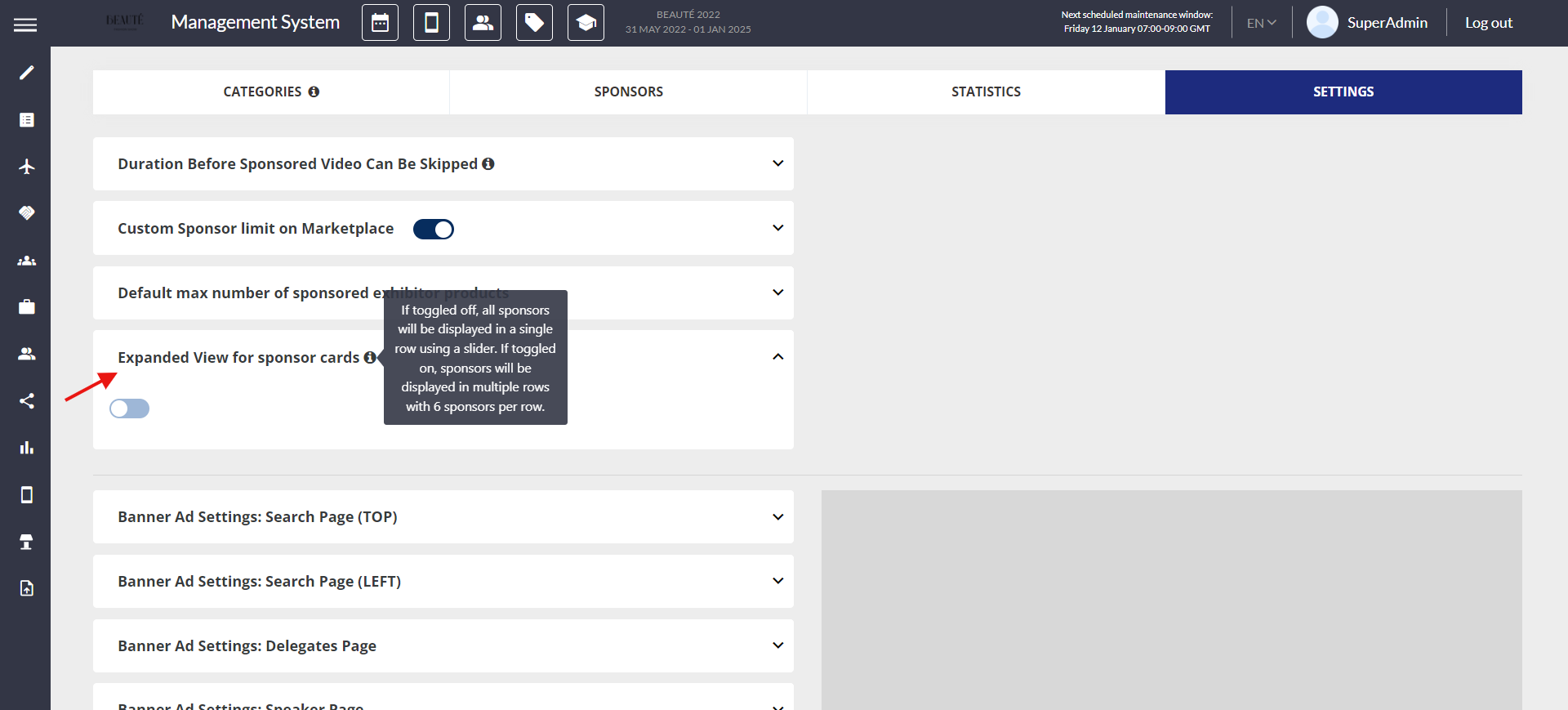
If you want to increase the number of featured exhibitors on the Marketplace page, navigate to Management > Sponsors > Settings > Custom Sponsor Limit on Marketplace and set the limit/count

Organisers can choose to display sponsors either in a separate section or together under the exhibitor list with a unique differentiating border.
The organiser can add up to 100 sponsors in a single row in a section above the exhibitor list, and 24 sponsors if they are listed together within the exhibitor list, showcasing 6 sponsors in a row
Enable the toggle Expanded View for sponsor cards on Sponsor > Settings page (/admin/sponsors/settings) to display the sponsors in different rows with 6 sponsors in each row.