
To update the custom field associated with an existing product, employ the /api/v2/product/set endpoint. Using the following fields
-
event_id:Event ID. The unique identifier for the event.(integer) -
id:Product unique identifier. (integer) -
{{name}}: Name given to a specific field. (string)

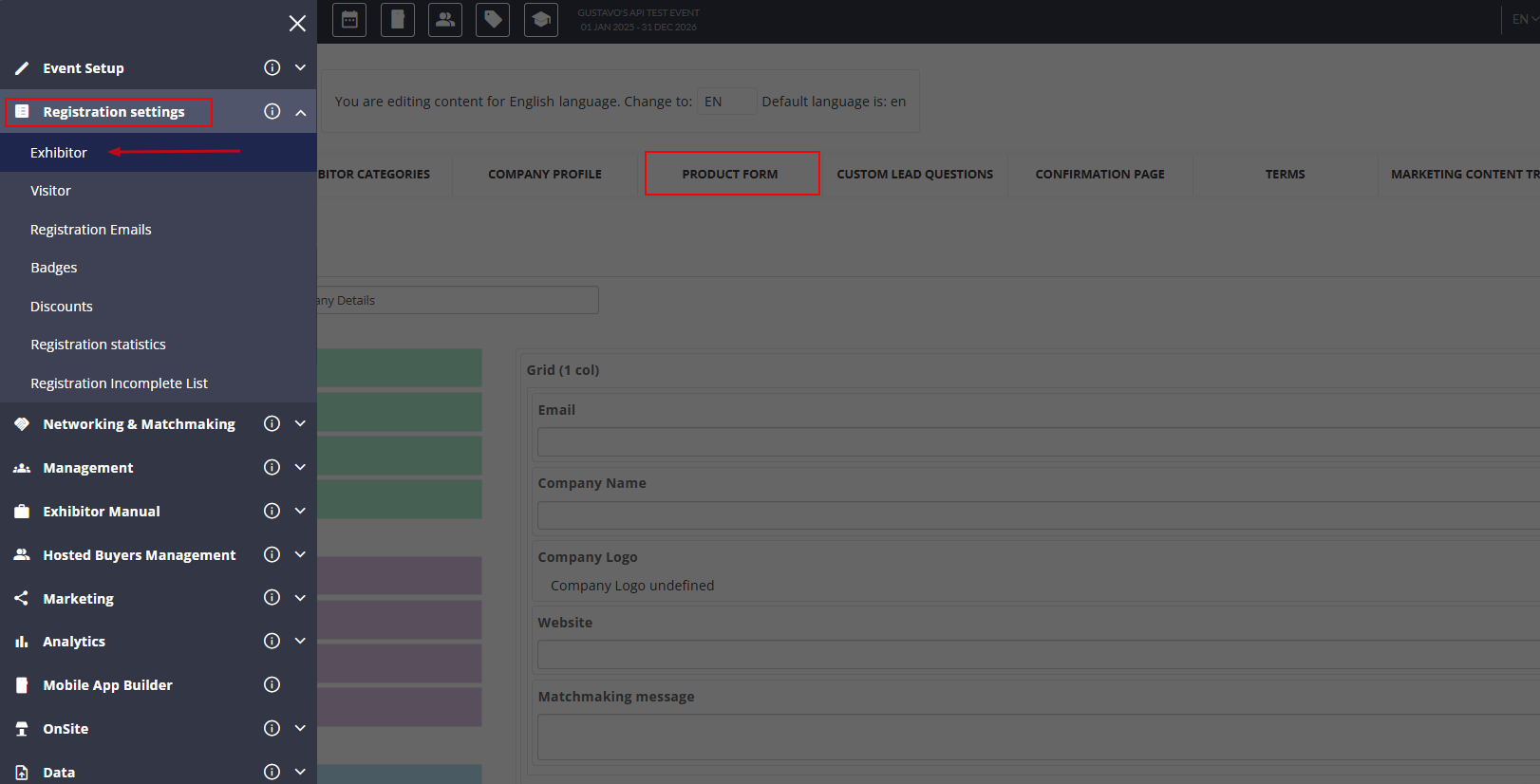
Identify the custom field intended for alteration by navigating to Registration Settings > Exhibitor and selecting "Product Form".
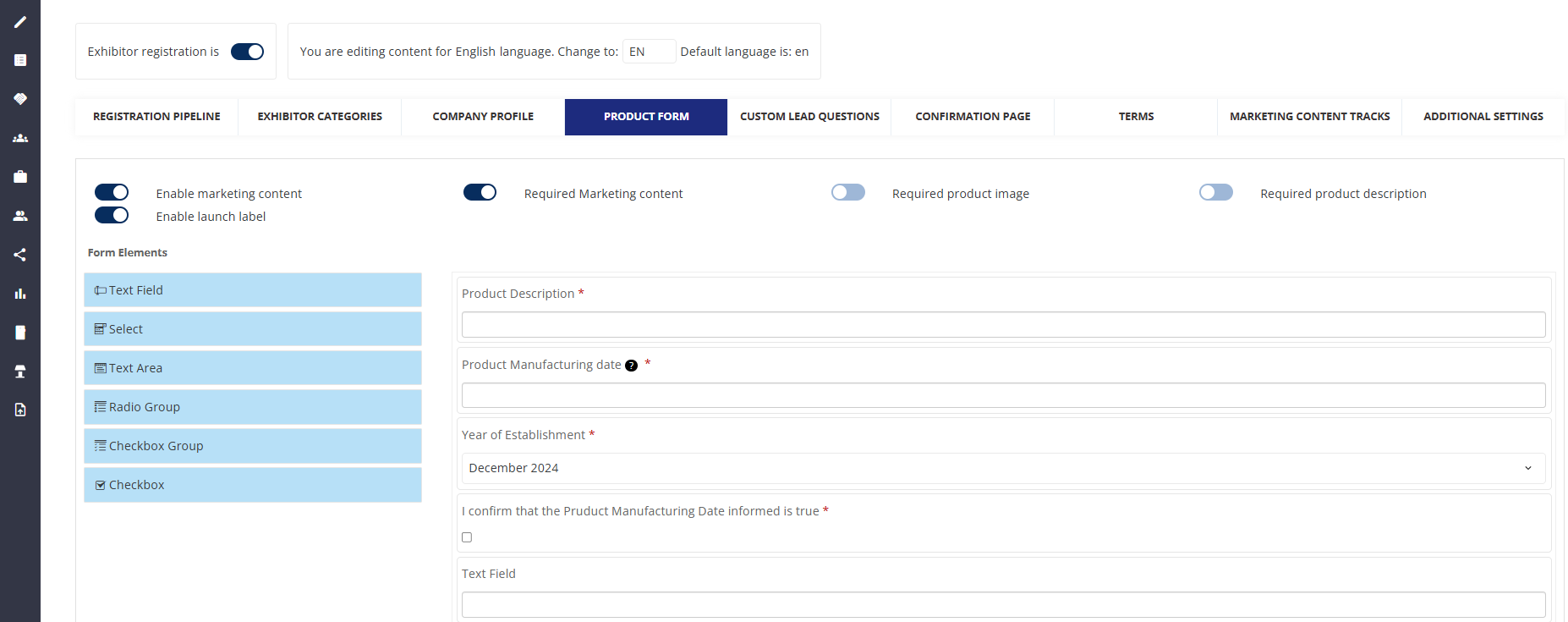
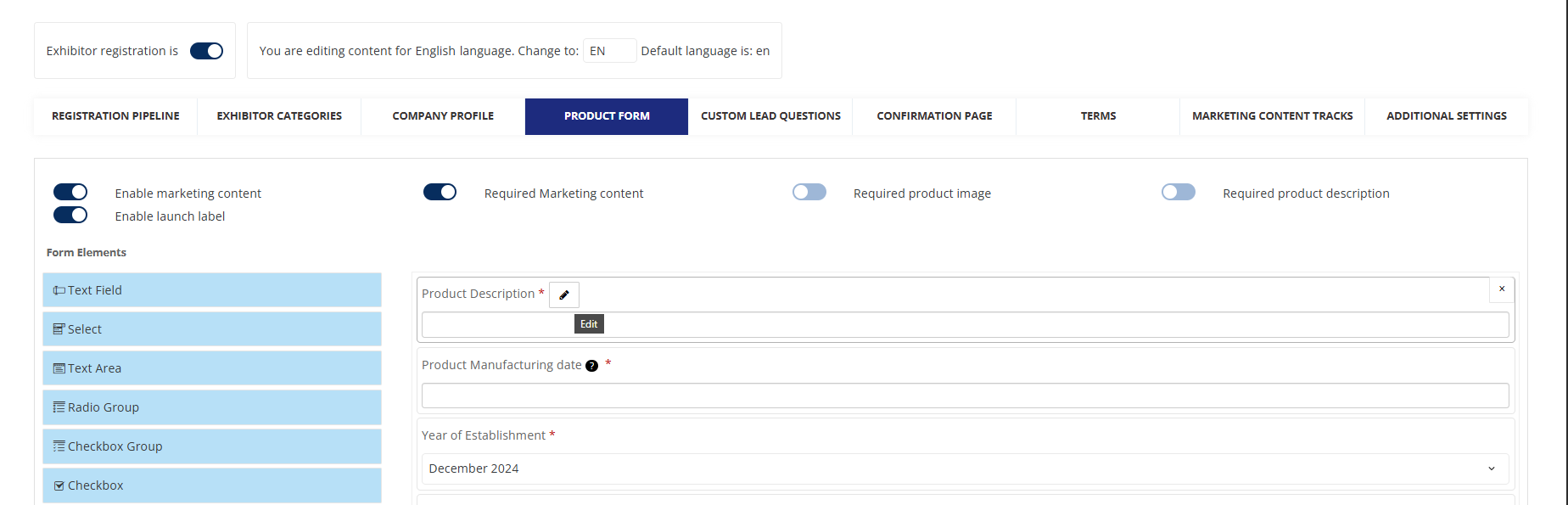
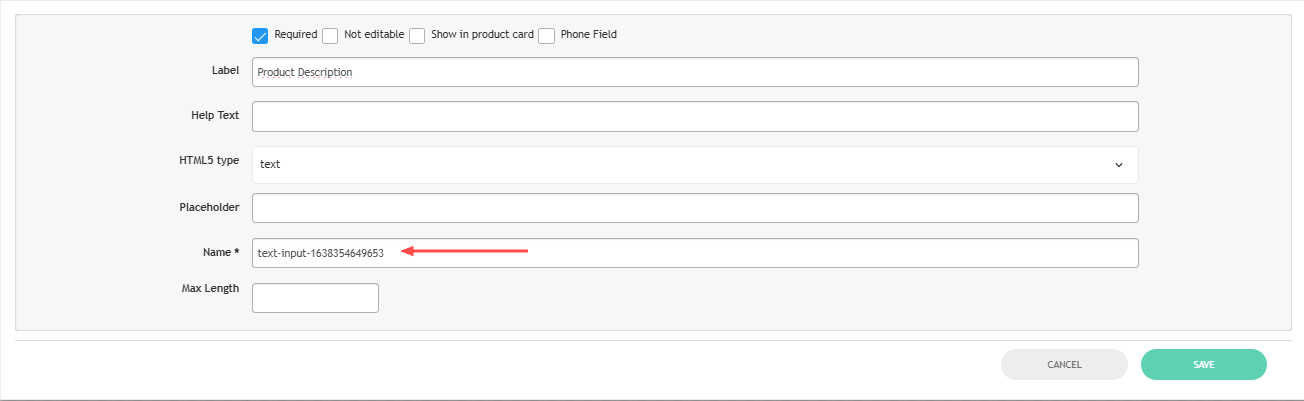
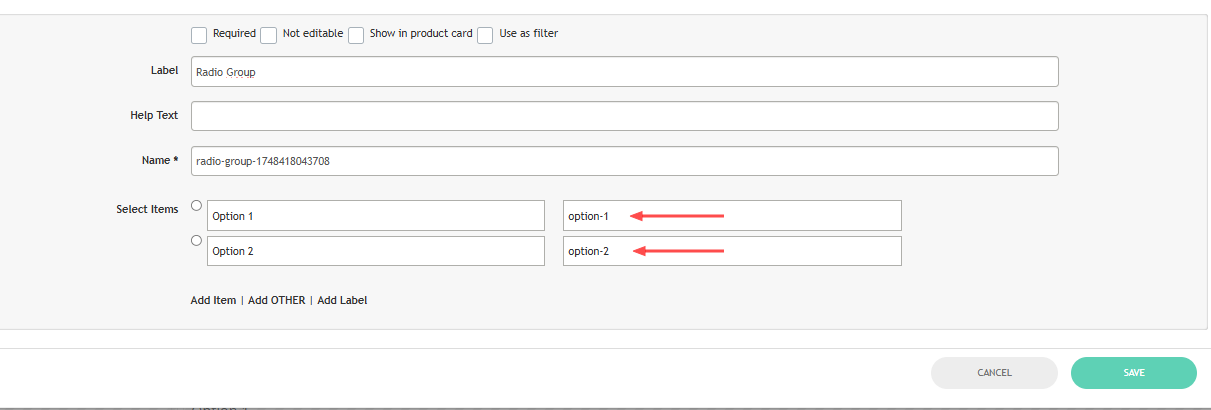
The field's name, as required for the request, is located under "Name" in the aforementioned settings after selecting “edit” on the desired field.
When utilizing on of the custom fields like “Select”, "Checkbox Group", "Select Option" or "Radio Group" input types, the value transmitted in the request must precisely correspond to the value of the available items.
In order to mark as selected a Checkbox Option, the value "1" is required for transmission.
