
Feature Name:
ExpoPlatform’s Open API Visitor Endpoints
Feature Purpose:
This feature provide organizers with the ability to automate their data flow by enabling seamless integration between their systems and exhibitor information. This feature ensures efficient data management and reduces manual effort by allowing real-time updates to visitor data.
Working with this Feature:
There are eleven endpoints available for this feature, and their complete functionalities, including parameters and responses, are detailed in our Swagger Documentation.
To be able to use the endpoints, please get in contact with the API Manager to receive the complete URL and API credentials.
The three most used and most important endpoints used are:
-
The endpoint
/api/v2/account/setallows users to create and update visitor data. -
The endpoint
/api/v2/account/getallows users to retrieve all data of one specific visitor. -
The endpoint
/api/v2/account/deleteallows users to detach a visitor from the event or delete their data completely.
The remaining endpoints are:
The endpoint /api/v2/account/checkToken allows users to verify if an account token is valid.
The endpoint /api/v2/account/exists allows users to verify if an account exists in a specific event.
The endpoint /api/v2/account/setSessions allows users to add specific sessions to their calendar.
The endpoint /api/v2/account/setCategory allows users to create a new visitor category or update the name of a exhisting one.
The endpoint /api/v2/account/getCategories allows users to retrieve the visitor categories names and IDs present in a specific event.
The endpoint /api/v2/account/buyers allows users to retrieve buyers information present in the event with their data.
The endpoint /api/v2/account/deleteBulk allows users to detach all participants from the event or delete their data completely.
Troubleshooting:
Status Codes: Review the HTTP status code returned by the API. Common status codes include:
-
200 OK: The request was successful.
-
400 Bad Request: There was an issue with the request parameters or format.
-
401 Unauthorized: Authentication failed or credentials are missing.
-
404 Not Found: The requested endpoint or resource does not exist.
-
500 Internal Server Error: A server error occurred.
-
Error Messages: Examine the error message or error details provided in the API response body.
Review API Logs:
To review the API logs, you need SuperAdmin privileges in the backend.
Click on the box highlighted in the image below to access the logs:

Once the box is clicked, the user will be redirected to the API Logs page in the Admin Panel:
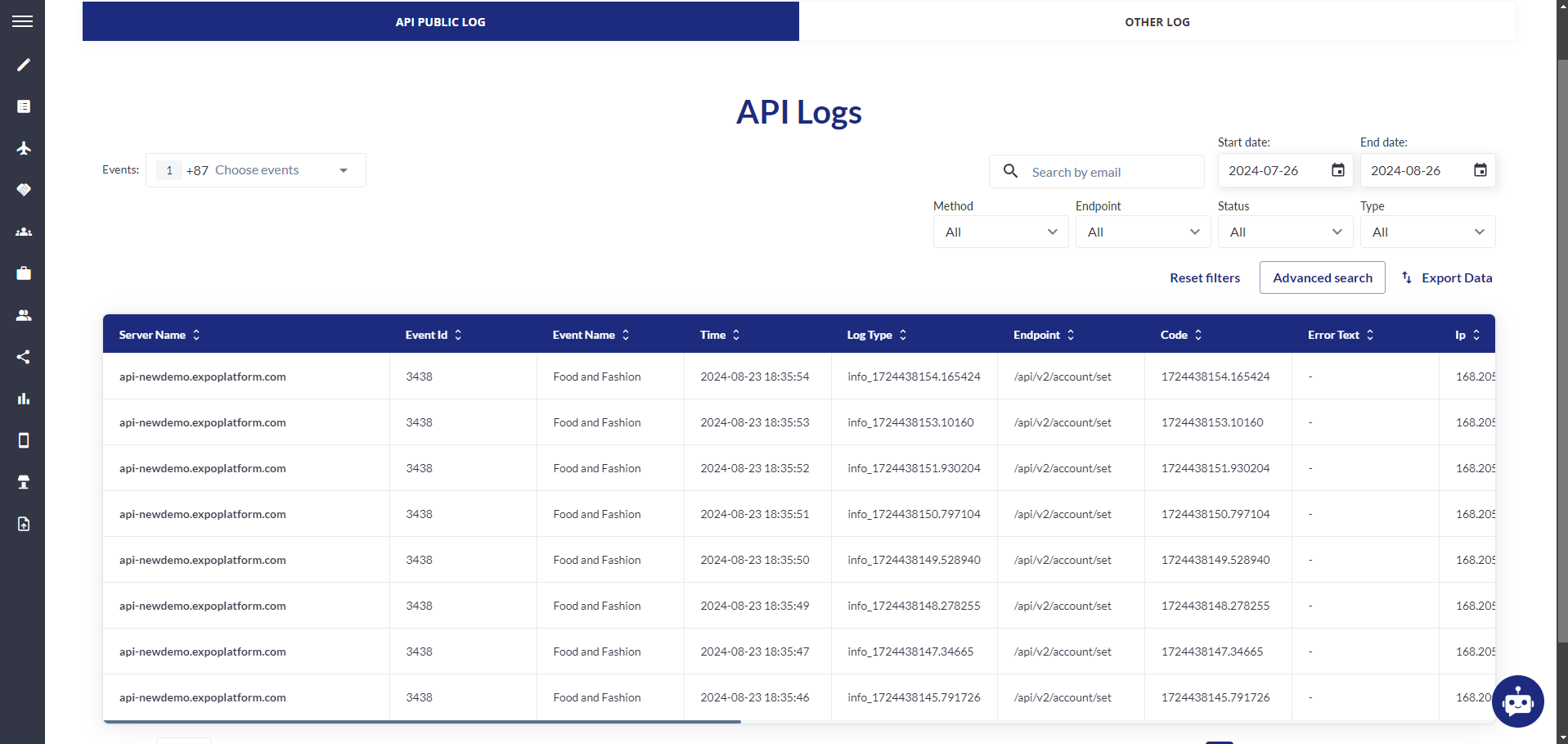
In the API Logs, you can filter by endpoint, status, dates and specific parameters to have a quicker look and also generate a spreadsheet containing all the information you need with the feature ‘export data’.