
Feature Purpose
Lead Capture Pro streamlines the process of purchasing and managing Lead Capture for exhibitors. This update moves the purchase option outside of the Exhibitor Manual and allows exhibitors to purchase Lead Capture Pro directly from their profile.
Payments are managed by ExpoPlatform directly, and pricing is set based on agreement with the client
Working with this Feature
Organiser Details:
Admin Panel Update:
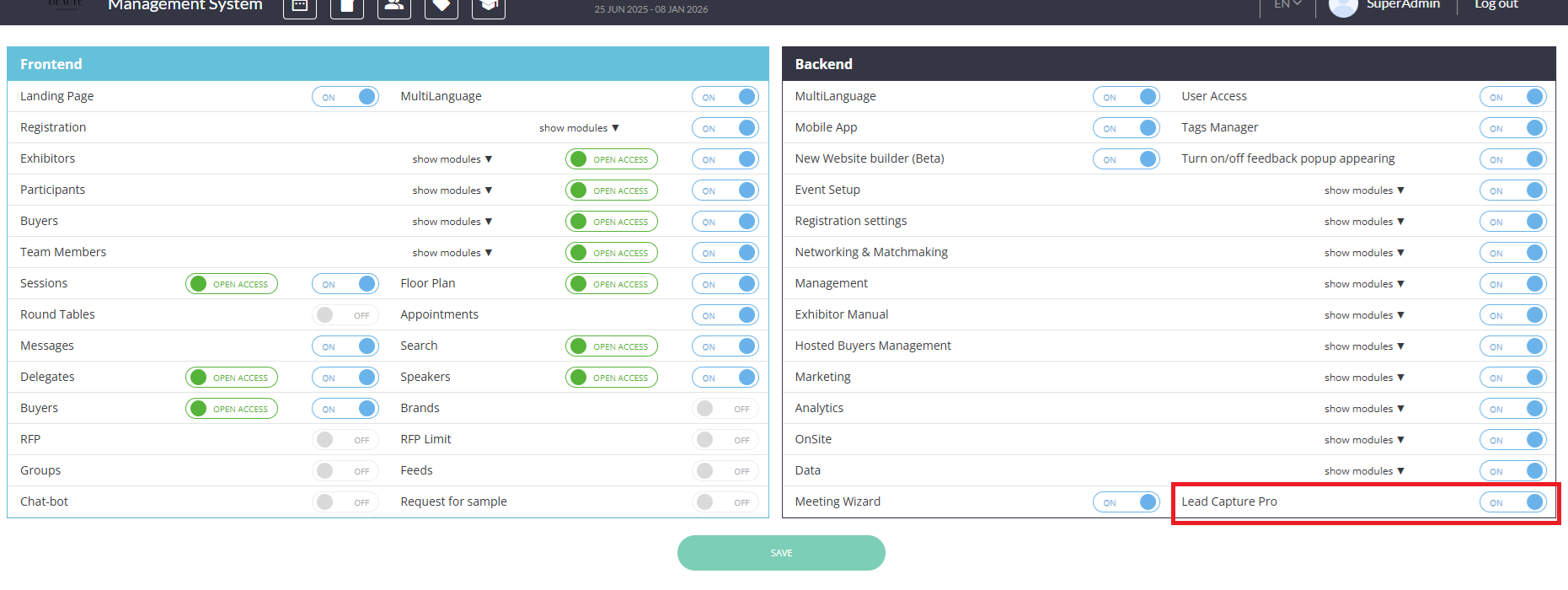
Lead Capture Pro must first be enabled in the backend section of module management (both global module management and at the event level):
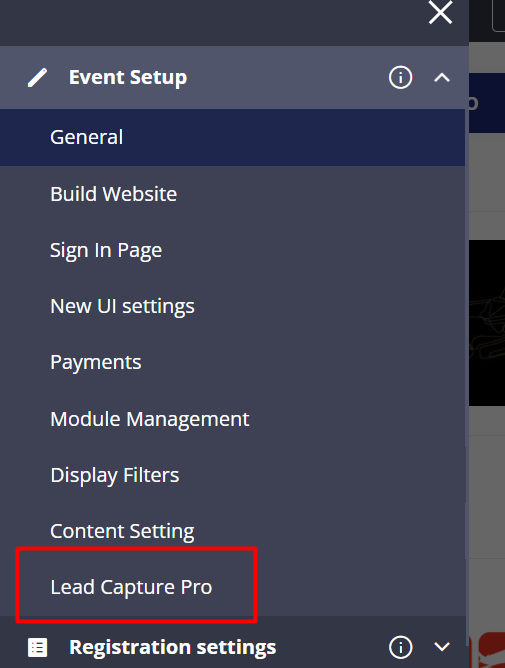
Once enabled, a new Lead Capture Pro page will appear under Event Setup. On this page ExpoPlatform can customise the offering:
-
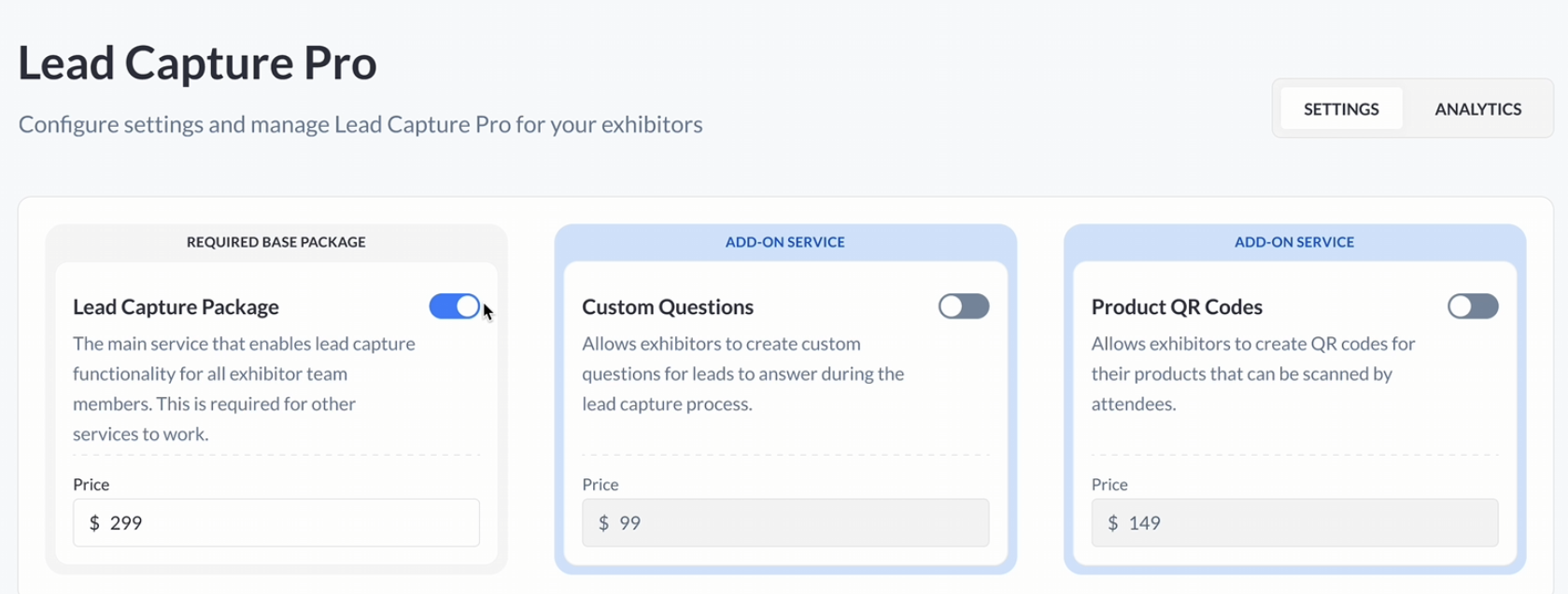
Selling Options: When selling Lead Capture Pro the base package makes lead capture available to all team members and custom questions and product QR codes can be sold separately as add-ons. Organisers have the flexibility to set the price for each of these items.
Exhibitor Purchase Tracking: Organisers can view a comprehensive list of exhibitors who have purchased Lead Capture, along with detailed purchase information. This feature helps organizers keep track of sales and manage exhibitor access efficiently.
Payment Details:
-
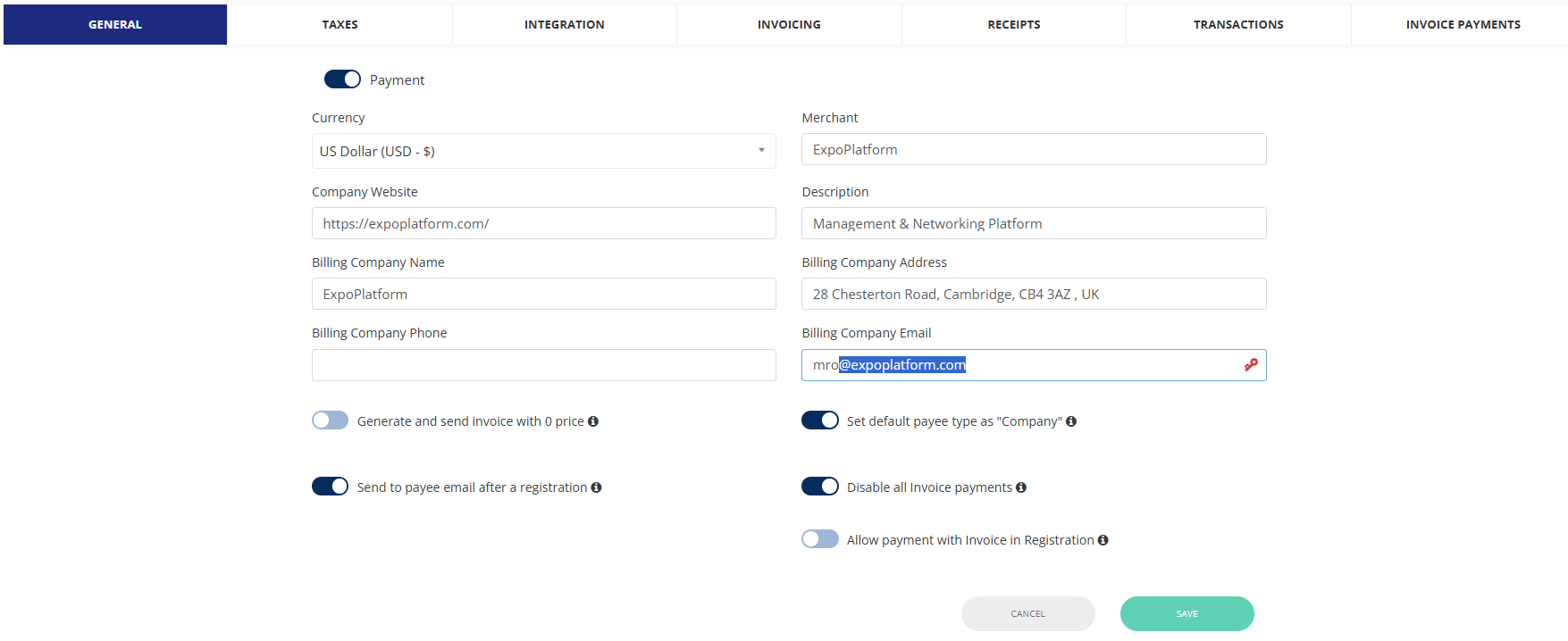
General: enable payments as per below requirements
Currency: set as agreed with client
Company Website: https://expoplatform.com/
Billing Company Name: ExpoPlatform
Billing Company Phone: not required
Merchant: ExpoPlatform
Description: Management & Networking Platform
Billing Company Address: 28 Chesterton Road, Cambridge, CB4 3AZ , UK
Billing Company Email: it is recommended to set up a dedicated email box using this domain: @expoplatform.com
-
Taxes: set taxes as per below
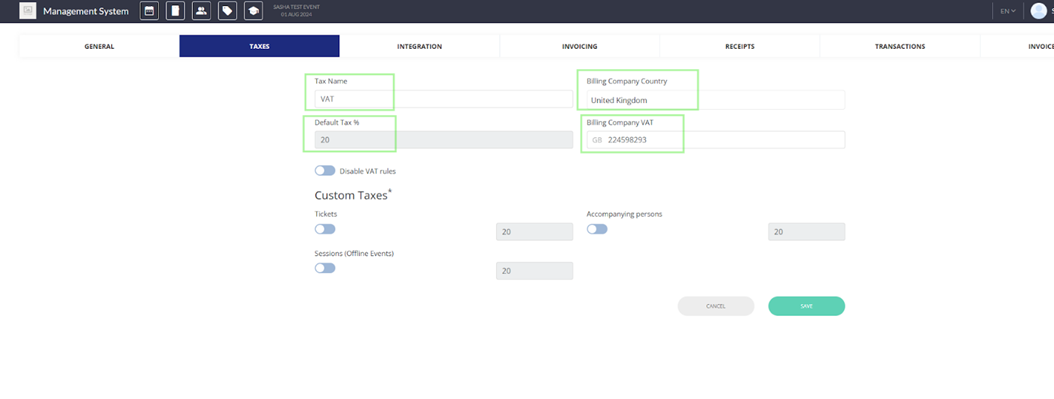
Important: Disable VAT rules if the price already includes VAT
-
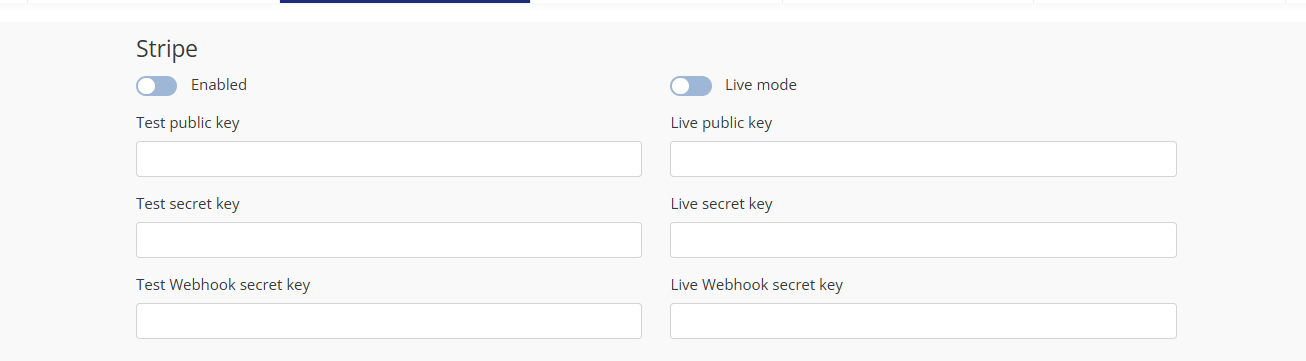
Integration: this is managed automatically by the system. once Lead Capture Pro is enabled, the STRIPE integration is enabled as live, by default
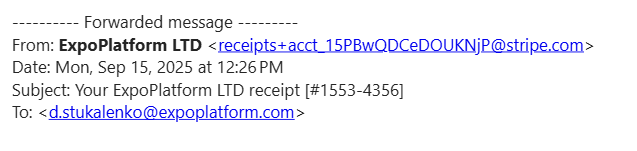
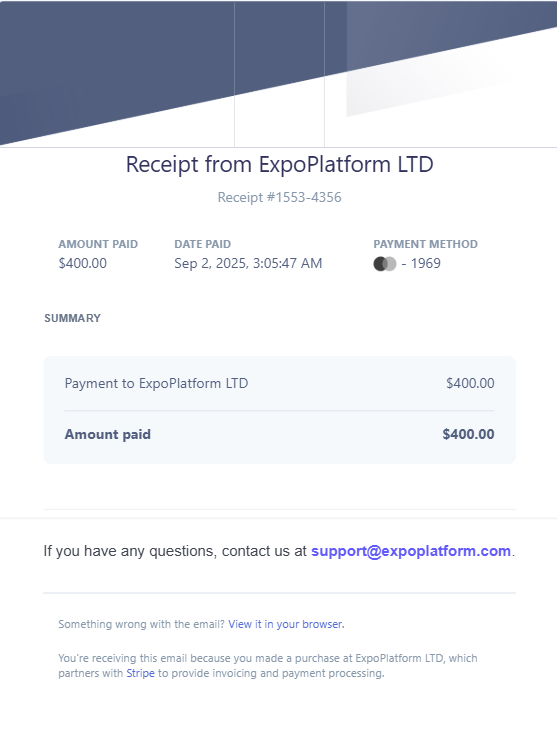
Stripe receipts are automatically sent out to the email of the user who made the purchase
A copy is sent to our accounts/finance team, and they can provide a copy if needed. currently this cannot be customized
-
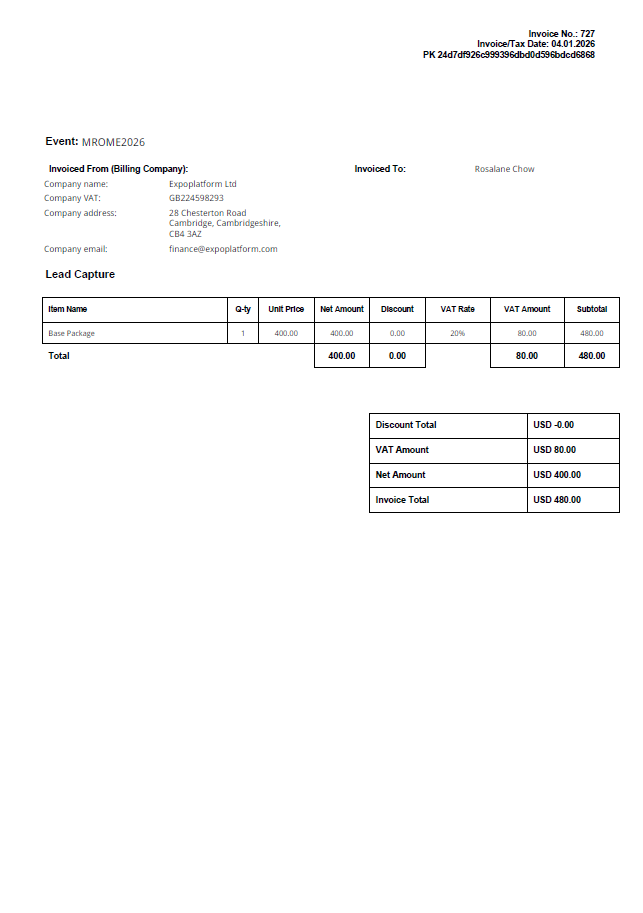
Invoicing: Please note these items are managed automatically by the system, and are linked to our billing account details. You can enabled or disabled the details that will be displayed. no logo will be included in the invoice generated by our system
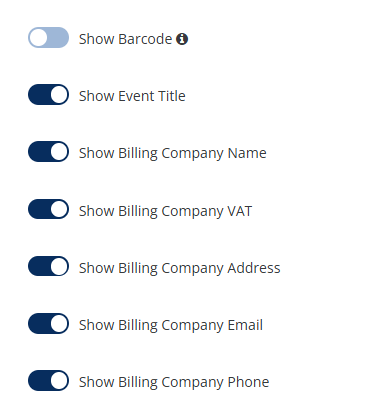
Please note that no other details will be displayed on the invoice:
-
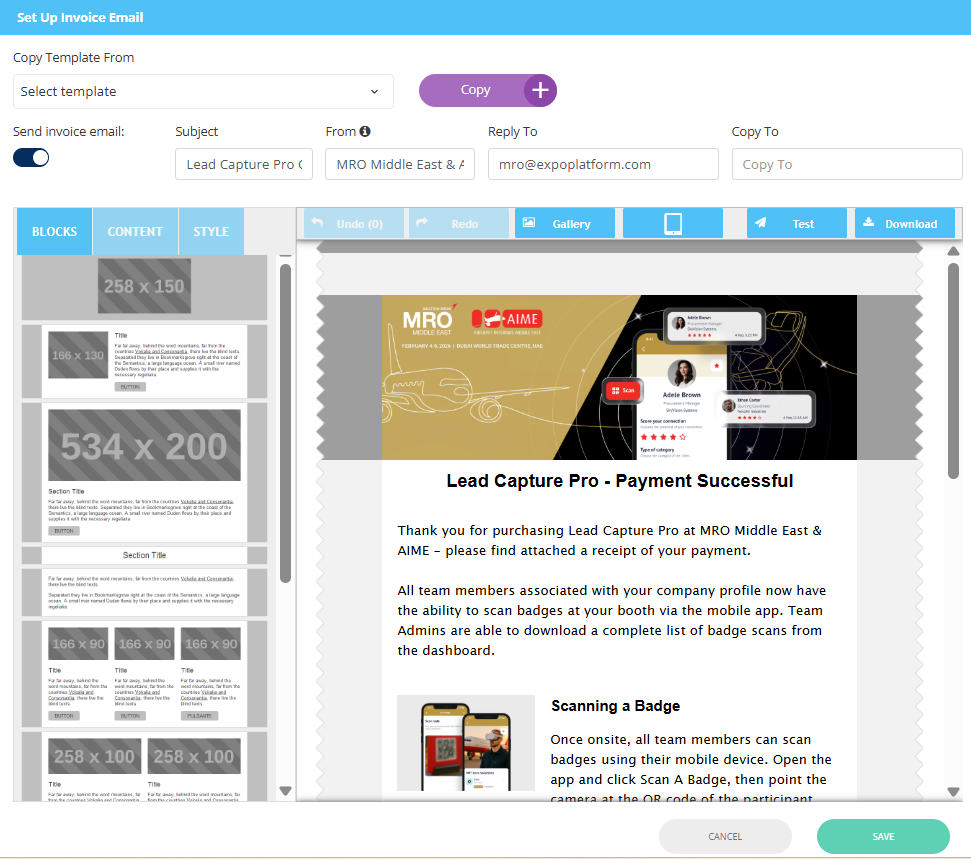
Receipts: here you can setup your email template that will be sent out with the attachment(invoice)
-
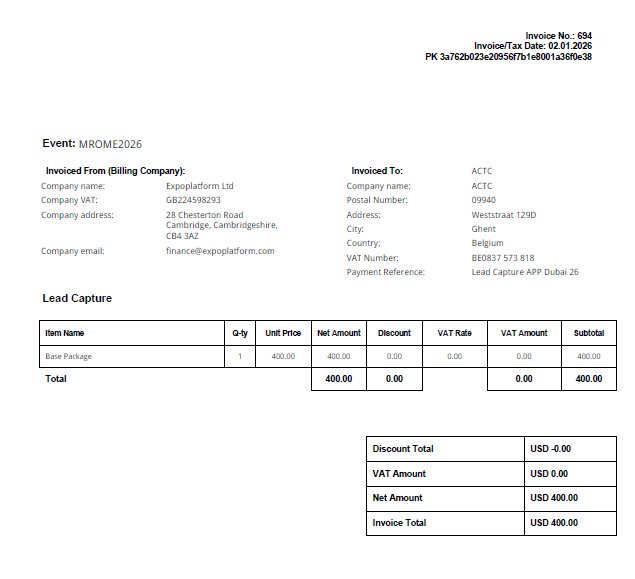
Transactions : you can download from this section the invoices that have been generated automatically upon payment
Exhibitor Details:
Example of direct URL: https://2026-mromiddleeast.expoplatform.com/newfront/lead-capture-pro
-
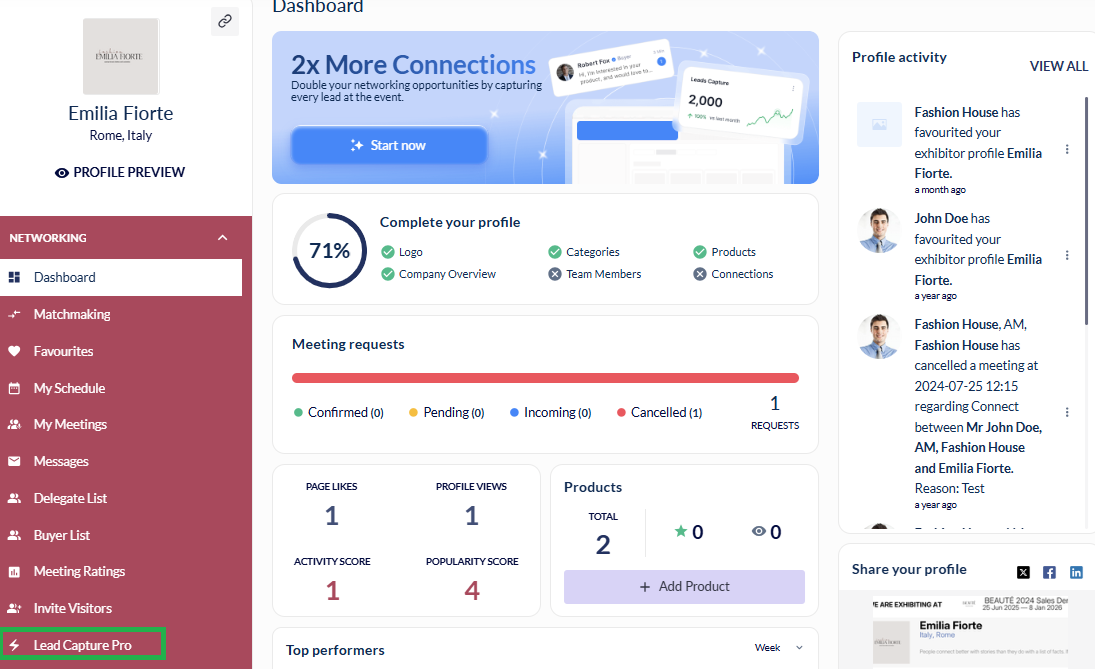
Dashboard Access: Exhibitors can access Lead Capture Pro through the link in their exhibitor profile
-
Payment Process: From the promotional page, exhibitors can add Lead Capture Pro to their basket and complete the required payment. Upon successful payment, access is granted.
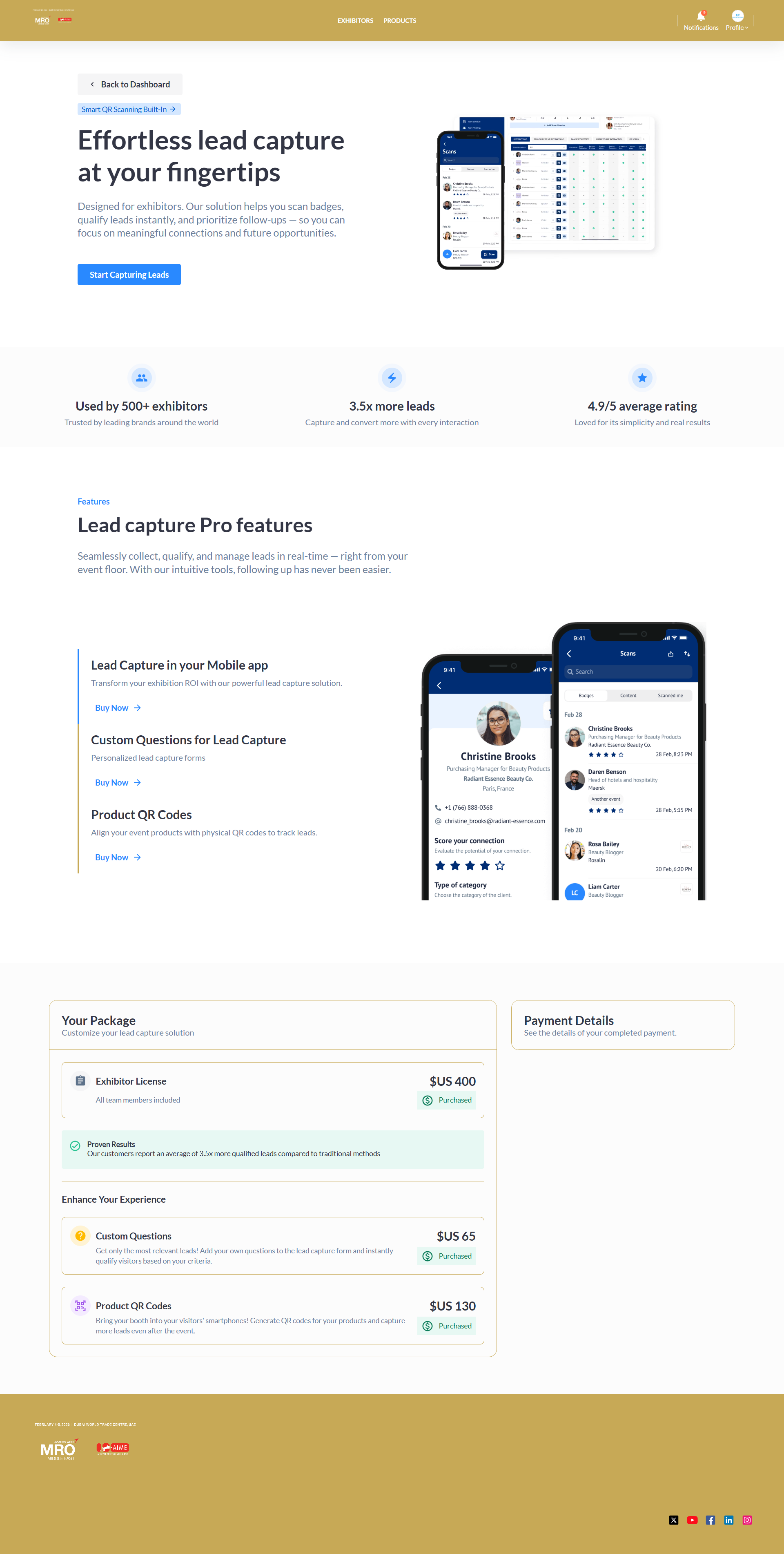
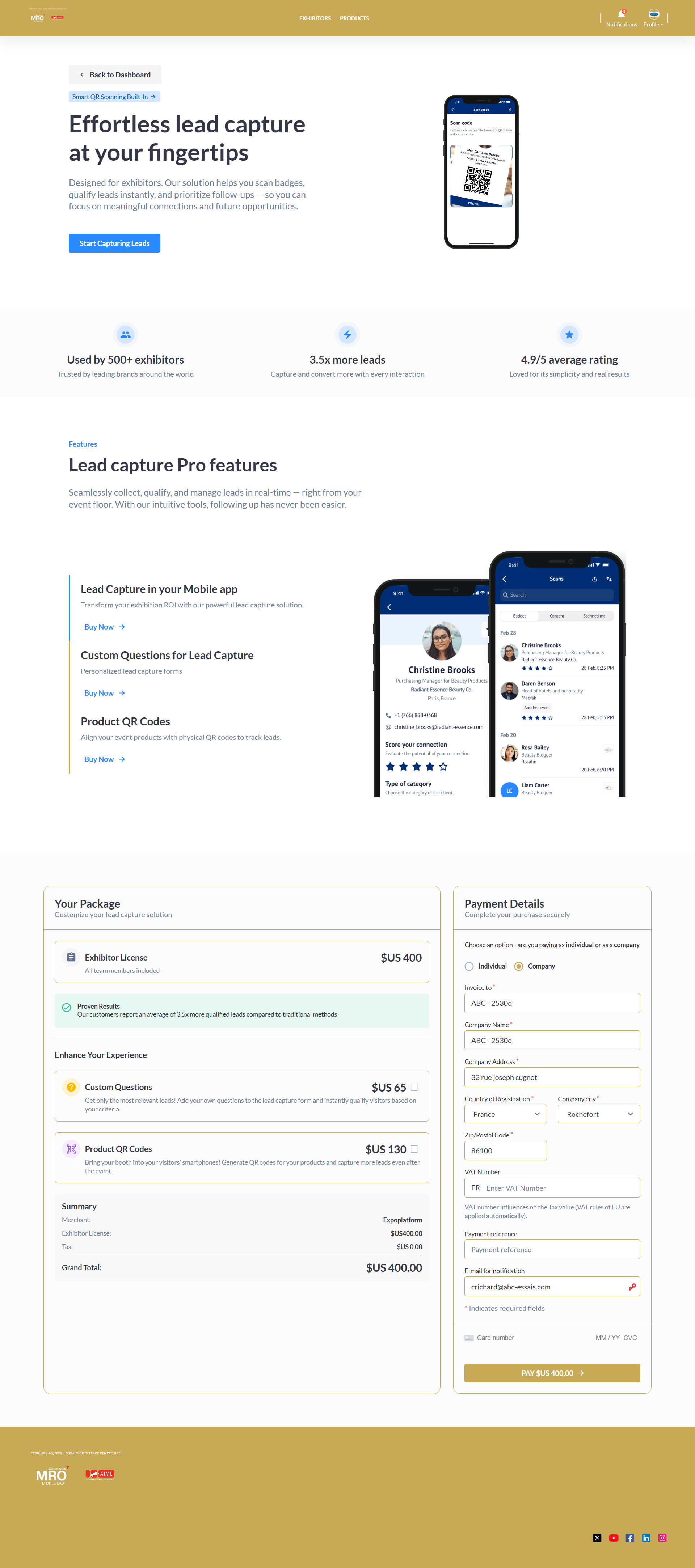
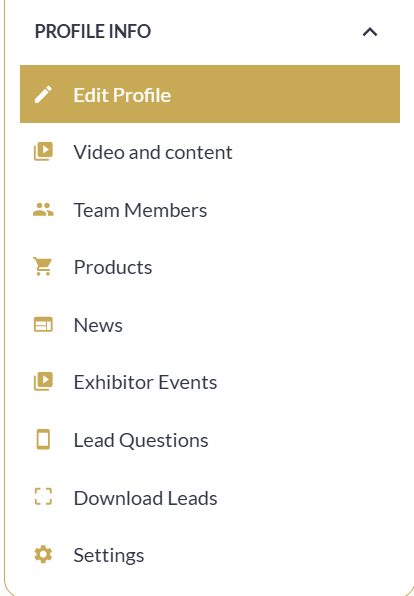
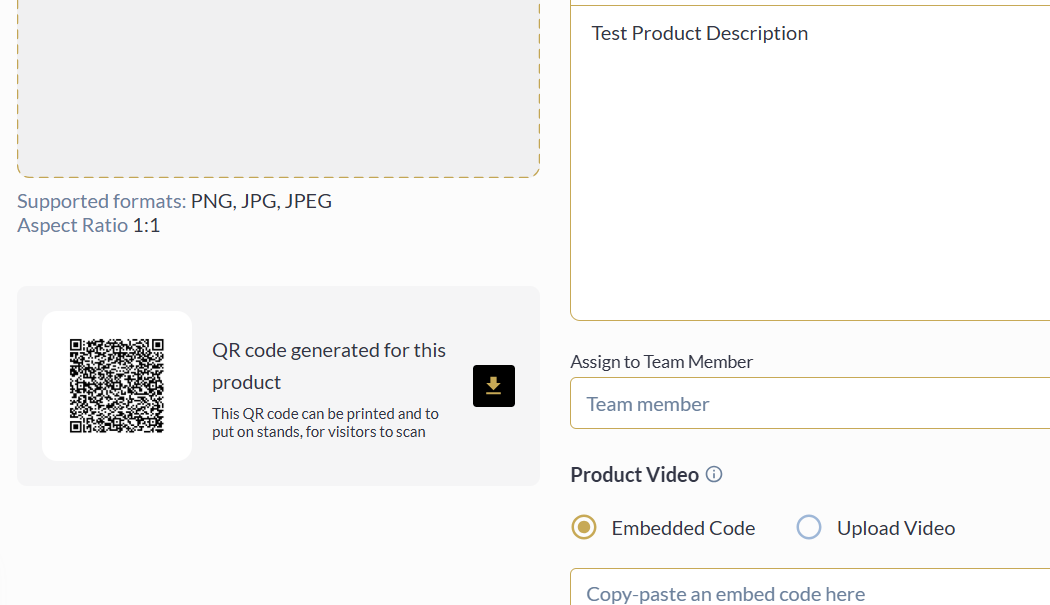
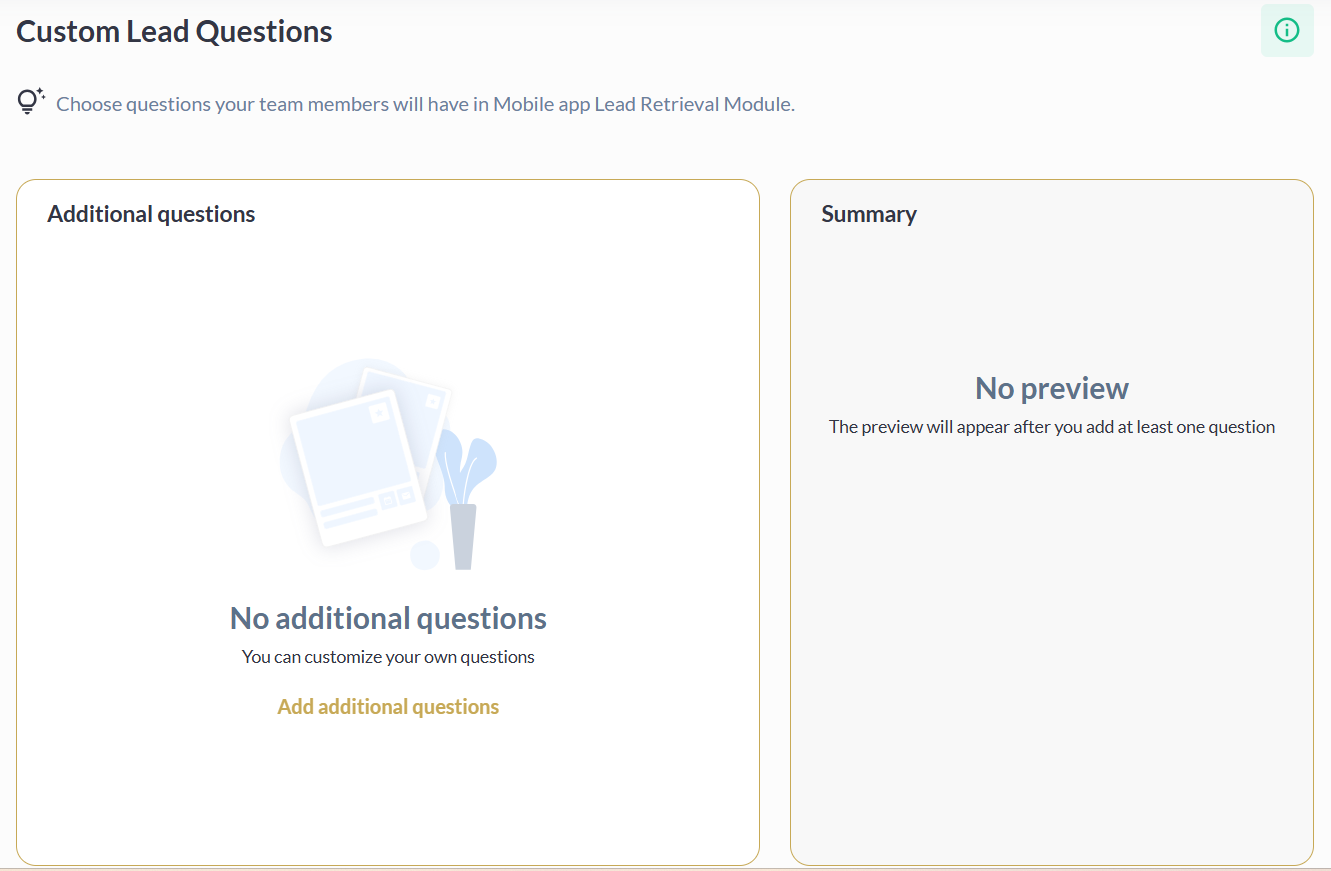
Once purchased, the scan option will be automatically enabled on the mobile app(please add the scan button to the burger menu), and profile info menu will be updated with the relevant features(product qr code or custom lead questions)
Automatic Redirect
-
When an Exhibitor (or exhibitor team member) taps Scan Badge while Lead Capture Pro is ON at the event but the company has not yet purchased the package, the app now redirects them (in their logged-in state) to the Lead Capture Pro purchase widget:
/newfront/widgets/lead-capture-progving exhibitors a clear, frictionless path to unlock the feature. -
Applies only to: Exhibitor companies and their team members, when Lead Capture Pro is enabled and available in the app.
-
Other user roles (participants, buyers, etc.) always see the Scan Badges page without redirect. Visibility for those roles continues to be controlled by App Builder settings.
-
When Lead Capture Pro is globally disabled (platform-level or event-level), no special logic is applied — page visibility is governed entirely by App Builder visibility settings as before.