
Feature Purpose:
The Floor Plan provides an interactive event map, allowing end-users to explore General Plan, Halls, and Stands, view exhibitor details, search, apply filters, and navigate efficiently.
Working with this Feature:
General Plan & Halls:
-
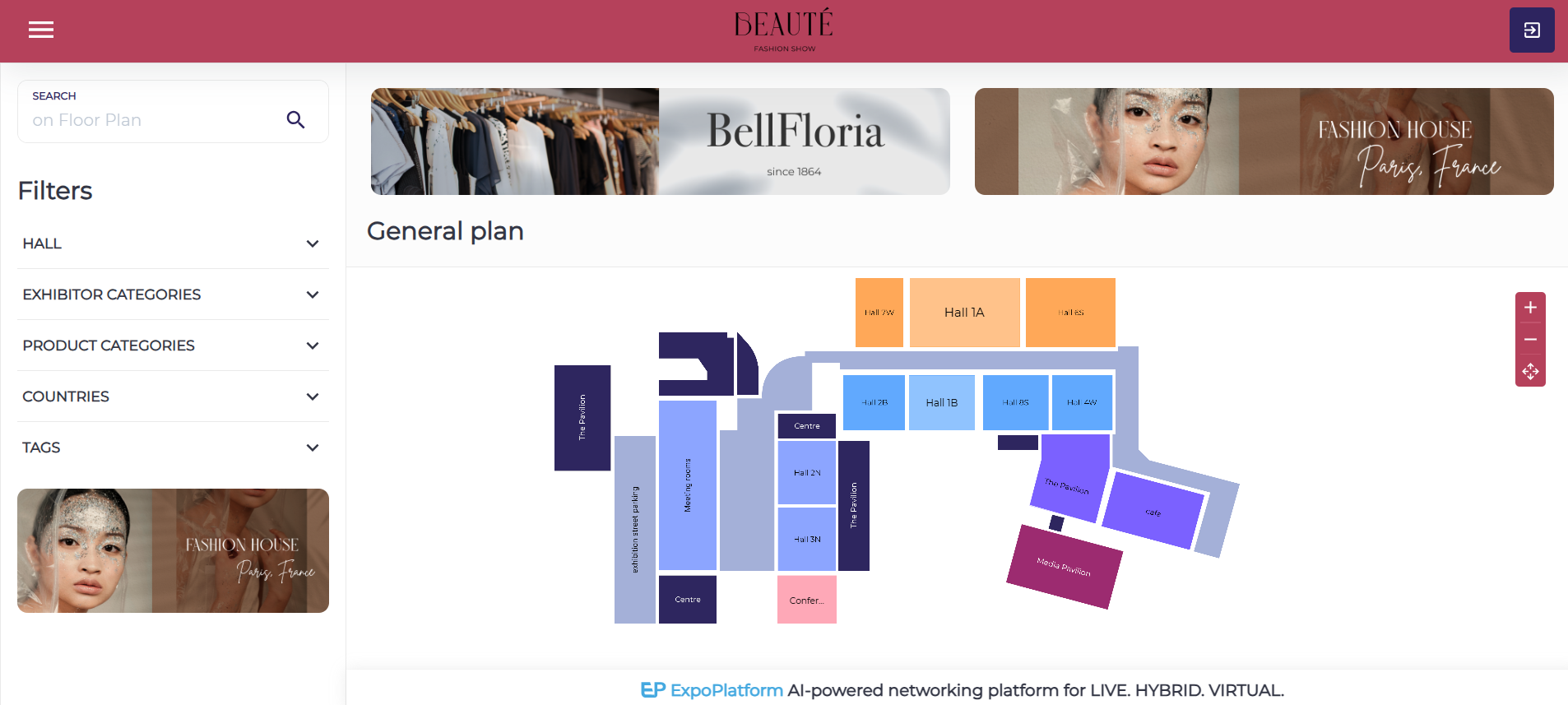
The General Plan displays all Halls, each clickable to show the total number of Exhibitors inside.
-
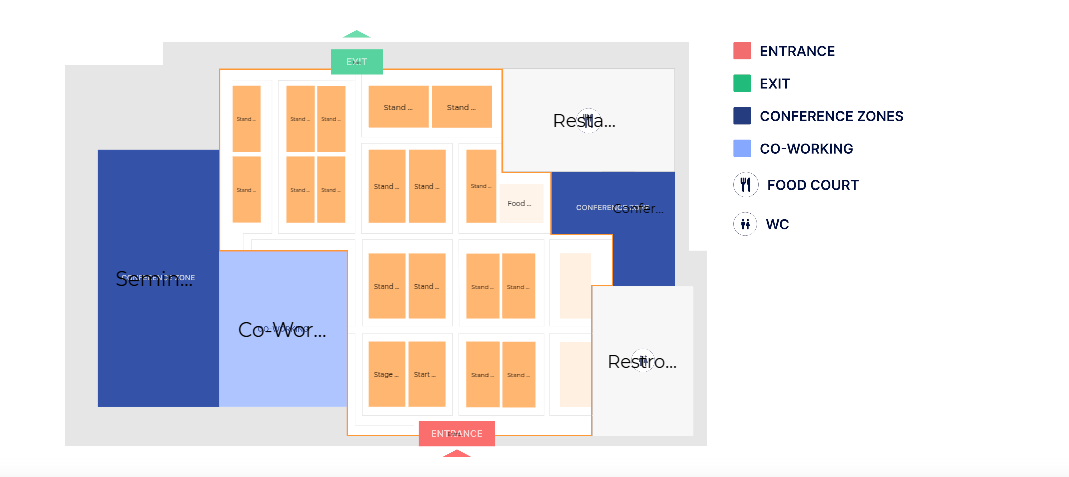
Clicking on a Hall opens a detailed view of its Stands.
If you have only one hall, your floorplan will open directly on the hall view
Stands & Exhibitor Details:
-
Each Stand is clickable, opening a lateral window with Exhibitor details (company name, description, logo, and location).
Search & Filtering System:
The Floor Plan includes multiple search and filtering options:
1. Manual Search & Filters:
-
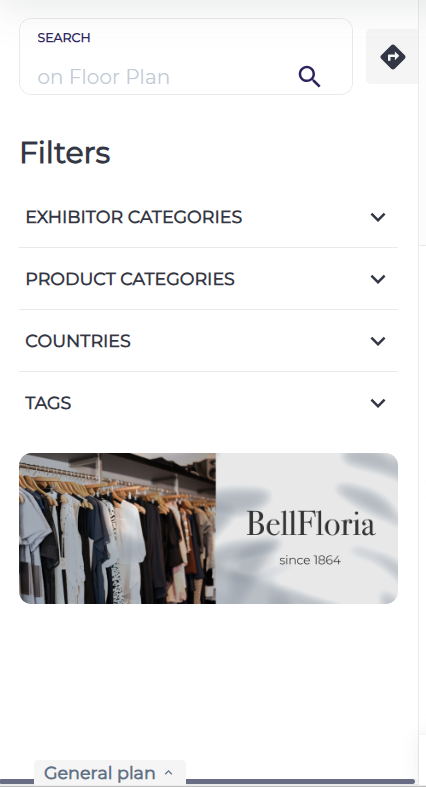
Users can search for exhibitors using keywords.
-
Filters can be used alongside Manual Search for refined results.
2. Quick Filters:
-
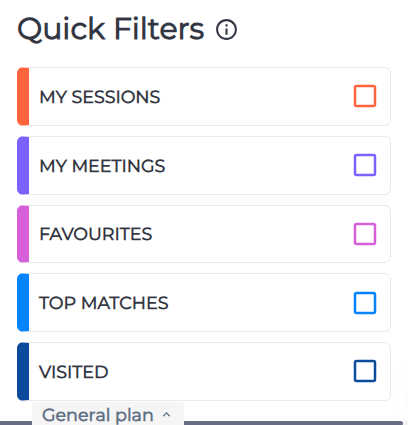
Quick filters work separately from Manual Search & Filters and provide instant exhibitor categorization:
-
Meetings & Sessions: Displays nearest confirmed and upcoming events.
-
Favorites: Shows favorited Exhibitors or products along with Exhibitor details.
-
Top Matches: Lists the top 20 Exhibitors based on business matching logic.
-
Visited: Highlights previously visited Stands with colored pins.
-
3. Search & Filter Results:
-
Results display a list of Exhibitors with their logos, names, and stand locations on the General Plan.
-
After filtering or searching, pins with Exhibitor numbers appear on the map, showing all exhibitors in a selected area.
Wayfinding System:
-
The wayfinding system helps users navigate from one stand to another, functioning as an event navigator.
Troubleshooting:
-
If a Stand or Hall is not clickable, check if it is correctly mapped in the General Plan settings.
-
If an Exhibitor does not appear in search results, ensure the correct filters are applied and that the Exhibitor is assigned to a Stand.