
Overview:
A simple registration process is a feature that allows skipping the summary page and directs users to the user’s dashboard after registration is submitted.
Setup:
The feature can be found in Registration settings > Visitors > Additional settings (admin/registration/settings)
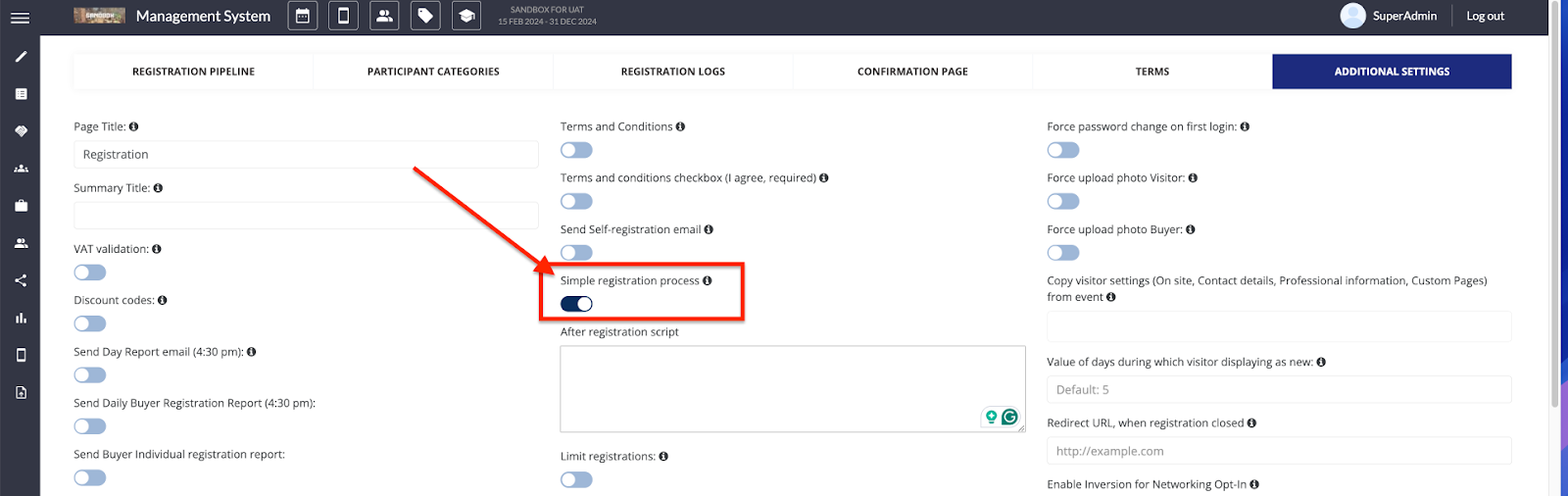
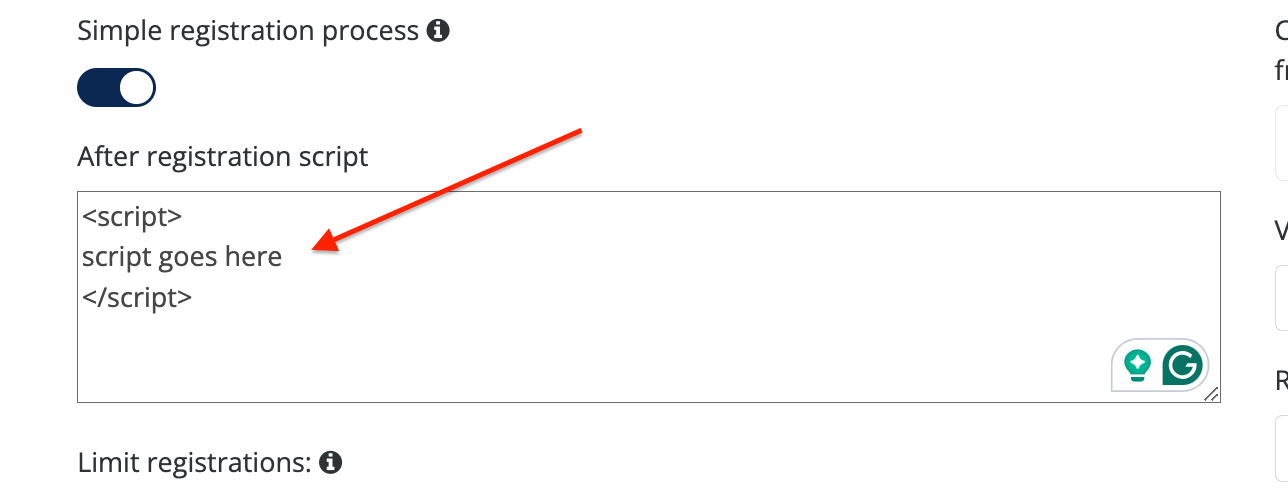
Once enabled, the “After registration script” field will appear. In this field, the Organizer can insert a JavaScript in format <script>....</script>, which runs after the user submits the registration form.
Simple registration works with:
-
Public events
-
Private events with public access to registration
NOTE: Simple registration on Public Events makes the user active immediately after registration since he lands on his dashboard once the registration is submitted.