
Feature Purpose:
Allows organiser to choose whether or not a particpant should see the list of upcoming sessions when joining an online room, whether for an online meeting or an online session.
Working with this Feature:
-
Access the setting for disabling schedule for online rooms in the admin panel located at Networking & Matchmaking > Meetings > Settings
-
Toggle the setting ON to enable the functionality.
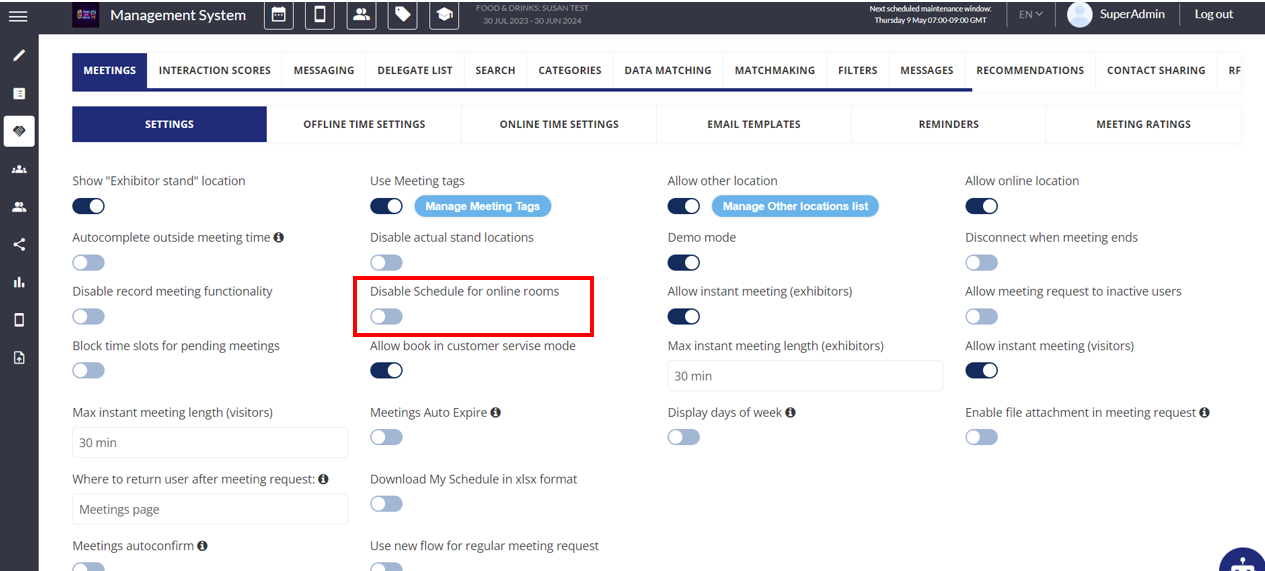
Please note- when toggled off, users will see the overall event session schedule, not their own personal schedule of sessions and events, within the online room. Currently the platform does not have a feature that allows personal schedules to be shown within online rooms, however each user can see their own personal schedule on the My Schedule tab, outside of online rooms.
Troubleshooting:
-
If the disable schedule feature is not functioning as expected:
-
ensure that the setting is toggled ON in the admin panel.
-
check if Demo mode is enabled, as this feature does not function in Demo mode.
-
-
Ask the user to log off and clear their browser cache.