
Overview:
The updated Check-in List Report is designed to provide a more streamlined and customizable experience for users managing event check-ins. This enhancement replaces the previous report that separated data by event date and presented it in multiple tabs. Now, the report is consolidated into a single tab, simplifying data analysis.
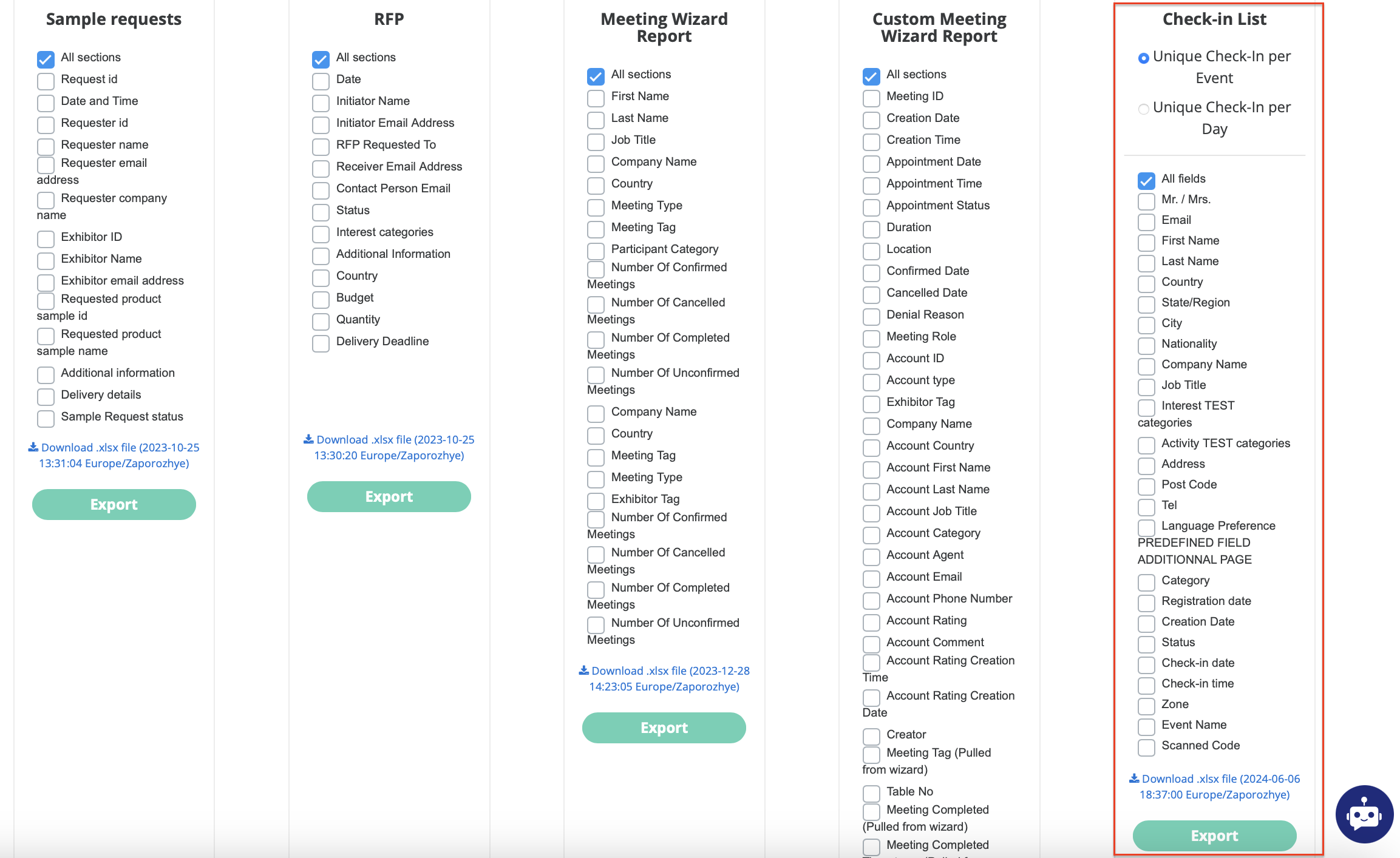
Key Features of the Updated Report:
-
Customizable Columns:
Users can choose which columns to display in the report through a column selector tool. Additionally, there is a selector that allows users to choose between two versions of the check-in report:-
Unique Check-In per Event (default): This version focuses on unique check-ins throughout the event's duration. It restricts the report to data only for the event dates and times, as defined in the admin panel. The first check-in for a participant is marked as "Yes" in the Uniques Check-in column and all subsequent check-ins are marked as "No."
-
Unique Check-ins per Day: This version identifies unique check-ins on a day-by-day basis. The first check-in for each day is marked as "Initial check-in," and all subsequent check-ins on the same day are labeled as "Duplicated check-in." If a participant didn’t check in on a specific day, the corresponding cell will remain blank. The main difference compared with the Unique Check-In per Event version, is that this one covers all the days when the user made check-ins and now just the days of the event.
-
-
Column Categories:
The report includes various categories of columns:-
System Fields:
-
Participant ID (to be included in the system fields as the first column). It is mandatory and cannot be unchecked in column selector).
-
Mr. / Mrs.
-
First Name
-
Last Name
-
Email
-
Company
-
Country
-
State/Region
-
City
-
Address
-
Post Code
-
Nationality
-
Job Title
-
Interest categories
-
Activity categories
-
Tel.
-
Language Preference
-
-
Other Columns:
-
Category (including the categories and role)
-
Registration date
-
Creation date
-
Scanned code.
-
-
Check-in Information: This section includes columns such as zone, check-in date/time, event name, and the unique check-in status (depending on the version selected). Additionally, check-ins from co-located shows are included, so if a participant from a different co-located event attends, the check-in will be recorded under the corresponding event. The system also supports random non-EP barcode and QR code formats, which are displayed in the Scanned Code column.
-
Custom Fields: All custom fields defined during registration, excluding file uploads and HTML5 type fields, are automatically included in the report.
-
-
Unique Check-in and Status Columns:
-
Unique Check-In: In the Unique Check-In per Event version, this column marks the first check-in as "Yes" and subsequent ones as "No." In the Unique Check-ins per Day version, each day’s first check-in is marked as "Initial check-in" and any subsequent check-ins as "Duplicated check-in."
-
Status: This column tracks whether the participant has joined (checked in) or left (checked out) the event.
-
-
Handling of Multiple Categories:
If a participant has more than one role, interest, or activity category, these are separated by commas within their respective columns.
-
Conditional Fields:
Fields that appear due to conditional logic during registration (e.g., based on specific categories) are also included in the report.