
Add Benefits
-
To add a Benefit, click the “Add Benefit“ button in the top left corner of the Benefits page (/admin/hostedbuyers/benefit)
-
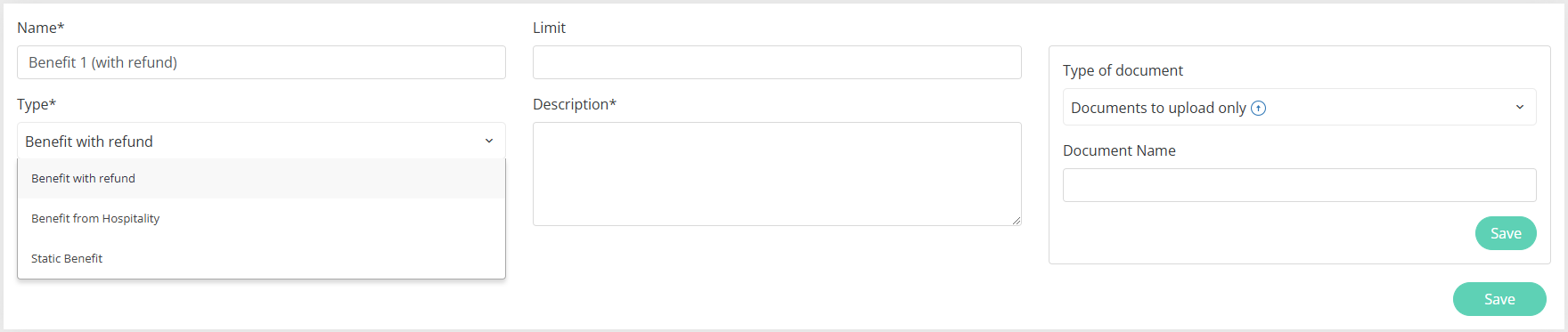
After clicking the benefit form appears
-
To add a benefit need to fill in the required fileds and click the lower “Save“ button.
Edit Benefits
-
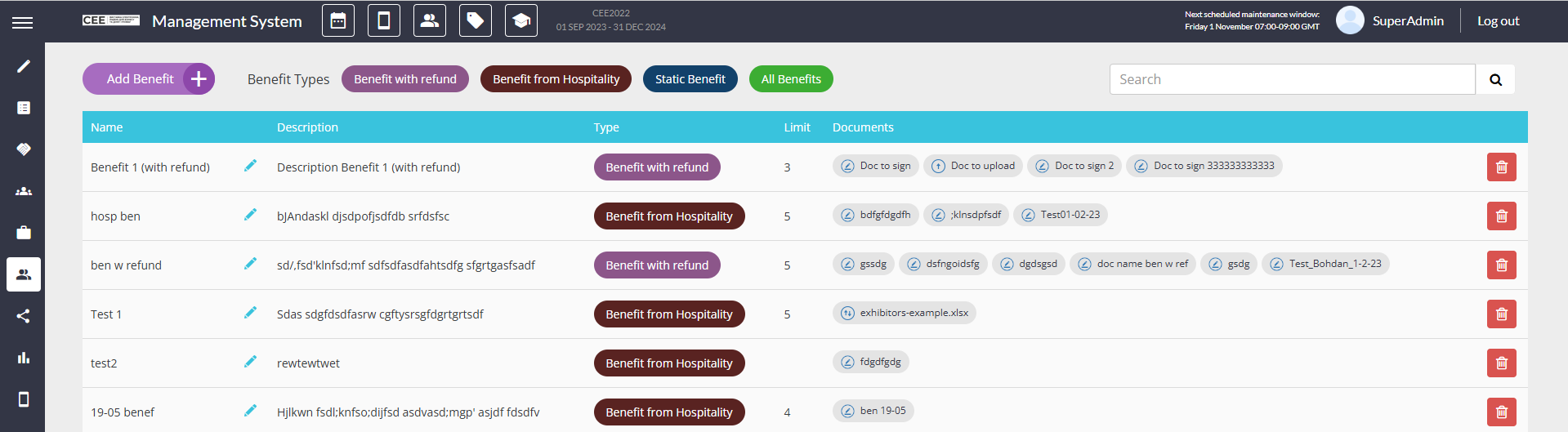
To edit the benefit click the Pencil icon on the benefit
-
After clicking the same benefit form pop-up as add benefit appears but with pre-filled fields
-
User can make changes in and save them using the lower “Save“ button.
Name & Description
-
Both are required fields
-
Both are shown on the frontend at /newfront/profile/benefits
Set Limit
-
This functionality has been disabled and should not be used
Filter Benefit Types
-
Filter options by default are: Benefit with refund, Benefit from Hospitality, Static Benefit, All Benefits.
-
The last one appears after any other option is picked and disappears after picking it.
Assign Type
-
Possible types to be assigned are: Benefit with refund, Benefit from Hospitality, Static Benefit.
-
Type is a required field when adding or editing a benefit.
-
On the frontend all benefits are sorted and separated by type.
Delete benefit
-
To delete the benefit use the Delete button for the respective benefit.
-
After deleting the benefit, attached documents need to be deleted as well.
-
After deleting the benefit, processed by Buyer documents become deleted as well.